

How do I set up admin accounts in Donor Management?
If you need to grant administrative access to other team members, you can set up an admin account for them. The steps below will guide you through this process and help you assign each team member the level of access they need while working in your Donor Management system.
Note: Only 'Supervisor' level administrators will have access to make these changes.
Step 1: Navigate to your Dashboard
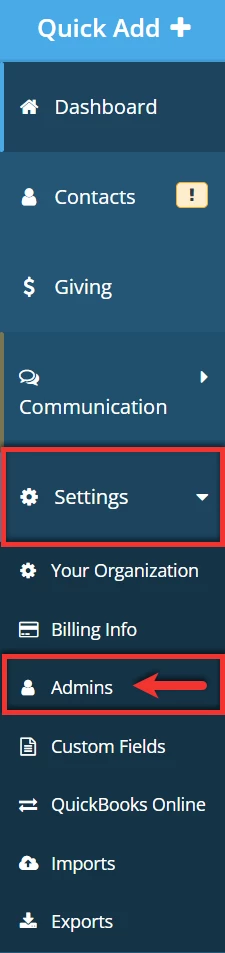
From your Dashboard, click to expand the 'Settings' tab on the left navigation menu. Select 'Admins' to be directed to the 'Admins' page.
Step 2: Add your admin
Click the blue 'Add Admin' button in the upper right corner of the 'Admins' page to set your administrator up with access.

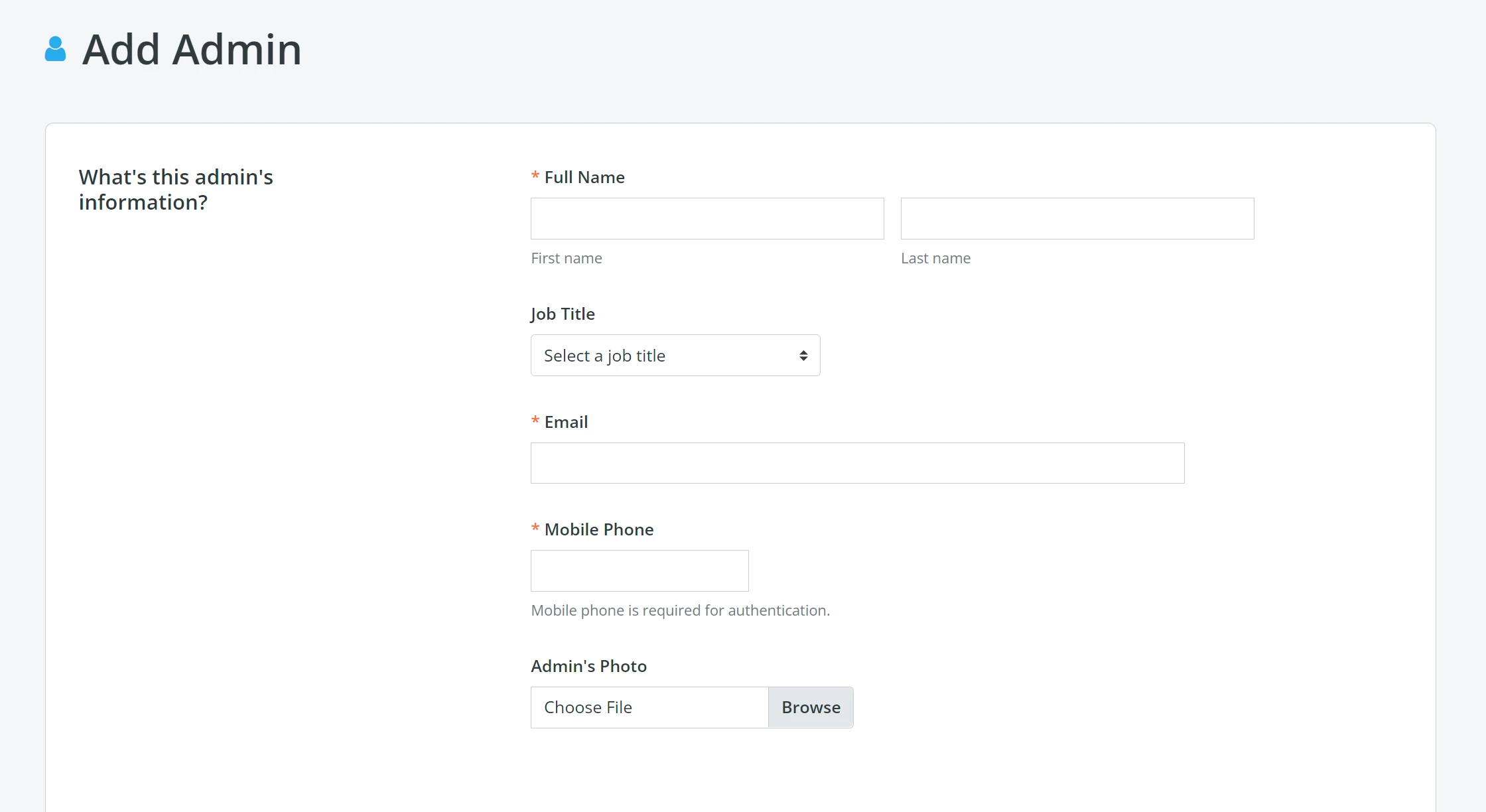
You will be taken to a page where you will enter your admin's information.
Step 3: Assign a role to your admin
You can designate a specific role for your administrator by scrolling further down the page. Learn more about each admin role here.
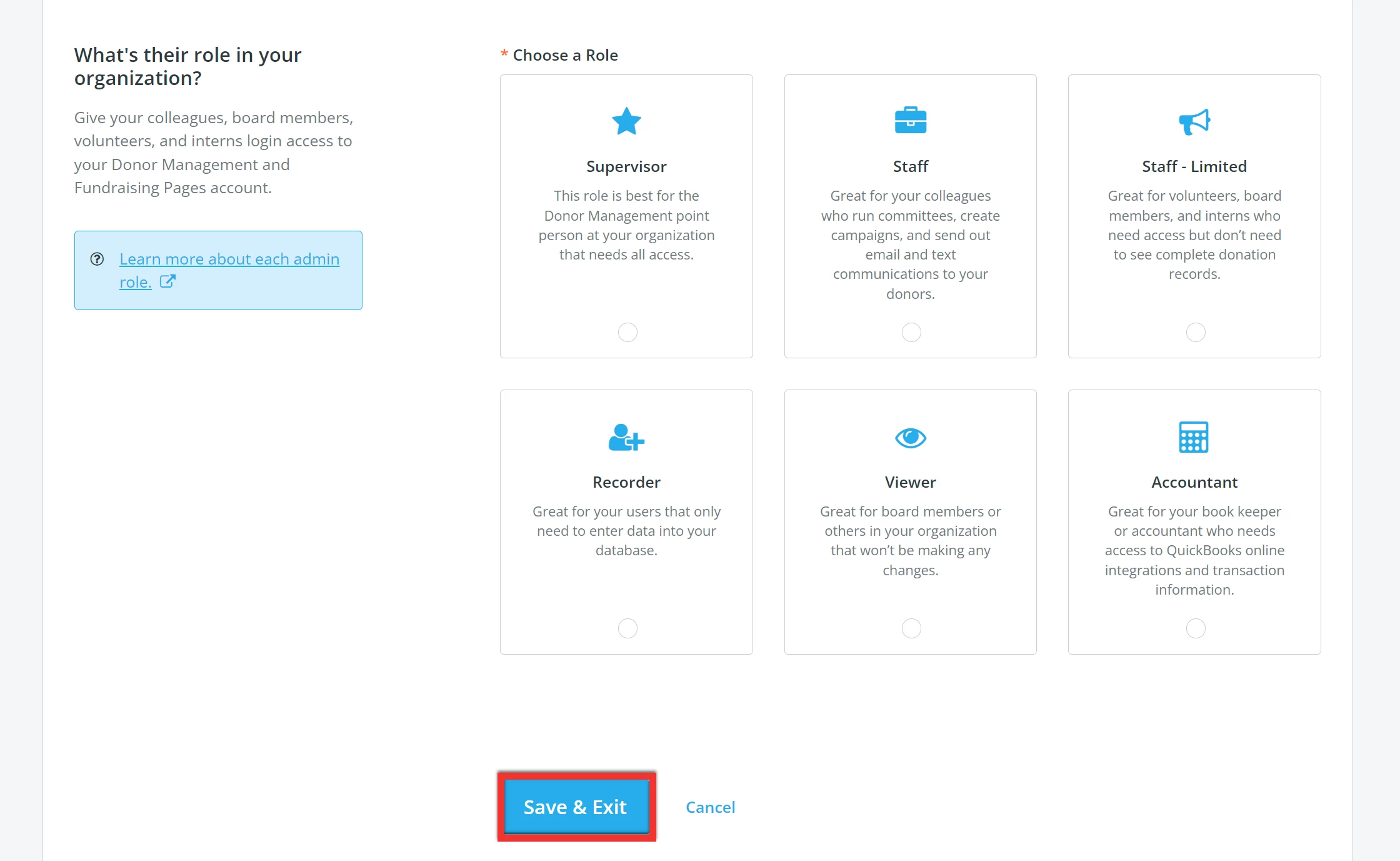
Once you have confirmed your administrator's details, be sure to click the blue 'Save & Exit' button to send them an e-mail notification about their administrative access!
Step 4: Ask your admin to check their e-mail
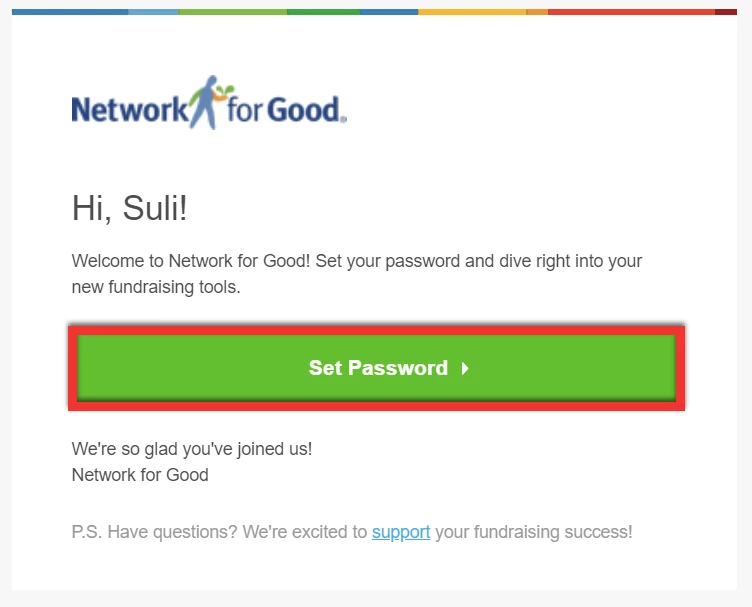
The administrator will receive an e-mail from success@networkforgood.org with a link prompting them to set their unique password and help them log into their account.
What else do you need help with?
How do I delete admin accounts in Donor Management?
How do I add a new admin in Donor Management? | Why can’t I see the Add Admin button? | What admin roles are available in Donor Management? | How do I give a team member access to Network for Good? | Why didn’t my new admin receive the setup email? | Who can create admin accounts in Donor Management? | How do I assign Supervisor access to an admin?