


Admin Platform
Admin Platform
Once you log in, you will be directed to the Admin Dashboard.
On the Dashboard, you will see a summary of your company's donations, volunteering, and more!
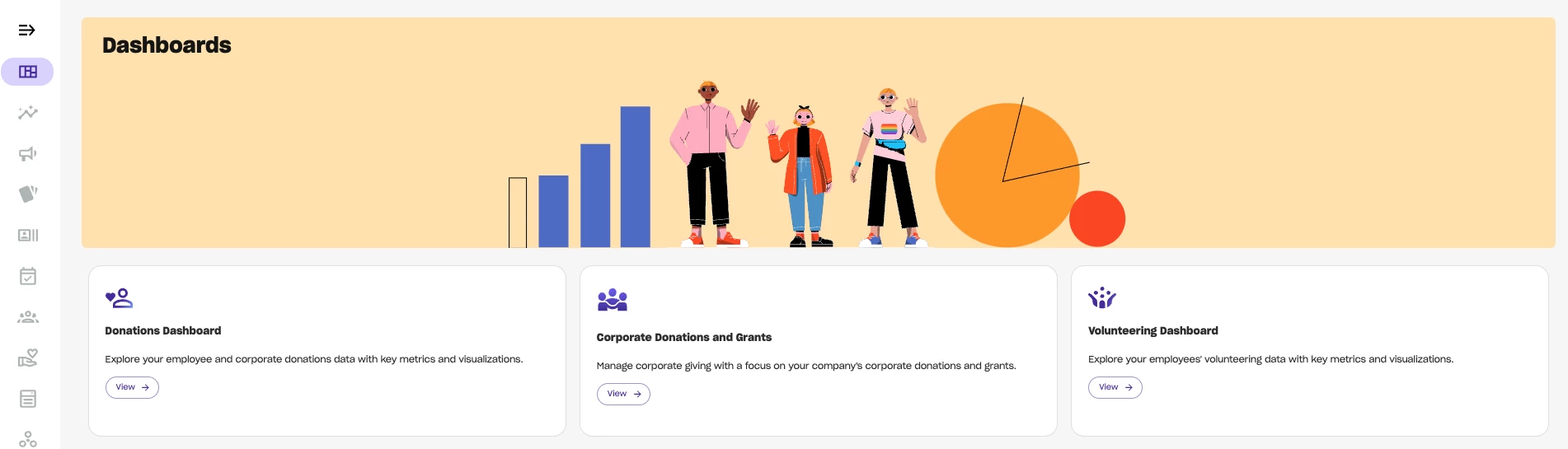
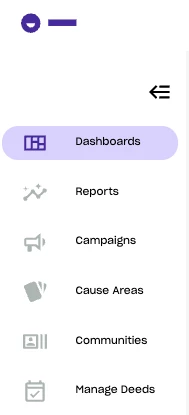
The Dashboard is just one of many features that you have access to as a Deed Admin. You can also download your company's reports and create and manage deeds and campaigns. On the left-side of your Dashboard, there is a toolbar where you can find all Admin features.
To access the toolbar, find the Deed logo on the upper left-hand corner and click on the expanding arrow below to view a summary of all your Admin features.
Important Links
- Admin login link = https://organizer.godeed.today/login
- Employee login = log into Deed via SSO. This will allow you to see the platform as an employee and engage with various campaigns and events.
- For all things employee-facing, check out the Employee Knowledge Hub. With the Employee Knowledge Hub, you can learn about how to use Deed as an employee - creating events, fundraisers, and more!
How do I access the Deed admin platform? | How does the Deed admin dashboard work? | Why can't I find the admin platform in Deed? | Where do I log in as a Deed admin? | What is the Deed admin platform? | How to navigate the Deed admin dashboard? | Can I manage volunteering and donations from the admin platform?