

Where can I see my company's impact goals?
Curious how your company is tracking toward its giving and volunteering goals? If your company shares impact goals in Deed, you can follow live progress in the app on the web, iOS, and Android.
Find goals on your home screen
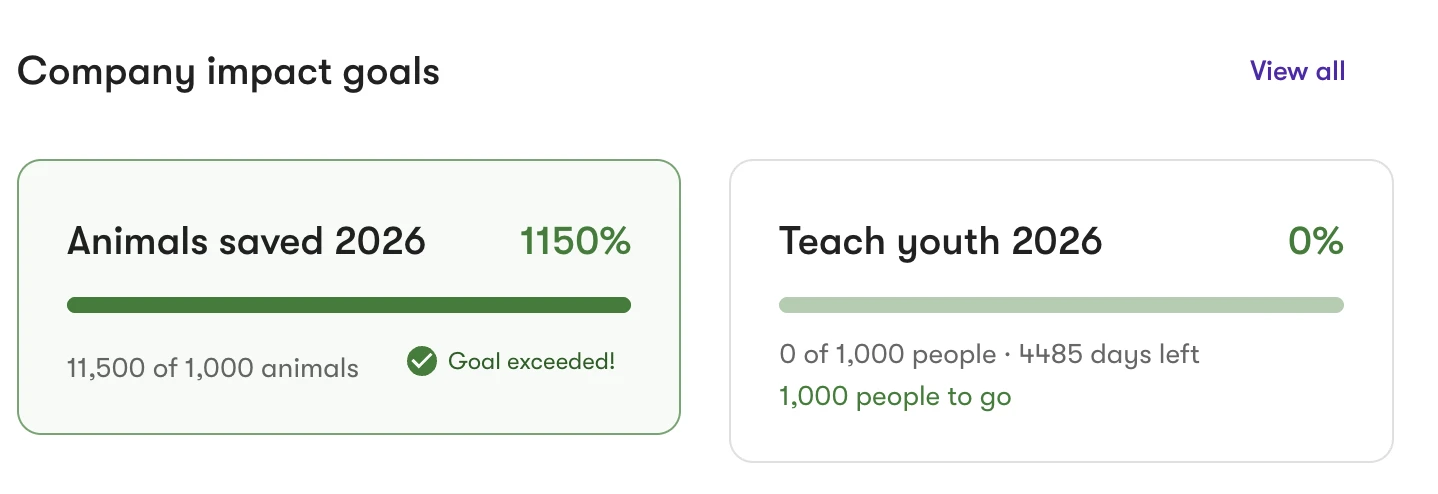
Up to two goals appear on your home screen under Company impact goals. Each goal shows:
- A progress line, such as how many meals out of the target have been served.
- How many days are left.
- How much is left to go or, for volunteer hours goals, your own hours once you've logged some.
- A Goal reached or Goal exceeded badge once the target is met or passed.
See all goals
Open the full Company impact goals page to see every goal your company shares with you. Select View all on your home screen to get there. Use the All, Past Goals, and Completed tabs to switch between them.
How you contribute
For volunteer hours goals, your approved volunteer hours count toward the goal, and you see your own total once you've logged hours. For other goals, progress comes from your company's activities as a whole, so you won't see a personal total.
Note: Don't see any goals? Your company may not share goals in the app yet; some goals only show up in certain locations or departments, and goals stop showing once their end date passes. Goals are set by your company's admins, so you can't create or join them.
Where can I see my company's impact goals in Deed? | What are Company impact goals? | Why can't I see any impact goals? | How do I see my volunteer hours toward a company goal? | Why don't I see my personal contribution on a goal? | Can I create or join an impact goal? | What does Goal reached mean?