

How do I add a Household member as a 'Co-donor'?
When an individual donates, they may wish to credit another individual, such as a partner or spouse, as a 'Co-donor'.
'Donor Management' administrators can enable 'Co-donors' for any household with more than one member, and then mark these contacts as co-donors when adding donations for anyone in that household. Donations will appear on co-donor profiles just like any other donation - but, they will not count toward overall donation totals for the organization (which prevents inaccurate numbers and inflated totals).
The steps outlined below will help guide administrators through this process.
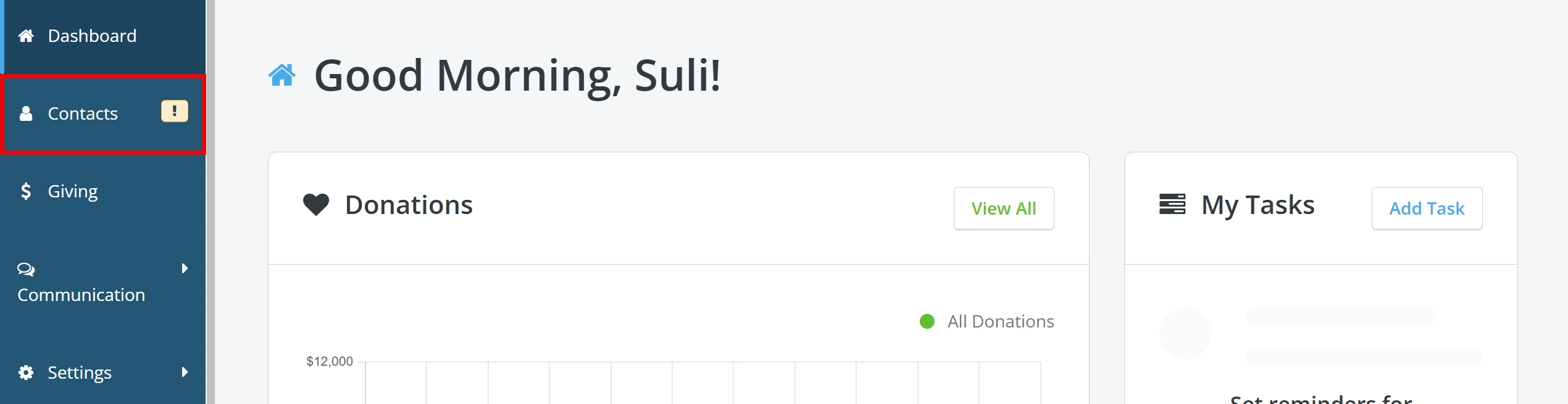
Step 1: Navigate to your 'Contacts'
From your 'Donor Management' Dashboard, click the 'Contacts' tab on the left navigation panel.
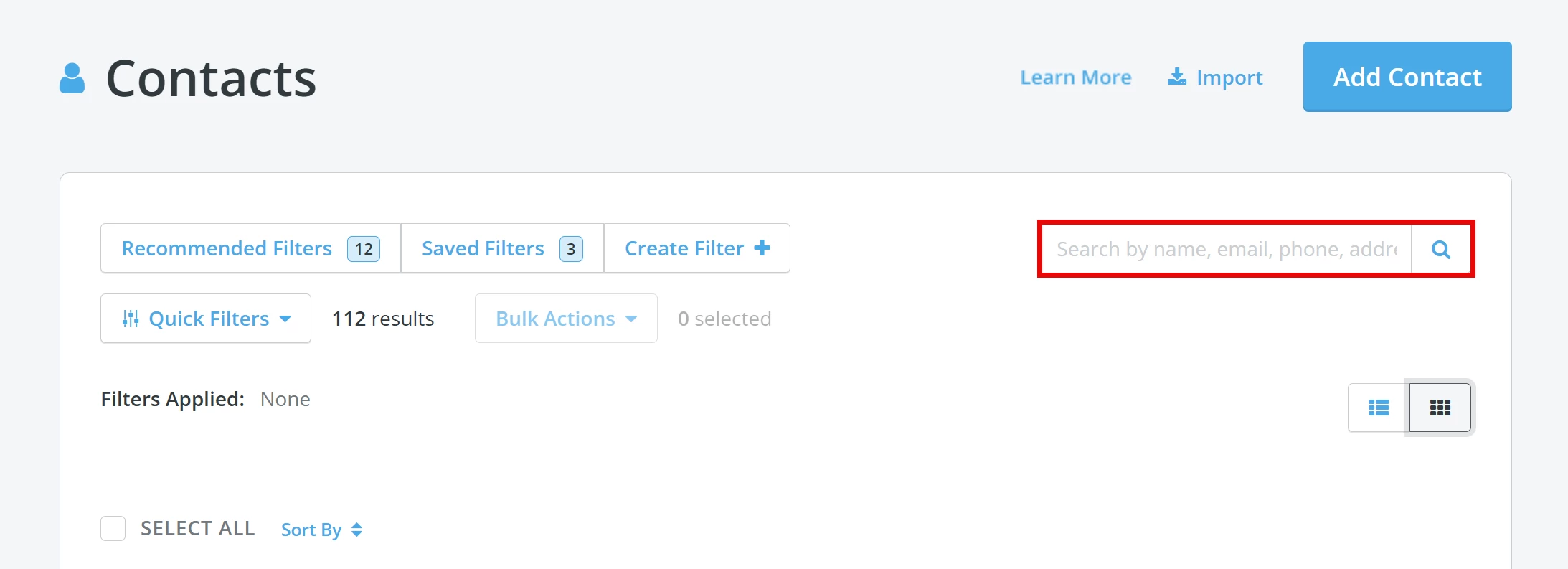
Step 2: Search for the Contact
You will be directed to your 'Contacts' page where you can use the search bar to locate the Contact. You can search by name, e-mail address, phone number, or address.
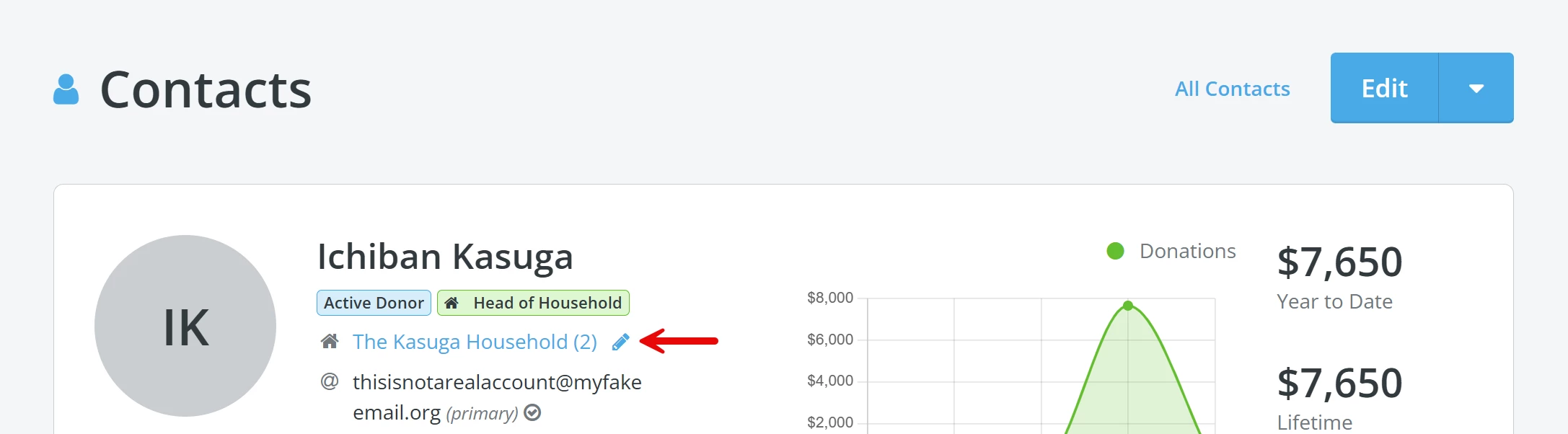
Step 3: Navigate to the Contact's Household Details
From the Contact's record, click the pencil icon next to their Household name to bring up the corresponding information.
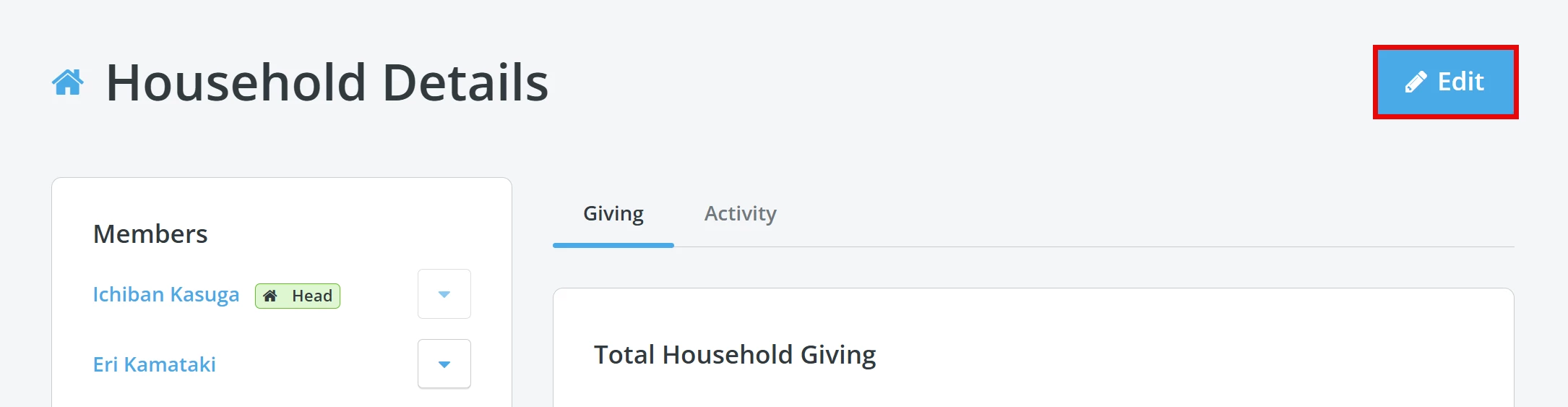
Next, click the 'Edit' button in the upper right corner of the page to edit the household's details.
Step 4: Add 'Co-donors'
On the 'Edit Household' page, under the section labeled 'Who are the members of this household', you should see a list of household members who can be added as 'Co-donors'.
Select the checkbox next to the name of the household member(s) you want to add as co-donors.
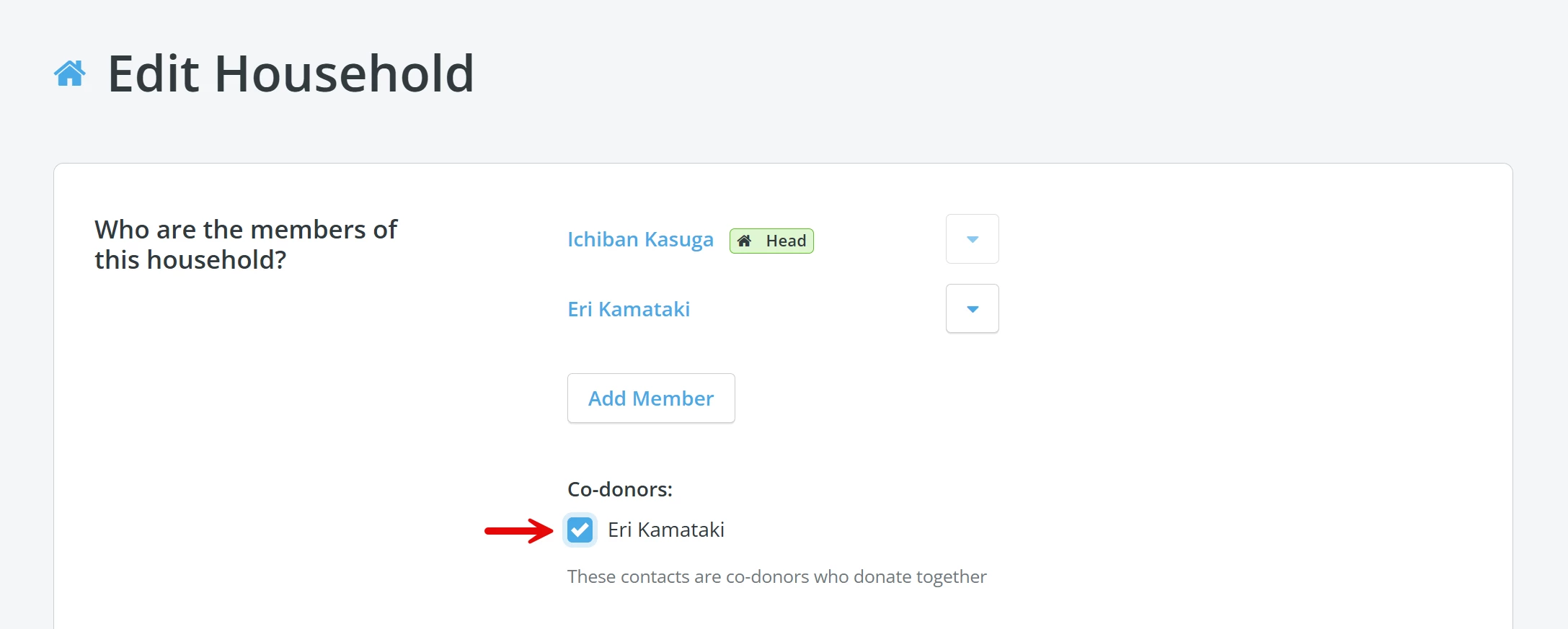
Once you are finished, scroll down and click the 'Update & Save' button.

A few things to note:
-
co-donor data is not importable or exportable at this time
-
both offline and online donations can be attributed to co-donors
-
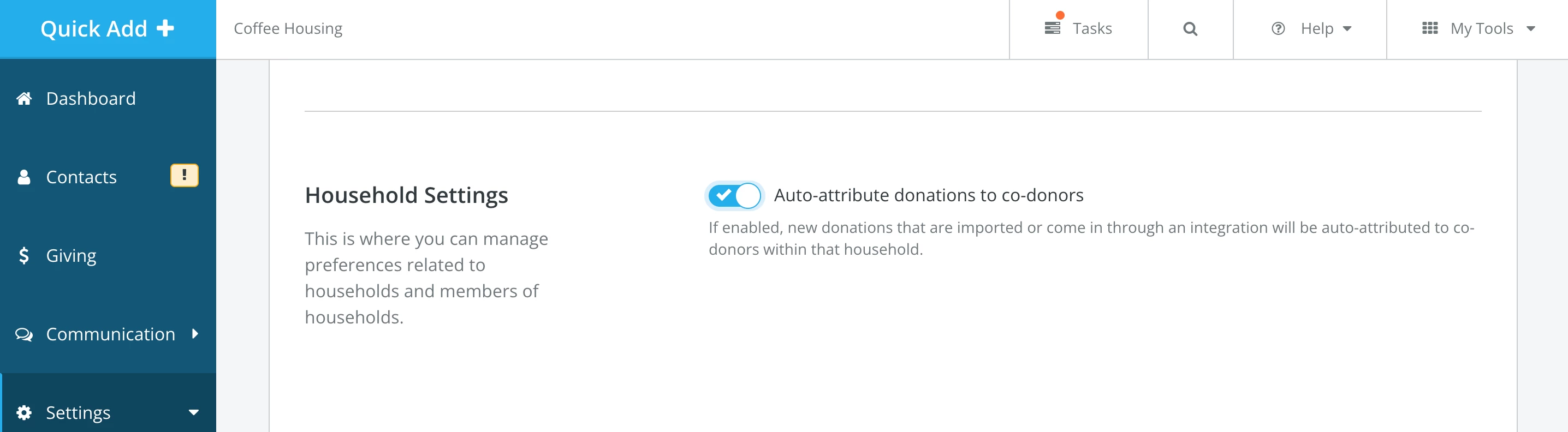
online donations and imported donations can automatically be attributed to co-donors; this setting is enabled by default in 'Donor Management'
-
this feature is not designed to replace soft credits
-
donations made by co-donors do not show impact donation amounts displayed via merge fields, like year-end donation summaries
-
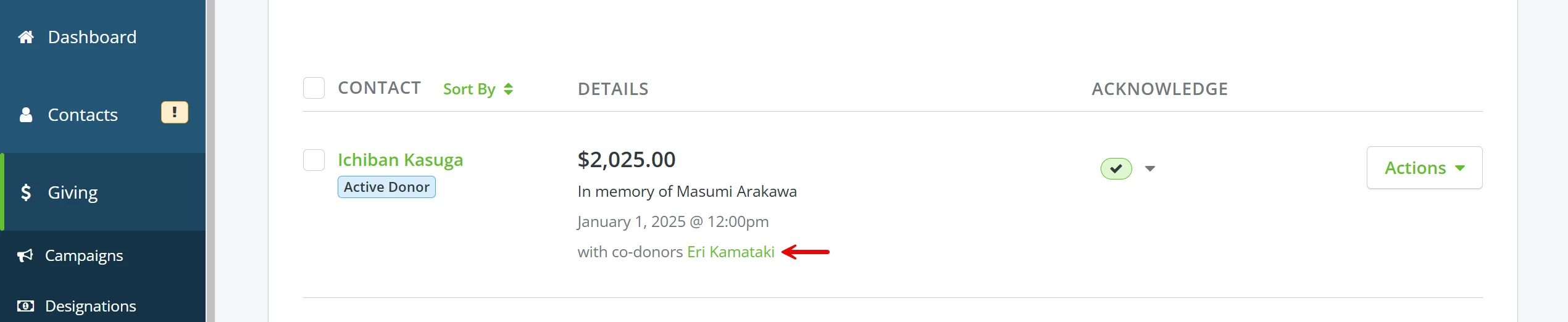
if a donation includes a co-donor, their name(s) will appear on the donation and can be clicked to navigate to their respective donor profiles
-
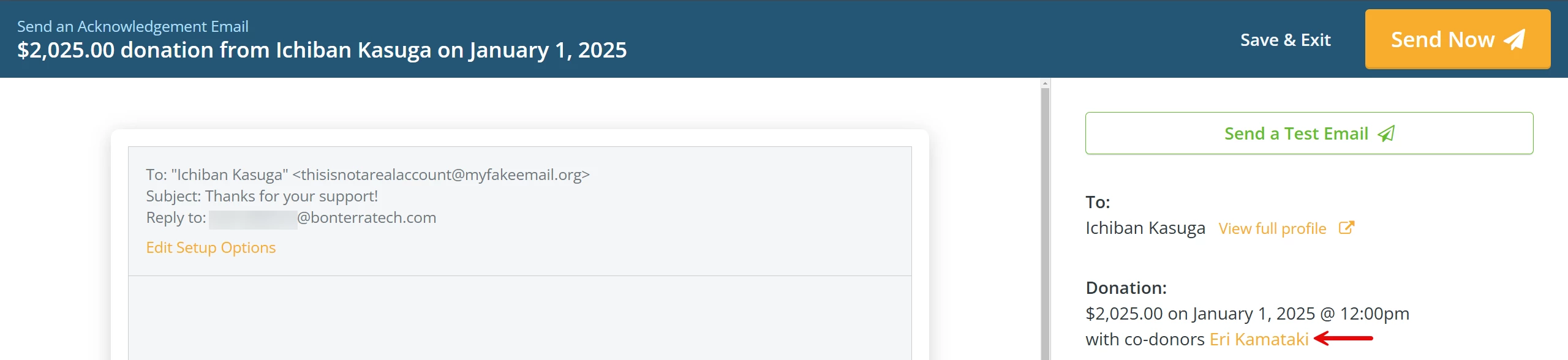
when creating acknowledgments for donors, any co-donors will be listed in the right sidebar so that admins can easily see who they need to acknowledge for a donation
What else do you need help with?
- How do I create a Household?
- How do I edit a Household?
- FAQ: Households
- How do I add a soft credit?
- FAQ: Soft Credits
Not quite what you were searching for?
Navigate back to the Donor Management Resource Index.
How do I add a co-donor to a donation in Donor Management? | What is the difference between a co-donor and a soft credit? | Can online donations include co-donors automatically? | Do co-donations affect overall donation totals? | How do I enable co-donors in a household? | Why isn’t the co-donor showing in reports? | Can I import or export co-donor data? | How does a household work? | how do co-donors work? | How does householding and co-donors work?