

How do I edit a household?
Step 1: Search for a member of the household
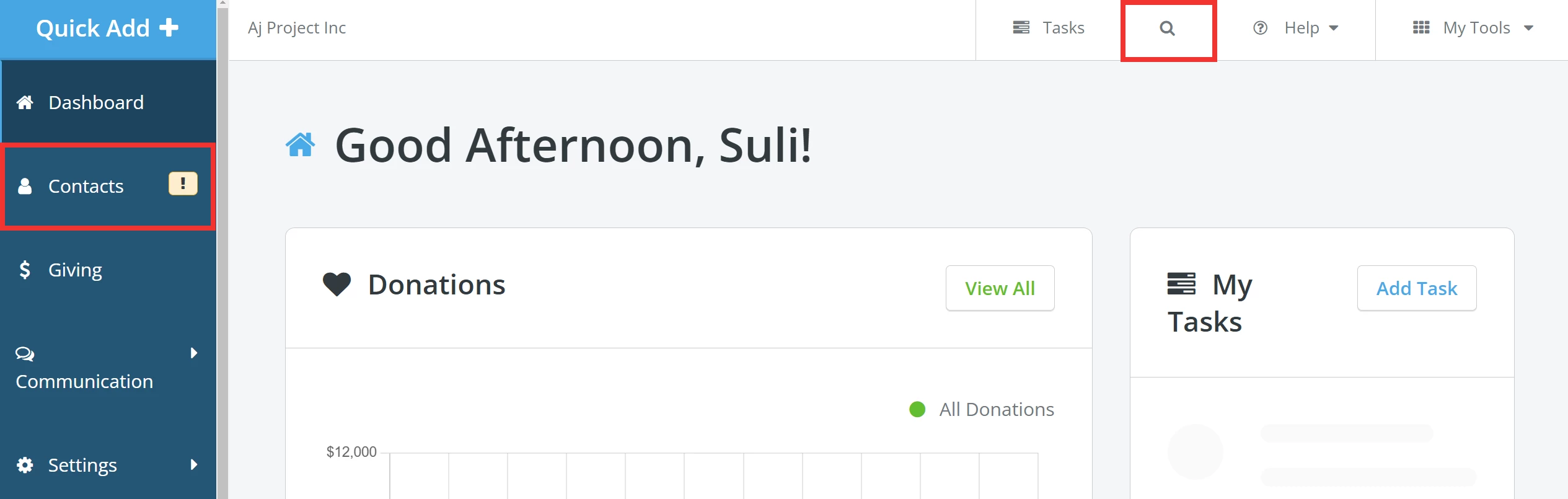
From your 'Donor Management' Dashboard, click the 'Contacts' tab on the left navigation panel or the magnifying glass icon at the top of the page to search for a member of the household you want to edit.
Step 2: Click to edit the household
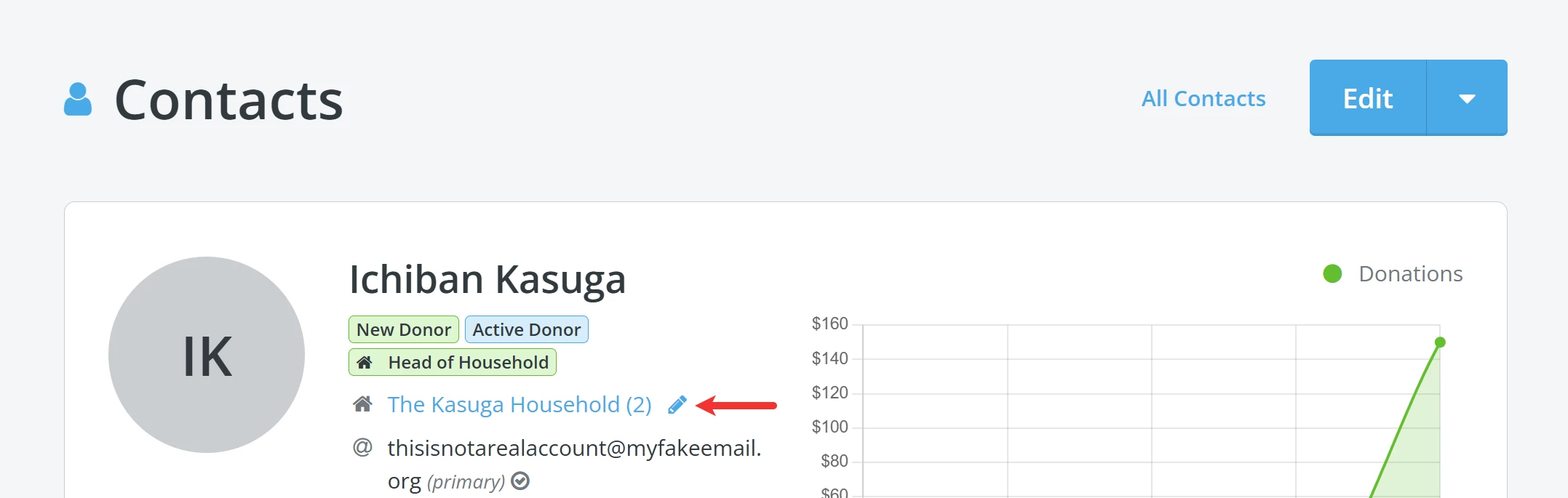
When directed to the contact's record, click the household name to edit it.
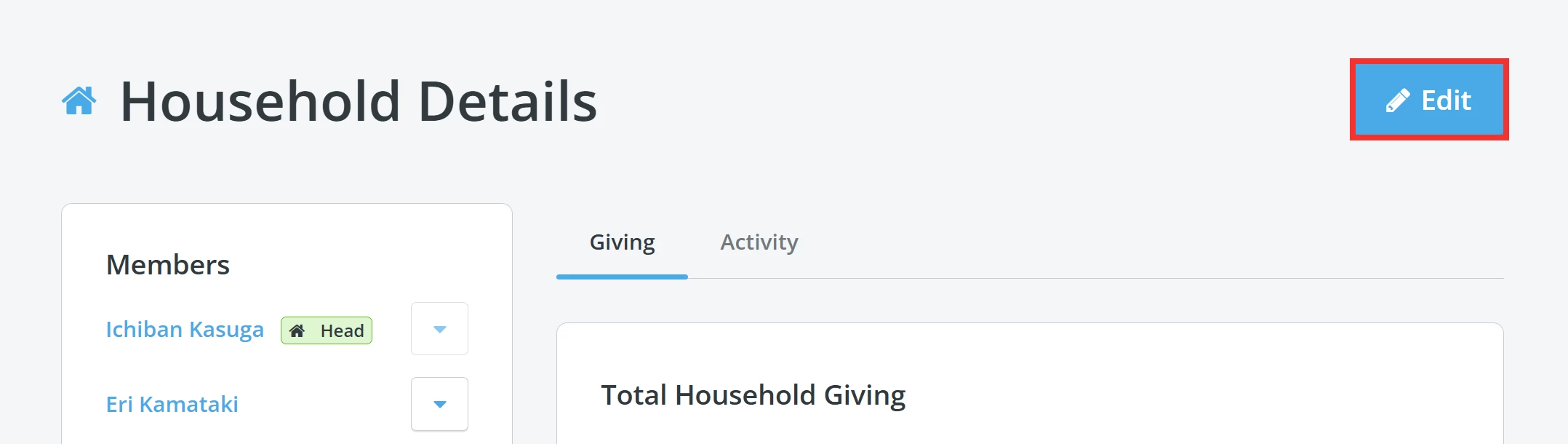
The page will load the 'Household Details'. Click the 'Edit' button in the upper right corner.
Step 3: Edit the household
On the 'Edit Household' page, you can edit the members of the household and their assigned roles by clicking the arrow next to their name or clicking the 'Add Member' button to add someone new.
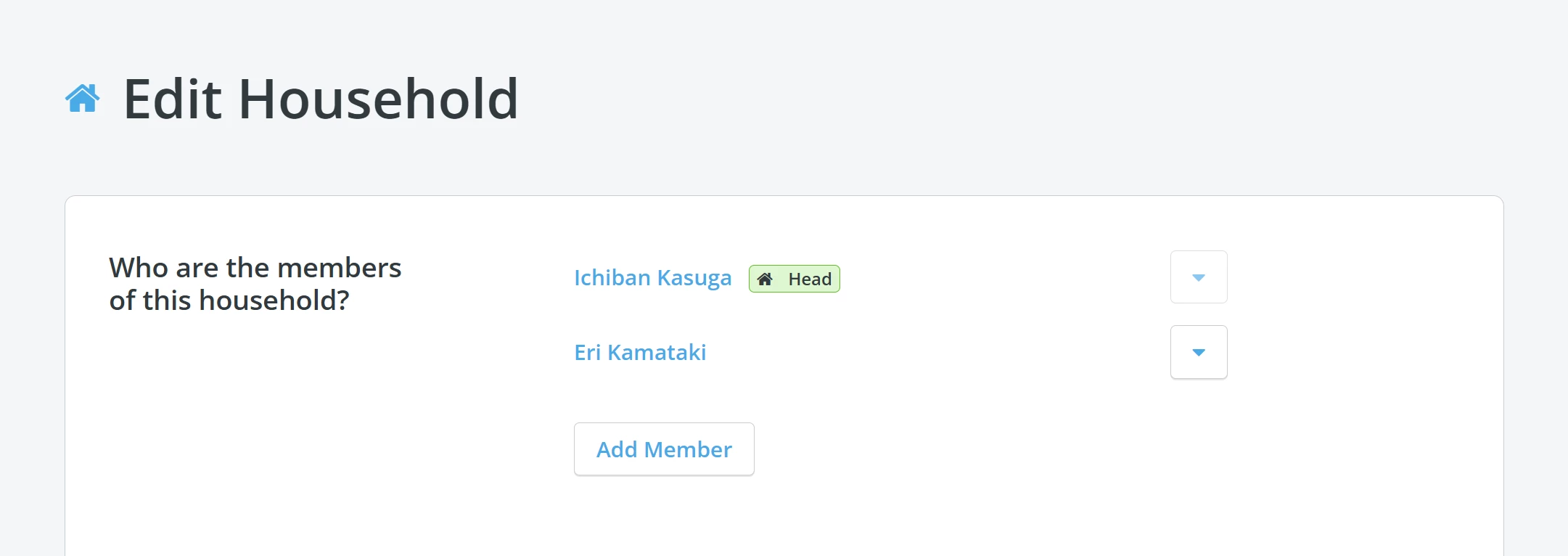
You can also edit the 'Household Name', formal and informal greetings, and indicate which greeting they prefer to be addressed by in communications they receive.
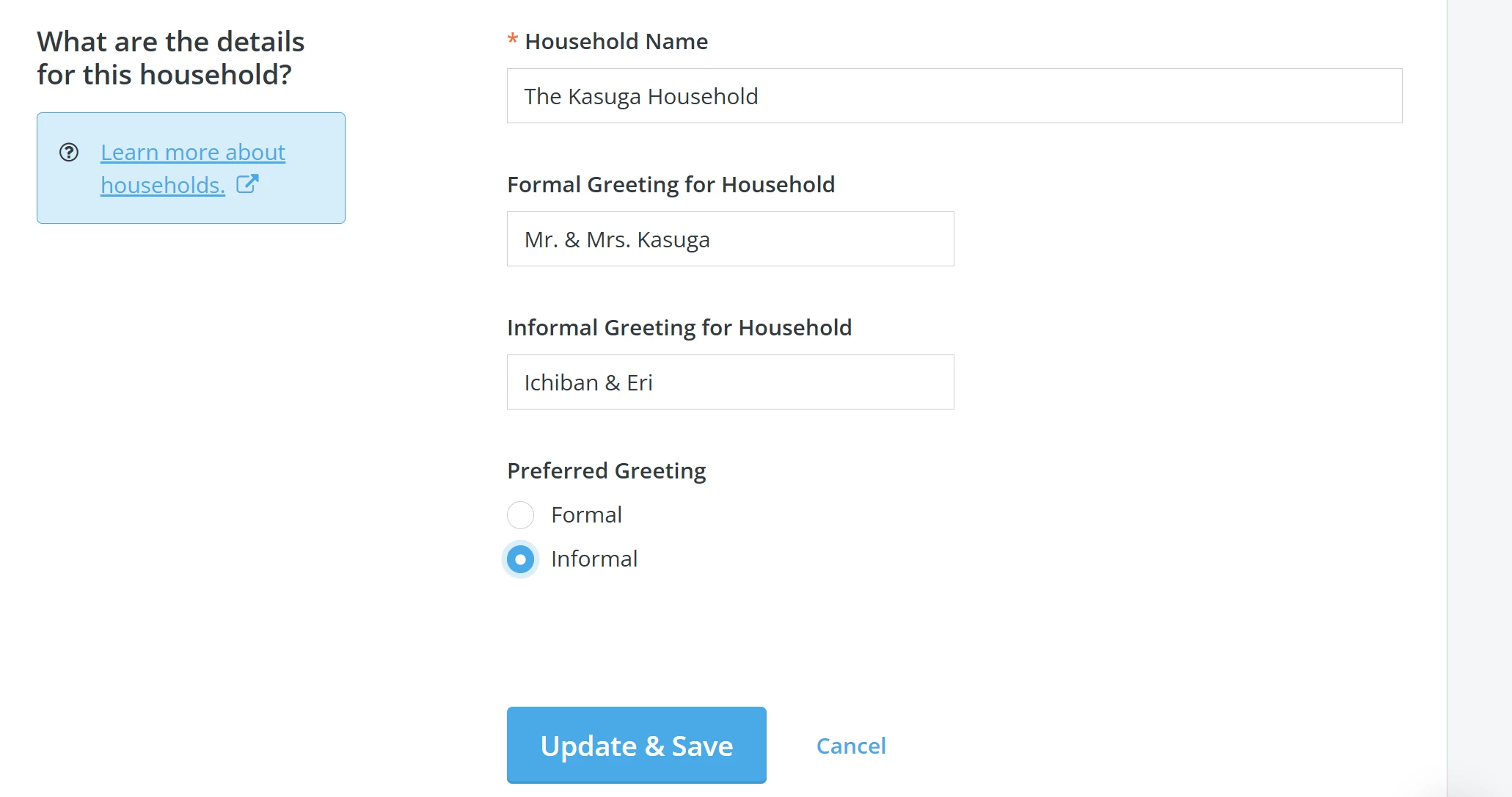
Step 4: Update & Save
Once you are finished making your updates, click the 'Update & Save' button. The page will load to take you back to the 'Household Details' overview, and you should find a banner confirming the household has been updated.

What else do you need help with?
Not quite what you were searching for?
Navigate back to the Feature Overview.
How do I edit household members in Donor Management? | How do I change the household name or greeting? | Where do I add or remove someone from a household? | How do I update household roles? | Why can’t I edit a household? | How do I set a preferred greeting for a household? | How do I find the Household Details page?
How do I view attributions and soft credits on a contact record? | How does view attributions and soft credits on a contact record work in EveryAction? | Why can't I view attributions and soft credits on a contact record? | Where do I view attributions and soft credits on a contact record in EveryAction? | What is view attributions and soft credits on a contact record in EveryAction? | How to view attributions and soft credits on a contact record? | Can I view attributions and soft credits on a contact record in EveryAction?