

How do I purchase an import?
If you do not have the option to send your files to the Import Team via the import tool, you can submit a request to purchase an import, following the steps in this article.
Step 1: Navigate to www.bonterratech.com/support
Complete the form with the following information:
-
Product: select Network for Good from the dropdown
-
I need help with: select Sales & Account Management from the dropdown
-
How can we help?: select New Purchases (Product, Services, Training) from the dropdown
-
First Name
-
Last Name
-
Organization Name
-
Email Address
-
Tell us about the issue
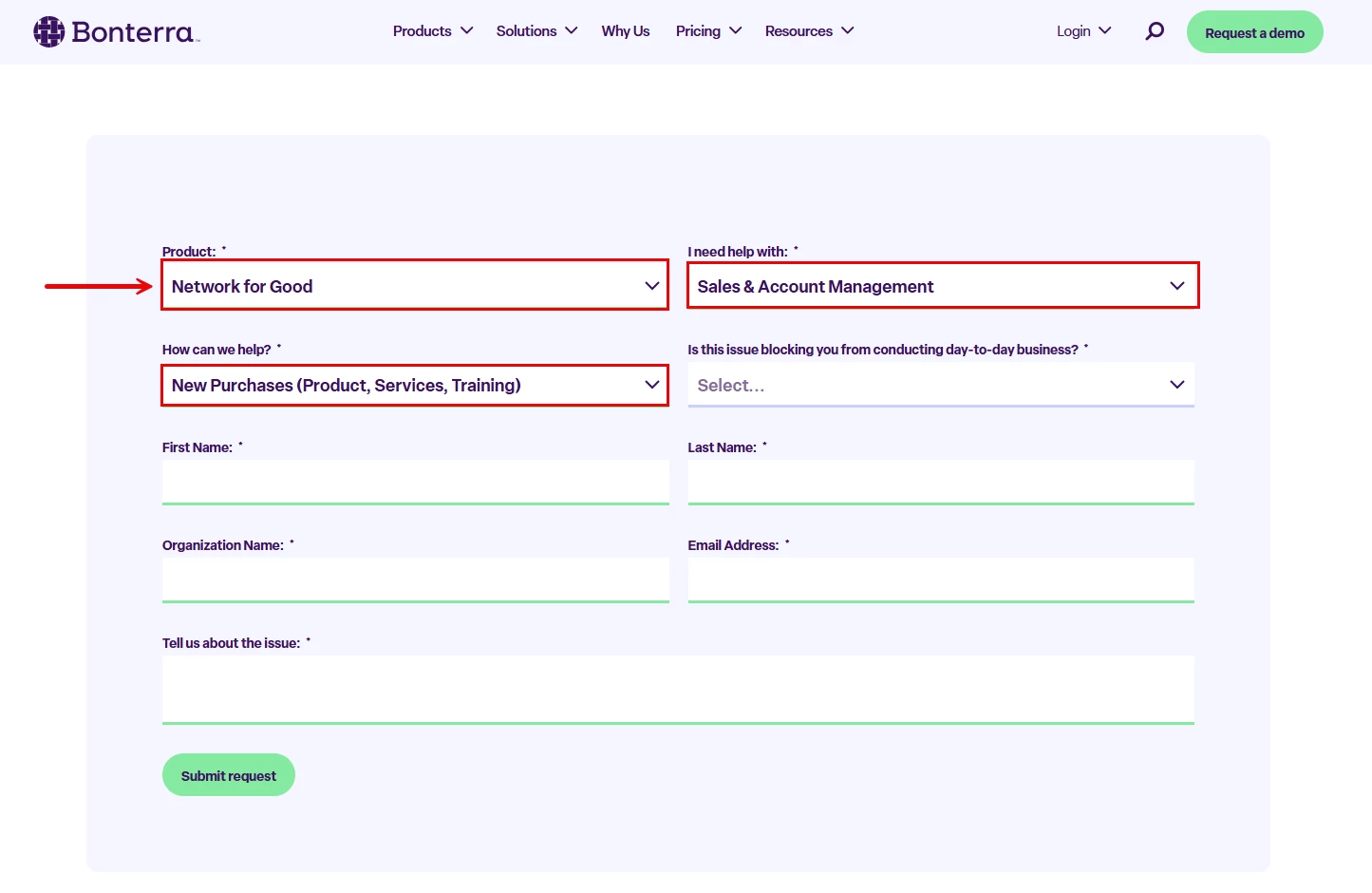
Click the 'Submit request' button.
Step 2: Wait to be contacted
A member of our Sales & Account Management team will follow up with more information about your request.
Step 3: Send your file(s) to the Import Team
Once you purchase an import, follow the steps outlined in this article to send your file(s) to the Import Team!
What else do you need help with?
Not quite what you were searching for?
Navigate back to the Feature Overview.
How do I purchase a managed data import? | Why can’t I access the Send us your files option? | How do I request an import service from Bonterra? | Where do I submit a request to buy an import? | Who do I contact to purchase a data import? | What information do I need to provide to buy an import? | How do I enable the Import Team service?
How do I use donortrends for campaign segmentation? | How does use donortrends for campaign segmentation work in EveryAction? | Why can't I use donortrends for campaign segmentation? | Where do I use donortrends for campaign segmentation in EveryAction? | What is use donortrends for campaign segmentation in EveryAction? | How to use donortrends for campaign segmentation? | Can I use donortrends for campaign segmentation in EveryAction?