

How do I search using e-mail addresses?
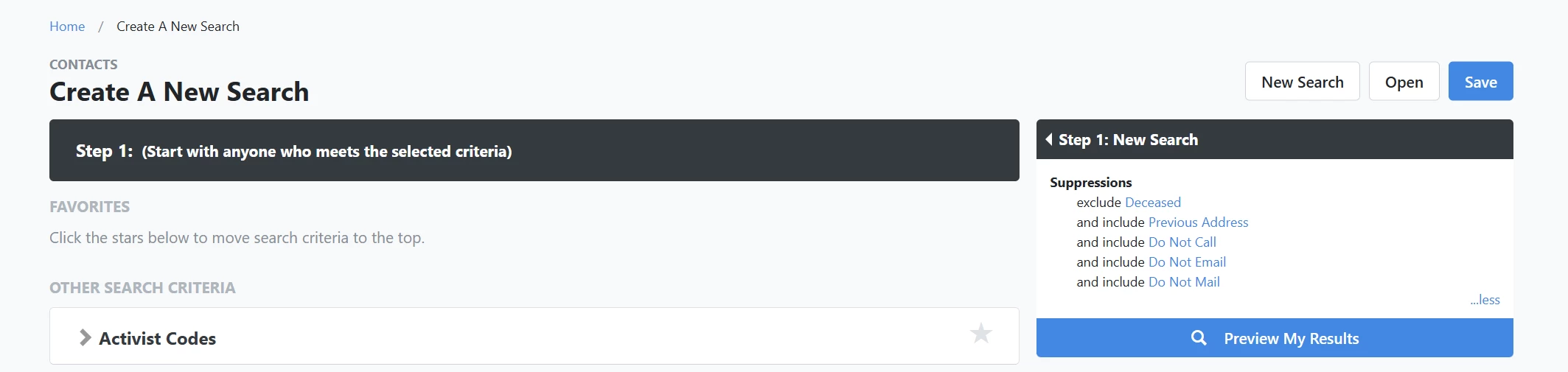
Step 1: Navigate to Create a List
-
Start on the EveryAction home page.
-
From the left-hand menu, go to Contacts > Create a List.
-
Or use Search for a page and type Create a List.
Step 2: Create a new search
Scroll and click to expand the 'Email' tab under 'Other Search Criteria'.
Step 3: Refine your search
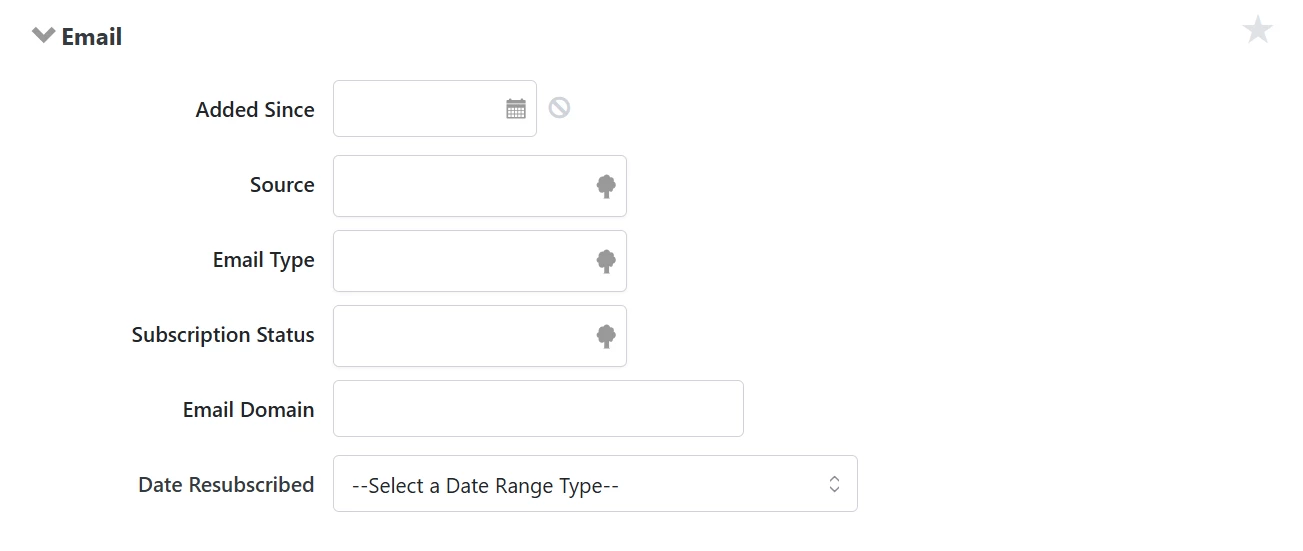
From here, you can narrow your search using the following fields:
- Added Since
- Source
- Email Type
- Subscription Status
- Email Domain
- Date Resubscribed
Additional Notes
You can add a person’s personal e-mail address to their voter profile. Once an email is added, you can designate whether that person can be contacted by email and if they have subscribed to receive Targeted Emails. If there are multiple emails, you can set one as 'Preferred'.
You cannot edit the subscription status for emails that have been unsubscribed. This option will appear greyed out. Contact our support team if this needs to be updated.
Not quite what you were searching for?
- Navigate back to the Lists and Saved Searches Resource Index.
How do I search using e-mail addresses? | How does search using e-mail addresses work in EveryAction? | Why can't I search using e-mail addresses? | Where do I search using e-mail addresses in EveryAction? | What is search using e-mail addresses in EveryAction? | How to search using e-mail addresses? | Can I search using e-mail addresses in EveryAction?