


How do I print a report? (Native Reporting)
Users can print a native report or save it as a PDF from the My Reports page in order to view the report or share its information outside of the Apricot platform.
Follow the steps listed below to learn how to print an Apricot native report.
Step 1: Navigate to My Reports
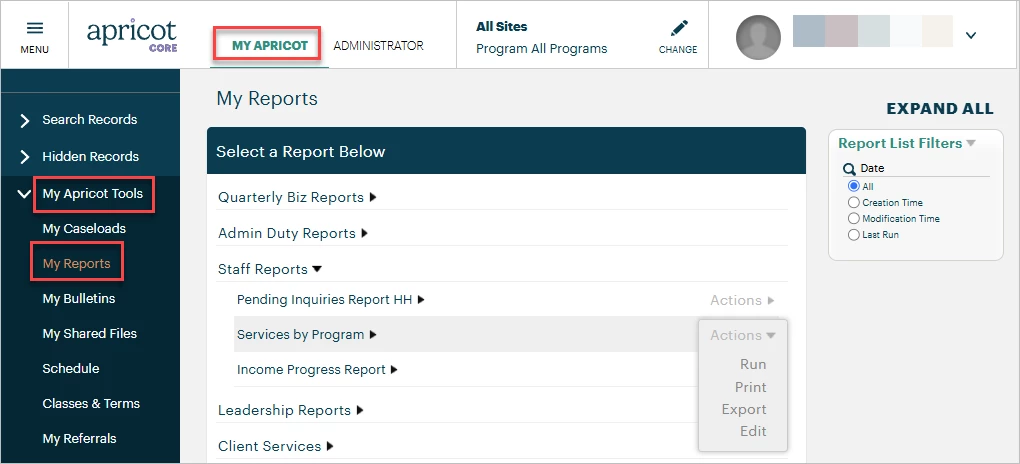
In the 'My Apricot' tab, expand the 'My Apricot Tools' category in the navigation bar and select 'My Reports'.
Step 2: Open the report
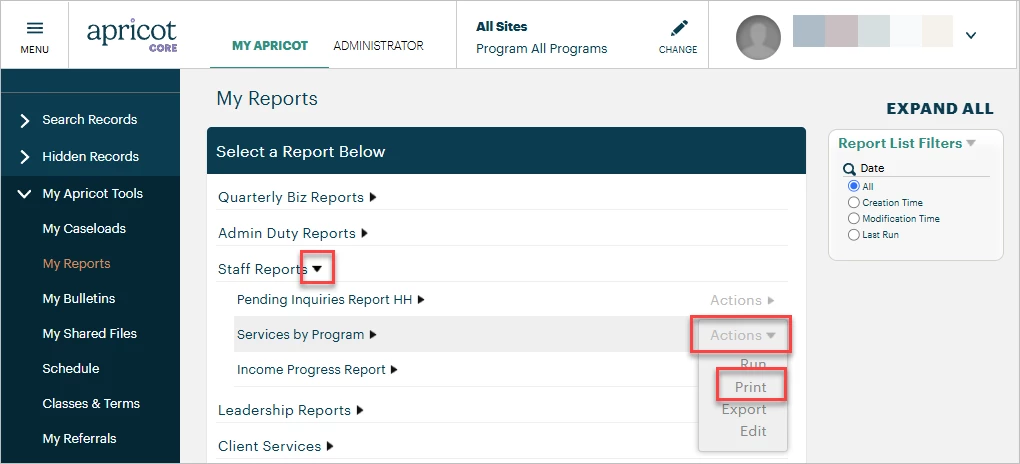
Expand the black arrow next to a report category to locate the report you want to print. Then, hover your mouse over the Actions menu and select 'Print' to open the report in Print mode.
Note: The report will display the default filter settings created in the Edit mode of the report. If you need to change the filters, choose to 'Run' the report from the Actions menu instead or edit it within the Report Builder to make your adjustments before selecting 'Print'.
Step 3: Review the print options
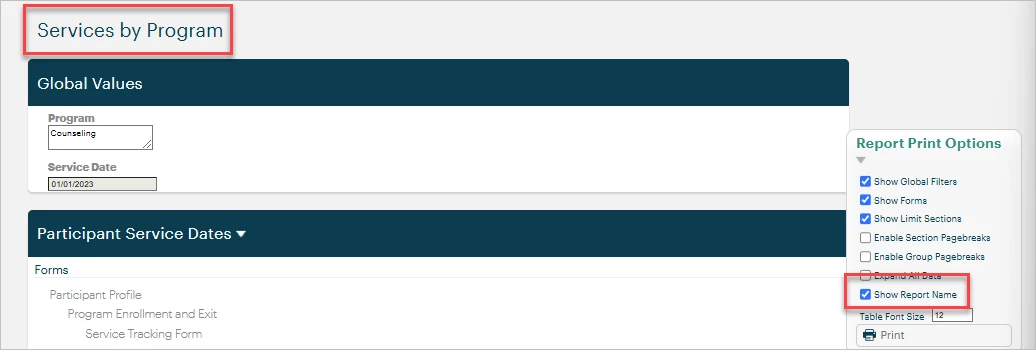
You'll find the name of the report at the top of the page by default. To suppress the report name when printing, uncheck the 'Show Report Name' box in the Report Print Options palette. This will also remove the name when saving the page as a PDF file in select browsers.
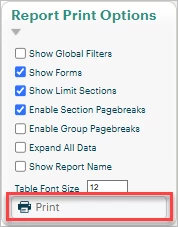
Finally, click the Print button at the bottom of the palette and follow your typical browser printing instructions.
What else do you need help with?
-
Not what you're looking for? Navigate to overview
How do I print a report in Apricot? | How do I save a report as a PDF? | Why isn’t my report printing correctly? | How do I change filters before printing a report? | How do I hide the report name when printing? | Where do I find the print options in Apricot reports? | Can I print a report from My Reports page?