


How do I permanently delete a record?
In some cases, you may need to permanently remove a record from your Apricot database. This is different from archiving a record, which preserves the data while removing it from your active system.
Deleting a record will permanently erase it from your database and can only be performed by an Administrator. They cannot be restored or retrieved by any user or by Support, so it's important to be certain you want to delete a record before proceeding.
Follow the steps listed below to learn how to delete a record.
Notes:
-
When you delete a Tier 1 record, all associated Tier 2 records will also be deleted.
-
In order for Support to permanently delete records for you, you must provide a CSV file with at least 50 record IDs.
Step 1: Archive the record
Records must first be archived in order to delete them. To learn how to do archive a record, click here.
Note: Only Administrators may archive Tier 1 records. When archiving a Tier 1 record, all of its associated Tier 2 records are archived along with it.
Step 2: View archived records
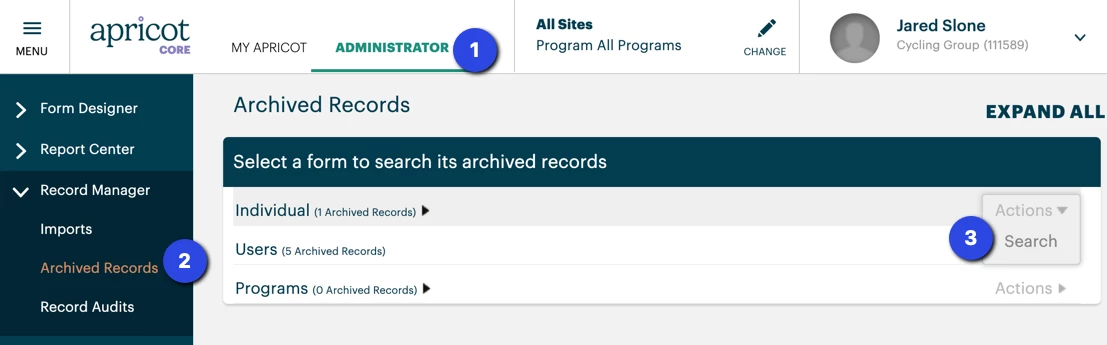
Once the record is archived, go to the Administrator tab and select "Archived Records" in the Record Manager category of the navigation bar.
Hover over the Actions menu next to the appropriate Tier 1 form and click "Search".
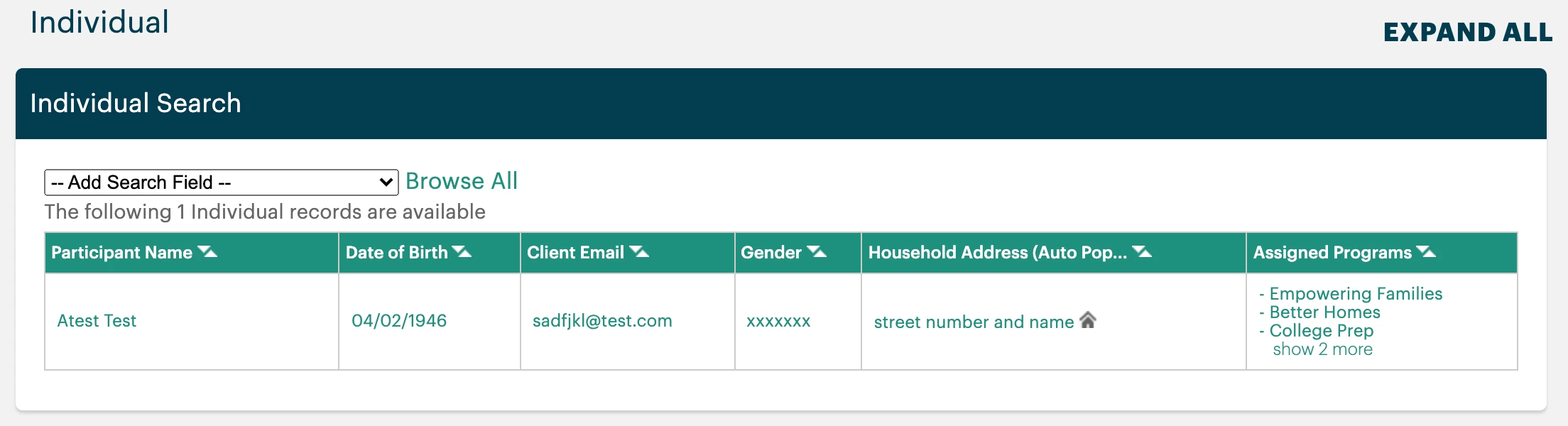
The Record Search screen will list all the records for this Tier 1 form that have been archived. Click the green text in any row to view its full record.
Step 3: Delete the record
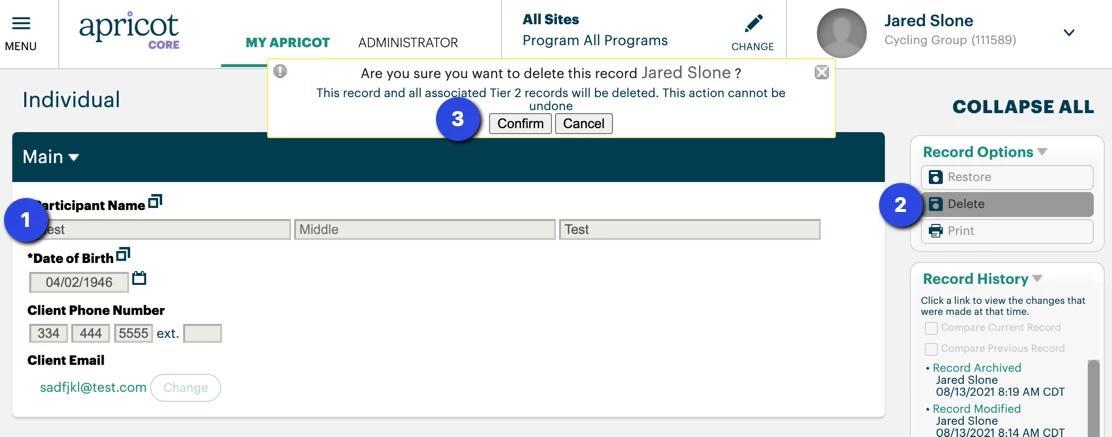
An archived record cannot be edited, but you may select "Delete" from the Record Options palette and click "Confirm" in the pop-up to permanently delete the record.
Again, this action cannot be undone and the record can no longer be restored retrieved. You will then be returned to the Record Search page.
What else do you need help with?
How do I permanently delete a record in Apricot? | Where do I find the option to delete a record in Apricot? | Why can’t I delete a record in Apricot? | How do I remove a record and all associated data? | What permissions do I need to delete a record? | How do I recover a record after deletion in Apricot? | What happens after I permanently delete a record?