


How to: Commit your MiniVAN data
To apply the data collected during a canvass using MiniVAN to records in the database, you need to approve synced data. This is referred to as committing data.
You can get to the MiniVAN Commit page from the sidebar. You will have a summary bar at the top for the number of Uncommitted Lists ready for your review, the total number of doors in all pending lists, and the date and time of the Most Recent Commit. Keep in mind there will be at least a five-minute delay on the results. To see the most recent canvass results select Refresh.
Data must first be synced in MiniVAN by the canvasser on the device they are using in order for it to appear in the MiniVAN Commit queue.
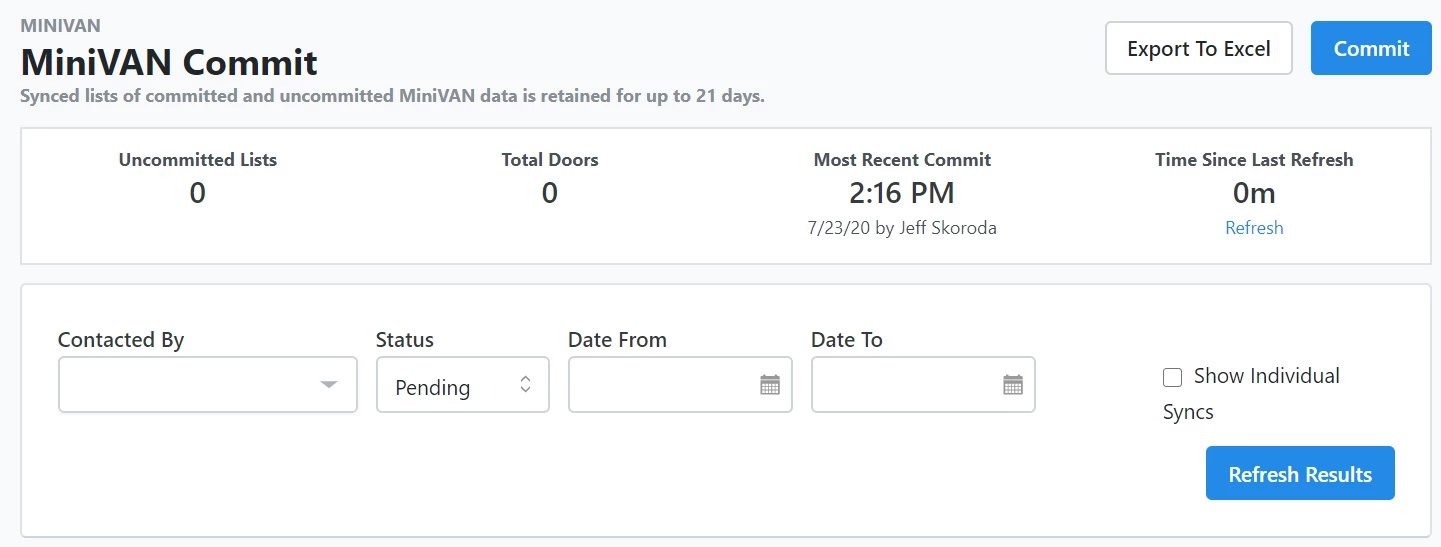
Below that, you have the following filters:
-
Contacted By: Filter by canvasser.
-
Status: Indicates if the list is pending or committed. This will default to Pending. You can select Committed if you need to check your previously committed lists.
-
Date From and Date To: The date range of the canvassed date.
-
Committee: if you have access to several committees that have a hierarchical relationship, you will be able to see this filter. Keep in mind that having access to multiple committees does not mean they are necessarily in a parent/child relationship.
-
Show individual syncs: Checking this box will show one line per time that a canvasser synced. Canvassers may sync multiple times while canvassing.
If you alter the filters, remember to Refresh Results.
When the results appear, you'll see the list name, time synced, canvasser, and responses. This allows you to quickly review the quality and integrity of the data collected. You can also click on the number of attempts to see the results of each record canvassed.
To apply the canvass results from each sync, select the checkbox and Commit.
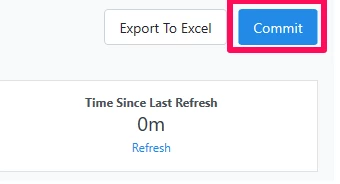
After a number of minutes, your data should be viewable and searchable in the database. Keep in mind that the larger the list, the longer it will take to appear.
How do I how to: commit your minivan data? | How does how to: commit your minivan data work in EveryAction? | Why can't I how to: commit your minivan data? | Where do I how to: commit your minivan data in EveryAction? | What is how to: commit your minivan data in EveryAction? | How to how to: commit your minivan data? | Can I how to: commit your minivan data in EveryAction?