



Before you can report and search on your MiniVAN canvass results, make sure your canvassers have synced their data. MiniVAN data is auto-committed every 30 minutes. You can track MiniVAN progress on the MiniVAN Activity Report.
Read more about MiniVAN reporting
Reporting on MiniVAN canvass results
There are a number of reports you can use to see how your canvasses are doing. For many of them, you will need to narrow results by Contact Type (typically Walk) and/or Input Type (Mobile). We suggest trying them out in order to see which one best suits your needs.
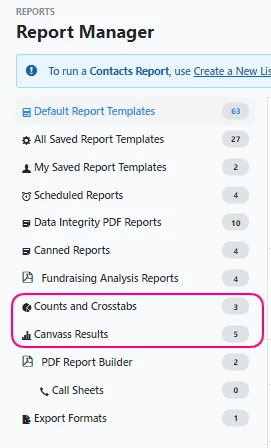
These reports include:
-
Contact History Report: View contact history from the last 14 days. Narrow Input Type to Mobile. Located under Default Report Templates.
-
Counts and Crosstabs: Return counts of voters by a combination of Survey Questions, Activist Codes, and demographics (age, city, etc).
-
Canvassing Summary: View all canvass results activity by team or political jurisdiction.
-
Located under Canvass Results.
-
Survey Question Summary: Select a Survey Question and view results by team or political jurisdiction. Located under Canvass Results.
-
Canvass Results by Hour of the Day, Day of the Week, and Day and Hour: Located under Canvass Results.
-
Distributed Contact Results: Located under Default Report Templates.
Searching on MiniVAN canvass results
To Create A List of people based on MiniVAN canvass results, select Mobile for Input Type in the Canvass Status section.
You can also use the following fields to narrow your results further:
-
Contact Type: You will likely want to select Walk, but it depends on what you selected for Contacted How on the MiniVAN Campaign.
-
Canvassed By: Narrow to people who were contacted by a particular canvasser.
-
Date Canvassed: Narrow to people who were contacted within a specified date range.
-
Entered By: Narrow to people whose canvass data was entered by a particular user.
-
Date Entered: Narrow to people whose canvass data was entered within a specified date range.