Jan Graunke
Explorer
Oct 20, 2026 3:42 PM UTC
Solved

Specific date range for volunteers as a group

I am looking for a way to find the total number of hours our volunteers did for a specific date range because of a grant that we are part of- we need to match the dollar amount our volunteers saved us.

Is there a way to find that information with the Volunteers as a group? Individually does not help.

Jan

    Charles Case
    Community Manager
    Oct 20, 2026 5:10 PM UTC

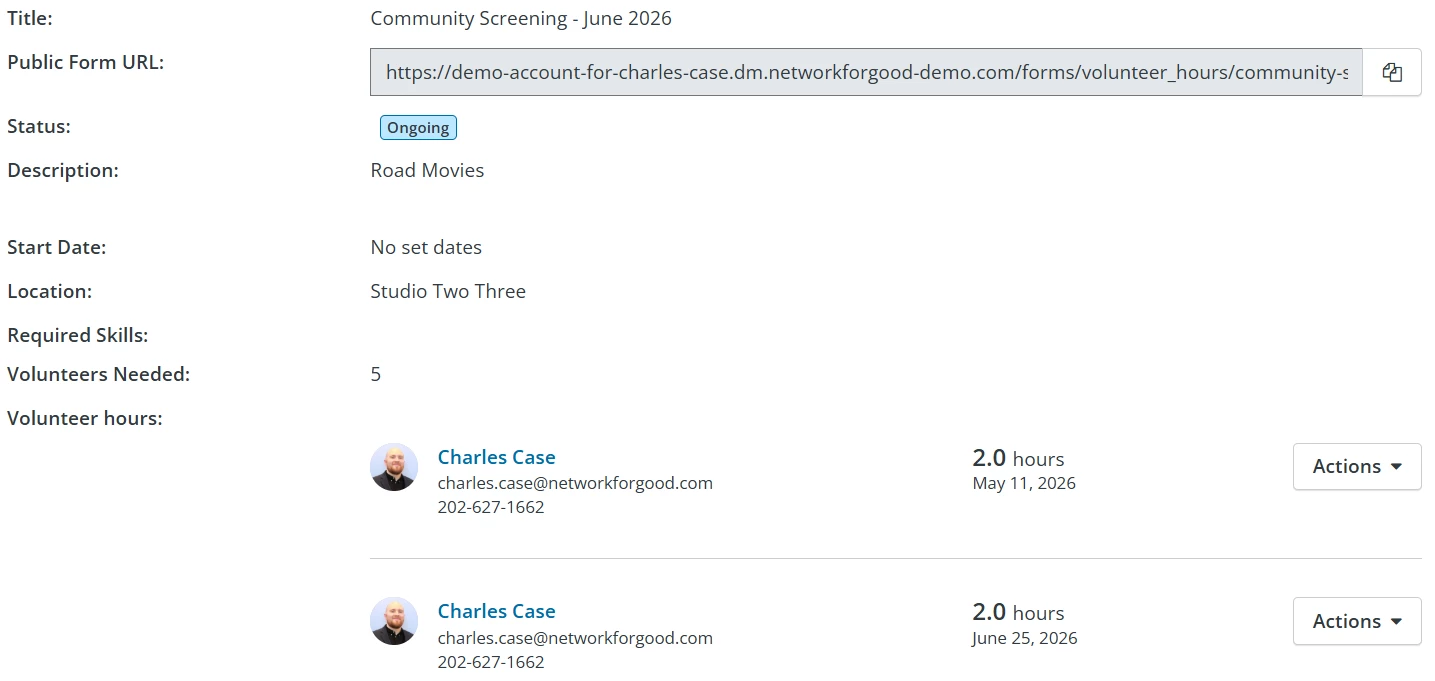
    Hi ​@Jan Graunke -- unfortunately, this is not something to find easily currently. There is no export or filter that can get you this information. The best way to accomplish this right now is by going to the Opportunities tab and checking out the submitted hours within each opportunity during your date range. You’d need to note these hours on your own and total the hours for your volunteers.


    Charles Case (they/he)

    3 replies

    Charles Case
    Community Manager
    Oct 20, 2026 5:10 PM UTC

    Hi ​@Jan Graunke -- unfortunately, this is not something to find easily currently. There is no export or filter that can get you this information. The best way to accomplish this right now is by going to the Opportunities tab and checking out the submitted hours within each opportunity during your date range. You’d need to note these hours on your own and total the hours for your volunteers.


    Charles Case (they/he)
    Jan Graunke
    Explorer
    Oct 20, 2026 5:18 PM UTC

    Thanks for the information. Bur with the match that we do for one of our grant funding sources, it is very specific and needs documentation. If NFG would allow you to download an excel spreadsheet within a date range - it would definitely make cross time -years- a much easier task. Currently I am keeping it by spreadsheet outside the system. It is definitely not idea.

    Jan

    Charles Case
    Community Manager
    Oct 20, 2026 5:20 PM UTC

    I can totally understand that. Not ideal! I’ll share this practical feedback with our Product Team--appreciate you detailing the situation.

    Charles Case (they/he)