

5 Milestones, 5 Badges
Getting started with Network for Good happens in five milestones. These are the key steps to launching your fundraising journey in NFG, and you can learn all about each one in Start Here to Grow Your Donations.
For every milestone your organization completes within your first 90 days, your team automatically earns a badge right here in Bonterra Central. Your badges live on your community profile, so you can see your progress as you build momentum and share what your organization has accomplished.
The badges
Each badge matches one milestone in the article, one to one.
| Badge | Badge Description | Milestone |
|---|---|---|
| You’ve imported your donor and contact records into NFG. Your giving history, relationships, and communication preferences are now centralized—the foundation for accurate reporting and seamless donor experiences. | Add your donors |
| Bonterra Payments is connected and ready. Your organization can now accept online donations securely, with funds deposited directly into your bank account—removing the barrier between donor intent and gift completion. | Set up Bonterra Payments |
| Your first fundraising page is live. You’ve shared your mission, your story, and your ask—and you’re now positioned to convert awareness into action across every channel. | Launch your first fundraising page |
| You’ve sent your first email to supporters. Email is now part of your toolkit for donor stewardship, campaign promotion, and community engagement—and you’re building the habit of consistent, intentional outreach. | Send your first email |
| You’ve sent your first donation acknowledgment. You’ve closed the giving loop and signaled to your donor that their gift matters—the foundation of long-term donor retention and loyalty. | Send a donation acknowledgment |
Where to find your badges
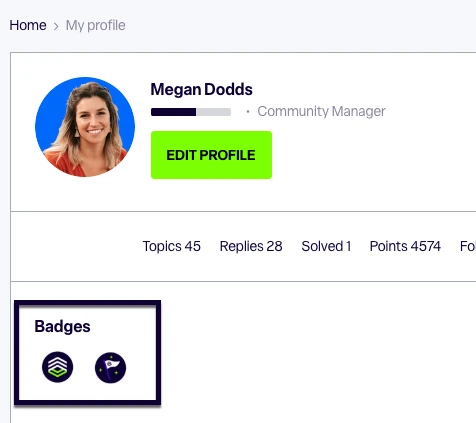
Head to your Bonterra Central profile to see which badges you've earned and which are still ahead.
How it works
-
Automatic. There's nothing to request and no form to fill out. Once your organization completes the milestone in Network for Good, the badge will appear on your Bonterra Central profile. Badges sync once a day, so allow up to 24 hours to see your badge.
-
Earned by your organization, shared by your team. When your organization completes a milestone, every user on your NFG account earns that badge, not just the person who did the work. Getting started is a team effort, and your badges reflect that.
-
Once per milestone. Badges are awarded the first time your organization reaches a milestone, so there's no need to repeat a step to earn one.
-
Available during your first 90 days. Badges are awarded to organizations during their first 90 days working within Network for Good. After that window closes, new badges are no longer awarded, but your badges will always be available to showcase on your profile!
Questions about your badges? Drop them in the thread below, or join us for Office Hours to talk through anything with an NFG expert.
How do I earn badges in Network for Good? | Why haven’t I received my Network for Good badge in Bonterra Central? | Where can I see my Network for Good badges on my Bonterra Central profile? | How long does it take for a badge to show up after I complete a milestone in Network for Good? | Why can’t I earn a Network for Good badge after 90 days? | Do all users on my Network for Good account get the same badge when one person completes a milestone? | What are the five Network for Good getting started milestones?