



Note: SmartLinks are intended to work specifically for the e-mail recipient and our recommendation is not to forward them. When you click on a SmartLink in an email, it can load data onto the form for a supporter based on the identifiers in the link, regardless of whether or not they have a cookie in their browser to pre-fill data on the form. So, forwarding a SmartLink can result in pre-filling data, including the credit card token stored in FastAction, for the original recipient, even when the recipient of the forwarded email clicks the link. For this reason, we recommend indicating that these links are designed to be one-time use for the original e-mail recipient.
Step 1: Select Contribution Form
In the SmartLinks wizard, select the desired contribution form from the dropdown menu.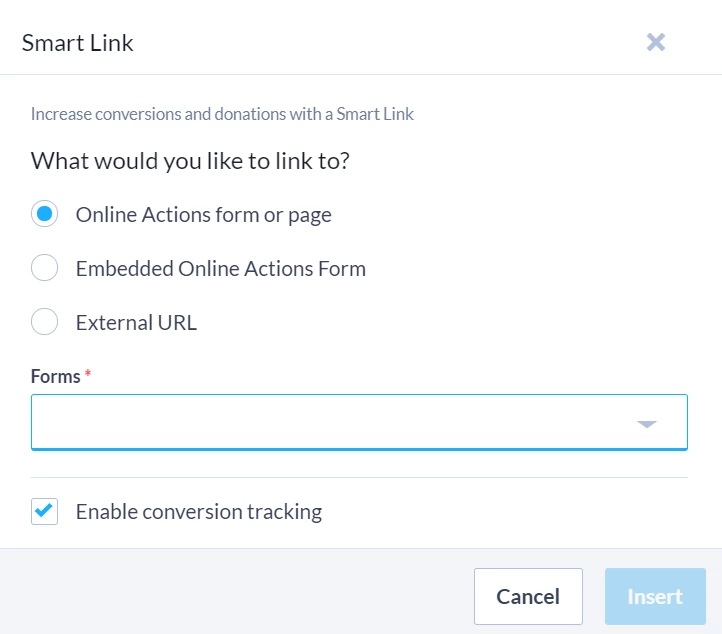
Step 2: Set Suggested Amount
The SmartLinks wizard will help you insert a conditional Suggested Amount based on the recipient's Highest Previous Contribution (HPC) or their Most Recent Contribution (MRC), or - if Optimized Ask is enabled for your Committee - Optimized Ask Amount (OAA). If you do not have this data for a recipient, you can set a Minimum/Default Amount for each suggested donation level.
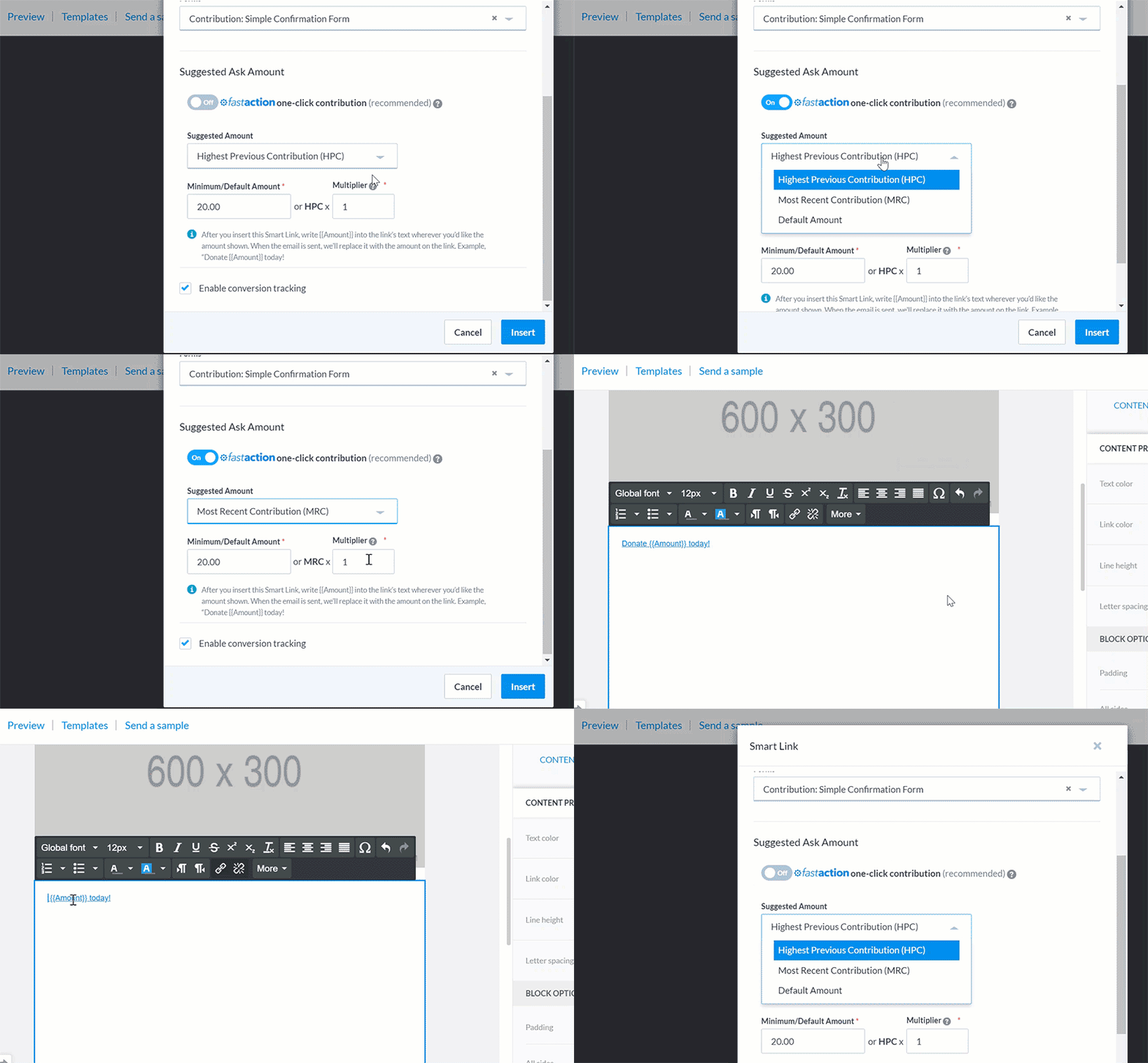
Add Default Amounts
You can also just select a Default Amount that will display for all your recipients as a suggested contribution.
Step 3: Insert Merge Field
Once you’ve added the SmartLink, you can display the suggested ask amount in the linked text by adding the {{Amount}} merge field. At send time, {{Amount}} will be replaced using the Suggested Ask Amount you chose on your SmartLink.
For example, in your e-mail, you may have the following links in your text:
Donate {{Amount}} today!
Donate {{Amount}} today!
You recipient will then see the amount fields replaced with the numbers that were calculated for them on each link:
Donate $37.50 today!
Donate $50.00 today!
Step 4: Save and Publish Your Form
How do I personalize contribution amounts with smartlinks? | How does personalize contribution amounts with smartlinks work in EveryAction? | Why can't I personalize contribution amounts with smartlinks? | Where do I personalize contribution amounts with smartlinks in EveryAction? | What is personalize contribution amounts with smartlinks in EveryAction? | How to personalize contribution amounts with smartlinks? | Can I personalize contribution amounts with smartlinks in EveryAction?