

How to: Use RoboCall and RoboSurvey
RoboCalls and RoboSurveys allow you to send automated recordings or surveys to your segmented contact phone lists. These tools can help you reach more supporters with your message.
Once it has been enabled for you, this is an add-on service that you can set up and pay as you go.
Before you begin
Please contact your Administrator and let them know you want permission for RoboCalls and RoboSurveys in the Phone Services section of VAN, if you do not already have access. You will also need to set up a RoboCall account by selecting RoboCall Accounts in the Phone Services menu.
Getting started
You should begin by creating your list.
Once you have created a list, click on the Calls button and choose Set up RoboCall or RoboSurvey. The system will start a wizard that will assist you in setting up the call.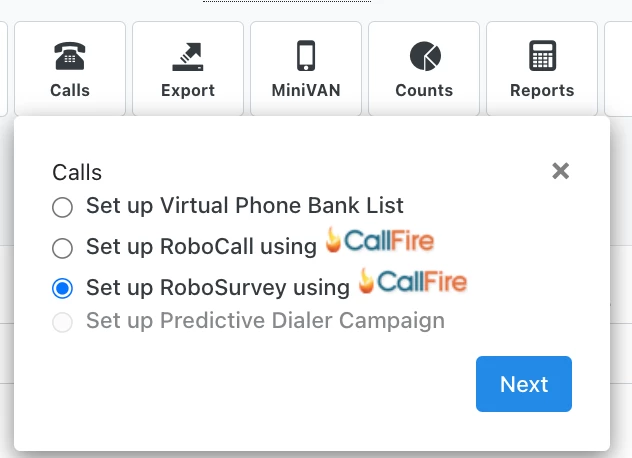
Add your information
On the Set Up tab, name your call. Enter in the number that you would like to appear on voters caller IDs. If this is the first time you have used that number as a caller ID, you will have to call in to our system from that line in order to verify that it is a live, working number. Continue by selecting Next.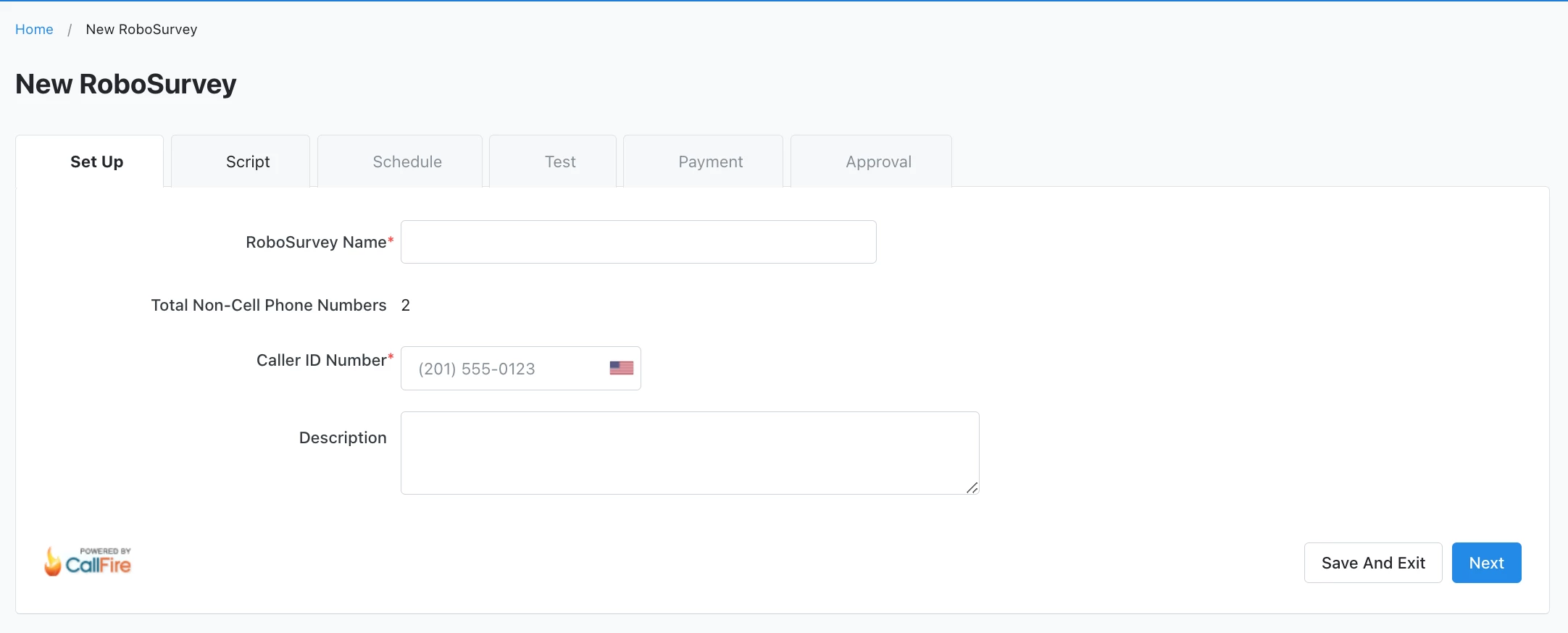
If sending a RoboCall, choose to create a recording for live answers and for answering machines, or select an existing recording from the dropdown. They can be the same recording.
If sending a Robosurvey, choose the Robosurvey Script you would like to use and choose or create a recording that you would like to leave on an answering machine. 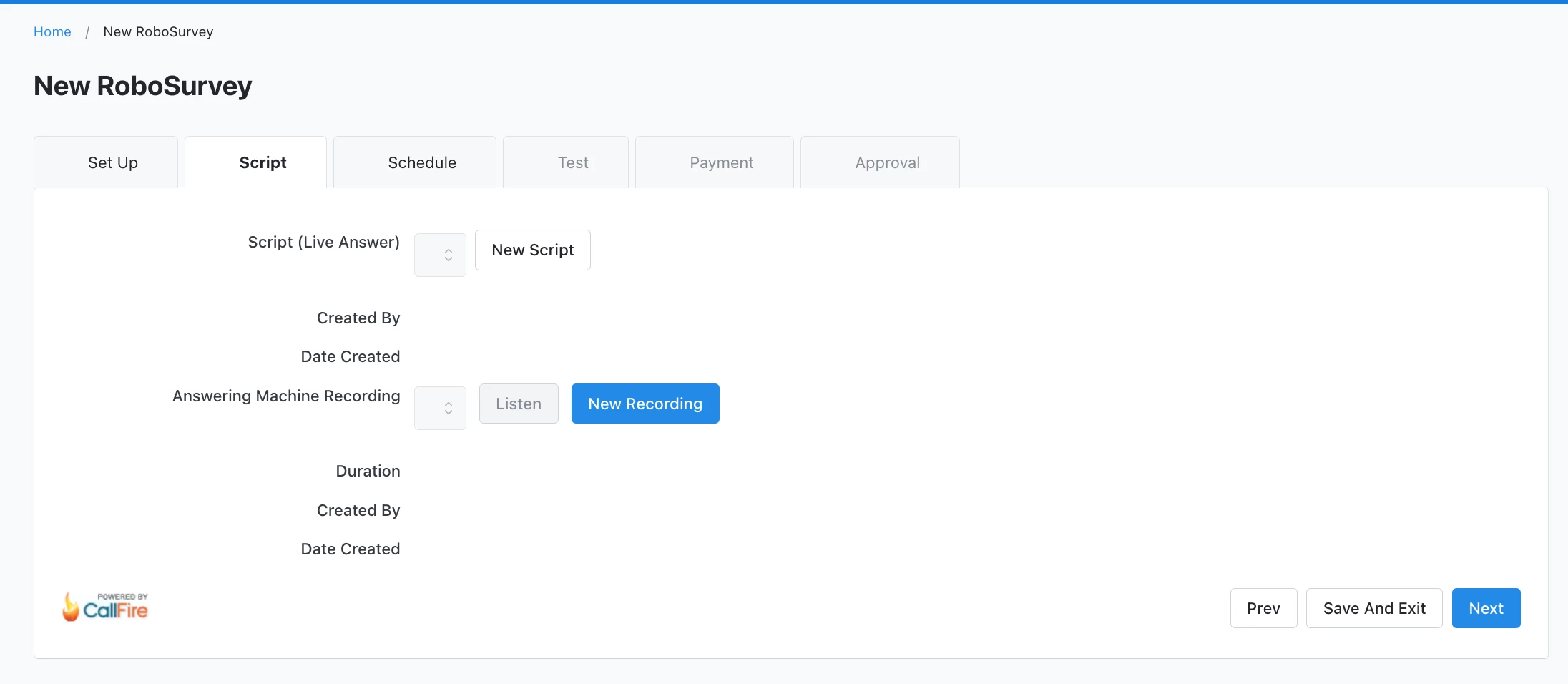
Schedule when you want the call to take place. Calls must be scheduled at least 15 minutes in advance to allow for set-up. 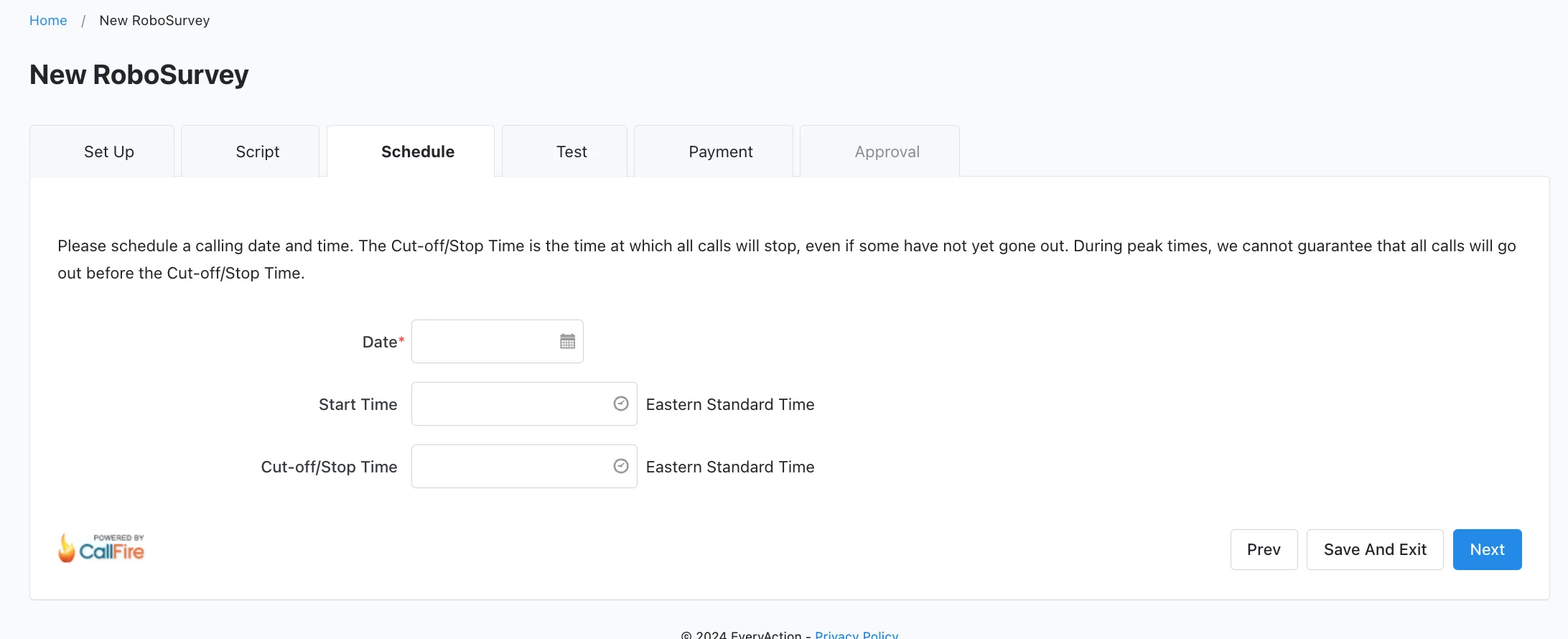
Test the call by entering a phone number where you can be reached. The test calls will be sent from the same platform used to send the actual call. 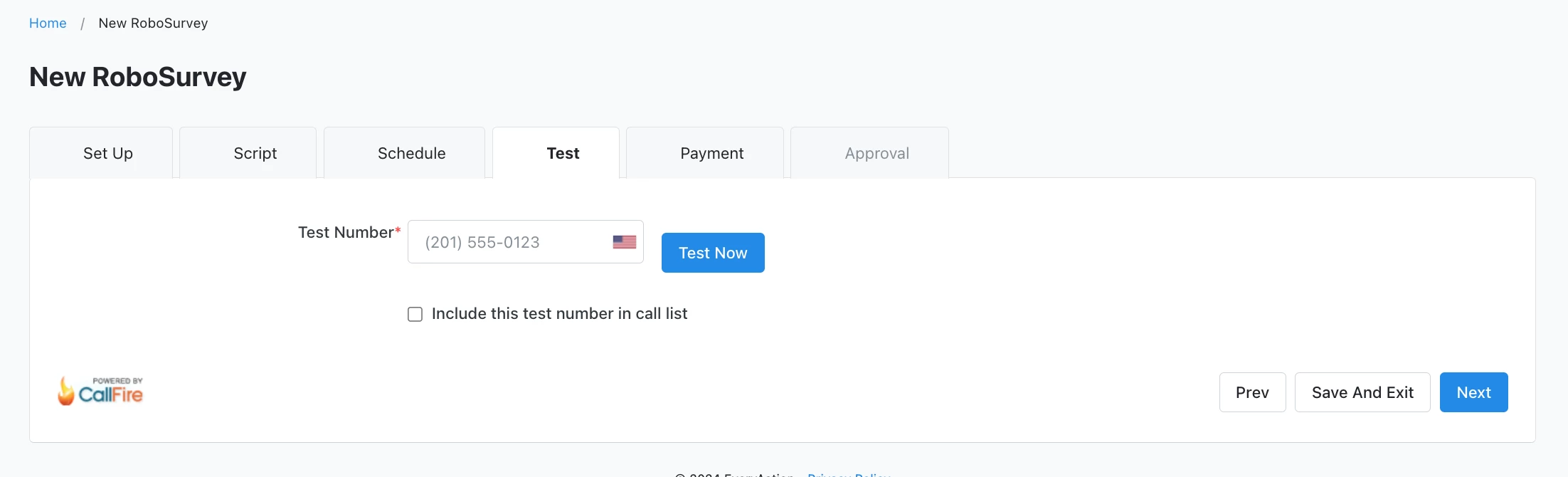
Pay for the call by selecting the RoboCall account from which you would like fund withdrawn. If the balance on the account is not sufficient, you can add to the account with a credit card. (The same accounts may be used for RoboCalls or RoboSurveys if a user has permissions for both features.)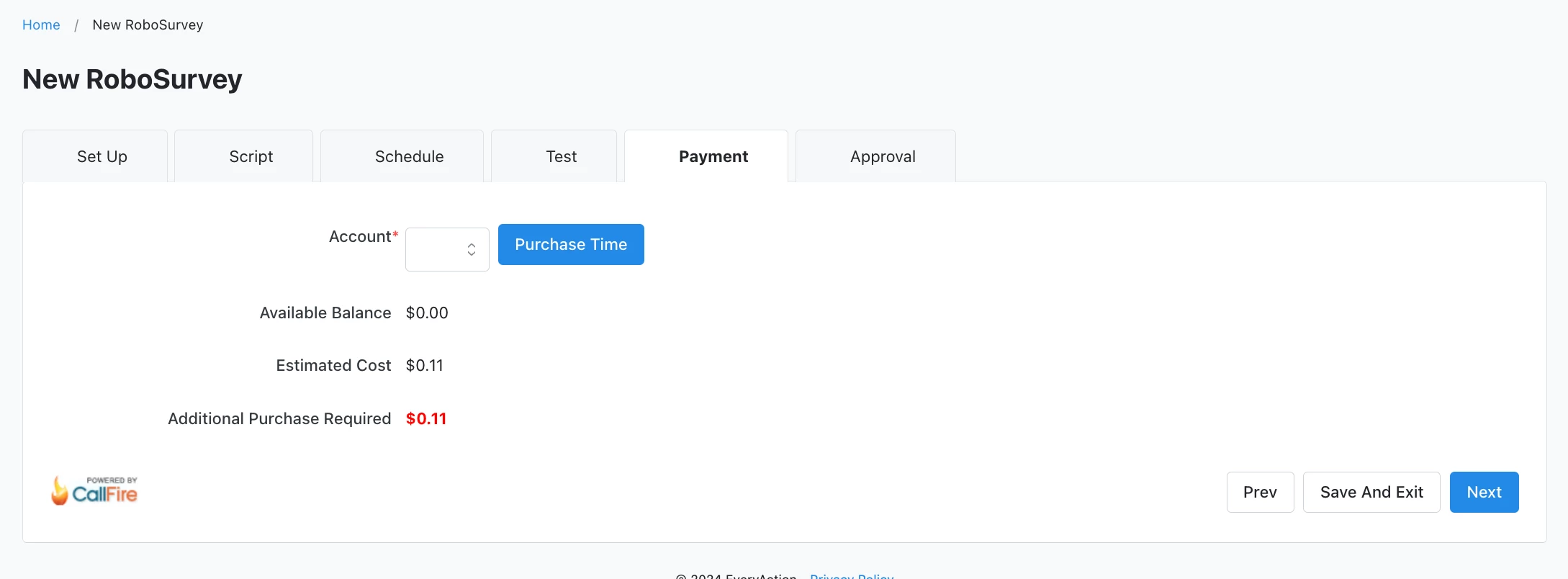
Note: Pre-payment is required with a credit card. VAN will hold an estimated amount based on length of recording and size of universe (and the number of Survey Questions or Activist Codes placed on a RoboSurvey Script). Once the call is completed, the final cost will be calculated and charged to the designated account.
Review, authorize, and send. Terms and conditions state that you are aware of the laws in your state regarding political calls and are not holding NGP VAN liable for any violations. Click here for a good summary of each state’s rule.
Downloadable Instructions:
Robocall and Robosurvey Instructions
Pricing Phone Services
How do I how to: use robocall and robosurvey? | How does how to: use robocall and robosurvey work in EveryAction? | Why can't I how to: use robocall and robosurvey? | Where do I how to: use robocall and robosurvey in EveryAction? | What is how to: use robocall and robosurvey in EveryAction? | How to how to: use robocall and robosurvey? | Can I how to: use robocall and robosurvey in EveryAction?