

How do I manually add a pledge?
If your donor would prefer not to set a pledge up using the form or text-to-pledge, you can manually set one up on their behalf in 'Donor Management'.
Step 1: Navigate to 'Pledges'
From your 'Donor Management' Dashboard, click the 'Giving' tab on the left navigation panel and select 'Pledges' from the drop-down list.
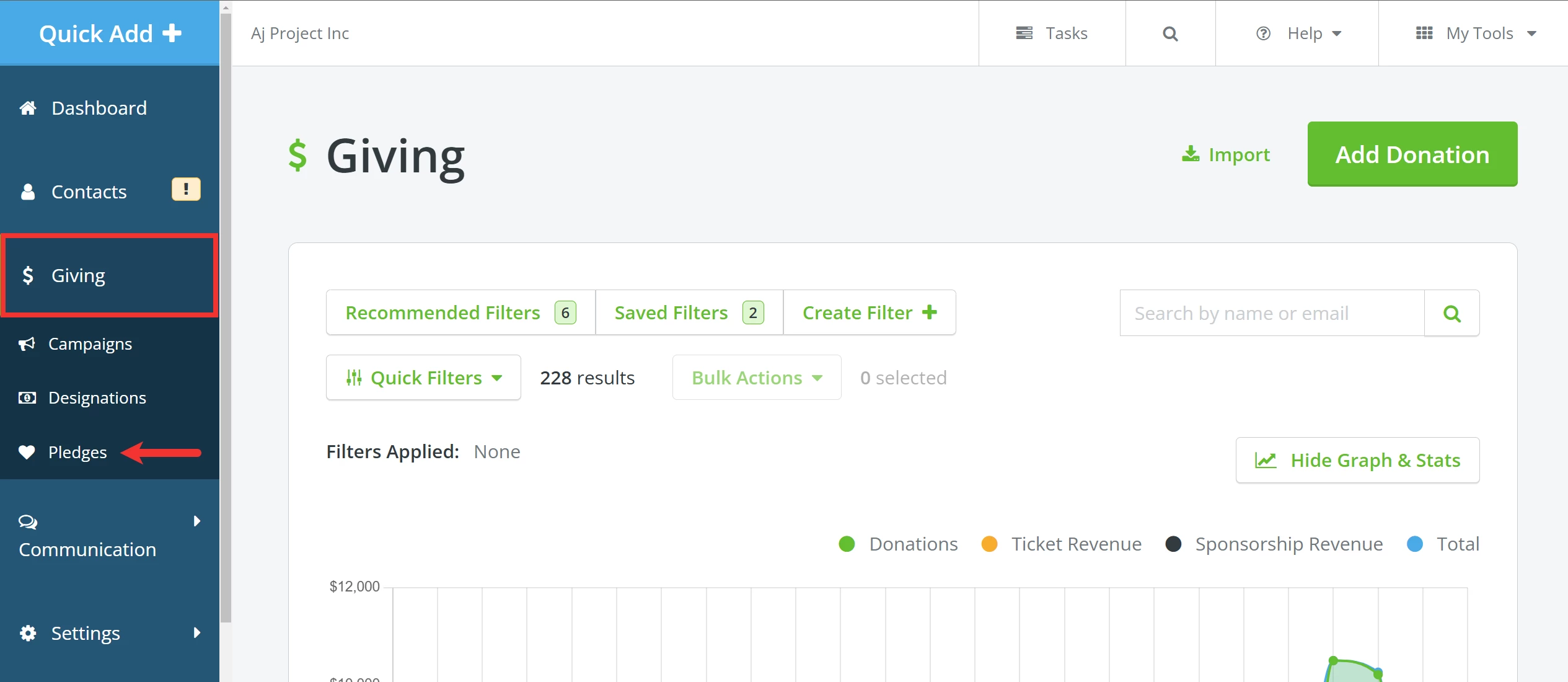
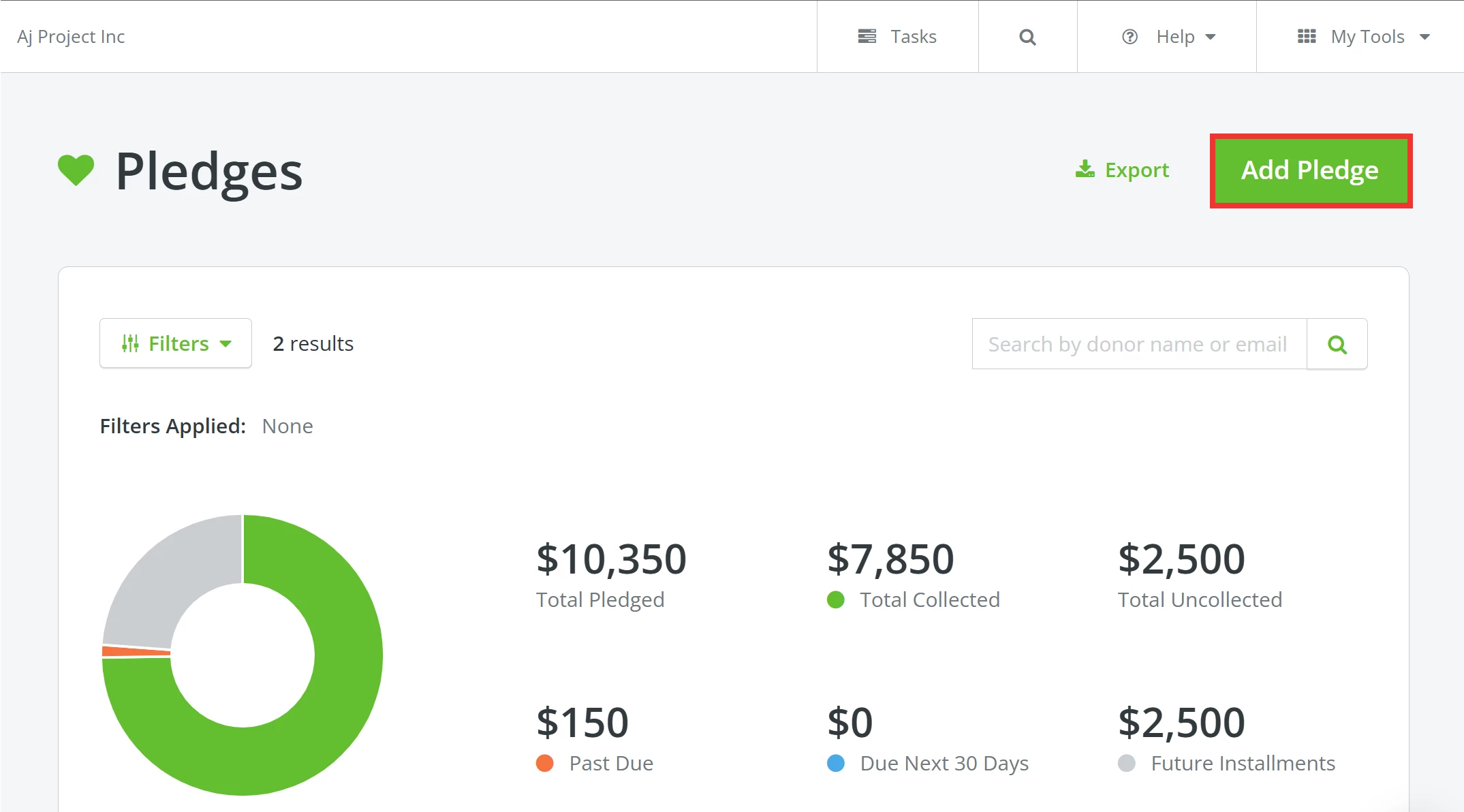
Step 2: Click to add a pledge
When the 'Pledges' page loads, click the 'Add Pledge' button in the upper right corner.
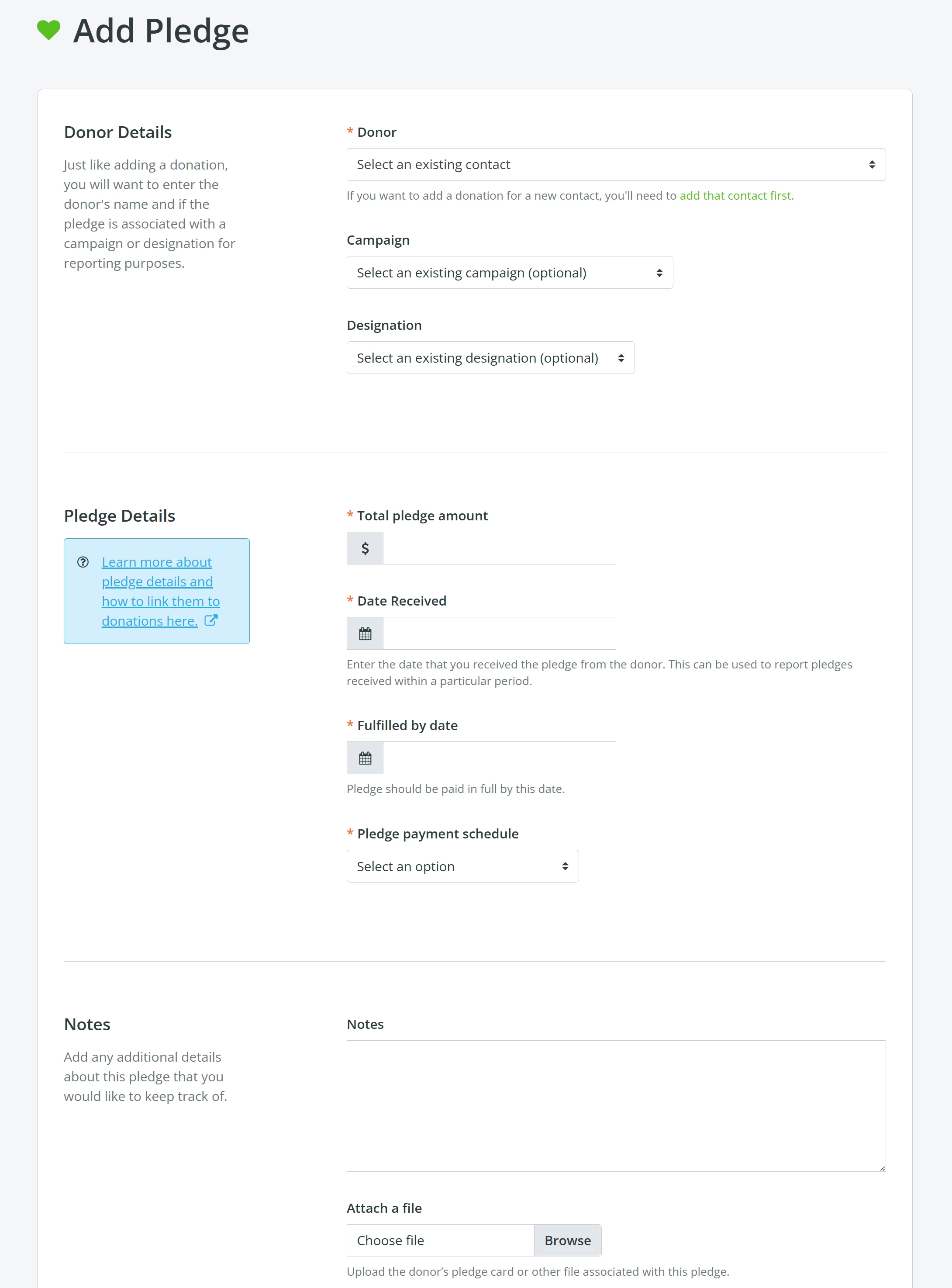
Step 3: Add details about the donor and their pledge
You will be prompted to enter donor and pledge details on this page.
Step 4: Save your work!
When you are finished, scroll to the bottom of the page and click 'Update & Save'!

What else do you need help with?
How do I link a donation to an existing pledge?
How do I write off unfulfilled pledges?
Not quite what you were searching for?
Navigate back to the Feature Overview.
Looking for training?
Explore this feature at your own pace - join a live training session or watch a recorded webinar by clicking the link below.
How do I use the reactivate lapsed donors page? | How does use the reactivate lapsed donors page work in EveryAction? | Why can't I use the reactivate lapsed donors page? | Where do I use the reactivate lapsed donors page in EveryAction? | What is use the reactivate lapsed donors page in EveryAction? | How to use the reactivate lapsed donors page? | Can I use the reactivate lapsed donors page in EveryAction?