
Bonterra Nonprofit Hub - August 7 Release Notes
🎉 Network for Good customers, your grant journey starts here!
As Bonterra Network for Good customers join the Bonterra Nonprofit Hub, this post introduces the full suite of grants features available to you and all Nonprofit Hub users. Your Network for Good account gives you access directly — no separate login required.
GrantMatch
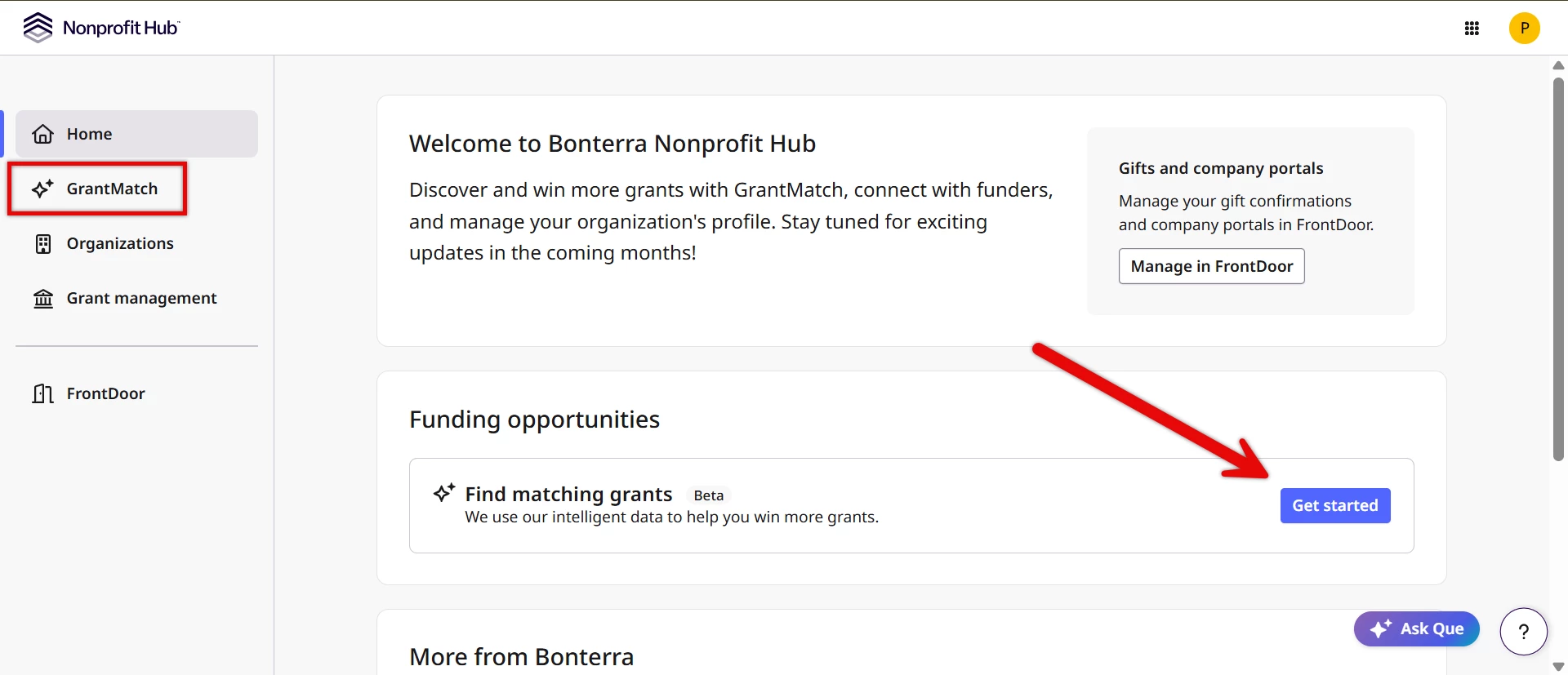
GrantMatch helps you find funding opportunities matched to your organization's mission, geography, programs, and eligibility profile. Instead of searching databases manually, use GrantMatch to surface a prioritized list of grants worth pursuing — and spend your time on the ones that actually fit.
Each result includes a match evaluation from Bonterra Que with fit analysis, application considerations, and recommendations to help you decide whether an opportunity is worth pursuing before you invest time in writing. You stay in the driver's seat; Que just gives you more to work with.
GrantMatch is available to all Nonprofit Hub users, including all Network for Good customers.
Grant Analysis
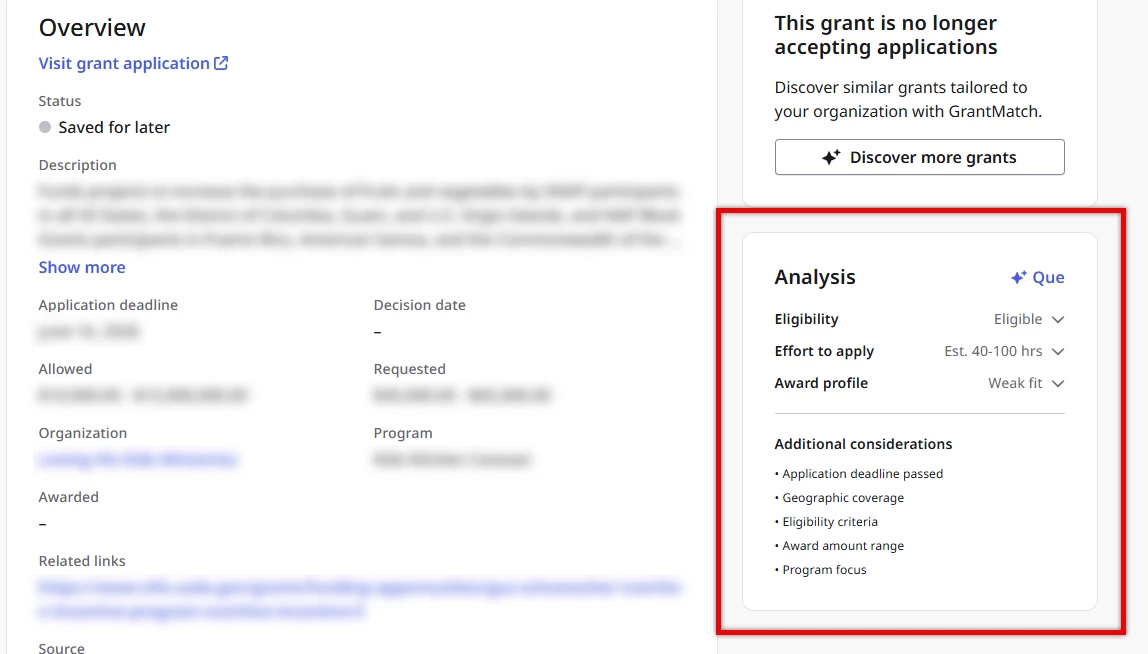
Once you've identified a grant worth a closer look, use Que to help assess the opportunity before committing to write. Que pulls together information on your eligibility (a clear signal on whether your organization qualifies), the effort required to apply (an honest look at what the application process will take), and an award profile and fit analysis (how strong a fit your organization is, and whether the time investment makes sense).
Nonprofits spend an average of 27+ hours per grant on research, writing, and tracking — and can lose several of those hours before uncovering a disqualifier. Use Grant Analysis to get that picture upfront, so you can make a more informed call about where to focus your energy.
Grant Analysis is available for 1 active grant at a time on any Network for Good subscription. Full access across all active grants is available with a Network for Good Intelligence subscription.
Proposal Writing
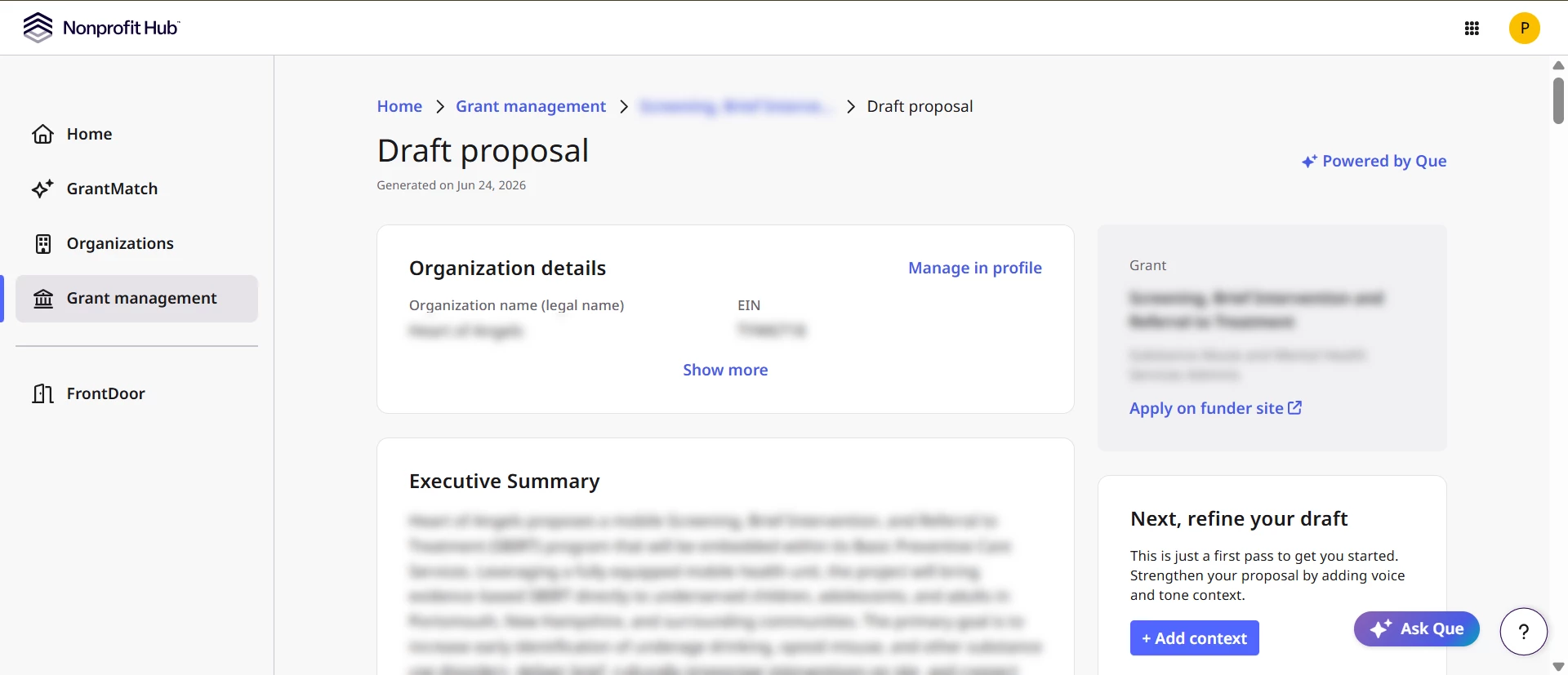
When you're ready to apply, use Que to get a head start on your proposal. Click "Prepare to Apply" and Que drafts a starting point grounded in the grant's specific requirements and your organization's profile — not a generic template. From there, it's yours to shape: revise any section using preset options or your own instructions, upload past applications to guide the voice and tone, and review the context Que used so you understand exactly what informed each section. You review, refine, and decide what goes out the door.
Proposal Writing is available for 1 active grant at a time on any Network for Good subscription. Full access across all active grants is available with a Network for Good Intelligence subscription.
Grant Management
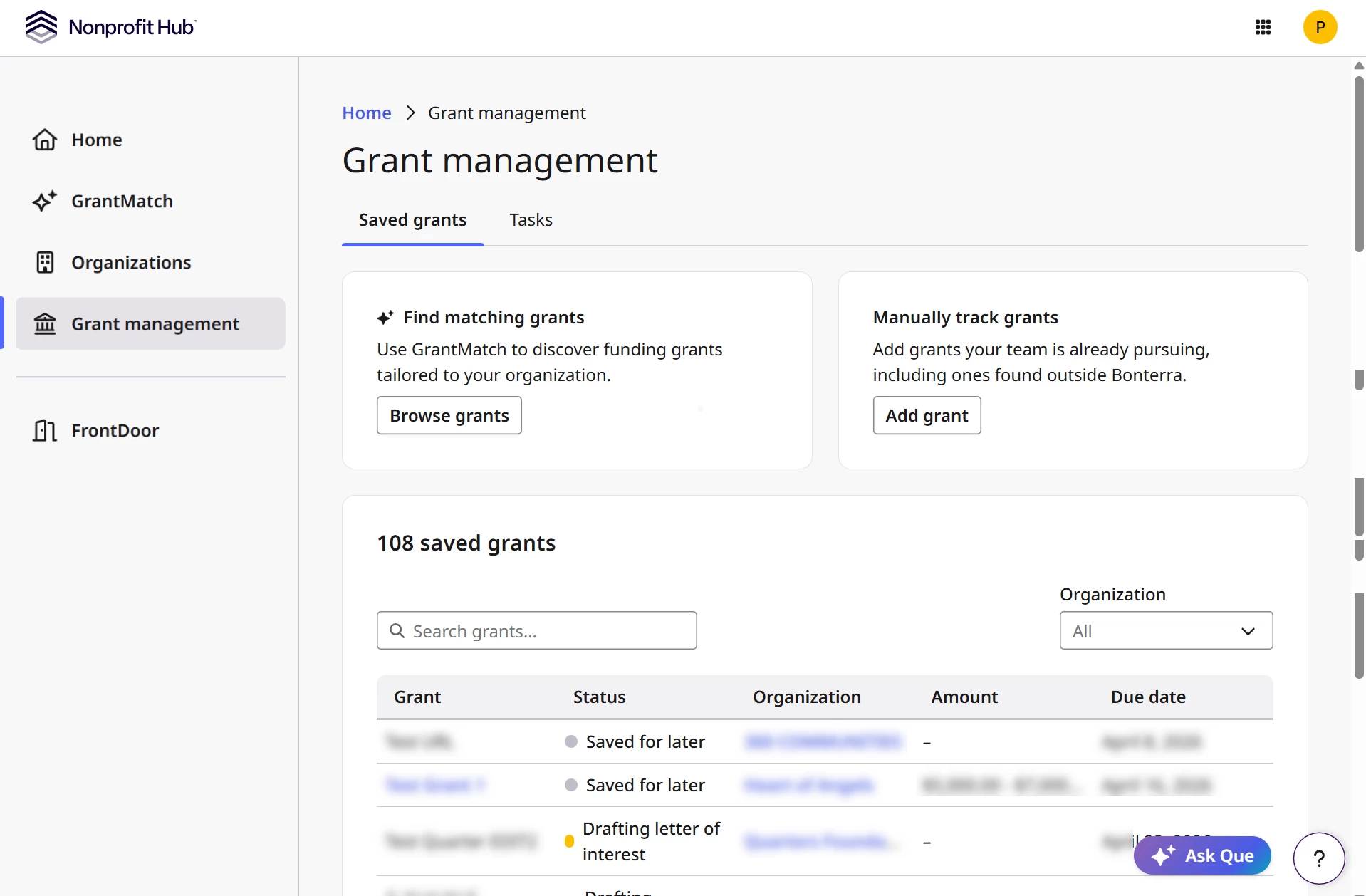
Once you've selected a grant to pursue, Grant Management gives you a dedicated workspace to track it through the full lifecycle: Researching → Drafting Application → Submitted → Awarded / Not Funded.
You can save opportunities discovered through GrantMatch or add grants manually if you've found them elsewhere. Each tracked grant displays application deadlines, requirements, and a direct link to the application — everything in one place, without the spreadsheet.
Add internal notes and descriptions to keep your team aligned, attach files (like past applications, impact reports, or program data—which become a voice library and data context for your proposal drafts), and create and assign tasks to team members so everyone can follow the grant's progress together.
Grant Management is available to all Nonprofit Hub users, including all Network for Good customers.