


Network for Good: Donor-Covered Fee Displayed + Email Bounce Handling

These release notes includes two updates to Donor Management: more accurate handling of email bounces to prevent contacts from being incorrectly suppressed, and a clearer acknowledgement experience that now reflects donor-covered transaction fees.
📩 Improved Email Bounce Handling
We've updated how Donor Management processes email bounce events to ensure contacts are handled more accurately.
Previously, all email bounces — including temporary failures like a full inbox or an unavailable mail server — were treated as permanent, causing a contact's "Receive Emails" status to be immediately and permanently disabled.
What’s New
The system now correctly distinguishes between two types of bounces:
-
Hard bounces (e.g., invalid or non-existent email address) — the contact will be suppressed as before, since delivery is permanently not possible.
-
Soft bounces (e.g., full inbox, temporary server issue) — the contact will no longer be suppressed, and delivery will be retried automatically.
Help Center Resources
💸Donor-Covered Fee Displayed on Acknowledgement Pages
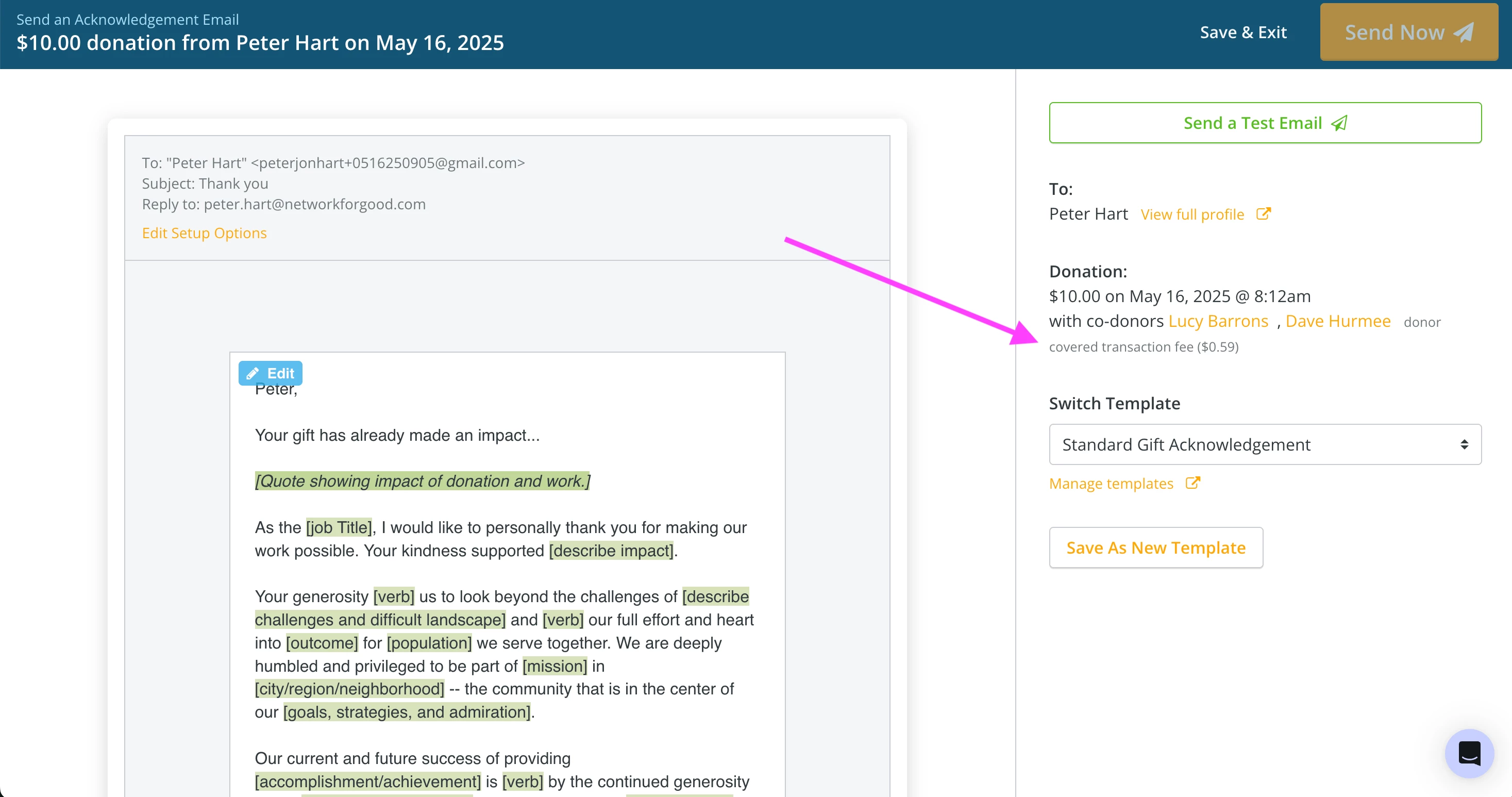
When acknowledging a gift, admins now see the donor-covered transaction fee displayed alongside the donation amount, ensuring donors are recognized for the full value of their contribution.
What’s New
-
Fee amount shown on all acknowledgement screens: email, letter, and video
-
Displayed in the same format as the transaction details screen (e.g., "Donor covered transaction fee ($X.XX)")
-
No action required — this appears automatically for all applicable transactions
Help Center Resources