

🛡️ Nonprofit content filters are now self-serve

🎯 Who it’s for: Company admins
📅 Release date: Aug. 4, 2026
Your content preferences are now yours to manage, whenever you need to. Super admins can now manage their organization’s full nonprofit content filter policy directly in Deed. Changes apply instantly.
🎉 What’s new
A new Nonprofit Blocklist page. Manage your entire policy in one place, across seven tabs:
- Blocked nonprofits
- Always-allowed nonprofits
- Keywords
- Causes
- Locations
- IRS classifications
- NTEE codes
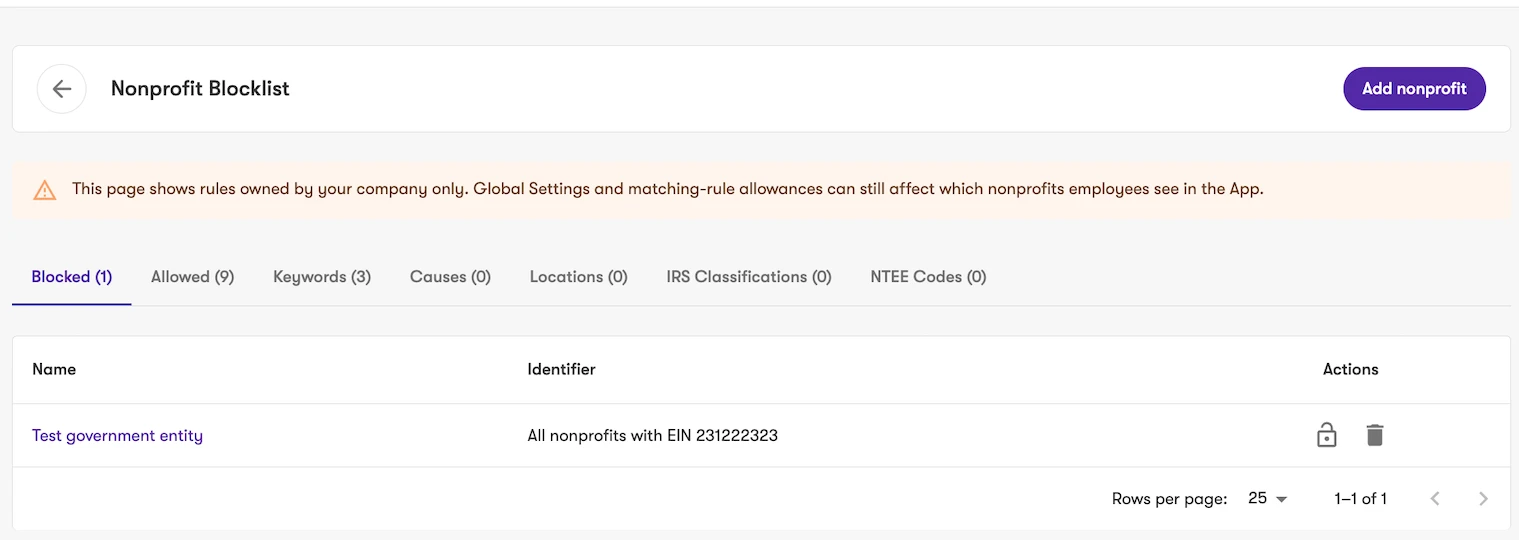
Precision blocking. You choose how broadly to block:
- Block just one nonprofit.
- Block EIN-wide, which also blocks every nonprofit that shares the EIN. This helps with chapter-based organizations, like all Habitat for Humanity chapters. A confirmation step appears before the broader option applies.
- Use Always Allow to carve out a single nonprofit from broader filters, without deleting those filters.
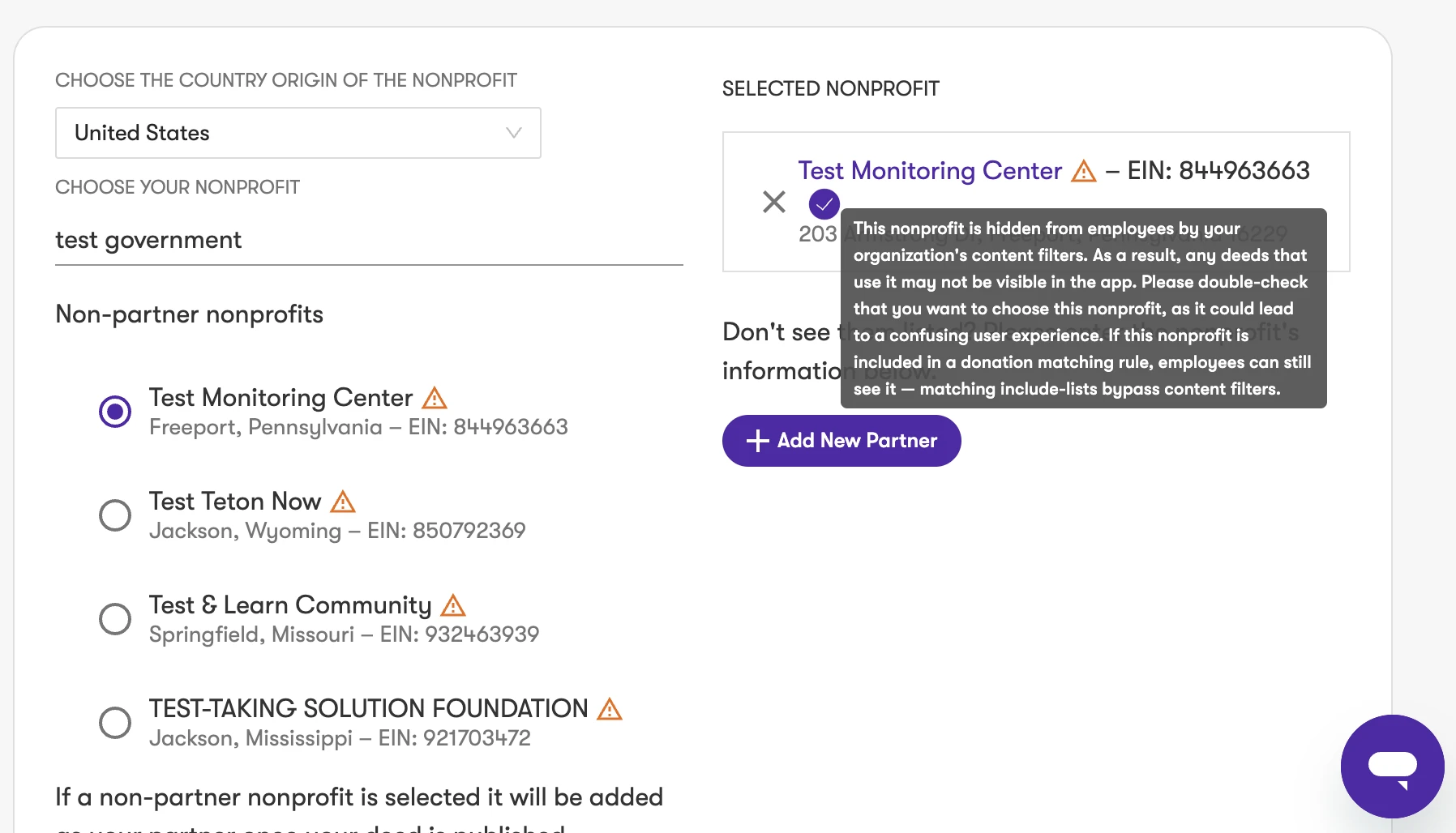
Warning icons for hidden nonprofits. A warning icon now flags any nonprofit hidden by your content filters, wherever it appears: search, detail pages, deed lists, and selectors. When you build deeds and campaigns, you’ll know right away if employees won’t see a nonprofit before you feature it.
💡 Good to know
The Nonprofit Blocklist page shows rules owned by your company only. Global Settings and matching-rule allowances can still affect which nonprofits employees see in the app.
If a hidden nonprofit is included in a donation matching rule, employees can still see it, because matching include-lists bypass content filters.
The new page replaces the previous “Unblock a nonprofit” flow.
👥 Who is affected
Super admins at Deed Engage customer organizations. Company admins will get access soon. Standard (non-admin) users can’t access content filter management.
✅ Action required
Access requires a new permission, organization:manageNonprofitBlocklist. It isn’t enabled by default and must be granted to your organizer role.
✨ Why This Matters
Content filters help keep your giving program aligned with your organization’s values and policies. With self-serve management, you can make changes in minutes. The new precision controls give chapter-based organizations more flexibility. The warning icons help you spot visibility differences before employees see them.