


How do I create an external referral?
While internal referrals connect a Tier 1 record from one program to another within your Apricot database, external referrals are made to an organization or service provider outside of the Apricot system, typically to a partner agency or community resource. By incorporating external referrals into your Apricot case management, you can create a more holistic view of the client's journey and the support they're receiving.
Follow the steps below to learn how to create an external referral.
Important: Referrals must first be configured for the program sending the external referral before you can successfully create a referral. To learn how to do this, click here.
Step 1: Navigate to a Document Folder
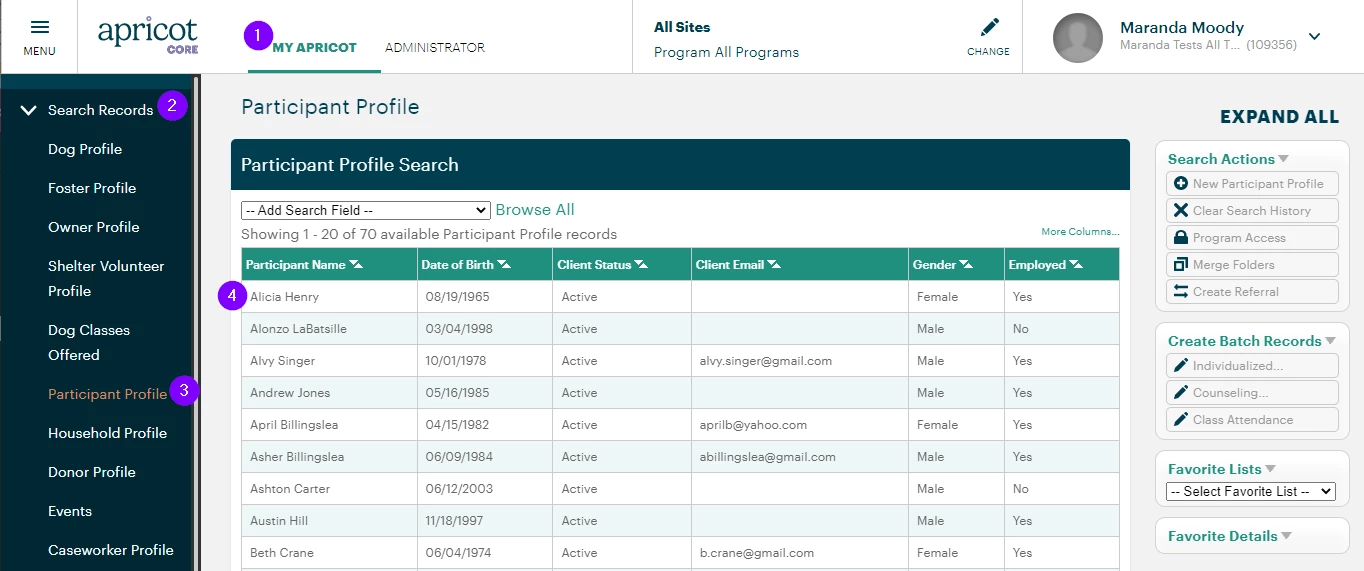
In the "My Apricot" tab, expand the Search Records category of the navigation bar and select a Tier 1 form name.
Locate the Tier 1 record you want to refer outside of your organization and click any gray text in that row to view its Document Folder.
Step 2: Submit a referral
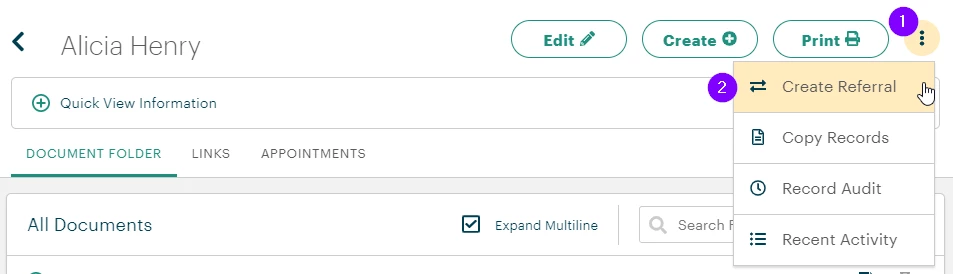
Click the kebab menu (or three-dot icon) at the top-right of the Document Folder to open a menu and select "Create Referral".
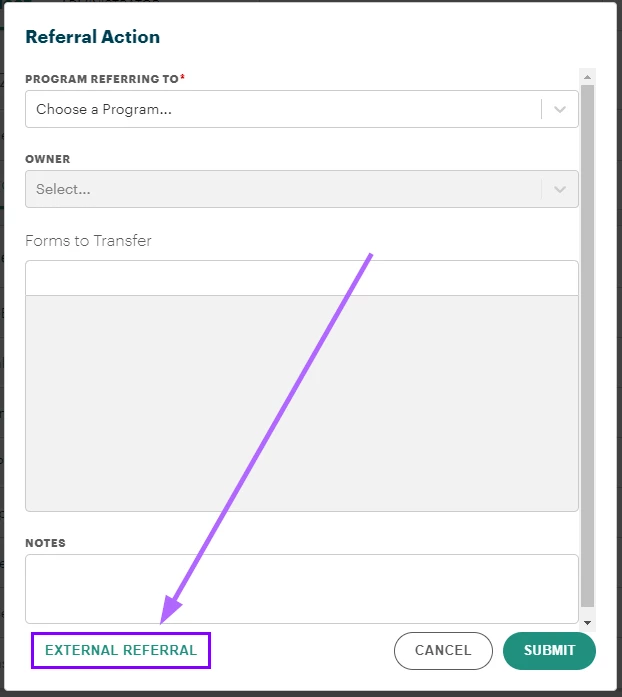
The "Referral Action" pop-up window will appear. Click the "External Referral" button in the bottom-left corner to continue.
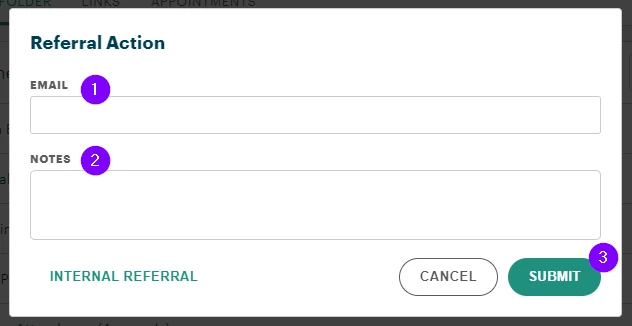
The available fields will change to simply include the email address for the outside agency and any notes your organization wants to track for the external referral.
Select "Submit" to close the window and complete the referral.
What else do you need help with?
How Do I Create an External Referral in Apricot? | Where Do I Enter an External Referral Record in Apricot? | What Information Do I Need to Create an External Referral? | Why Can’t I Add an External Referral in Apricot? | How Do I Save an External Referral in Apricot? | How Do External Referrals Work in Apricot? | How Do I Fix Errors When Creating an External Referral in Apricot?
How do I create a data entry form? | How does create a data entry form work in EveryAction? | Why can't I create a data entry form? | Where do I create a data entry form in EveryAction? | What is create a data entry form in EveryAction? | How to create a data entry form? | Can I create a data entry form in EveryAction?