


How do I view Source Codes on Contact Records?
Step 1: Navigate to the contact's record
You can view source codes associated with a particular contact record from the All Details section of the contact record.
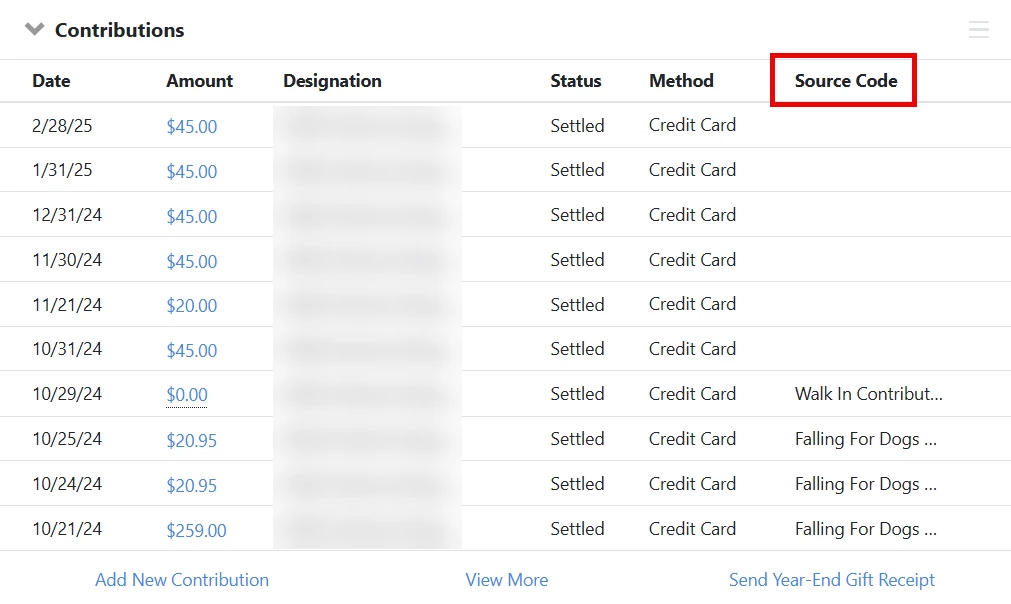
From the Contribution section of the contact details page, you can view the source codes associated with each contribution made by your donor.
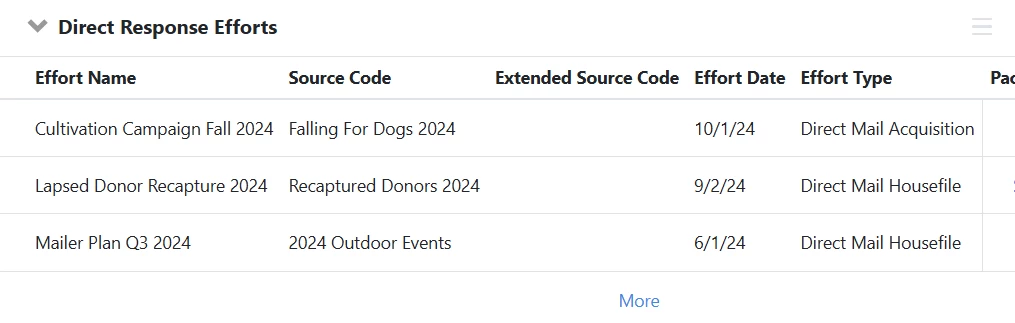
In the 'Direct Response Efforts' section, you can view the source codes associated with the efforts that included your contact.
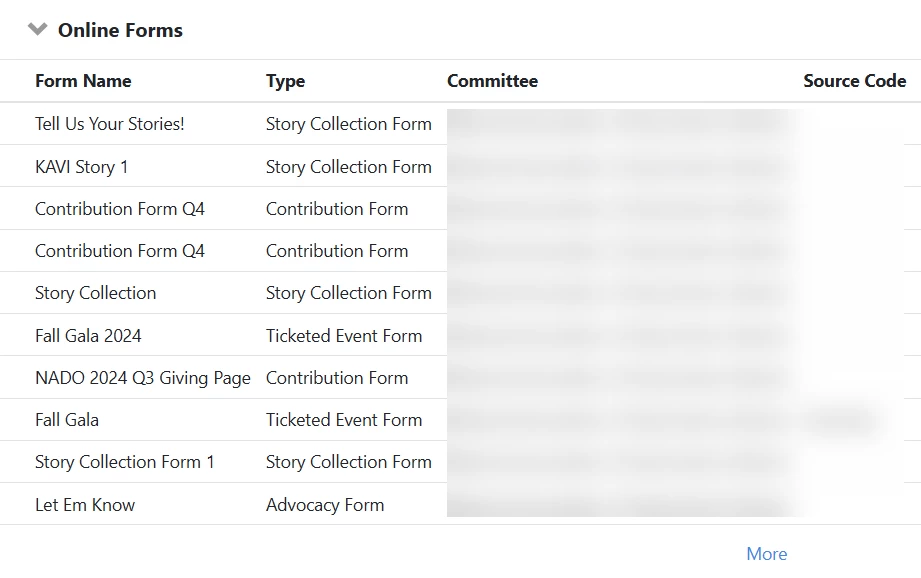
If your contact acted via an 'Online Actions' form, you will find the source codes associated with those forms in the 'Online Forms' section.
Not quite what you were searching for?
- Navigate back to the Source Codes Resource Index.
How do I view source codes on contact records? | How does view source codes on contact records work in EveryAction? | Why can't I view source codes on contact records? | Where do I view source codes on contact records in EveryAction? | What is view source codes on contact records in EveryAction? | How to view source codes on contact records? | Can I view source codes on contact records in EveryAction?