

How do I assign text-to-give donations to a specific donation page?
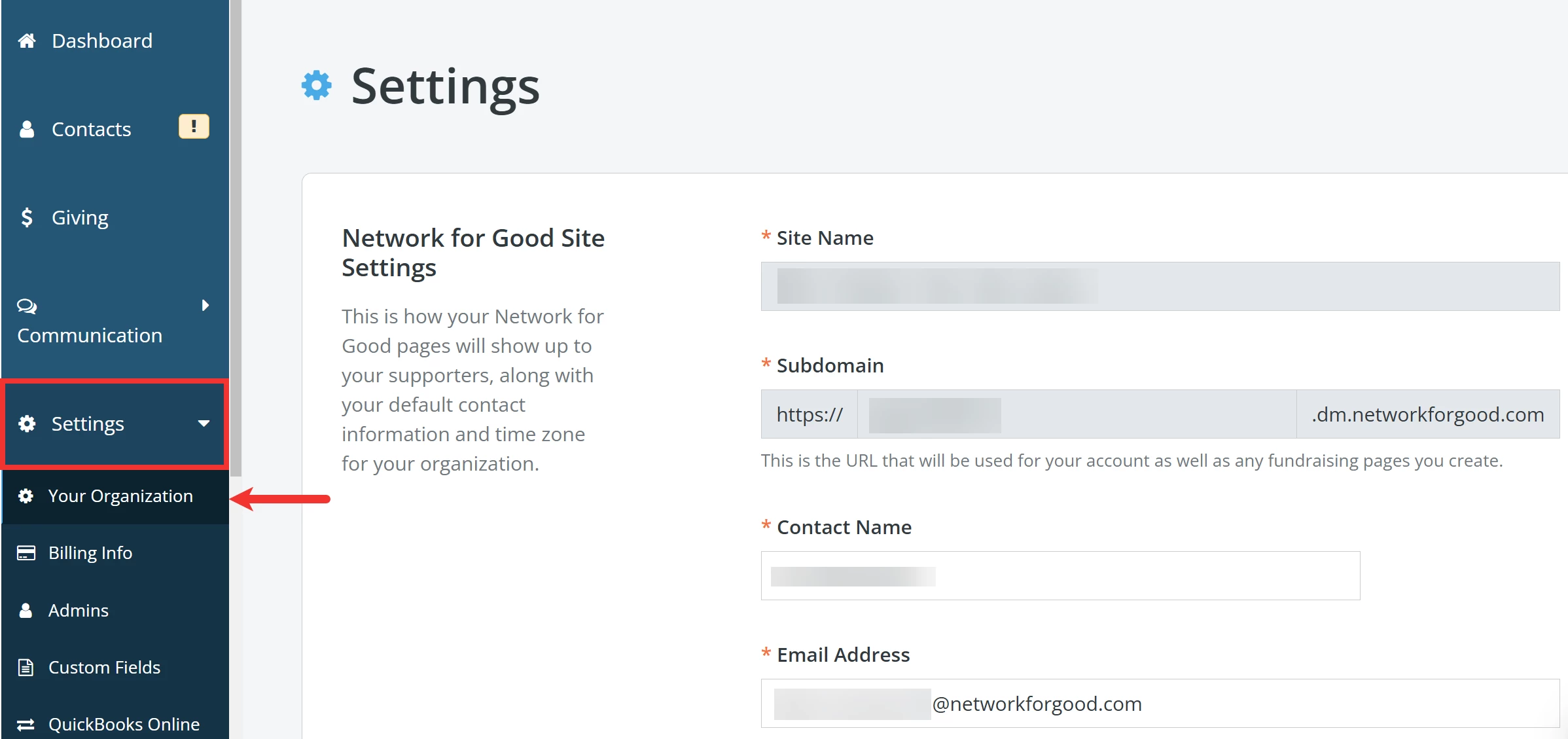
Step 1: Navigate to 'Your Organization' under 'Settings'
From your 'Donor Management' Dashboard, click the 'Settings' tab on the left navigation panel and click 'Your Organization' from the newly expanded drop-down list.
Step 2: Scroll to manage your 'Text-to-Give Settings'
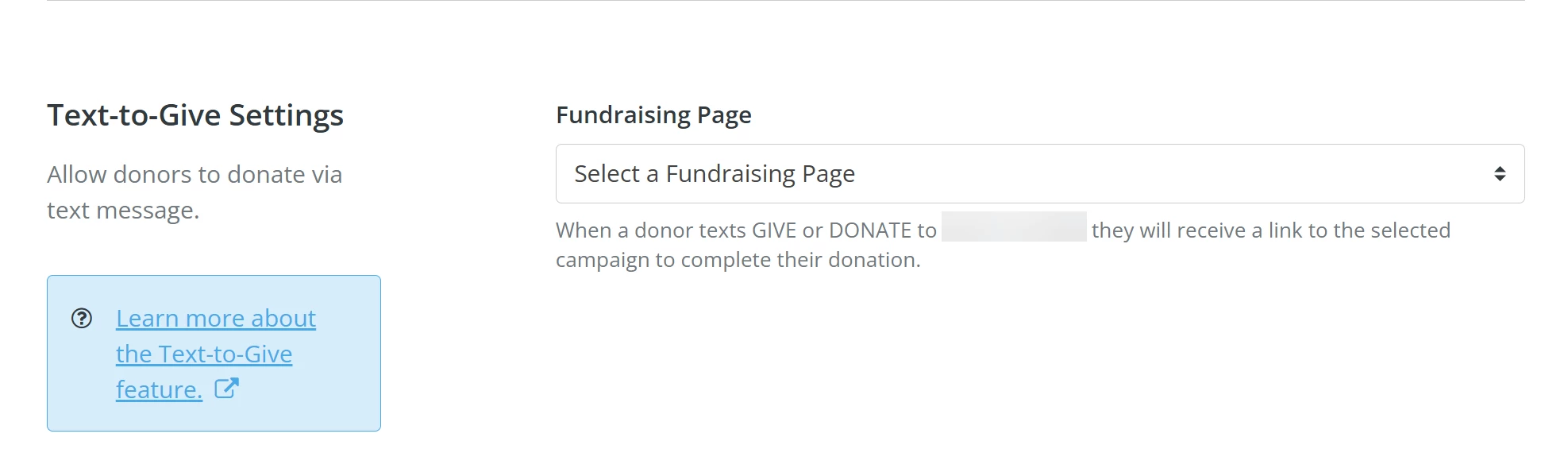
Scroll down to the 'Text-to-Give Settings' section on the 'Settings' page. If you have registered your 'Text-to-Give' phone number, a drop-down menu that includes all your active donation pages (including Events pages) will appear in that section.
Step 3: Select a 'Fundraising Page'
Select which page you want to direct your donors to after they send the word 'GIVE' or 'DONATE' to your registered number.
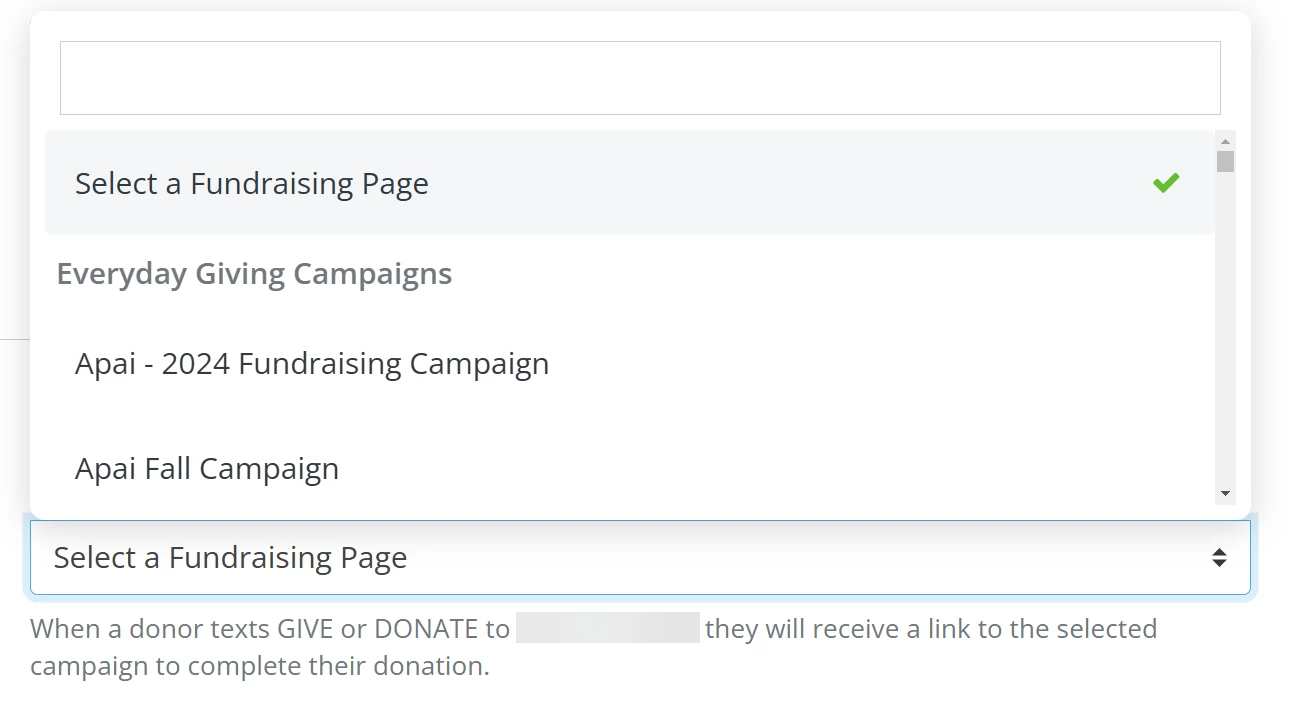
Then, click the 'Update & Save' button at the bottom of the page.

Note: If you do not have any active pages, you will see a message with a link to your 'Fundraising Pages' Dashboard so you can set up a corresponding page.
What else do you need help with?
How do I set up texting capabilities in 'Donor Management'?
How do I know when to use text-to-give and when to use bulk text messaging?
How do I avoid "carrier violations" when sending texts?
FAQ: Text Messaging Capabilities
Not quite what you were searching for?
Navigate back to the Feature Overview.
How do I add attributions when entering contributions in financial batch manager? | How does add attributions when entering contributions in financial batch manager work in EveryAction? | Why can't I add attributions when entering contributions in financial batch manager? | Where do I add attributions when entering contributions in financial batch manager in EveryAction? | What is add attributions when entering contributions in financial batch manager in EveryAction? | How to add attributions when entering contributions in financial batch manager? | Can I add attributions when entering contributions in financial batch manager in EveryAction?