

How do I register for live training in Bonterra Academy?
Overview
Bonterra Academy is the home of your live webinars, on-demand courses, and educational resources. This article walks you through how to access Bonterra Academy and log in using your existing Bonterra product credentials.
Note: Bonterra Academy is currently available to select product users only. If you are unsure whether your organization has access, contact your Customer Success representative.
Step 1: Log in to Bonterra Academy
- Go to Bonterra Academy at https://academy.bonterratech.com.
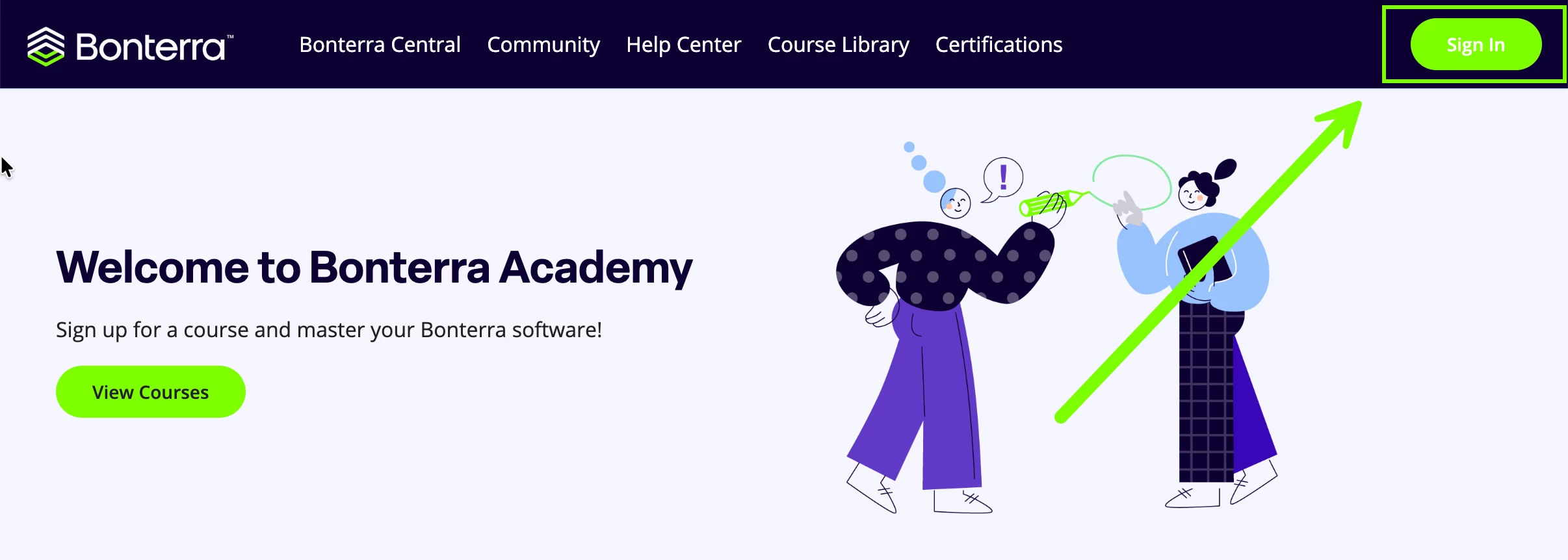
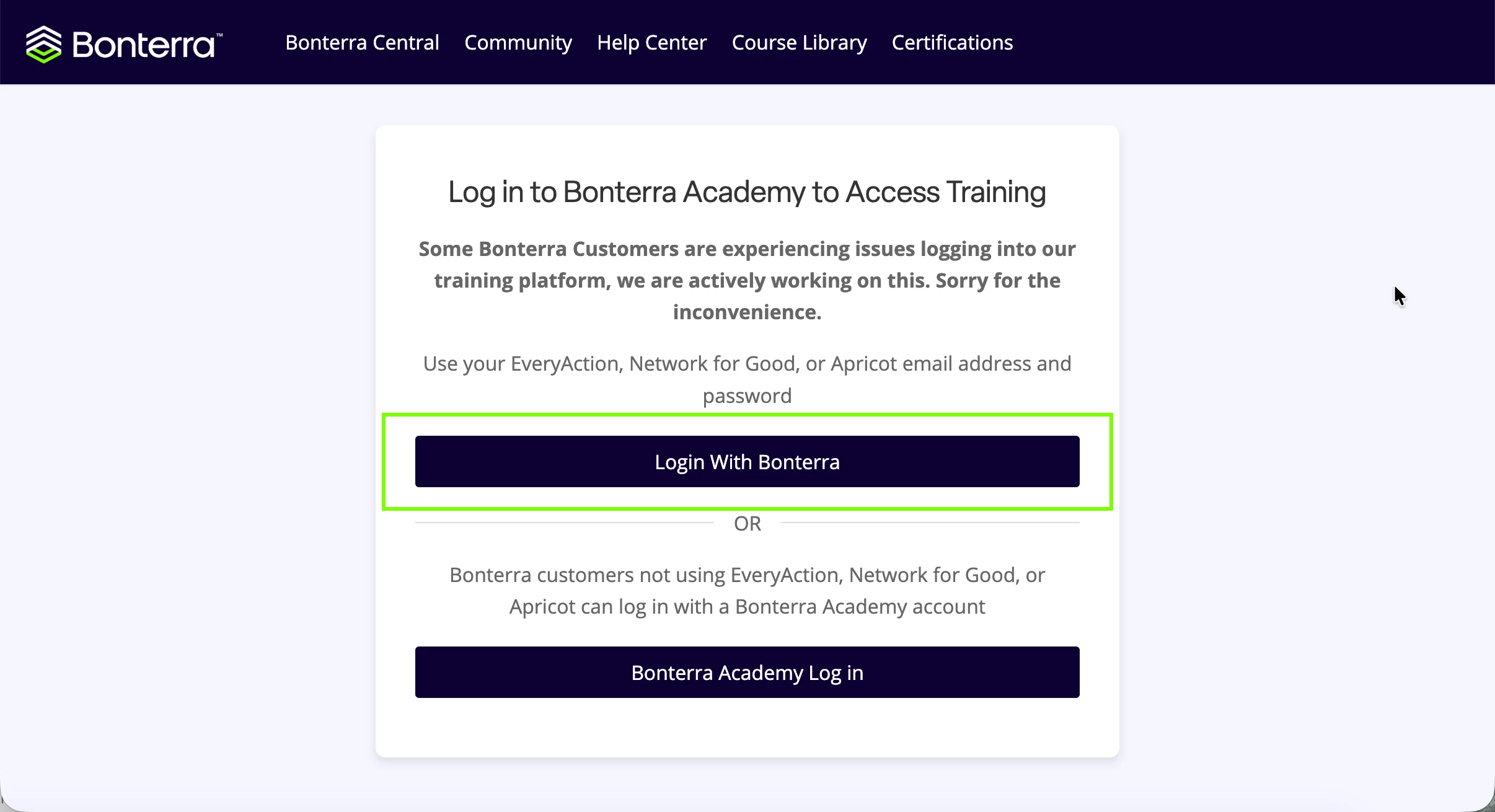
- Click the Sign In button in the upper-right corner of the page, then select Login With Bonterra.
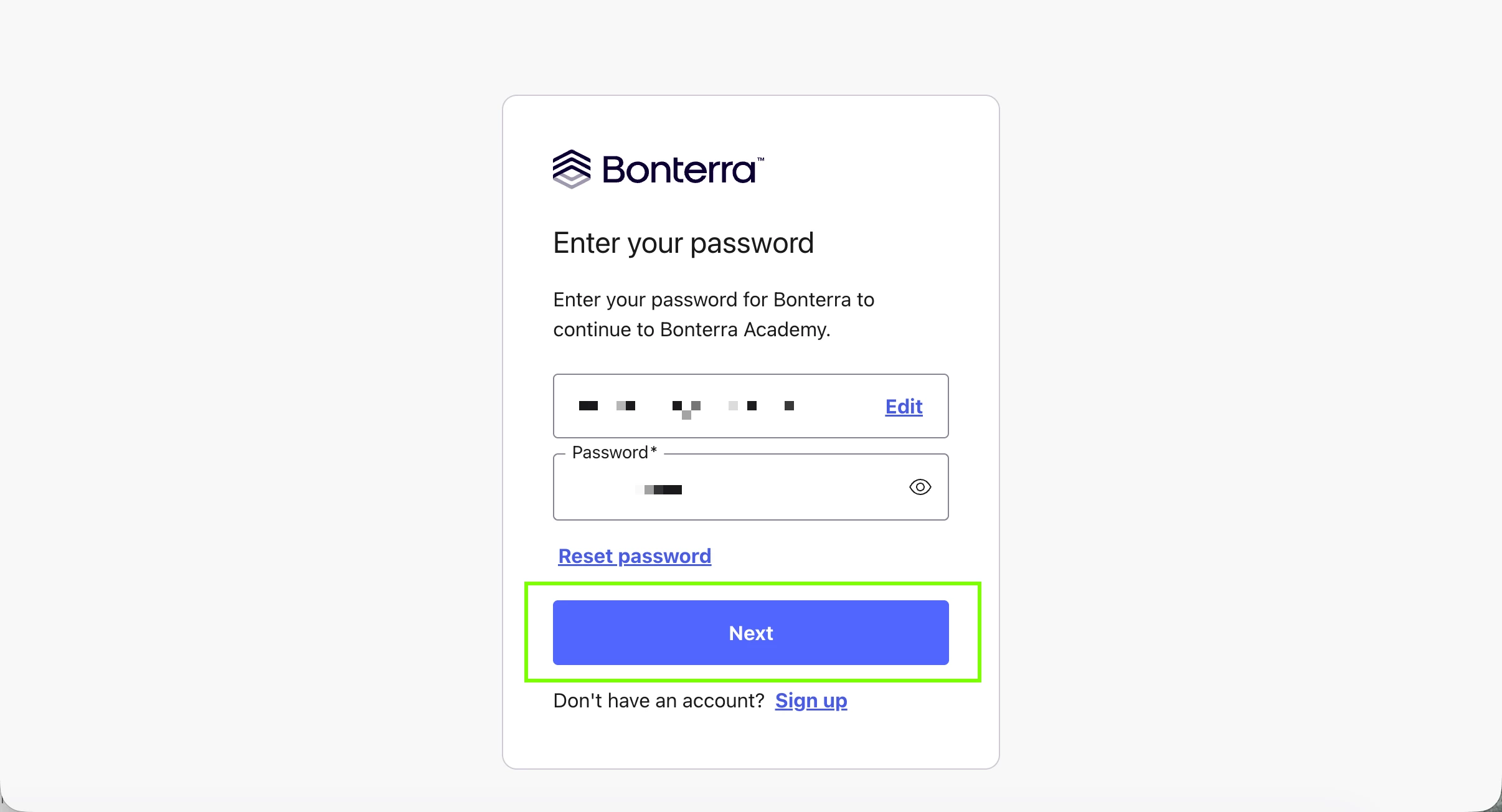
- Enter the same username and password you use to log in to Apricot, then click Next.
Step 2: Navigate to a live training course
Note: If you have not yet logged in to Bonterra Academy before, your first login will initialize your student profile. Make sure to complete this step so your training records are properly set up.
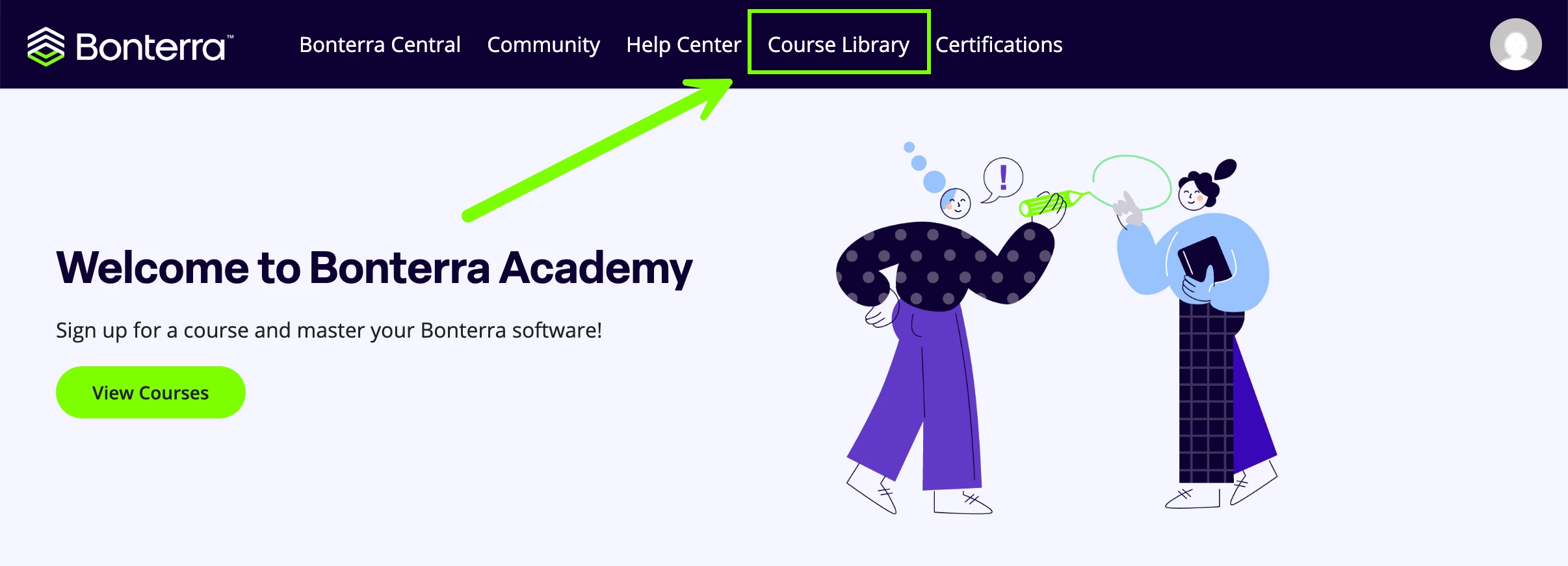
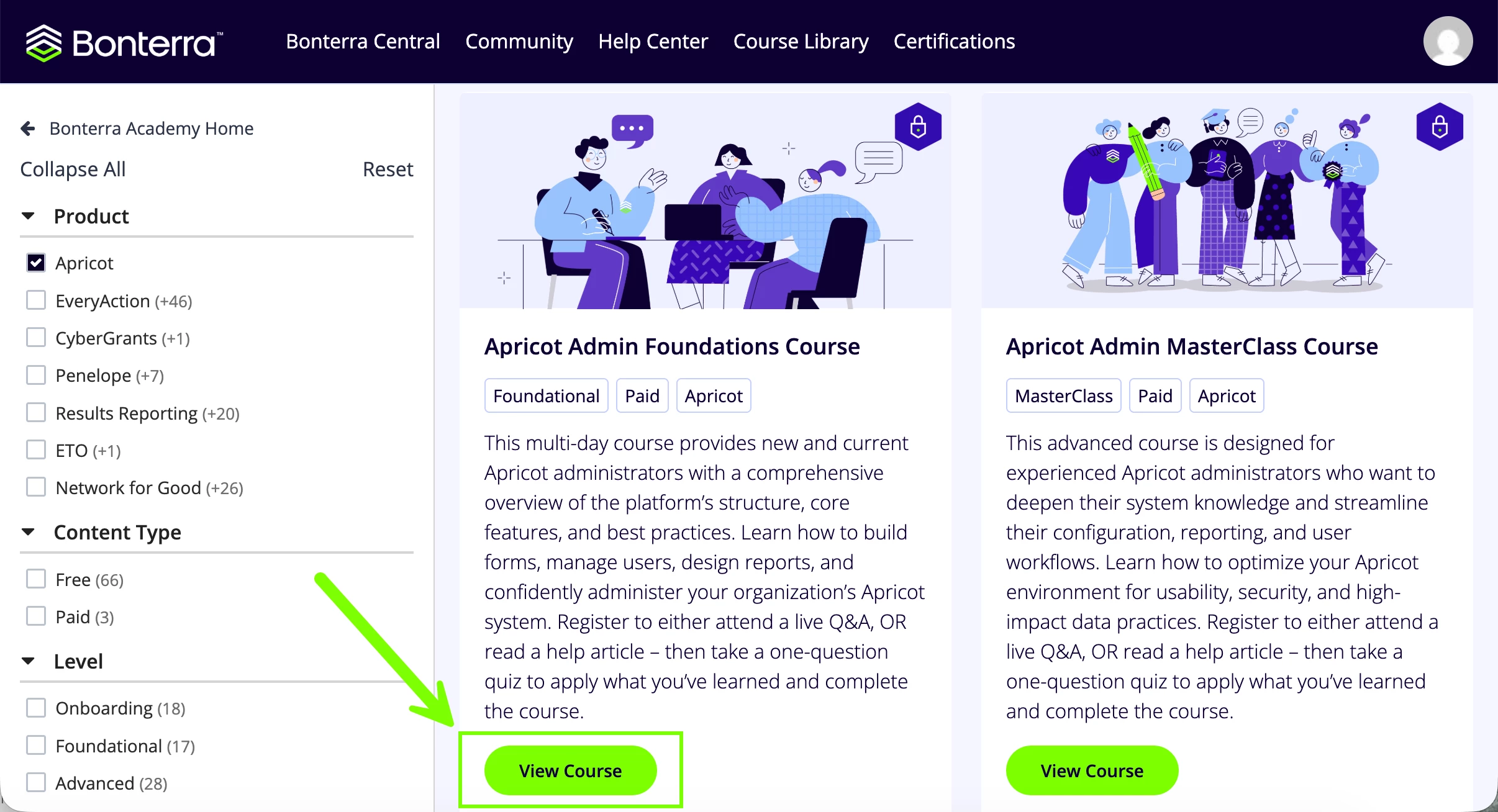
- From the home page, select Course Library at the top of the page to view the available courses.
- Click View Course next to the training you want to register for.
Step 3: Register for the live training
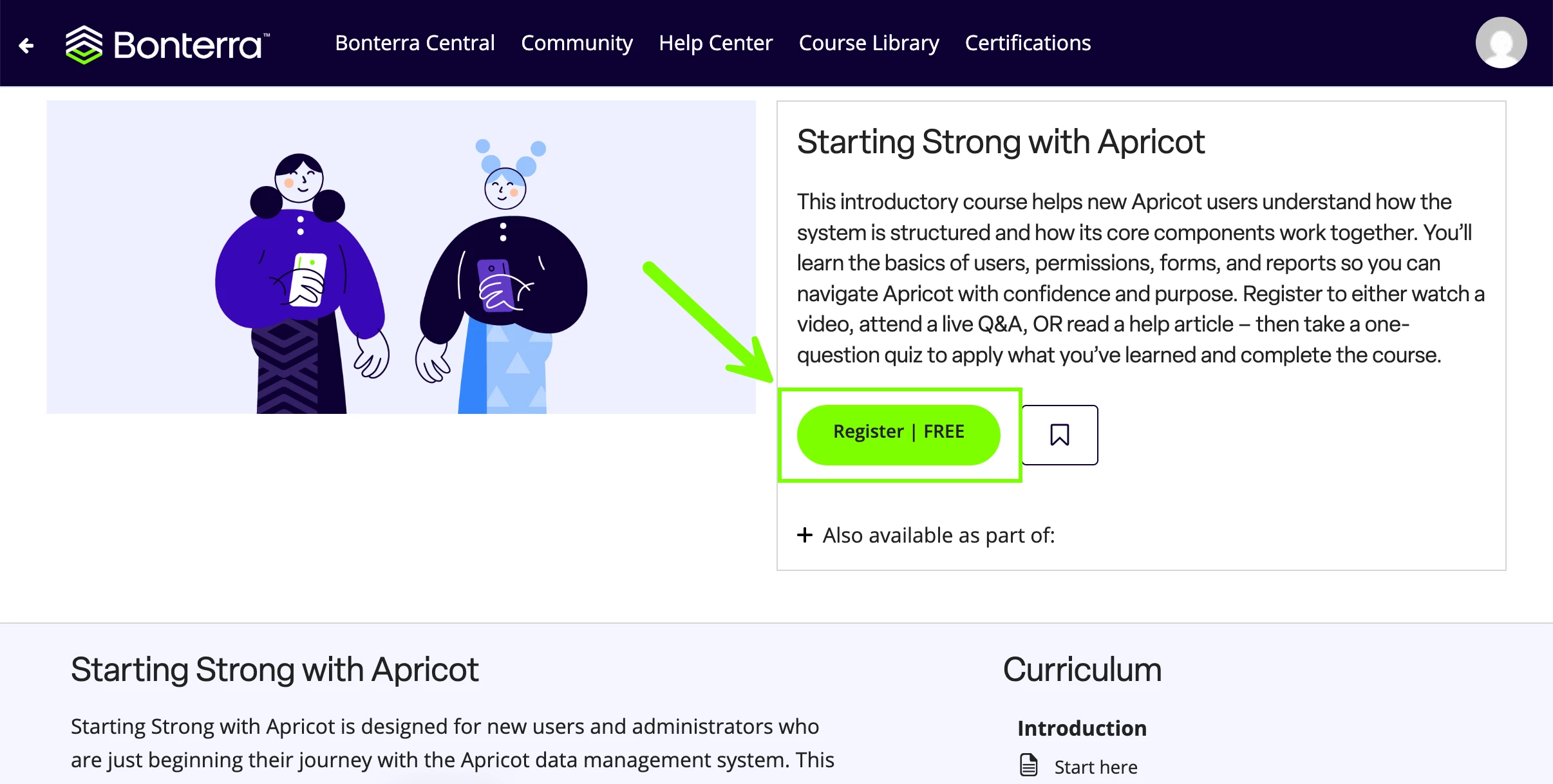
- Click the Register button within the course to continue.
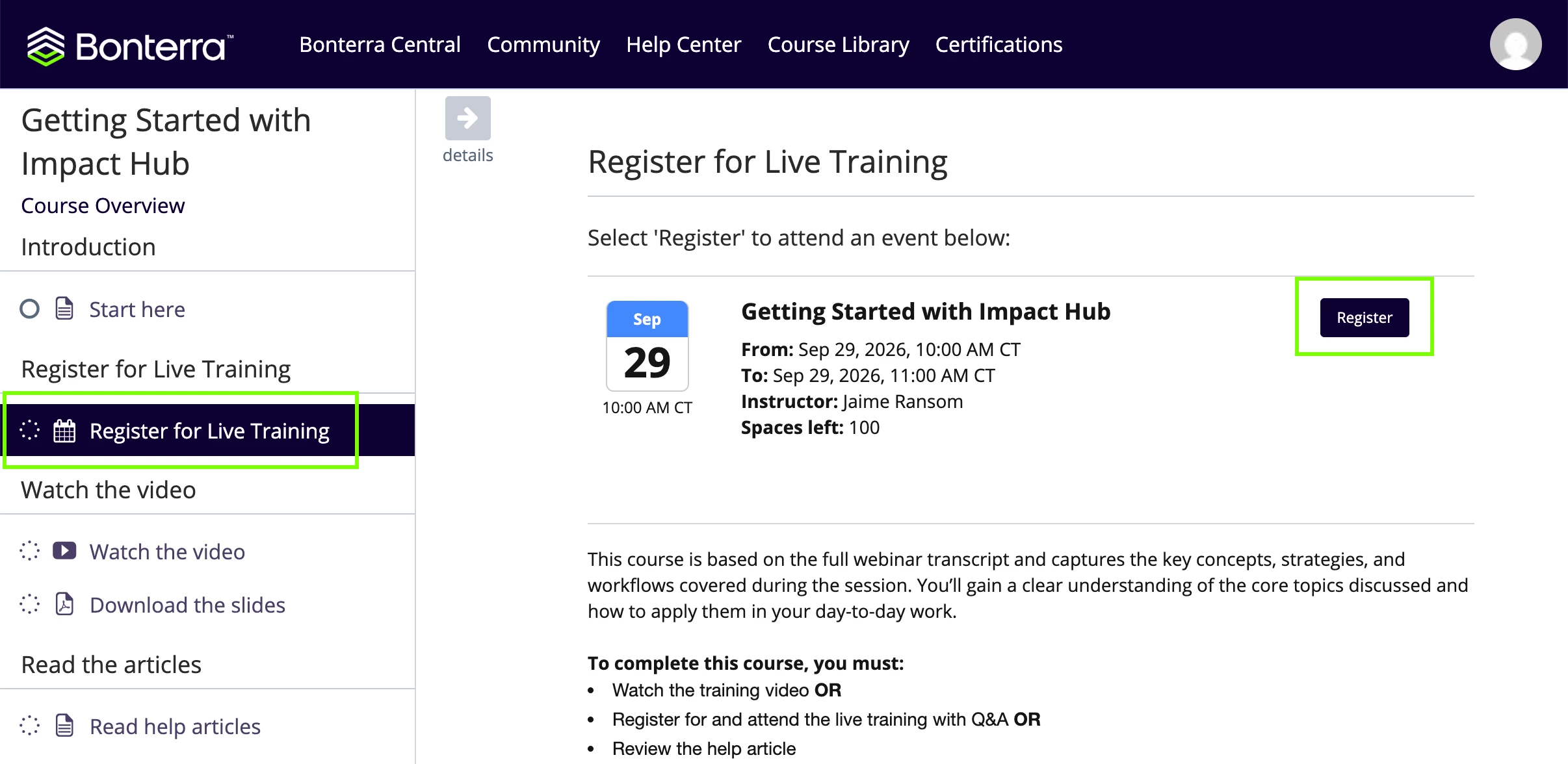
- On the following page, click the Register for Live Training lesson within the course to select from the available dates. Then, select Register next to the date you’ve chosen.
Important: You’ll receive a confirmation email for your training session. Please note that the email will not include a direct Zoom link. When it’s time to join, return to the course in Bonterra Academy and launch the live webinar from there.
If you need to cancel your registration and choose another available date, simply click Cancel Registration and click Register to your desired live session.
If you experience any issues logging in or have questions about Bonterra Academy, you have two options for getting support:
In-app Support chat: While logged in to your Apricot instance, use the in-app chat feature to connect with our Support team for technical assistance.