

How do I log in using Multi-Factor Authentication (MFA)?
We’ve made some updates to our login experience! If you come across references to “ActionID” in our help resources, those are being updated to reflect the new name: Bonterra Account. Nothing changes on your end as we tidy up the documentation.
Once you have enabled Multi-Factor Authentication (MFA), you will be prompted to enter a code after entering your Bonterra Account e-mail and password, each time you log in.
You will also be given the option to 'Remember this device'. If you check this box, you will not have to complete the two-step verification from that specific device and browser for 30 days.
You will be prompted for MFA again if:
- you log in from that browser and device after the 30 days have passed
- you clear your browser cookies
- you log in from another browser or device
Remembering the device is only suggested for personal devices that are not shared. You should never check this box for shared or public devices, such as library computers or devices shared by others running a campaign or working within your organization.
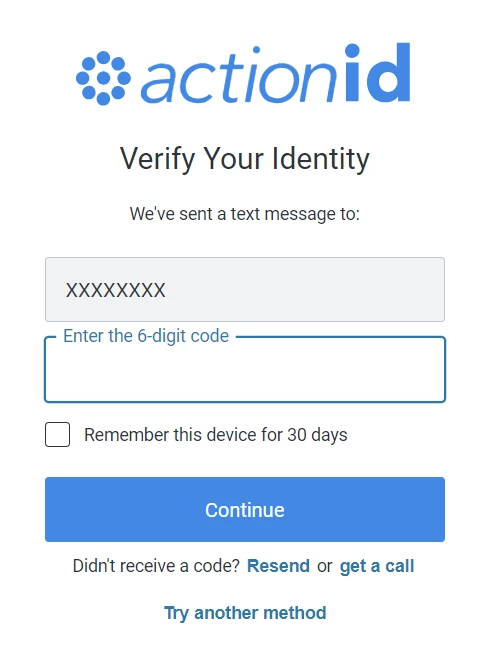
If you no longer have access to that mobile device, you can Use a recovery code > enter a recovery code > Verify. Keep in mind that the screen that you will see after clicking on the recovery code link will look almost identical to the previous screen. The only difference is that it will say Enter a recovery code that you have saved instead of prompting you to enter the regular MFA verification code.
How do I log in using multi-factor authentication (mfa)? | How does log in using multi-factor authentication (mfa) work in EveryAction? | Why can't I log in using multi-factor authentication (mfa)? | Where do I log in using multi-factor authentication (mfa) in EveryAction? | What is log in using multi-factor authentication (mfa) in EveryAction? | How to log in using multi-factor authentication (mfa)? | Can I log in using multi-factor authentication (mfa) in EveryAction?