


How do I give standard users Form Designer access? (Legacy Permissions)
Follow the steps listed below to learn how to assign Form Designer roles to standard users for additional navigation bar features.
Step 1: Navigate to the user
In the Administrator view of Apricot, expand Access Control in the navigation bar and select Users.
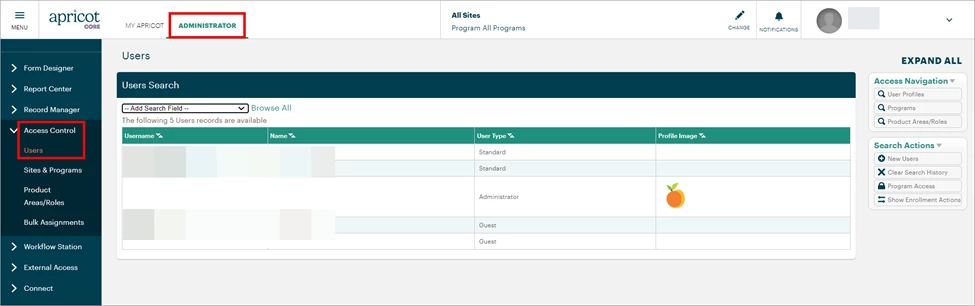
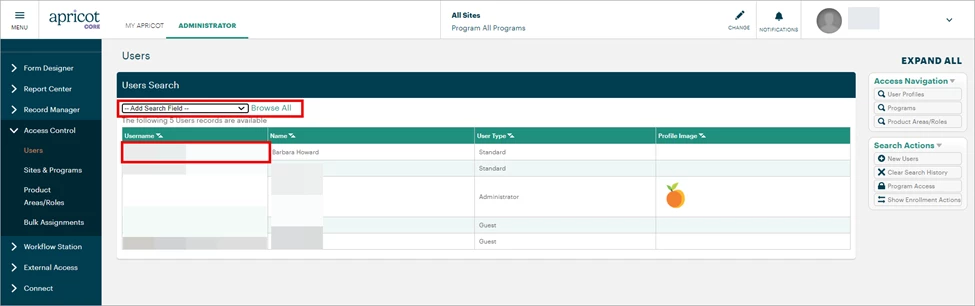
A list of users in your Apricot site will be displayed. You can click the Search Field dropdown to filter the results by username, name, or other criteria. Select the Username of the standard user you want to access the Form Designer category of the navigation bar.
Step 2: Add a Role
Click Edit at the top-right corner of the User Details page.
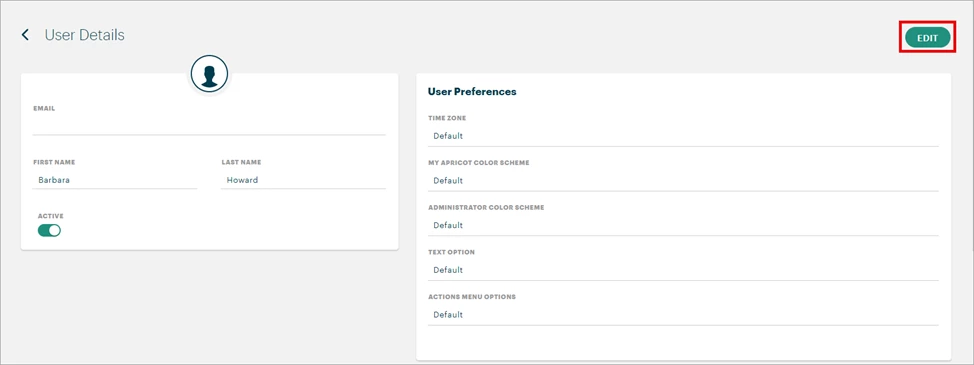
Scroll to the Assigned Roles section and click the ‘+ Add’ button to open the Roles Search pop-up window.

Step 3: Select a Role
Click the gray arrow to expand the Form Designer Product Area and view its available Roles.
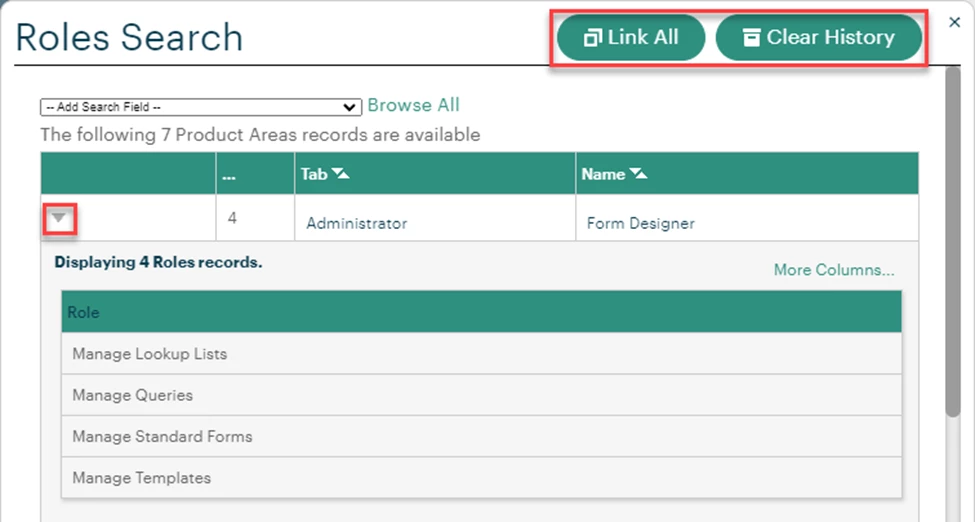
Click the name of each Role you want to assign to the standard user. Note: The ‘Link All’ button will select every role across every Product Area. The ‘Clear History’ button will undo any selected Roles.
-
Manage Lookup Lists: The user can access Lookup Lists in the Administrator view, create new Categories and Lookup Lists, and edit or delete existing ones.
-
Manage Queries: The user can access the Query Tool in the Administrator view, create new Categories and Queries, and edit or delete existing ones.
-
Manage Standard Forms: The user can access the Form Designer in the Administrator view. By default, they are only able to create a new Tier 1 form and its subsequent Tier 2 forms.
-
Note: If a standard user creates a new Tier 1 form, they will need to be granted access to it in their permission sets once the new form is published.
-
Note: To grant the user access to edit existing Tier 1 forms, you will need to both assign them this Role and check the Edit box for the Tier 1 forms in their permission sets. To edit Tier 2 forms, they will need Edit access for both the Tier 2 and its Tier 1 form.
-
-
Manage Templates: The user can access Form Templates and use them to create new forms.
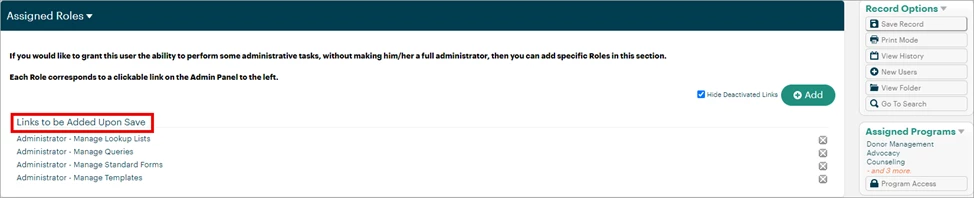
The selected Roles will display under ‘Links to be Added Upon Save’ in the Assigned Roles section.
Step 4: Save the record
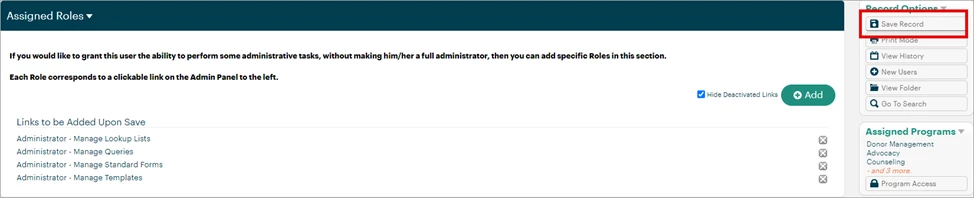
Select ‘Save Record’ in the Record Options palette at the top-right of the page to confirm your changes.
What else do you need help with?
-
Not what you’re looking for? Navigate to overview
How do I give standard users Form Designer access in Apricot? | How do I assign Form Designer roles to a user? | Why can’t a standard user see Form Designer in Apricot? | How do I let a user manage Lookup Lists and Queries? | How do I give a user access to create or edit Tier 1 and Tier 2 forms? | How do I let a user manage Form Templates in Apricot? | What permissions are needed for standard users to use Form Designer?