


How do I give standard users Grants access (AFF)? (Legacy Permissions)
The assigned Role for Grants is only applicable to standard users in organizations using Apricot for Funders (AFF). Assigning this role will add Grants to the standard user’s My Apricot tab rather than the Administrator tab.
Follow the steps listed below to learn how to assign the Manage Grants role to standard users.
Step 1: Navigate to the user
In the Administrator view of Apricot, expand Access Control in the navigation bar and select Users.
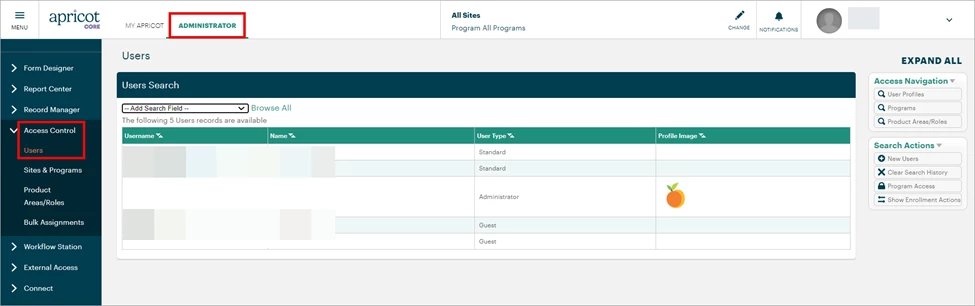
A list of users in your Apricot site will be displayed. You can click the Search Field dropdown to filter the results by username, name, or other criteria. Select the Username of the standard user you want to assign the Manage Grants role.
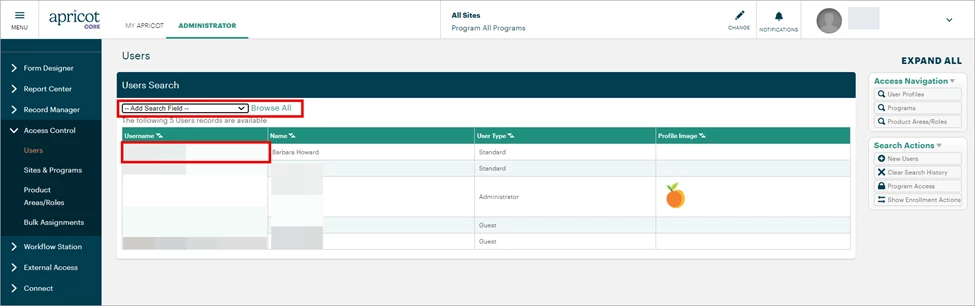
Step 2: Add a Role
Click Edit at the top-right corner of the User Details page.
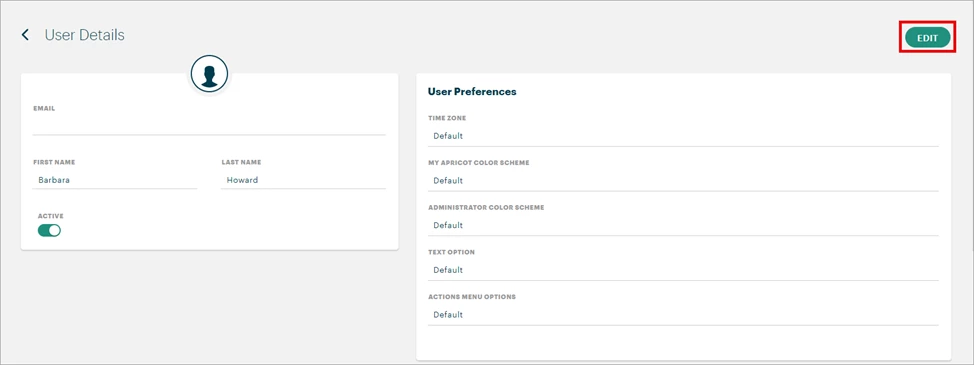
Scroll to the Assigned Roles section and click the ‘+ Add’ button to open the Roles Search pop-up window.

Step 3: Select a Role
Click the gray arrow to expand the Grants Product Area and view the single available Role.
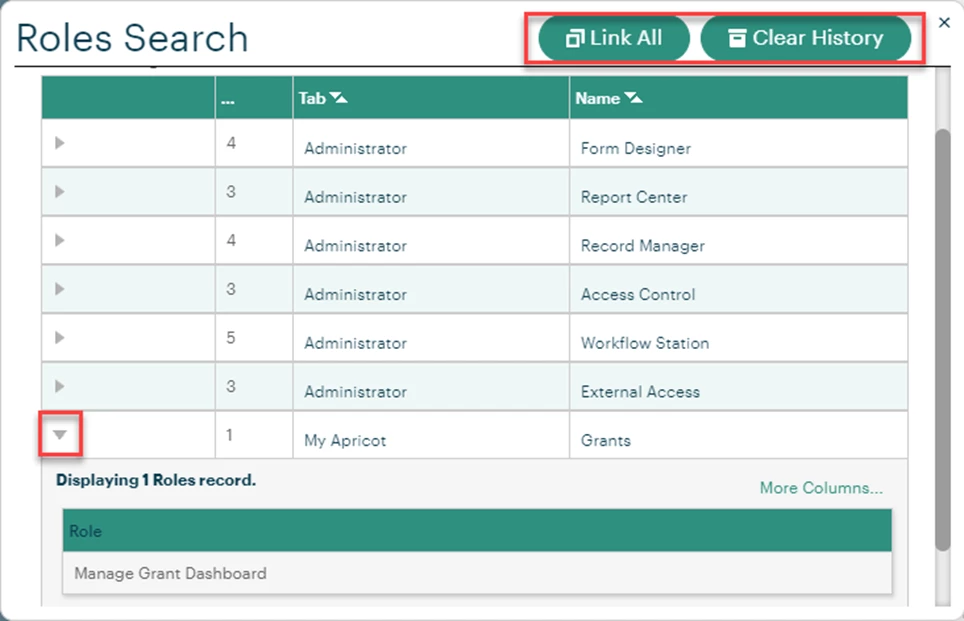
Note: The ‘Link All’ button will select every role across every Product Area. The ‘Clear History’ button will undo any selected Roles.
-
Manage Grant Dashboard (AFF only): This role is only applicable to organizations using Apricot for Funders (AFF). The user can access the Grant Dashboard, see where an organization is within the grant process, and adjust their current grant phase.
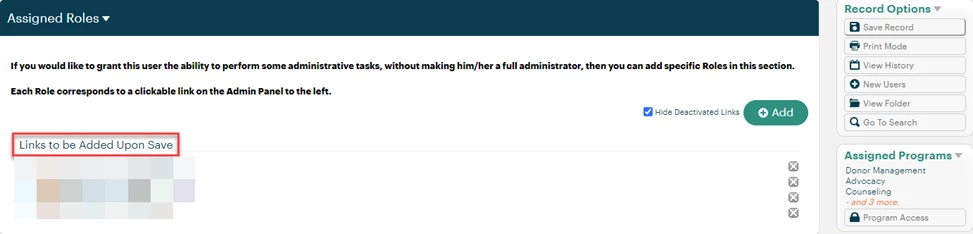
The selected Role will display under ‘Links to be Added Upon Save’ in the Assigned Roles section.
Step 4: Save the record
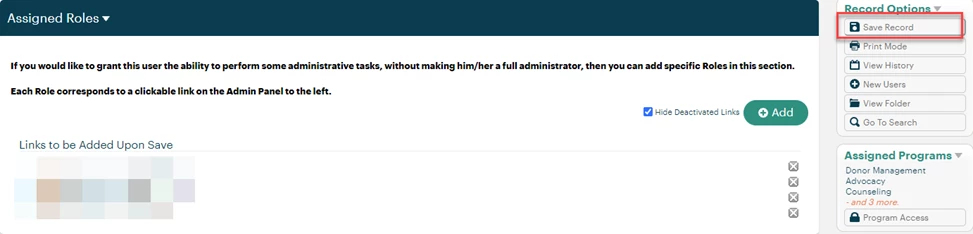
Select ‘Save Record’ in the Record Options palette at the top-right of the page to confirm your changes.
What else do you need help with?
-
Not what you’re looking for? Navigate to overview
How do I give standard users Grants access in Apricot? | How do I assign the Manage Grants role in AFF? | Why can’t a standard user see Grants in Apricot? | How do I add Grant Dashboard access for a user? | What is the Manage Grants role in Apricot for Funders? | How do I give users access to the Grant Dashboard? | Is Grants access only available in Apricot for Funders?