


How do I remove Advanced Access from a standard user? (Role-Based Permissions)
Follow the steps listed below to learn how to remove a standard user’s ability to perform administrative tasks based on their Advanced Access.
Step 1: Navigate to the user
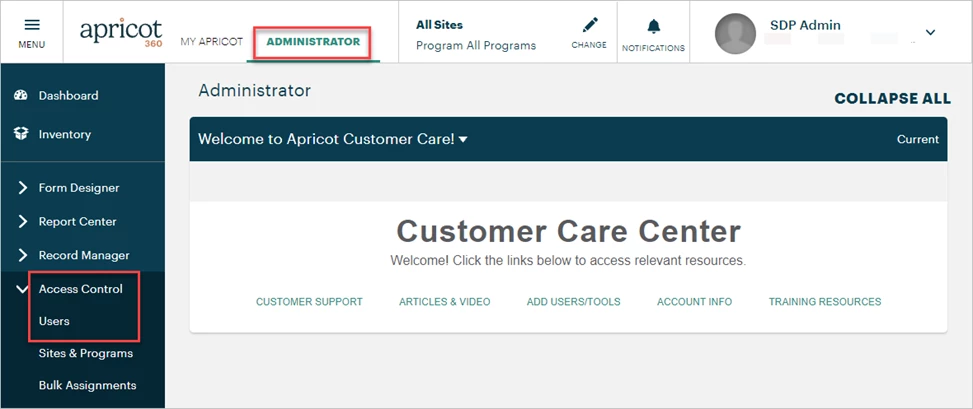
In the Administrator view of Apricot, expand Access Control in the navigation bar and select Users.
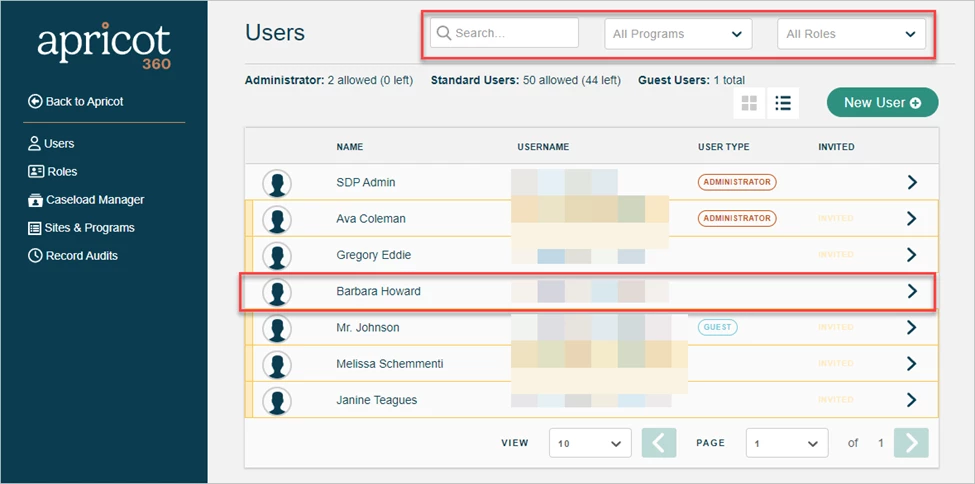
A list of users in your Apricot site will be displayed in the Account Management app. You can type a name in the Search Field or use the Programs or Roles dropdowns to filter the results. Select the standard user you want to edit access for.
Step 2: Select Advanced Access tasks
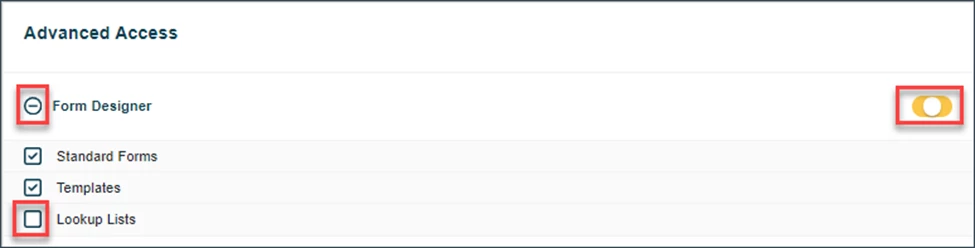
Scroll to the Advanced Access section at the bottom of the User Details page. Click the ‘+’ icon to expand each category and view the user’s current access. You can uncheck specific boxes or click the toggle button until it turns gray, deselecting all the category’s boxes at once.
Step 3: Update their Advanced Access
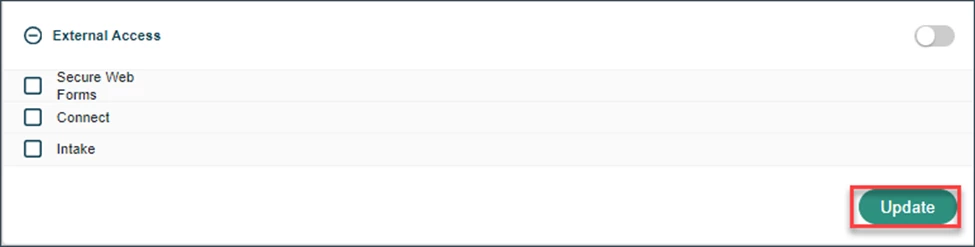
To save your changes, click the "Update" button at the bottom-right of the page.
What else do you need help with?
-
Not what you’re looking for? Navigate to overview
How do I remove Advanced Access from a standard user? | How do I revoke Record Manager permissions in Apricot? | How do I deselect Advanced Access tasks for a user? | How do I update a user’s administrative access? | How do I remove imports access from a standard user? | How do I remove archived records access for a user? | How do I disable Record Audits access for a standard user?