


How do I set a form as a Guest Form? (Legacy Permissions)
Guest Users may only perform data entry for a total of 5 forms in your site. Follow the steps listed below to establish a form as a Guest Form.
Step 1: Navigate to your settings
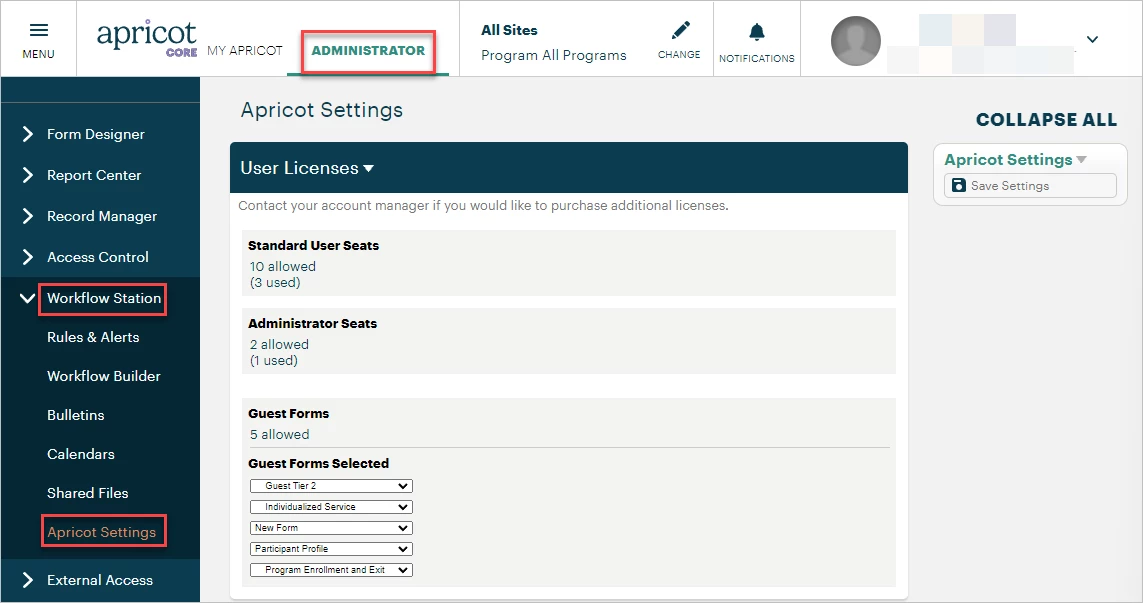
In the Administrator view, expand the Workflow Station category in the navigation bar and select 'Apricot Settings'.
Step 2: Select your forms
In the User Licenses section, scroll to find the Guest Forms settings. Click the dropdown arrow to view all published forms in your site. If the desired form is missing, navigate back to the form and make sure it has been published.
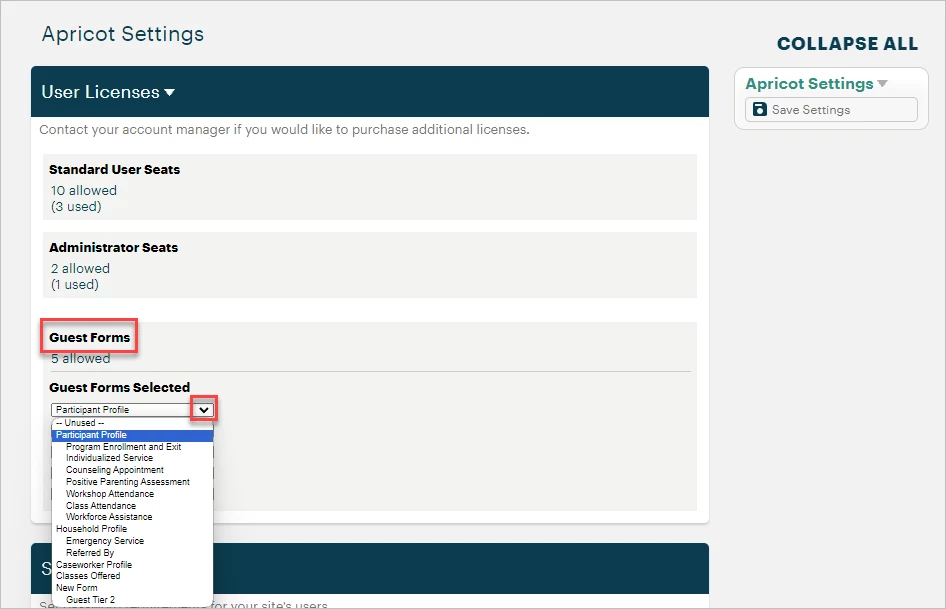
Select the name of the form you want to give Guest Users access to. You may repeat this for up to four other published forms in the following dropdown fields.
Note: Setting a Tier 2 Form as a Guest Form requires its associated Tier 1 Form to be set as a separate Guest Form as well.
Step 3: Save your settings
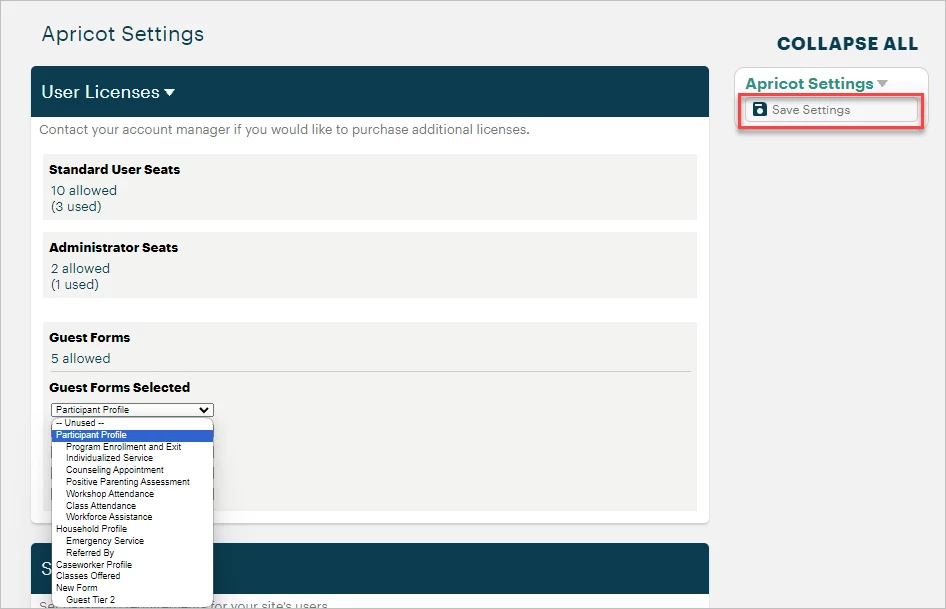
In the Apricot Settings palette, click Save Settings to confirm your changes.
What else do you need help with?
-
Not what you're looking for? Navigate to overview
How do I set a form as a Guest Form in Apricot? | How do I give Guest Users access to a form? | How many Guest Forms can I assign in Apricot? | Why can’t I select a form as a Guest Form? | How do I save Guest Form settings in Apricot? | What is a Guest Form in Apricot? | Do Tier 2 Forms need Tier 1 Forms to be Guest Forms?