

How do I manage a contact's volunteer status?
Step 1: Navigate to your contact's profile
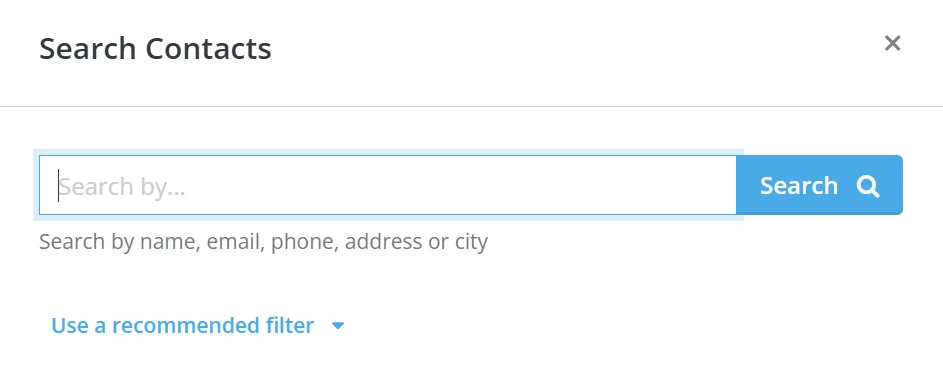
From your 'Donor Management' Dashboard, click the magnifying glass icon in the top right corner of the page.

A pop-up window will appear, where you can search for a contact by name, email, phone number, address, or city.
Step 2: Click to edit the contact's record
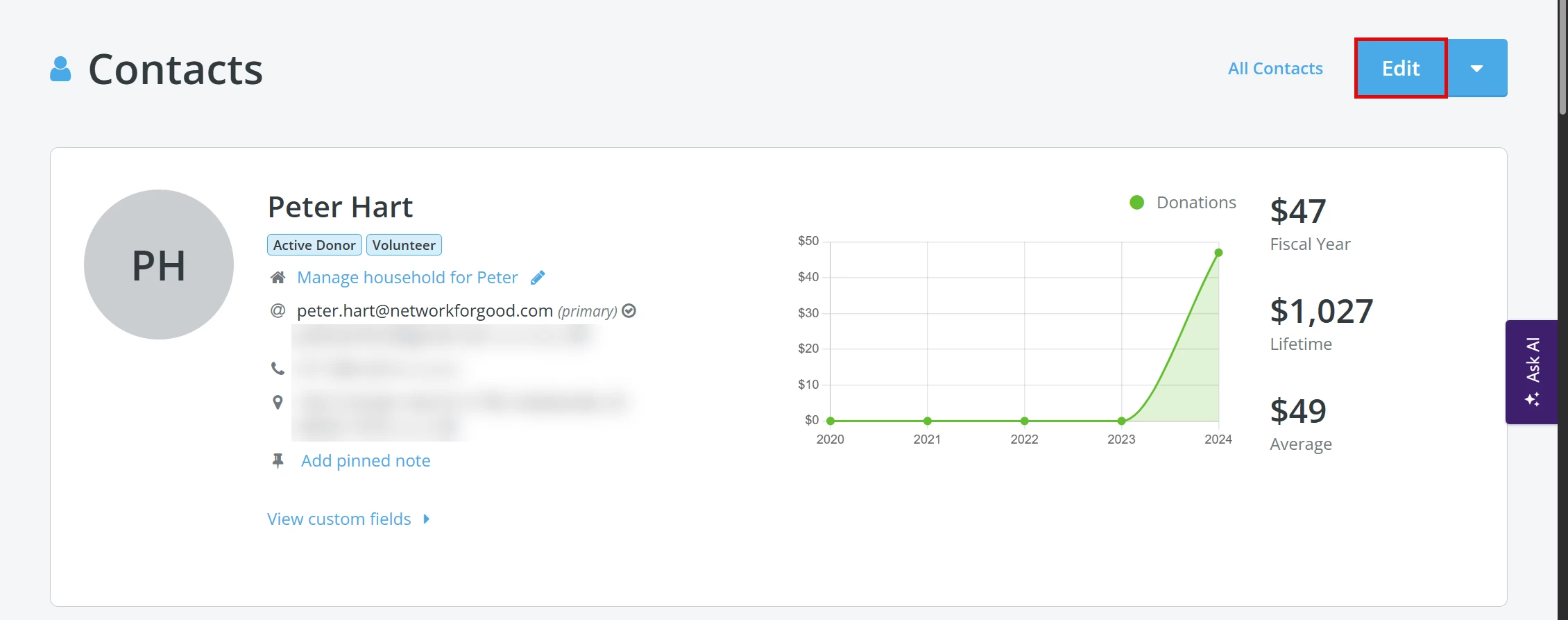
Click the 'Edit' button in the upper right corner of the contact's profile to edit their record.
Step 3: Update the contact's volunteer status
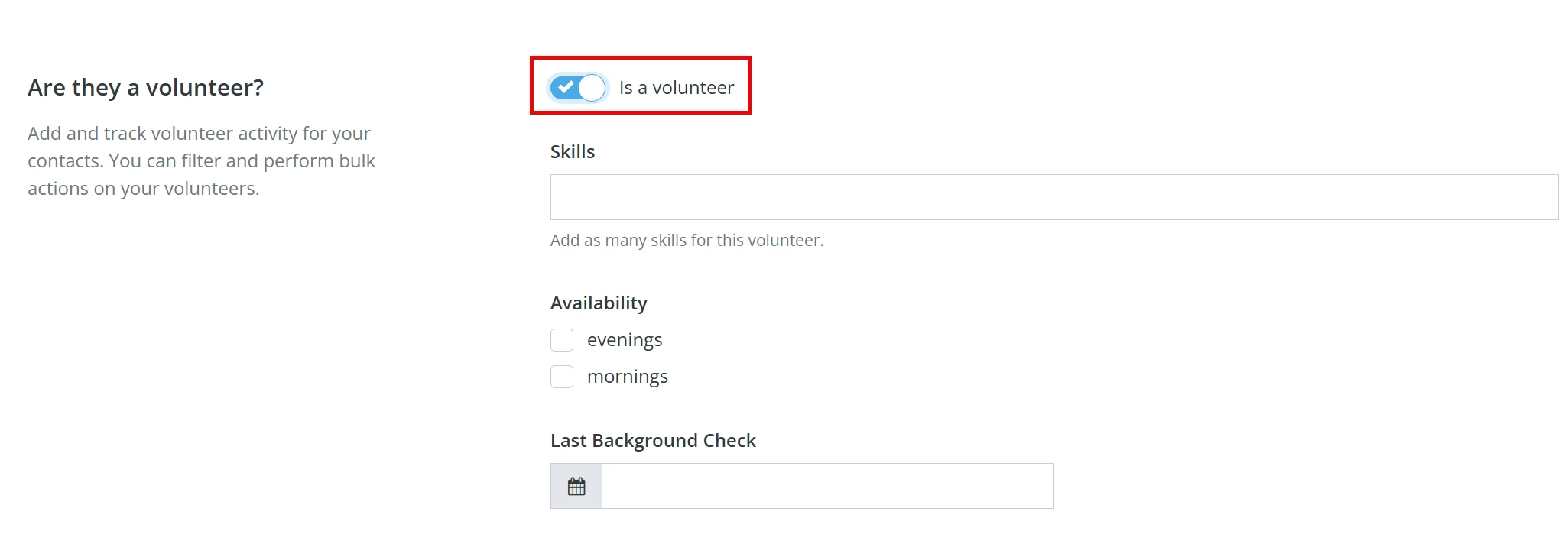
Scroll to the section labeled 'Are they a volunteer?' and use the toggle switch to update their status.

When enabled, you can also add notes about their skills, availability, and the date of their last background check.
New in Contacts: The volunteer toggle now powers a dedicated filter group in the Contacts view. Once a contact is marked as a volunteer, you can use the “Is a volunteer: Yes” filter to instantly surface your full volunteer list. You can also segment further by Volunteer activity status — Active (activity in the last 12 months), Lapsed, or No activity — to identify volunteers who need re-engagement or who haven’t logged any hours yet.
Step 4: Update & Save
Once you are finished making any changes, scroll down to the bottom of the page and click the 'Update & Save' button.
When you return to the main profile page for the contact, you will notice that a tag indicating the contact's Volunteer status has been applied under their name.

What do you need help with?
- How do I track Volunteer Hours in Network for Good?
- How do I view and manage a volunteer's activity?
Not quite what you were searching for?
Navigate back to the Donor Management Resource Index.
How do I mark a contact as a volunteer in Network for Good? | Where do I update volunteer status on a contact profile? | How do I add volunteer notes or skills to a contact? | Why don’t I see the volunteer toggle on a contact? | How do I remove volunteer status from a contact? | How do I record a background check date for a volunteer? | How do I edit a volunteer’s information in Donor Management?
How do I track changes to recurring commitments? | How does track changes to recurring commitments work in EveryAction? | Why can't I track changes to recurring commitments? | Where do I track changes to recurring commitments in EveryAction? | What is track changes to recurring commitments in EveryAction? | How to track changes to recurring commitments? | Can I track changes to recurring commitments in EveryAction?