

How do I mark an offline donation as "acknowledged"?
Some organizations send external acknowledgments to their donors – such as a handwritten card or note.
Even if acknowledgments you send your donors are not generated in 'Donor Management', you can still track them! That way, you can be sure you have sent everyone who deserves to be recognized a personalized and detailed 'Thank You'.
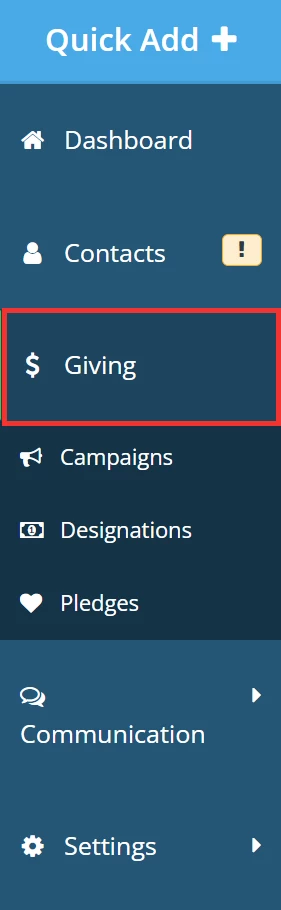
Step 1: Navigate to your 'Giving' Dashboard
From your 'Donor Management' Dashboard, click the 'Giving' tab on the left navigation panel.
Step 2: Search for the donation
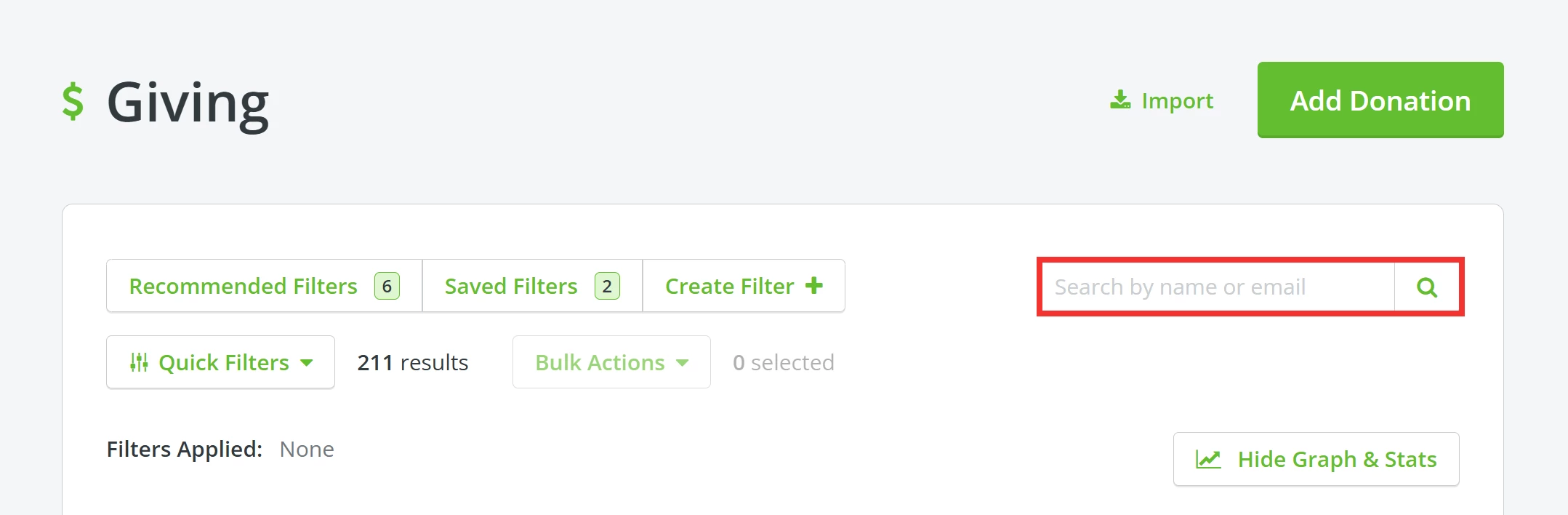
You can search for a donation record by a donor's name or e-mail address. Alternatively, you can use or create a filter or manually scroll through the list of donations further down the page.
Step 3: Mark the donation as acknowledged
Click the exclamation mark next to the donation under the 'Acknowledge' column and select 'Mark as Acknowledged' from the drop-down list.
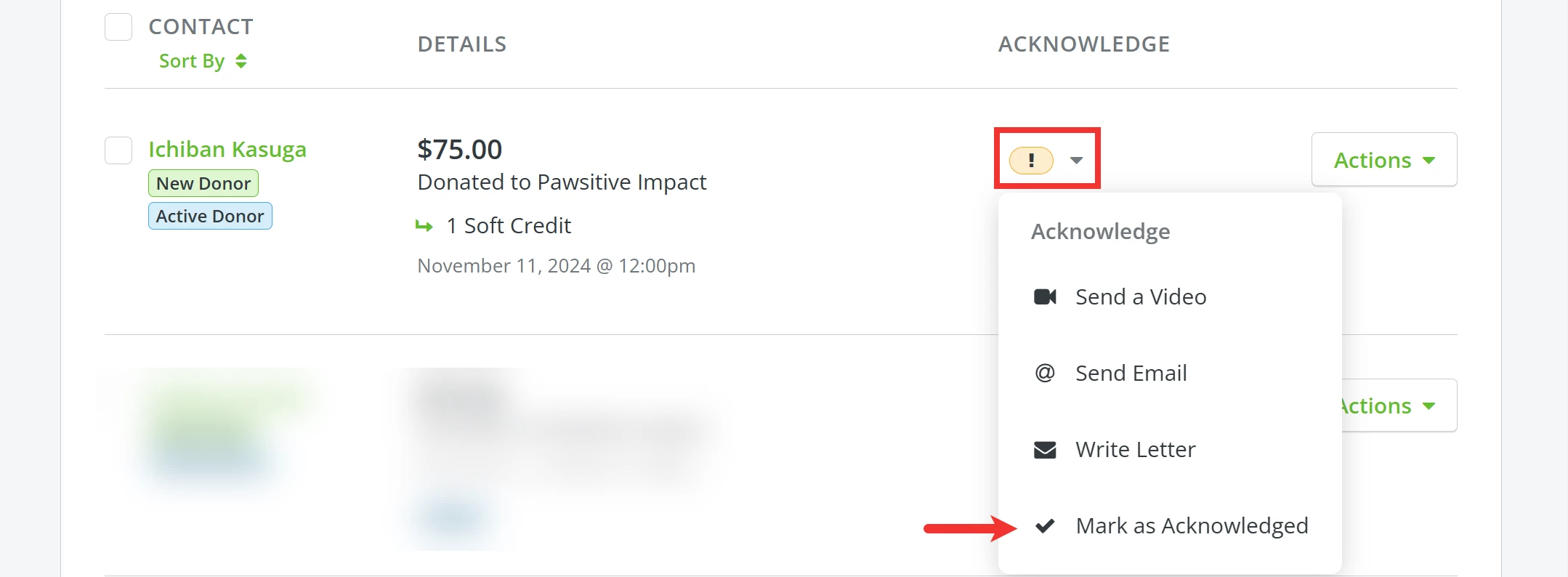
The icon should update to a check mark, reflecting that the donation has been acknowledged.

What else do you need help with?
How do I send an acknowledgment via e-mail?
How do I create an acknowledgment via Direct Mail?
How do I send acknowledgments in bulk?
How do I acknowledge a tribute gift?
Not quite what you were searching for?
Navigate back to the Donor Management Index.
How do I mark a donation as acknowledged in Donor Management? | How do I track handwritten thank you notes? | Where do I change acknowledgment status for a donation? | Why is there an exclamation mark under Acknowledge? | Can I mark multiple donations as acknowledged? | How do I confirm a donation was thanked? | How do I update acknowledgment status for offline gifts?
How do I search for contacts who have shared my forms? | How does search for contacts who have shared my forms work in EveryAction? | Why can't I search for contacts who have shared my forms? | Where do I search for contacts who have shared my forms in EveryAction? | What is search for contacts who have shared my forms in EveryAction? | How to search for contacts who have shared my forms? | Can I search for contacts who have shared my forms in EveryAction?