


FAQs: Apricot Results Reporting (ARR) Error Messages
Learn how to troubleshoot common error messages found on the Apricot Results Reporting (ARR) platform.
Q: I received the following error message when trying to access ARR: "An Error Has Occurred in your Apricot Instance." What do I do?
If you see the below error page when attempting to open ARR, the most common cause is a network outage.
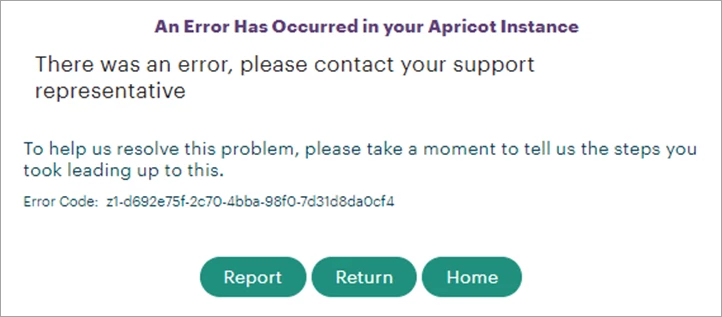
Please contact the Support team via Chat as soon as possible to report this error so our teams can verify the issue and work toward a speedy resolution.
Q: Why am I no longer able to access certain report folders in ARR?
If you can no longer open report folders you previously had access to (ex: the arrow next to a report folder no longer displays), this may indicate an issue with your user log-in.
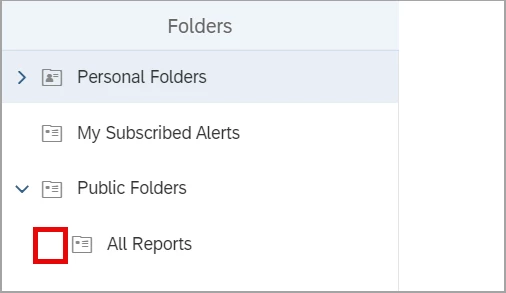
First, verify whether your name is displayed at the top of the ARR page. If the name instead shows "not set," your user record will need to be modified and resaved within Apricot.
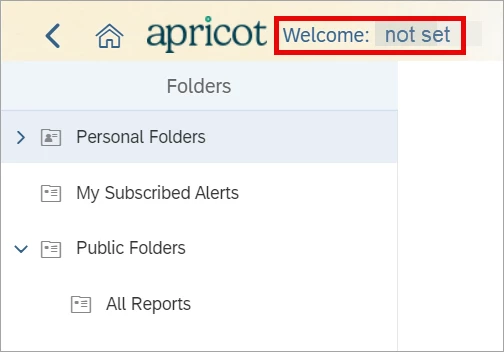
If you continue to encounter this issue after resaving, please contact Support to request an internal user sync.
Q: I'm trying to schedule a report, but I receive the following error: "The property with ID SI_LOCALE does not exist in the object." What does this mean?
This error may occur intermittently when attempting to schedule a report. This is due to an SAP defect as opposed to an issue with Apricot Results Reporting.
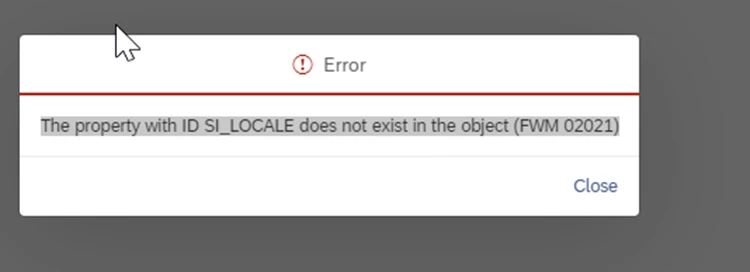
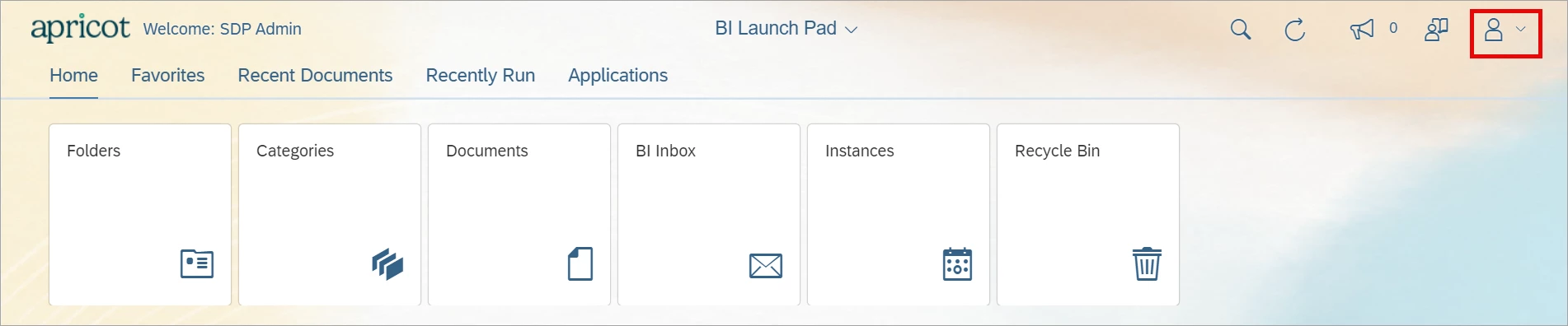
We recommend toggling the Locale settings in your user preferences, then re-scheduling the report to continue. First, click the user icon in the top-right corner of ARR and select Settings.
In the Account Preferences section, open the 'Locale and Time Zone' tab. Select a new option in the dropdown fields and click Save to confirm your changes.
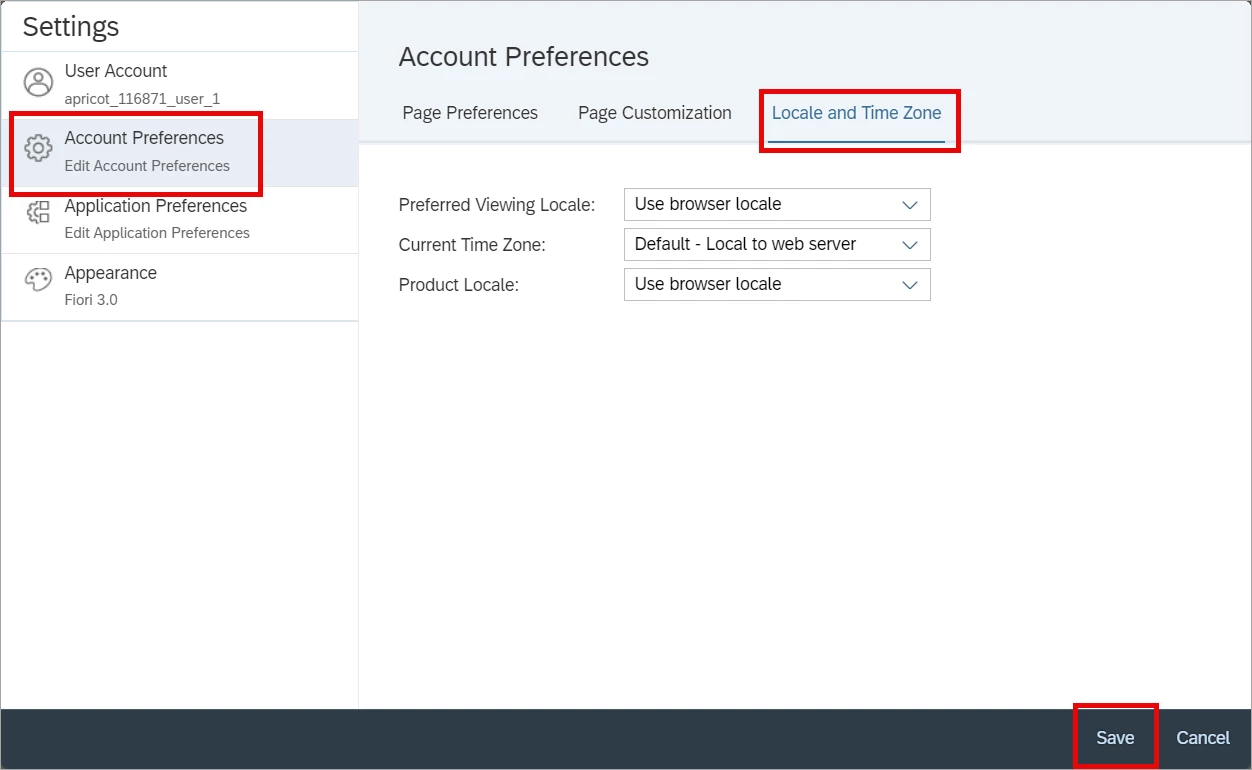
Repeat these steps to toggle the settings back to the appropriate selections if necessary, then reschedule your report. If you continue to encounter this error, please contact the Support team for assistance.
Q: Why did I receive a "No Data Retrieved in Query" error trying to run my report for over 10 minutes?
A report will typically time out after attempting to run for 10 minutes, returning no data and sometimes showing the above message or a Communication Error. The best course of action is to let the report run until completion, then use the Advanced Refresh option shown below:
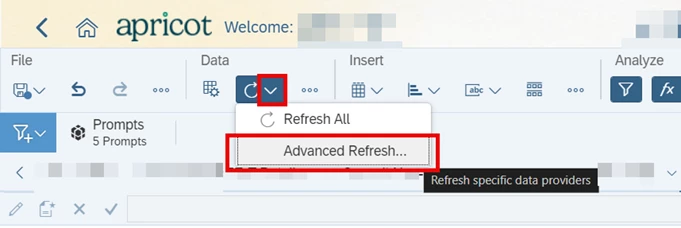
The pop-up window tells you the amount of time each query in the report took to refresh. Any query with a duration over 9 minutes is attempting to return too much data"
Why Am I Seeing Error Messages in Apricot Results Reporting? | What Do ARR Error Messages Mean in Apricot? | How Do I Fix Errors in Apricot Results Reports? | Why Won’t My Results Report Run in Apricot? | What Are Common ARR Errors in Apricot? | How Do I Troubleshoot Results Reporting Errors in Apricot? | Why Is My ARR Report Failing in Apricot?