


How do I enroll and unenroll participants in the Attendance Tracker?
Once your Term is set up and your Tracker is configured, the next step is to enroll participants. Enrollment determines who appears in the Attendance Table. You can also unenroll or re-enroll participants as needed. Enrollment is tied to Program assignment and must match the Program(s) selected in the Term setup.
Step 1: Enroll Participants
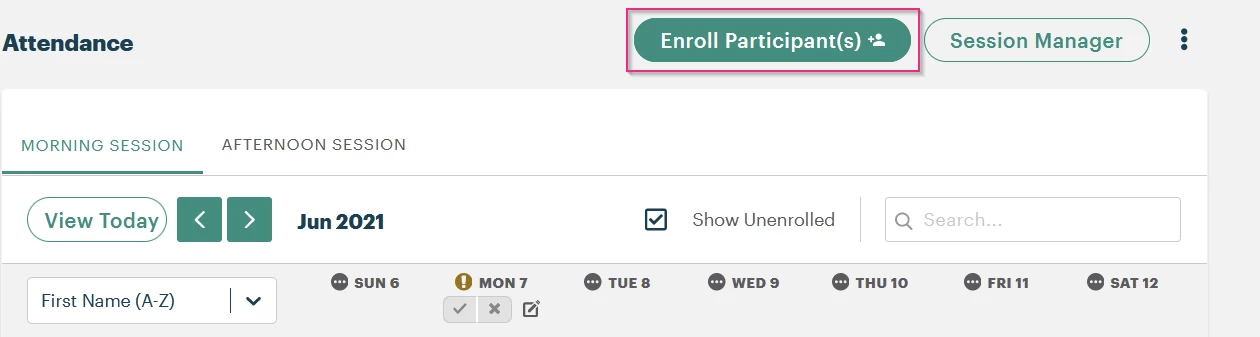
Open the Term and click Enroll Participants above the Attendance Table. This will open the Enrollment Table, showing all participants whose Tier 1 records are linked to the Programs selected for this Term.
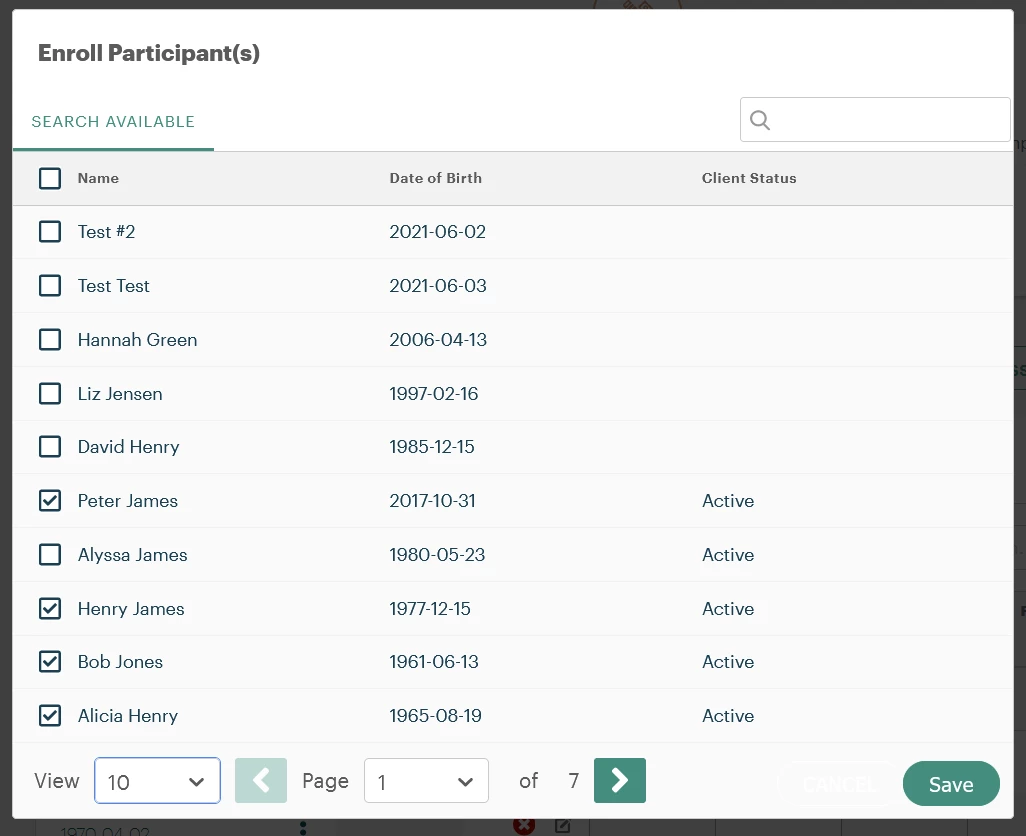
To enroll, use the checkboxes next to individual names to select participants or click the checkbox in the header to select all visible participants. Click Save when you're finished.
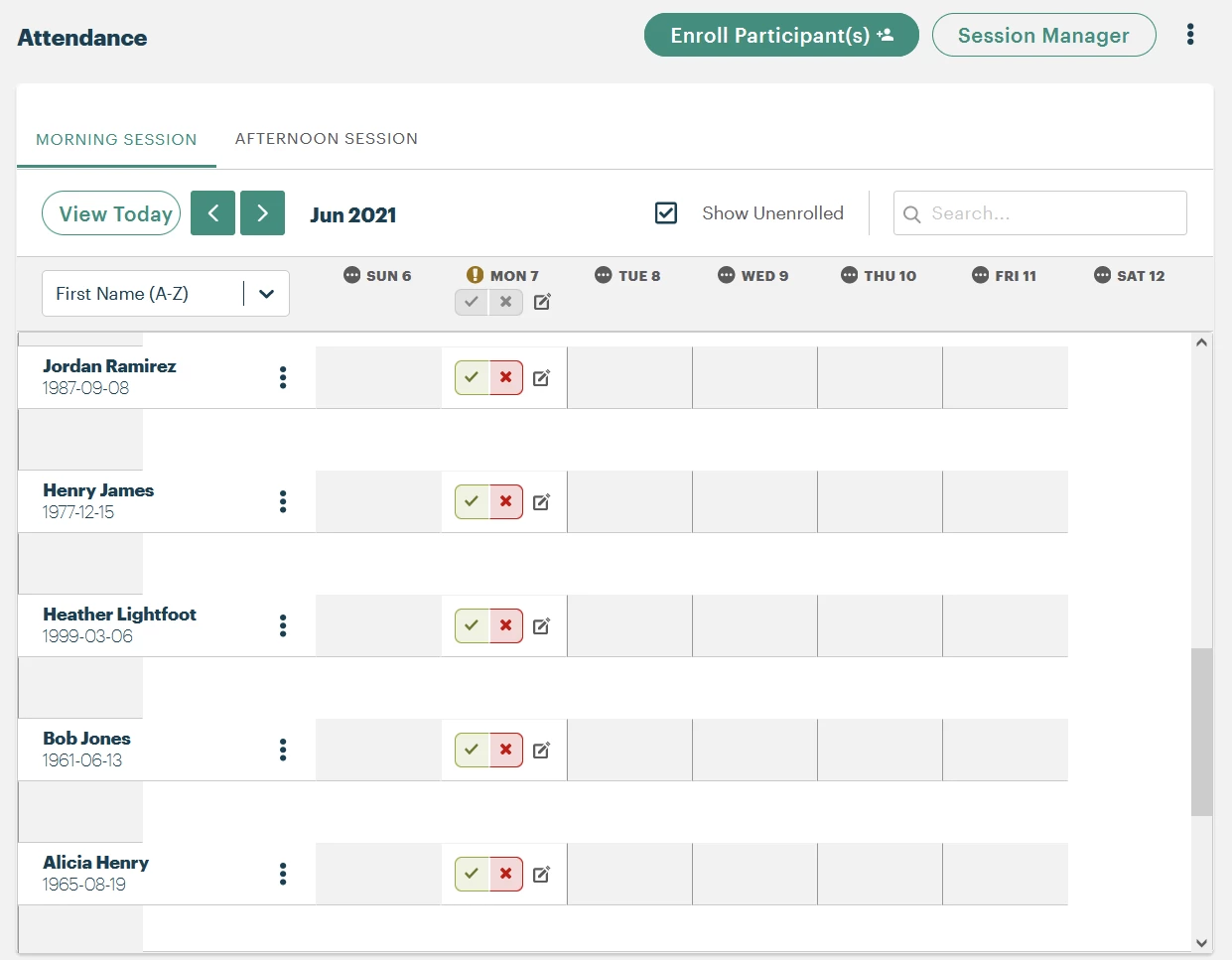
Enrolled participants will now appear in the Attendance Table. Their records will include tabs for each configured Session.
Important: You cannot unenroll participants from this Enrollment Table once they’re added.
Step 2: Unenroll a Participant
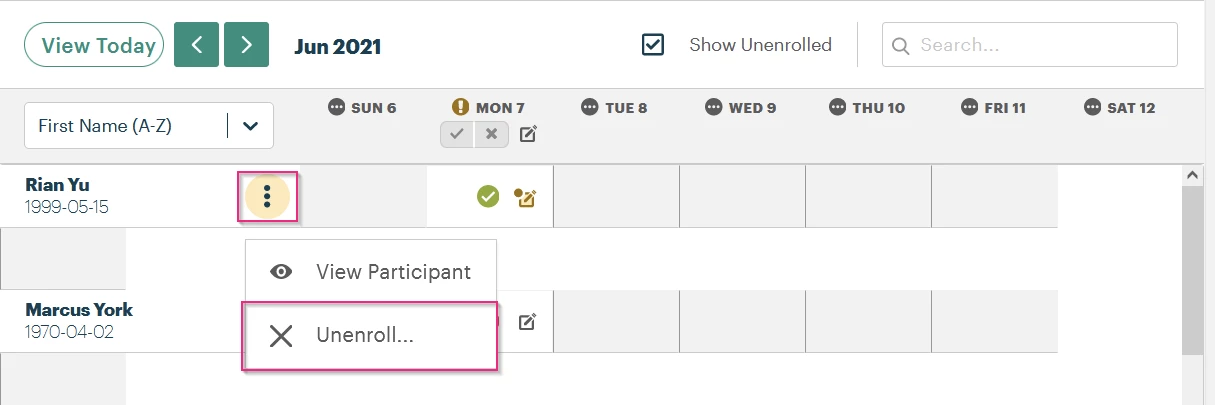
To remove someone from a Term, go to the Attendance Table. Click the kebab menu (three vertical dots) next to the participant’s name and select Unenroll.
You’ll be prompted to select a reason for unenrollment from a dropdown list. These reasons are not customizable, but the list has several options that should cover most use cases.
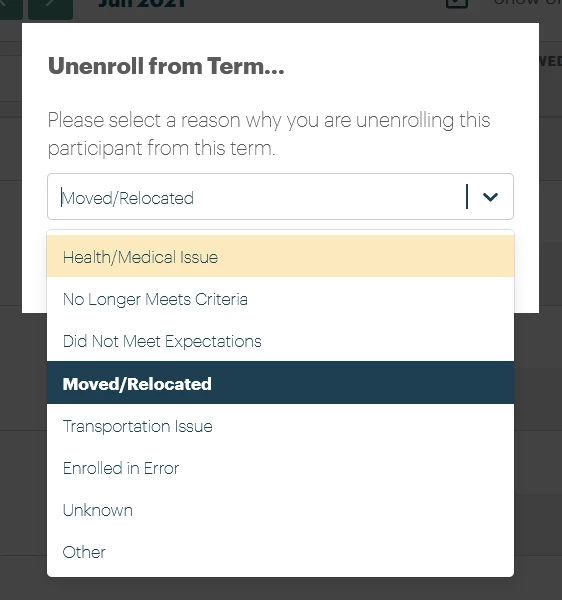
After unenrollment:
-
The participant will disappear from the Attendance Table unless Show Unenrolled is checked.
-
Hovering over the exclamation icon next to their name will display the unenrollment reason.
Step 3: Re-enroll a Participant
To re-enroll someone, click the kebab menu next to their name in the Attendance Table and select Re-enroll.
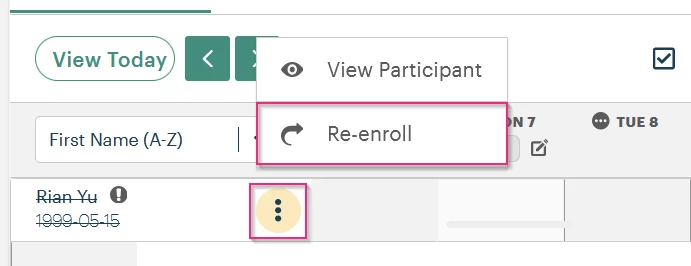
This will re-add them to the roster and allow you to continue tracking attendance.
What else do you need help with?
How Do I Enroll Participants in the Attendance Tracker in Apricot? | How Do I Unenroll Participants From the Attendance Tracker in Apricot? | How Do I Manage Participant Enrollment for Attendance in Apricot? | Why Can’t I Enroll a Participant in the Attendance Tracker in Apricot? | How Do I Remove Participants From Attendance Tracking in Apricot? | How Do I Update Enrollment Status in the Attendance Tracker in Apricot? | What Happens When a Participant Is Unenrolled From Attendance in Apricot?