

How do I Bulk Upload a spreadsheet?
Note: We're transitioning to a new and improved bulk upload process. Click here to learn more about Better Bulk Upload.
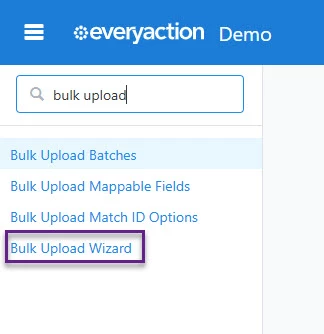
Step 1: Access the Bulk Upload Tool
Navigate to the sidebar and search for "Bulk Upload Wizard," or find it under Load Data in the main menu, then click Upload a New File.
Step 2: Choose the Upload Type
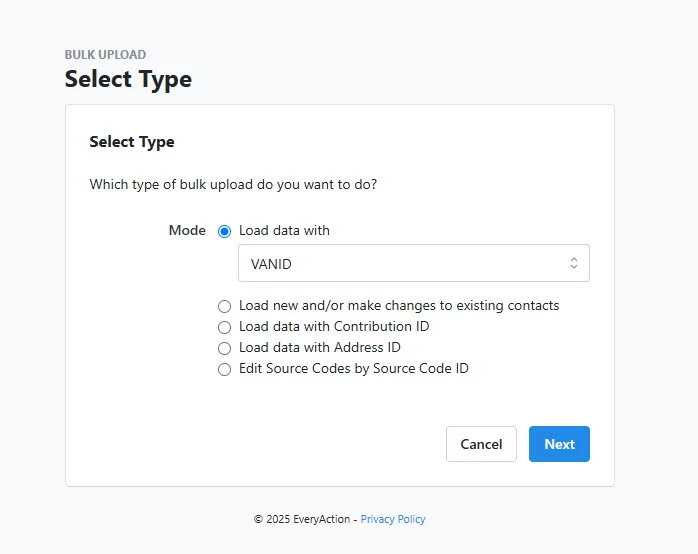
You will be taken to a screen where next, you will choose your upload type. You can select:
-
Load data with VAN ID if you want to update records with unique IDs
-
Load new and/or update existing records for adding new contacts or updating existing ones
-
Load data with Contribution ID for uploading contribution-specific data
Step 3: Upload Your File
Once you make your selection:
-
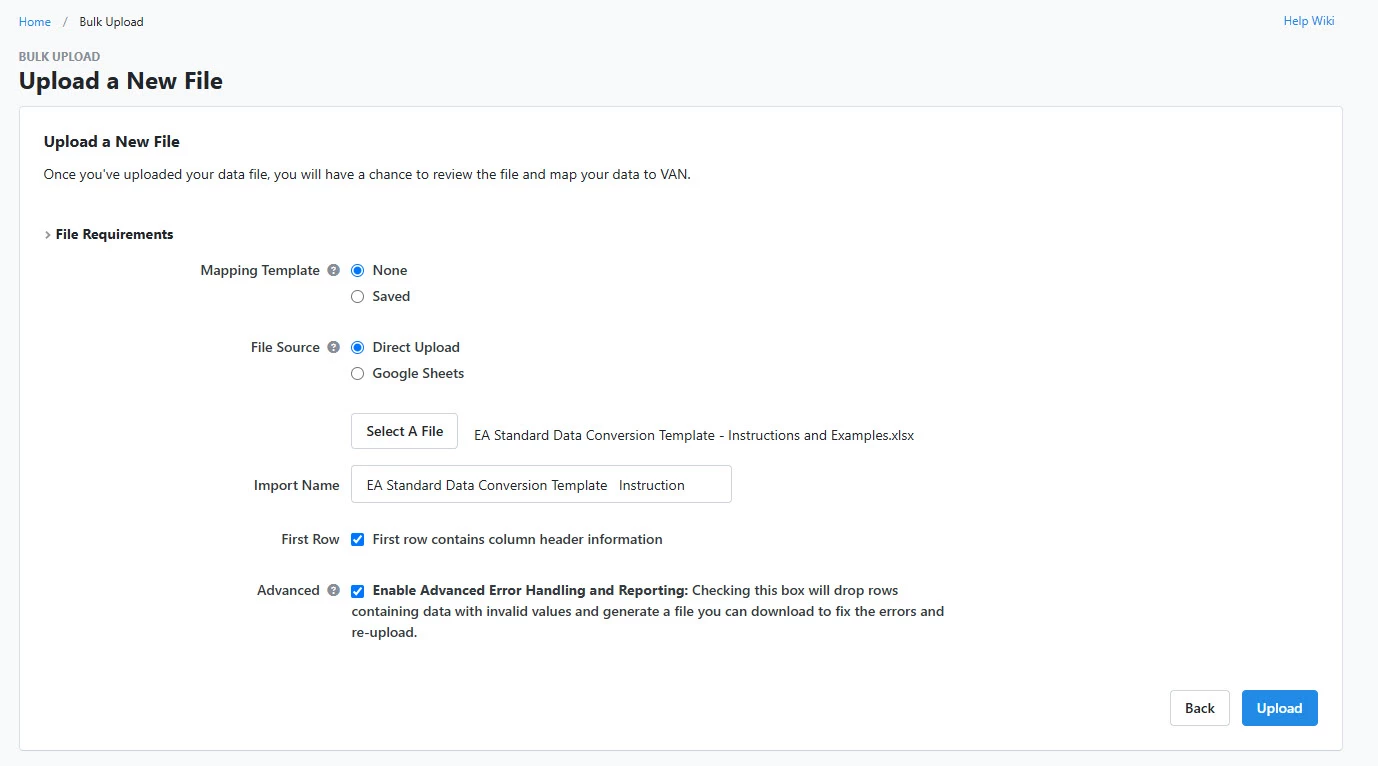
Upload Your File by selecting your file source (direct upload or Google Sheet)
-
Provide a descriptive file name
-
Confirm whether the first row contains headers
-
Enable Advanced Error Handling to identify invalid rows and prevent upload errors
-
Select Upload to complete this step in the process.
Not quite what you were searching for?
- Navigate back to the Bulk Upload and Edit Resource Index.
How do I bulk upload a spreadsheet? | How does bulk upload a spreadsheet work in EveryAction? | Why can't I bulk upload a spreadsheet? | Where do I bulk upload a spreadsheet in EveryAction? | What is bulk upload a spreadsheet in EveryAction? | How to bulk upload a spreadsheet? | Can I bulk upload a spreadsheet in EveryAction?