

How do I enable automated NCOA updates?
To ensure your donor records stay current, Network for Good pulls data from the NCOA database so you can maintain an accurate donor database and improve your organization's communication and outreach efforts.
It is easy to enable this service - just follow the steps outlined below!
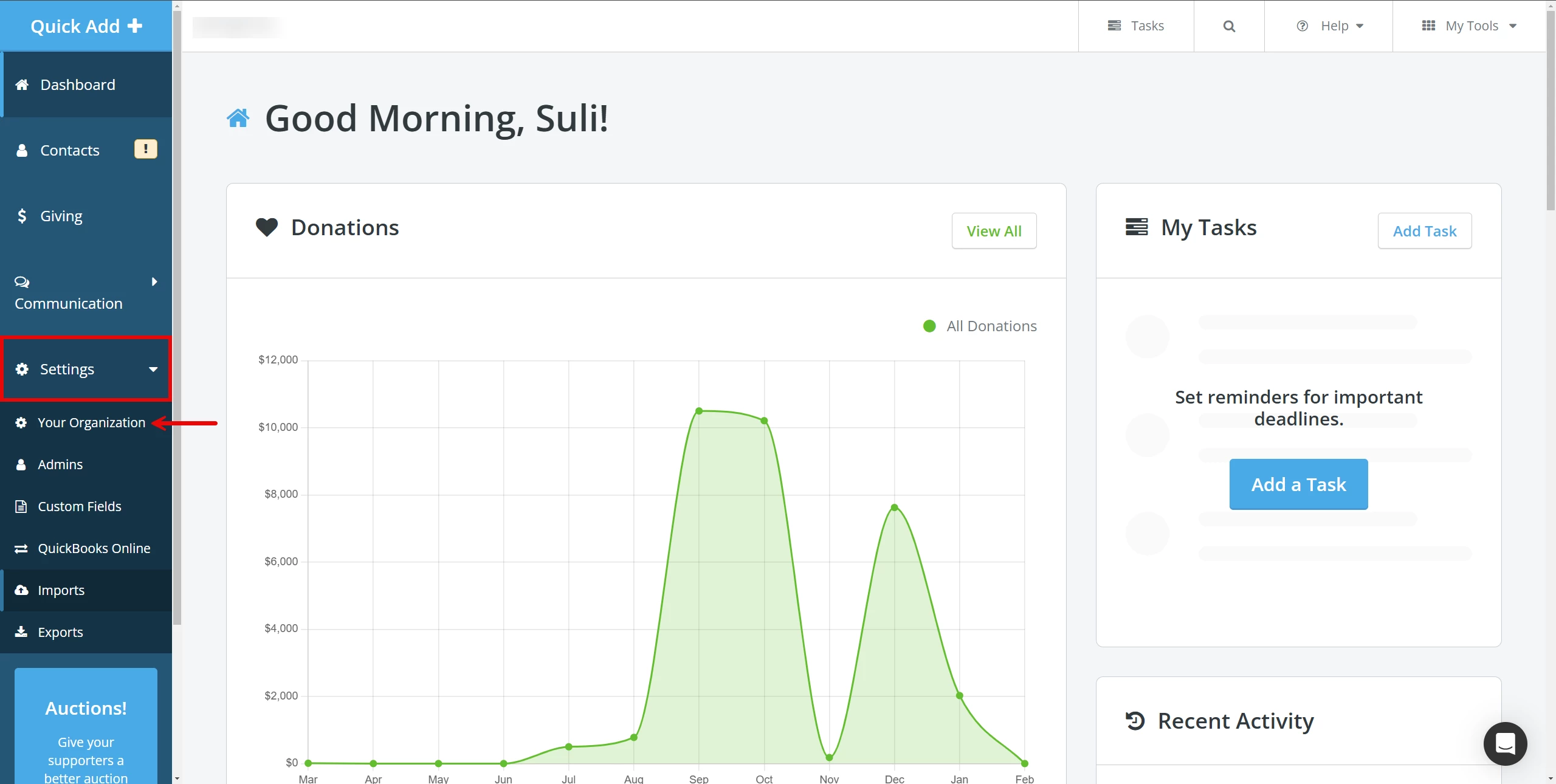
Step 1: Navigate to 'Settings'
From your 'Donor Management' Dashboard, click to open the 'Settings' tab on the left navigation panel. Select 'Your Organization' from the newly expanded drop-down.
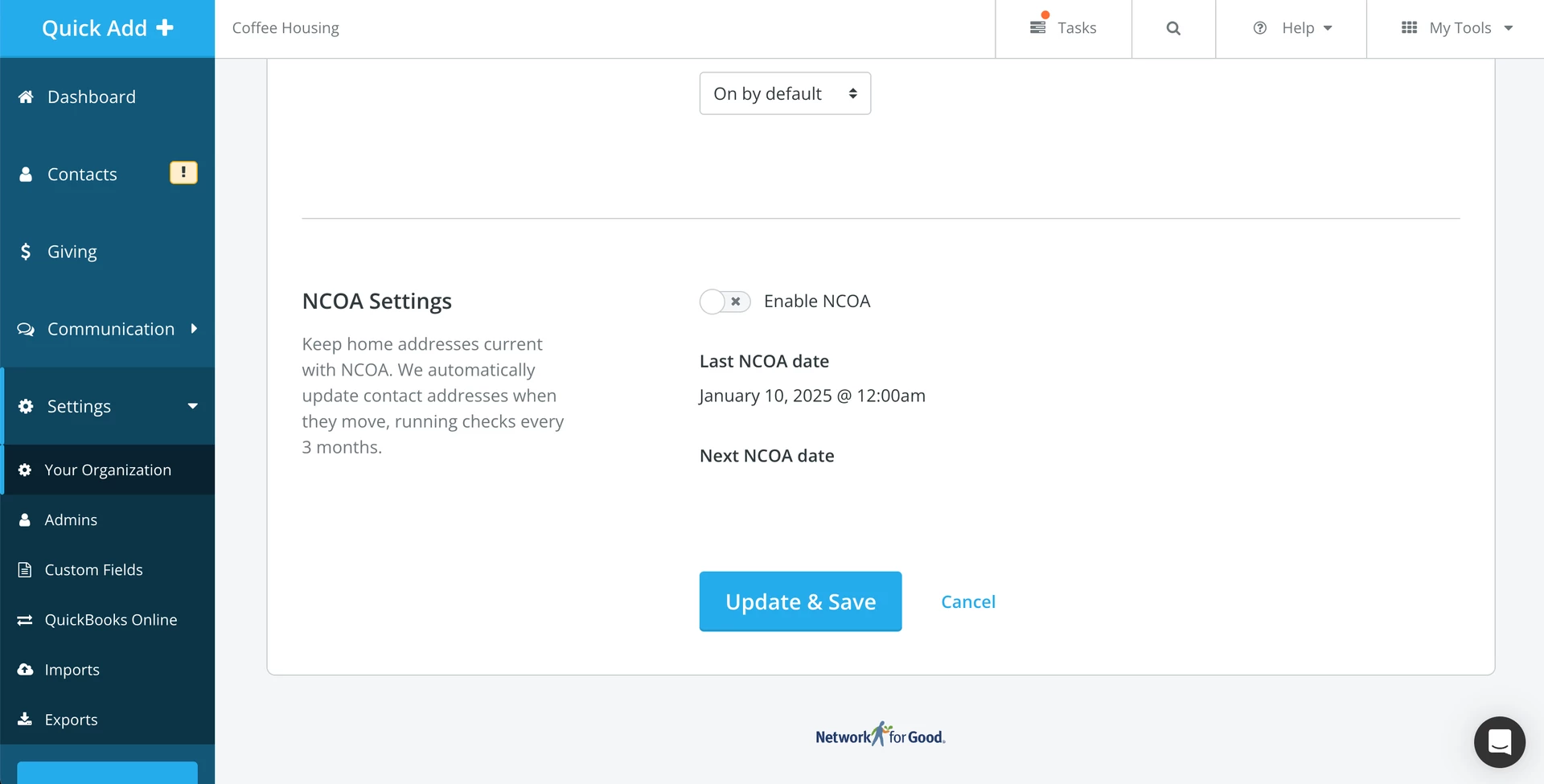
Step 2: Scroll to 'NCOA Settings'
Scroll to find the 'NCOA Settings' section.
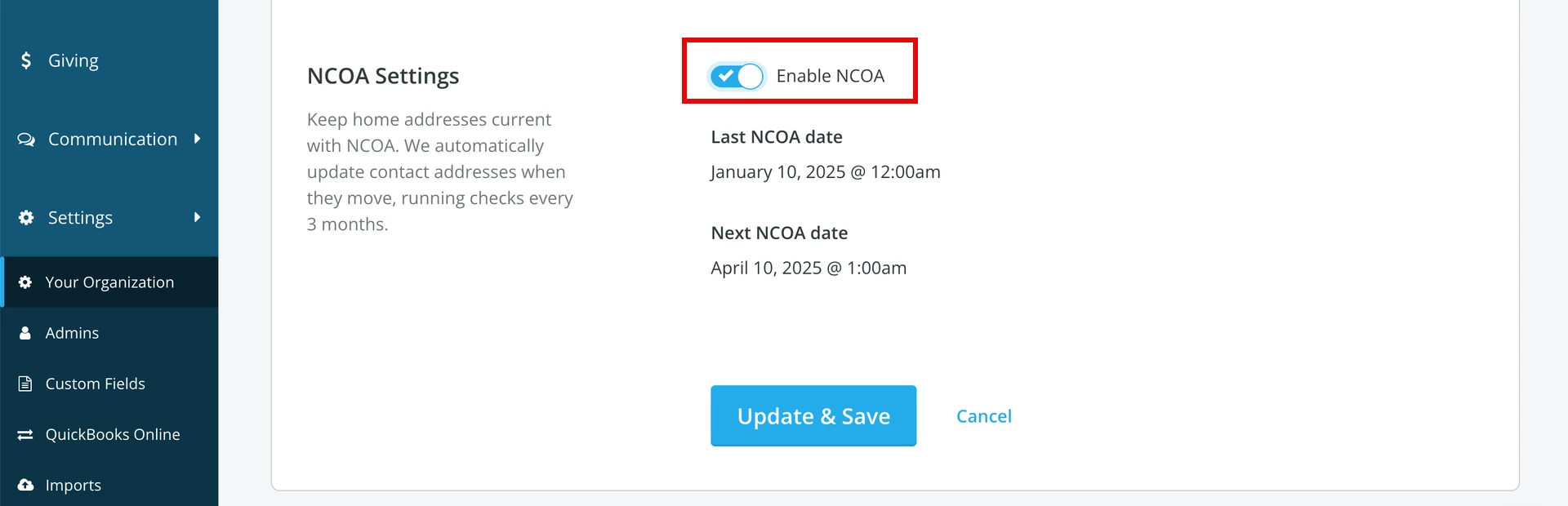
Step 3: Enable NCOA updates
Switch on the toggle next to 'Enable NCOA' and then click 'Update & Save' to save your changes.
What else do you need help with?
Not quite what you were searching for?
Navigate back to the Feature Overview.
How do I turn on NCOA updates in Donor Management? | What is NCOA and how does it update addresses? | Where do I find NCOA settings in Network for Good? | How do I keep donor mailing addresses up to date? | Does Donor Management automatically update addresses? | How do I save changes after enabling NCOA? | Why aren’t NCOA updates running automatically?
How do I create a new financial batch? | How does create a new financial batch work in EveryAction? | Why can't I create a new financial batch? | Where do I create a new financial batch in EveryAction? | What is create a new financial batch in EveryAction? | How to create a new financial batch? | Can I create a new financial batch in EveryAction?