

How do I merge duplicate records in Apricot?
Overview
Found a true duplicate? You can merge the pair right from Data Integrity. You choose which values to keep and which record survives. Follow these steps.
Step 1: Choose Review & merge
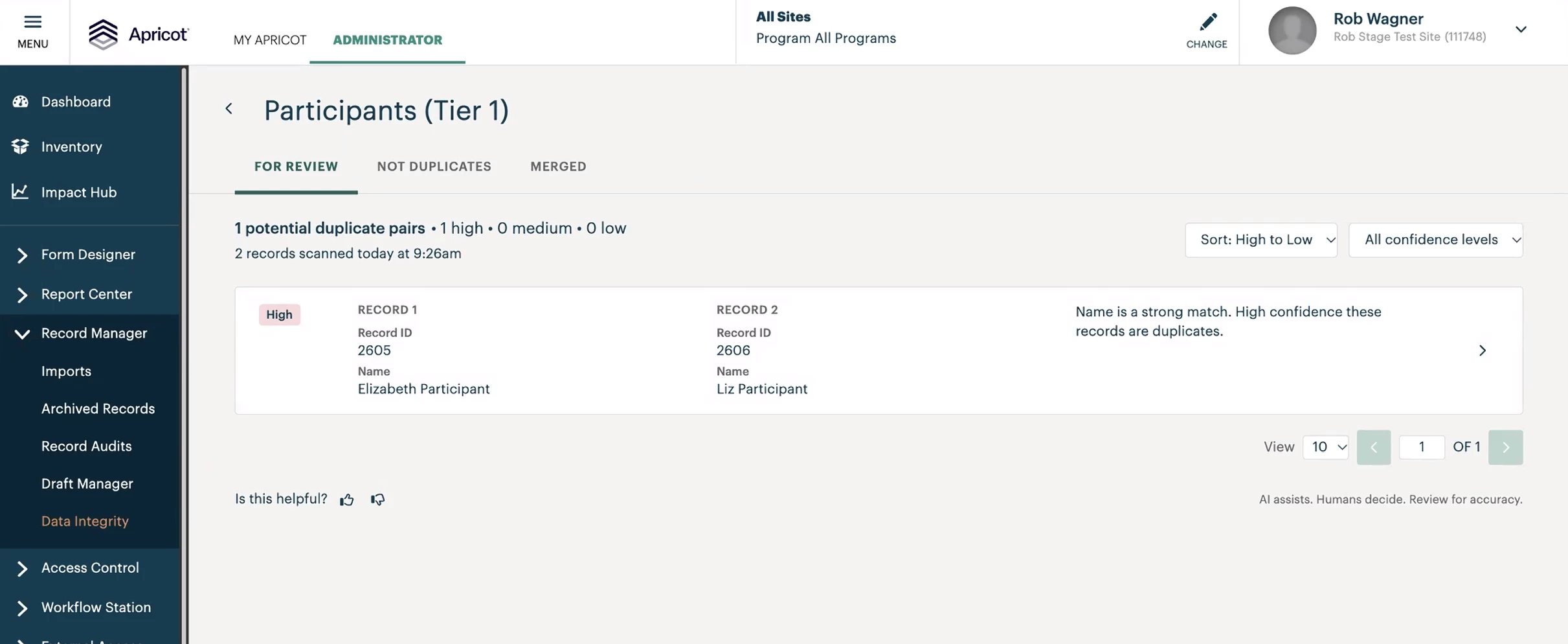
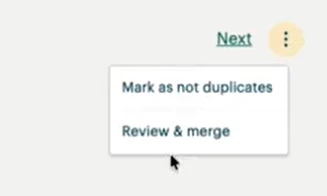
Open the pair from the For Review tab. From the ⋮ menu in the top right, select Review & merge.
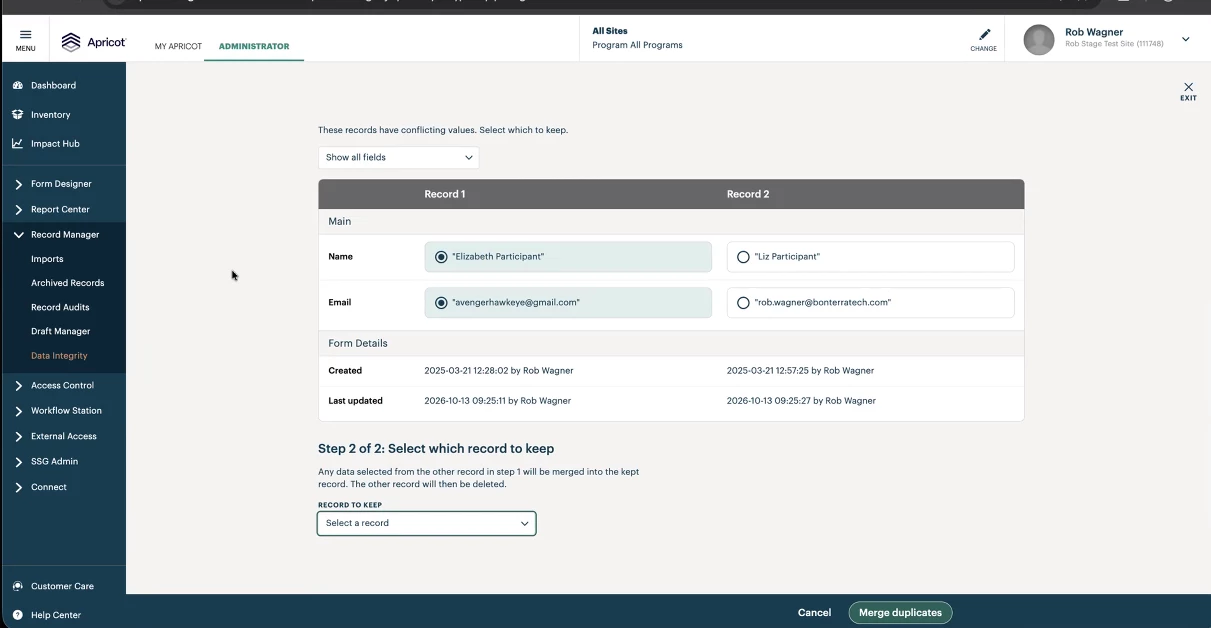
Step 2: Resolve field-level conflicts
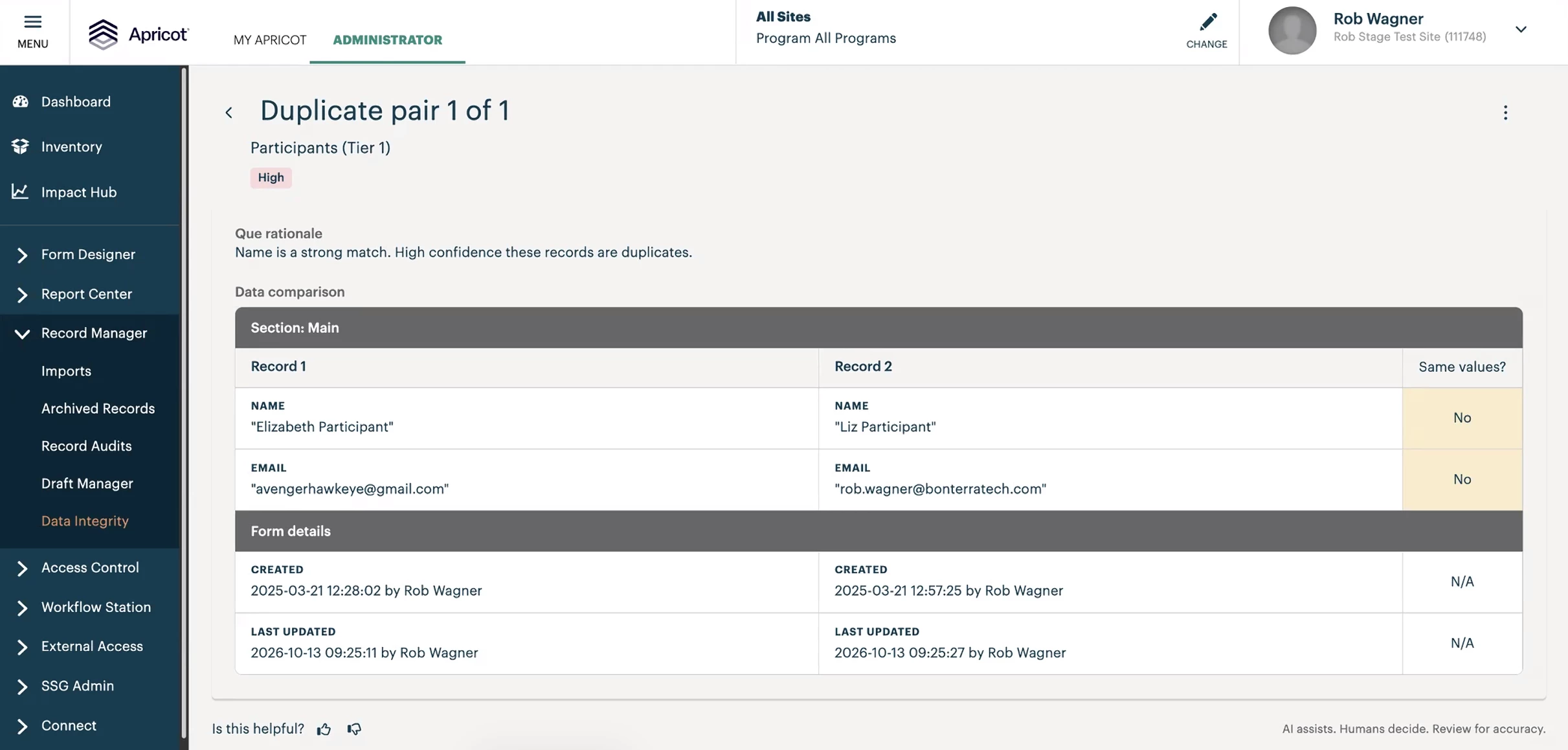
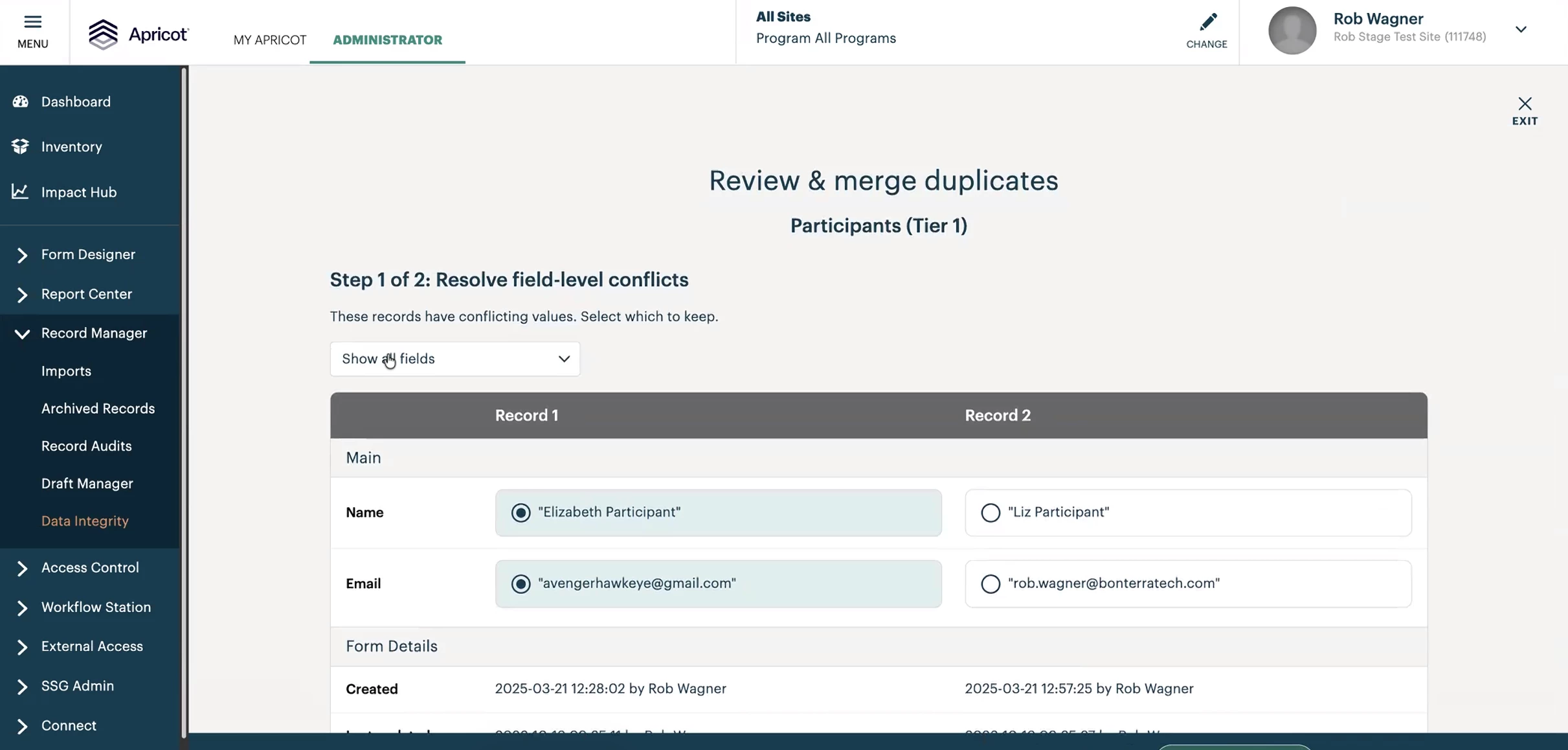
For each field where the two records have different values, select the value you want to keep. Fields with matching values are shown but need no action. Use Show all fields to see every field on the form.
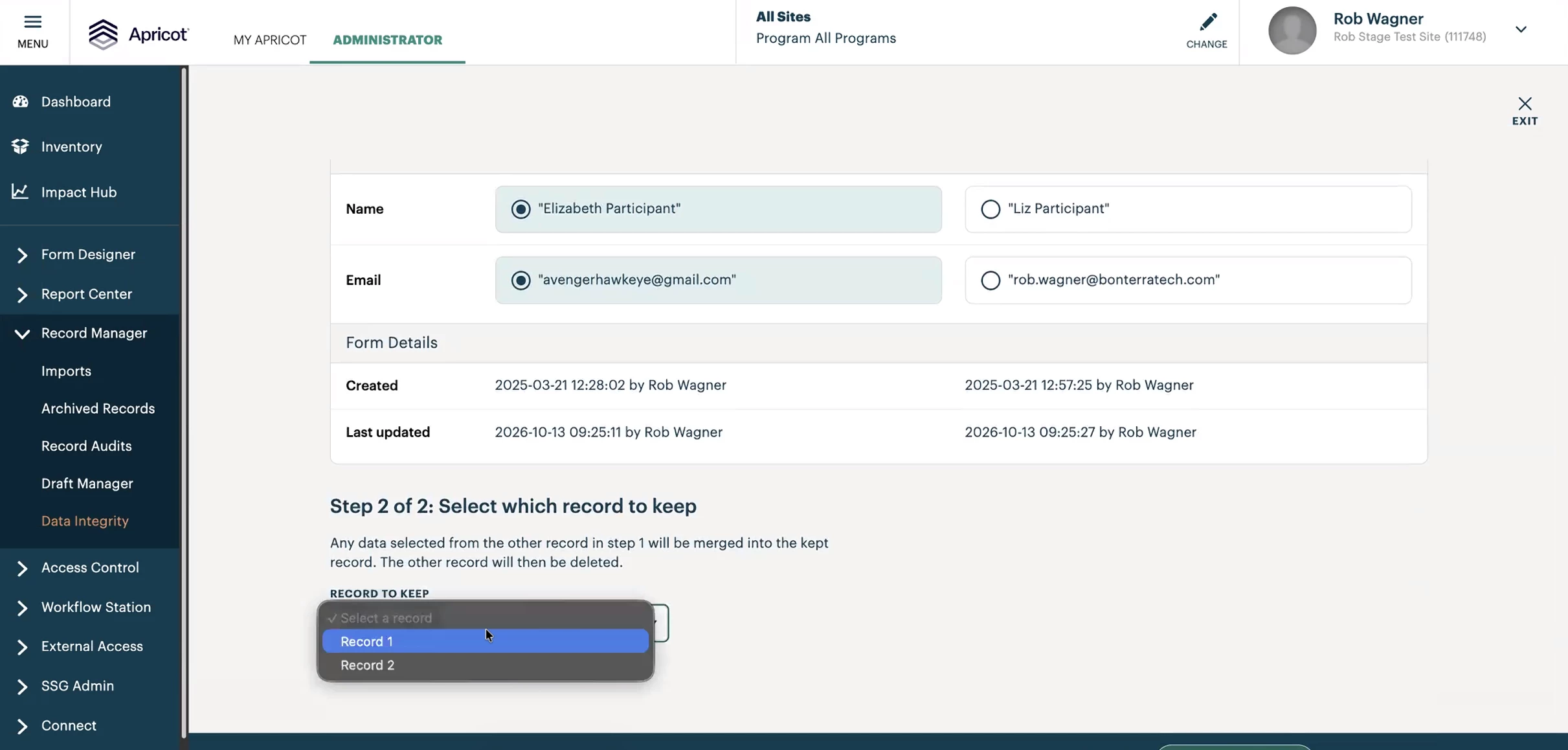
Step 3: Select which record to keep
Under Record to keep, choose Record 1 or Record 2. The values you selected in the previous step are saved to this record. The other record is deleted.
Step 4: Merge
Click Merge duplicates. The pair moves to the Merged tab.

Good to know
When two Tier 1 records are merged, all associated Tier 2 records automatically move to the surviving record. No manual reassignment is needed.
Known limitation: program enrollments don’t follow the merge at this time. We’re working on a fix for an upcoming release.
You can undo a merge for up to 30 days. See How do I undo a merge in Data Integrity?
What else do you need help with?
Not what you’re looking for? Navigate to back to the Data Integrity Index.
How do I choose which record to keep when merging? | What happens to the other record after a merge? | How do I merge duplicate records in Apricot?