

How do I save a filter?
There's a good chance that you may need to run a particular filter over and over again; you might need to compare results month-over-month or year-over-year, or you might need to look at changes in contact groups (such as lists of volunteers).
Below, we'll walk you through how to save a filter that you've created so that you can access it again later on - as well as where to find those saved filters when you need them!
Step 1: Create a new filter.
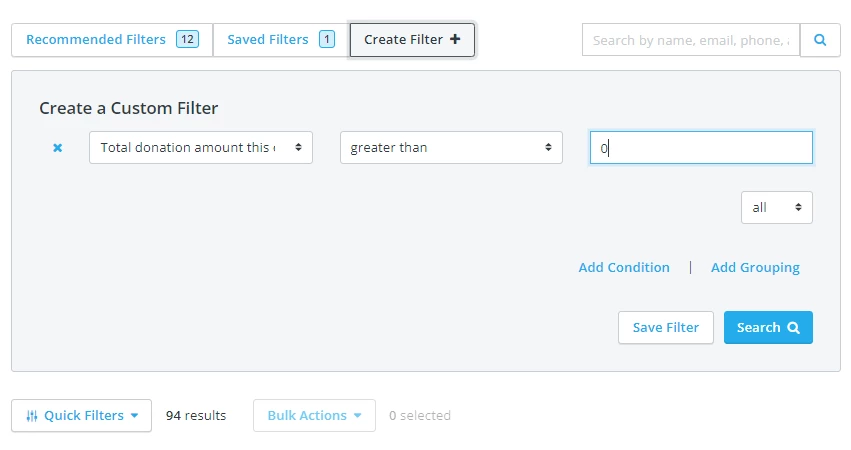
If you need a refresher on how to create a new filter, you can view our helpful guide here.
Step 2: Save your newly-created filter.
Once you're satisfied with the filter you've created, you can click on the "Save Filter" button found next to the "Search" button.
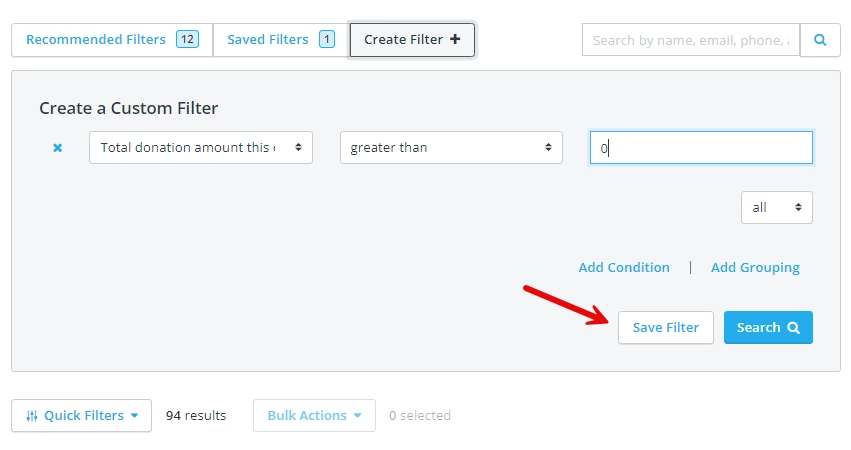
Step 3: Name your new filter.
Once you've clicked "Save Filter," a pop-up window will appear with a pre-saved title for your filter. You can choose to keep that name for your filter, or change it to something more memorable or recognizable.
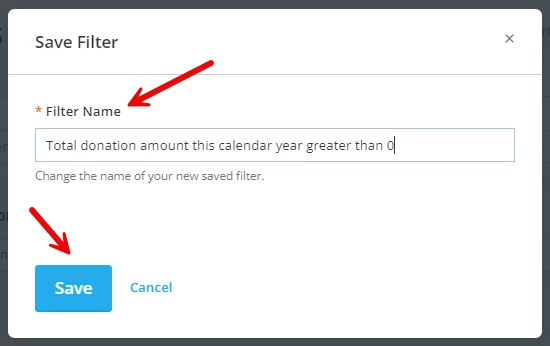
Once you've titled your new filter, click "Save."
Step 4: Locate and run your newly-saved filters.
Once you've saved your new filter, you should be able to click on the "Saved Filters" tab near the top of your screen; it's located next to the "Create Filter" tab.
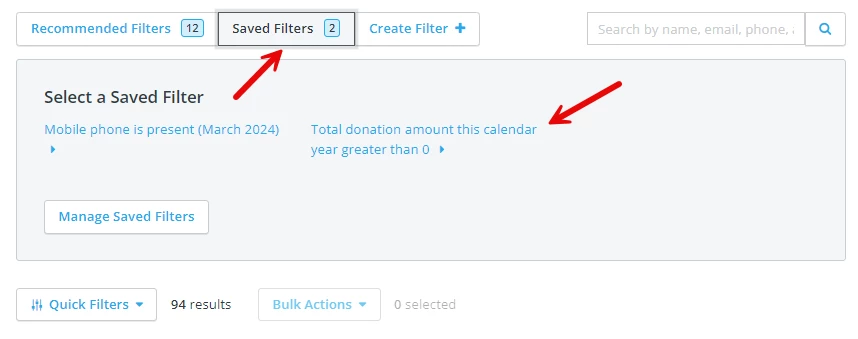
You can then click on the name of your new filter to run it and automatically generate the most up-to-date results.
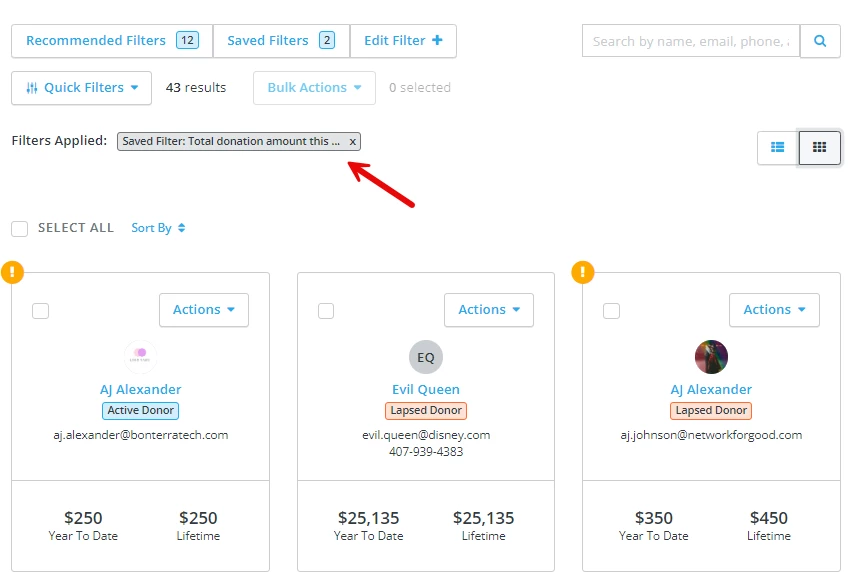
Pro tip: You can also click on "Edit Filter" when a saved filter has been applied to make quick, one-off adjustments to that existing filter.
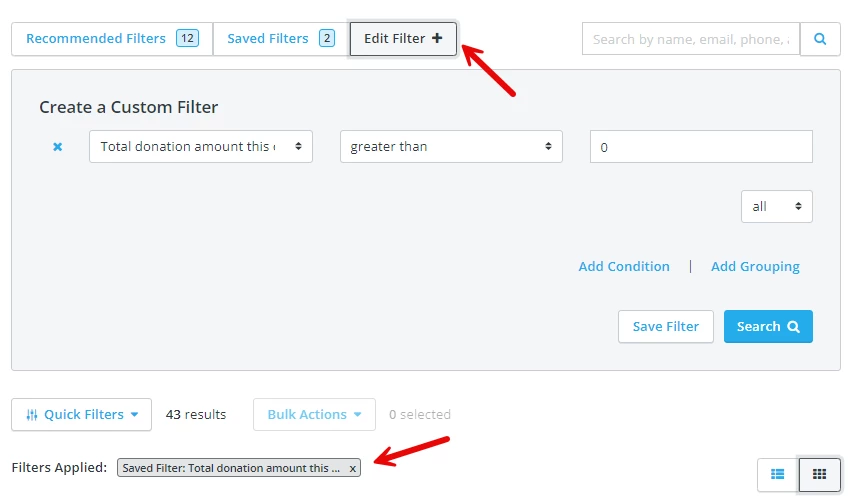
It won't save those changes under the "Saved Filter" tab, but it can help if you need to make a quick adjustment to an existing complex filter instead of having to build it entirely from scratch.
What else do you want to do?
Not what you're looking for?
Go back to the Feature Overview.
How do I save a custom filter in Donor Management? | Where do I find my saved filters? | Can I edit a saved filter without overwriting it? | Why can’t I see the Save Filter button? | How do I rename a saved filter? | How do I reuse a filter for monthly reports? | What happens if I edit a saved filter?
How do I request an api key for zapier? | How does request an api key for zapier work in EveryAction? | Why can't I request an api key for zapier? | Where do I request an api key for zapier in EveryAction? | What is request an api key for zapier in EveryAction? | How to request an api key for zapier? | Can I request an api key for zapier in EveryAction?