

How do I delete admin accounts in Fundraising Pages?
If a member of your team or a volunteer is no longer with your organization or should no longer be listed as an admin on your account, you can revoke their access at any time.
While you cannot "delete" an admin because of historical data linked to their account, you can deactivate them! The steps outlined below will help guide you through that process.
Step 1: Navigate to your Fundraising Pages
From your Network for Good account, navigate to Fundraising Pages. You can find the link in the left navigation menu. Once there, click Settings, then select Admins.
You can also access Fundraising Pages from the top navigation bar by clicking the waffle icon and selecting Fundraising Pages from the dropdown menu.
Step 2: Inactivate your admin's status
From the 'Admins' page, click on the 'Edit' button to the right of the admin's name you want to deactivate.
'Inactive' admins cannot log in or access your organization's Donor Management System.
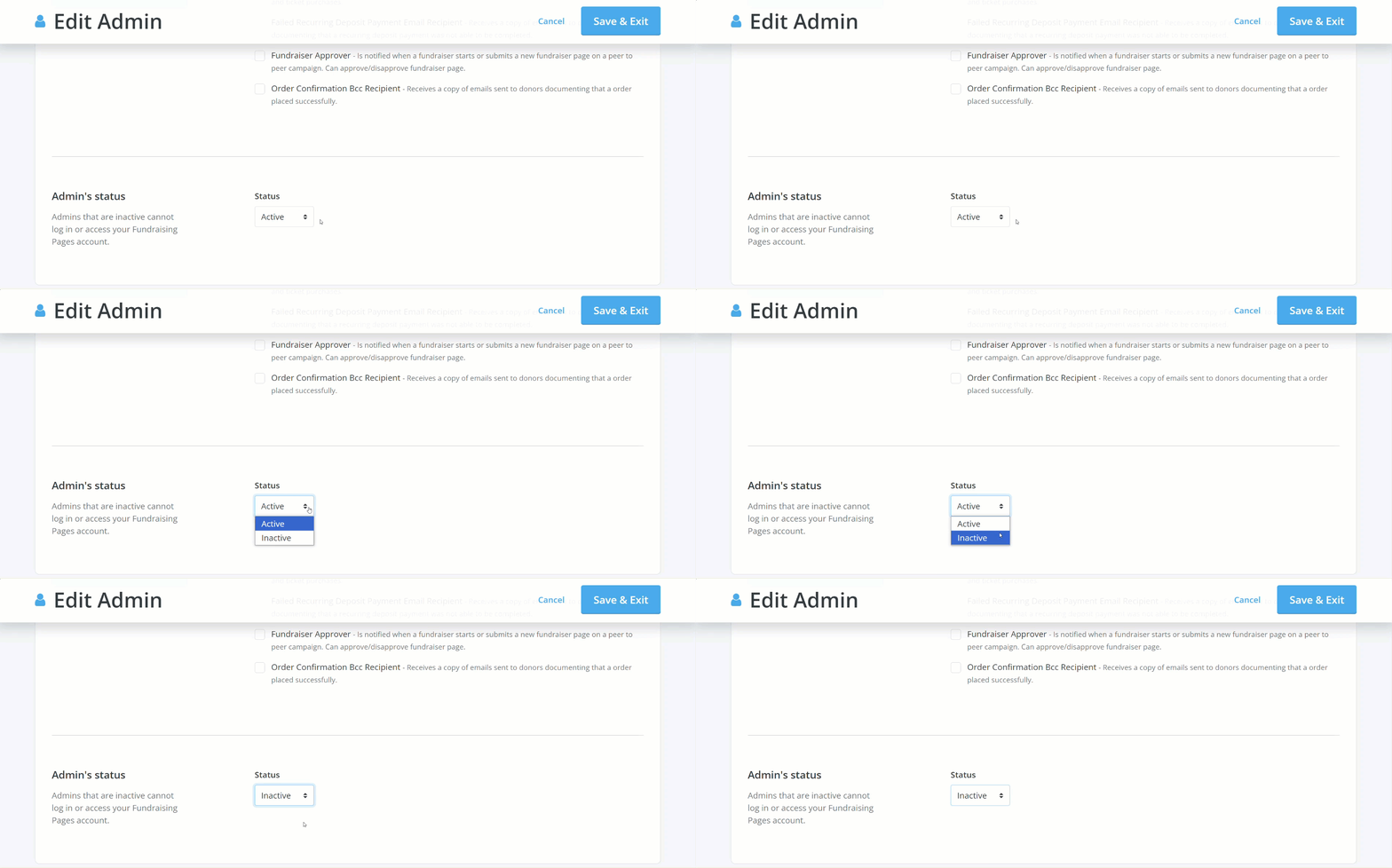
Scroll down the page to the 'Admin's status' section, where you can select 'Inactive' from the drop-down menu under 'Status'.
Step 3: Save your changes
Once you have finished making your updates, click the blue 'Save & Exit' button in the upper right corner of the page.
You will be directed back to the 'Admins' page, where a confirmation message will appear and, under 'Roles', the deactivated account should appear as 'Inactive'.
You can re-activate an admin's account at any time - simply choose 'Active' for their status and save your changes once again.
What else do you need help with?
Not quite what you were searching for?
Navigate back to the Feature Overview.
How do I remove an admin from Fundraising Pages? | How do I deactivate an admin account in Network for Good? | Can I delete an admin user? | Why can't I delete an admin in Fundraising Pages? | How do I change an admin's status to inactive? | How do I revoke access to Fundraising Pages? | How do I reactivate an admin account?