

How do I use the Apricot Inventory dataset and dashboard in Impact Hub?
Overview
Impact Hub includes a standard Apricot Inventory dataset and a pre-built Bonterra Apricot | Inventory Dashboard for organizations that use Apricot's Inventory module. If your organization tracks items, distributions, and inventory activity in Apricot, the dataset and dashboard are available directly in Impact Hub — no setup required. You can use the dashboard as-is, or use the Inventory datasets as the foundation for custom reports in Builder.
Important things to know
- The dashboard is available to all Impact Hub users. If your organization uses Apricot Inventory, you'll see your data. If your organization doesn't use Inventory, the dashboard will be visible but will indicate that no data is available for your account.
- No setup is required. The Inventory datasets and dashboard are provided by Bonterra and appear automatically in your Impact Hub environment.
- Apricot Essentials users can view the dashboard but cannot build custom reports. Apricot Essentials accounts have read-only Impact Hub access. To build reports using the Inventory datasets in Builder, you need an Author or Author Pro seat.
- US-only at launch. The Inventory datasets and dashboard are available to US-based Apricot organizations only.
- Replacing the Apricot Inventory dashboard. Apricot currently includes an Inventory dashboard embedded in the product. Once Impact Hub parity is confirmed, the embedded Apricot dashboard will be retired. The Impact Hub Inventory Dashboard is the long-term reporting home for this data.
The Bonterra Apricot | Inventory Dashboard
Every Impact Hub organization has access to the Bonterra Apricot | Inventory Dashboard — a ready-to-use view of your Inventory data that you can open without building anything.
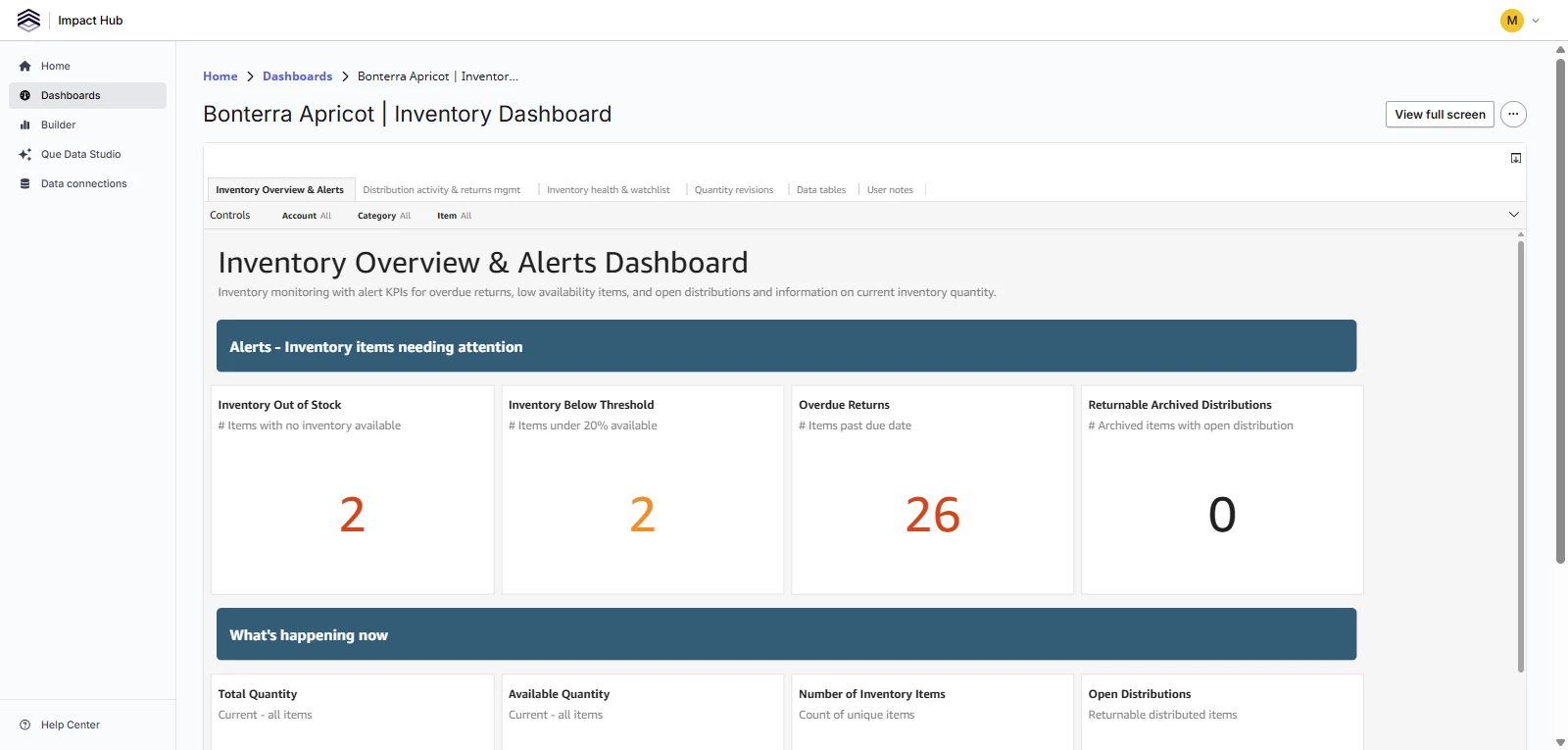
Dashboard controls
Each tab includes filters at the top that apply to everything on that tab. You can filter by Account, Category, and Item. The Distribution activity and Quantity revisions tabs also include a Date Range filter.
Dashboard tabs
- Inventory Overview & Alerts — a snapshot of current inventory status, including out-of-stock alerts, items below threshold, open distributions, and available quantity by category
- Distribution activity & returns management — distribution event counts, return status breakdowns, and a searchable list of active and overdue distributions
- Inventory health & watchlist — stock health by category and a sortable list of critical and low inventory items
- Quantity revisions — a log of quantity changes over time, including additions, removals, and net change by item
- Data tables — raw tabular views of the underlying dataset records
- User notes — reference guidance on how to interpret and use the dashboard
Open the dashboard
- Sign in to Impact Hub.
- Select Dashboards from the left navigation.
- Locate Bonterra Apricot | Inventory Dashboard in your dashboard list.
- Select the dashboard to open it.
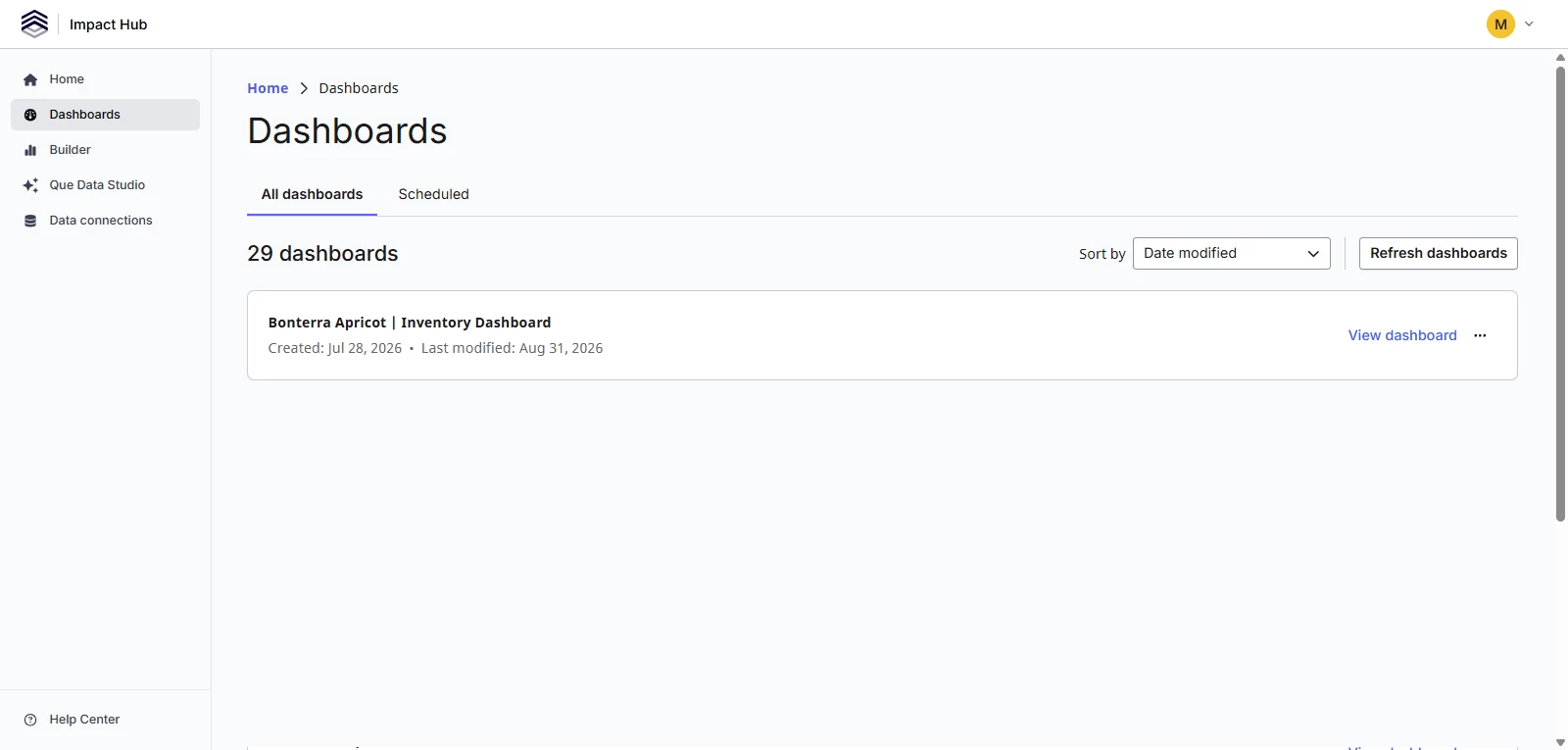
If your organization does not use Apricot Inventory, the dashboard will be visible but will show a message indicating that no data is available.
Custom reporting for Inventory
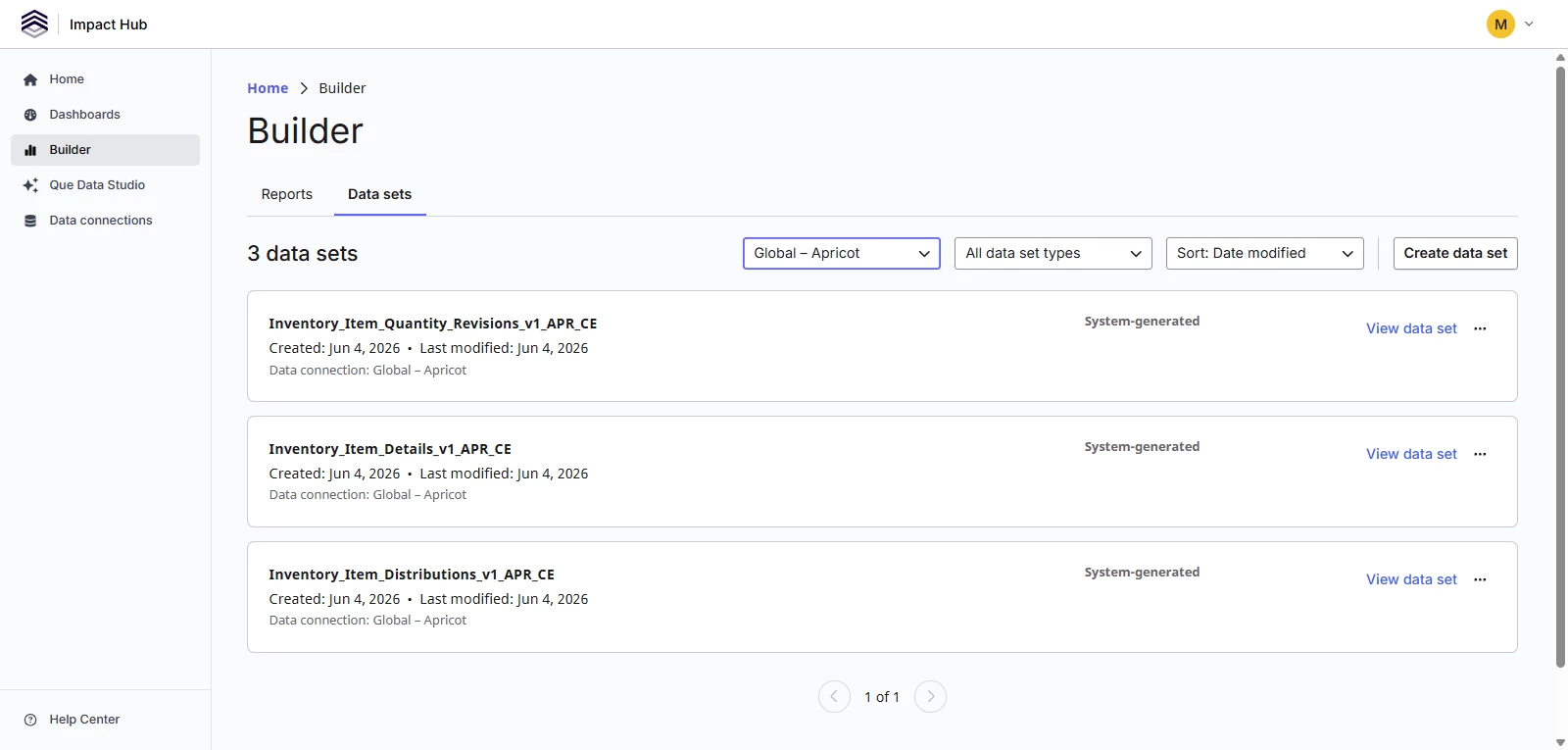
If you're an Author or Author Pro user, you can go beyond the pre-built dashboard and build your own reports using the three Inventory datasets directly in Builder.
The three available datasets are:
- Inventory_Item_Details_v1_APR_CE — item-level reference data including item names, categories, quantities, and archived status
- Inventory_Item_Distributions_v1_APR_CE — records of items distributed, including distribution dates, return status, and recipient IDs
- Inventory_Item_Quantity_Revisions_v1_APR_CE — a log of quantity changes over time, including additions, removals, and net change per revision event
You can use any of these datasets on their own or combine multiple Inventory datasets in a single report to answer more complex questions — for example, joining item details to distribution records to see which categories are distributed most often. You can also join Inventory datasets to other Apricot program data by creating a custom child dataset, which lets you bring in fields from a related Data Standard and report across your Inventory and program activity in one place.
For step-by-step guidance on building reports and combining datasets, see the following articles:
Troubleshooting checklist
Pre-checks
- Does your organization use Apricot's Inventory module? If not, the datasets will not contain data.
- Are you signed in as an Author or Author Pro user? Essentials users can view the dashboard but cannot build reports.
- Is your organization a US-based Apricot account? Impact Hub Inventory is US-only at this time.
Post-change verification
- Does Bonterra Apricot | Inventory Dashboard appear in your Dashboards list?
- Does the Inventory Overview & Alerts tab show current data for your organization?
- Do all three Inventory datasets appear in the Builder dataset list?
- Do record counts align with what you see in Apricot Inventory?