


How do I build a custom child dataset?
Custom child datasets let Impact Hub Authors build report-specific datasets from an existing parent dataset. You can add calculated fields, apply filters, and join additional datasets — all without changing the original parent dataset. This article walks through creating a child dataset, opening it for editing, and using it in a report.
Before you begin
Keep these things in mind before building a custom child dataset:
- You must be signed in as an Impact Hub Author or Author Pro user to create and edit custom child datasets.
- To open the full dataset editor, the child dataset must be attached to a report.
- Custom child datasets are meant to give you flexibility for specific reporting needs without affecting the original parent dataset.
- After editing a child dataset, review your report visuals and filters to confirm everything renders as expected.
How to build and edit a custom child dataset
Step 1: Open Data sets in Builder
- Go to Builder.
- Open the Data sets tab.
- Select Create data set in the top right.
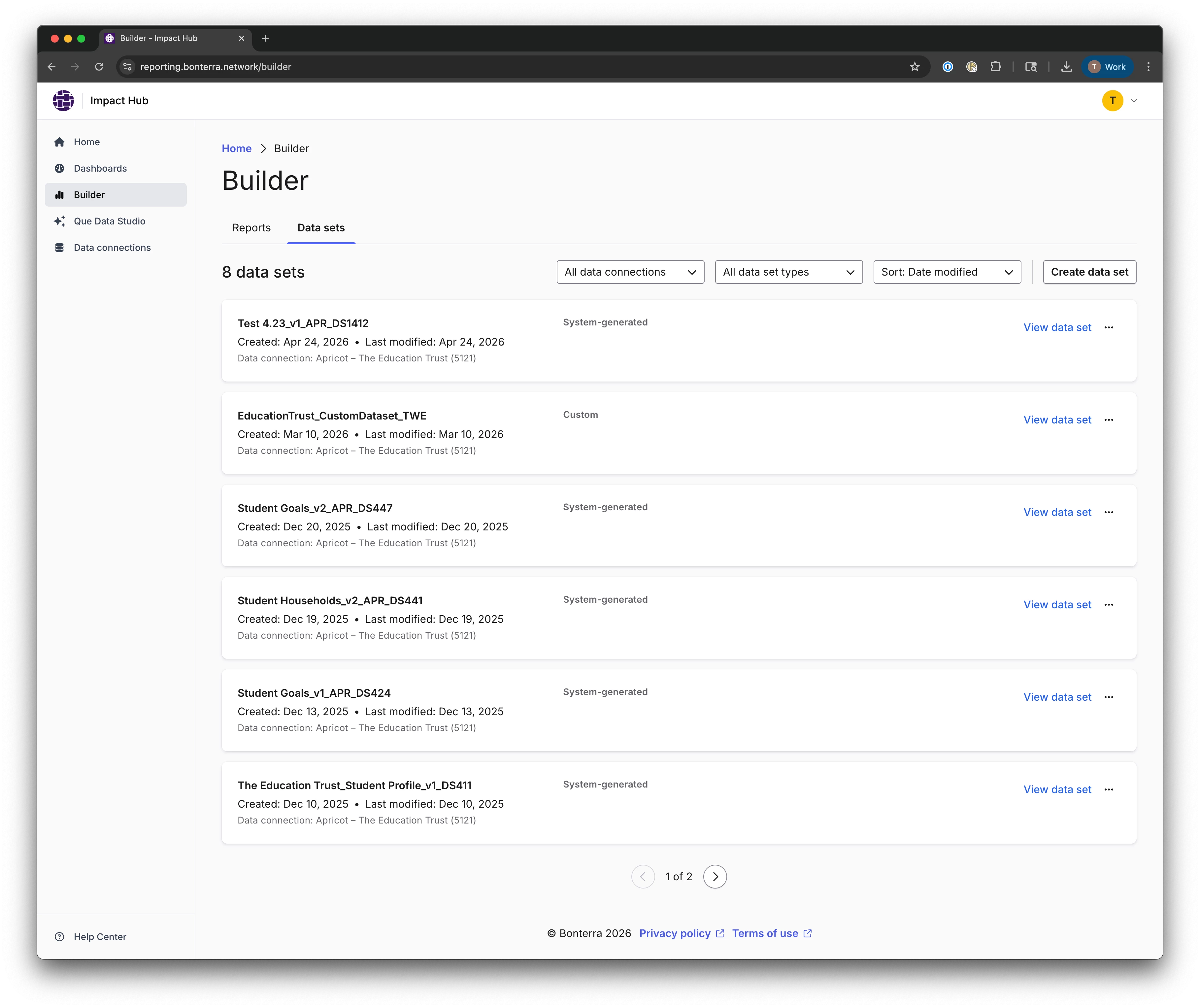
Step 2: Configure the child dataset
- In the Create data set modal, enter a name for your dataset.
- Select the data source and the parent dataset this child dataset will be based on.
- Select Save.
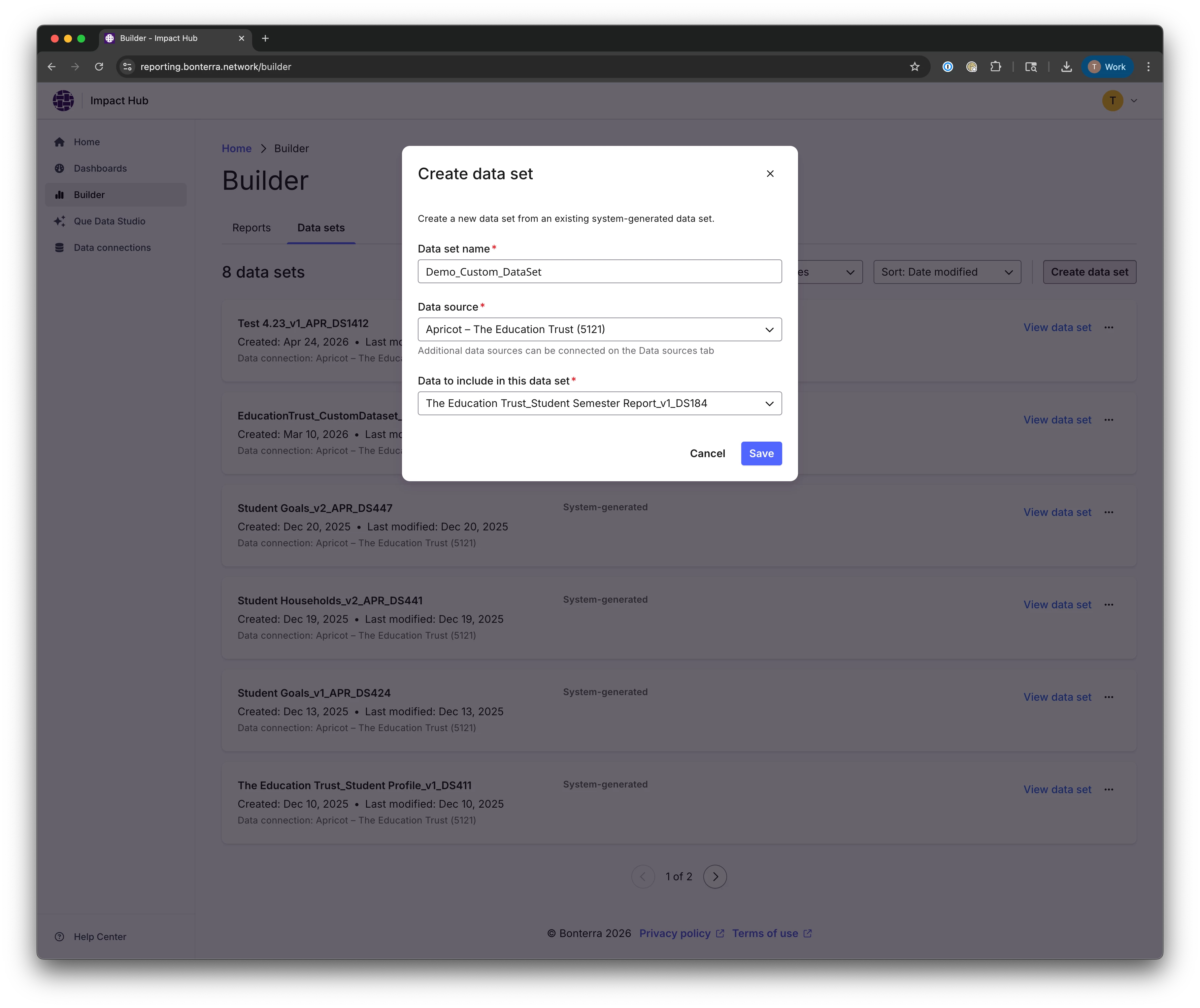
Step 3: Open the dataset details or start a report
After the dataset is created, you can:
- Open the dataset details page to review the dataset before using it, or
- Select Create report from the dataset list to immediately use this dataset in Builder
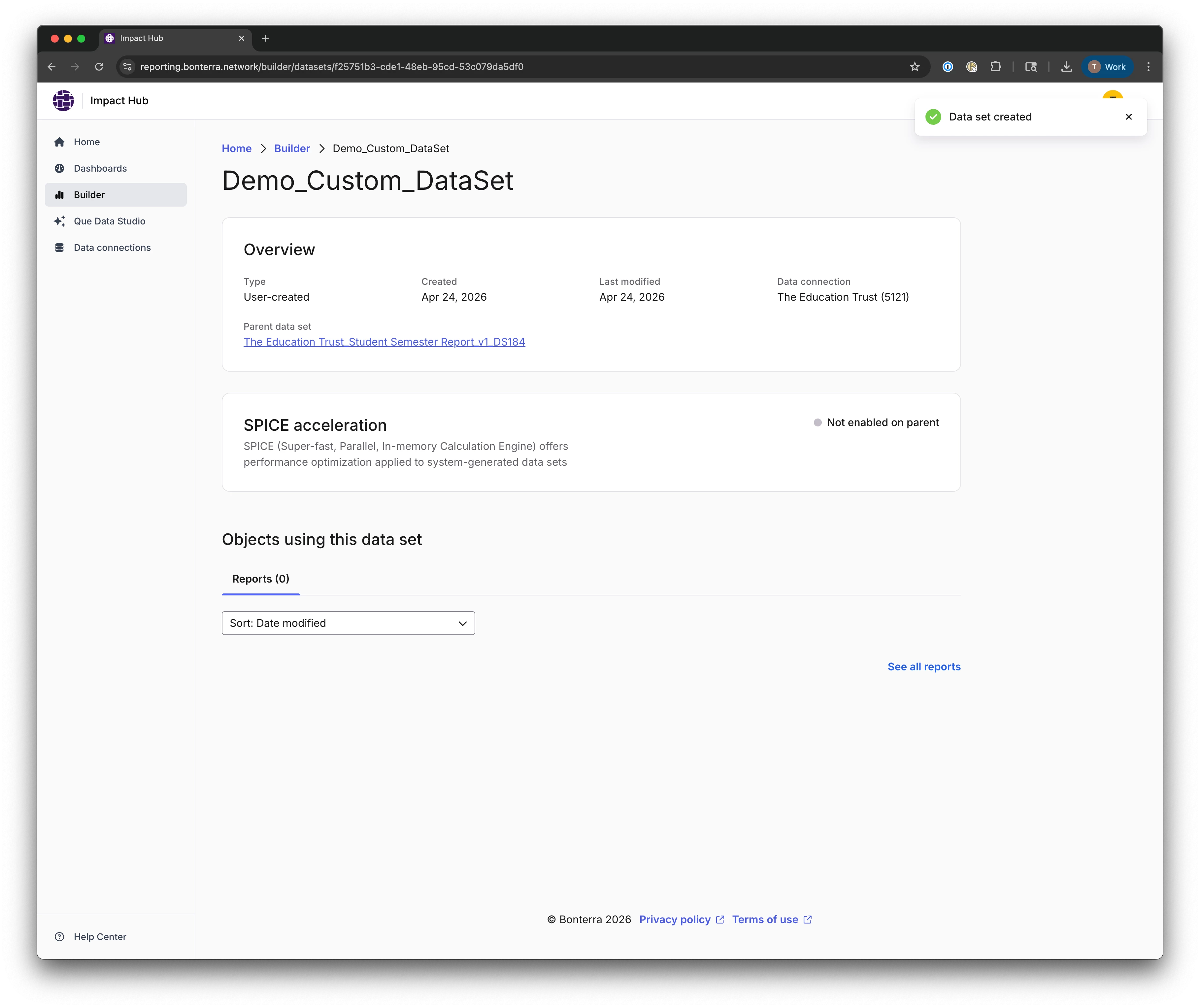
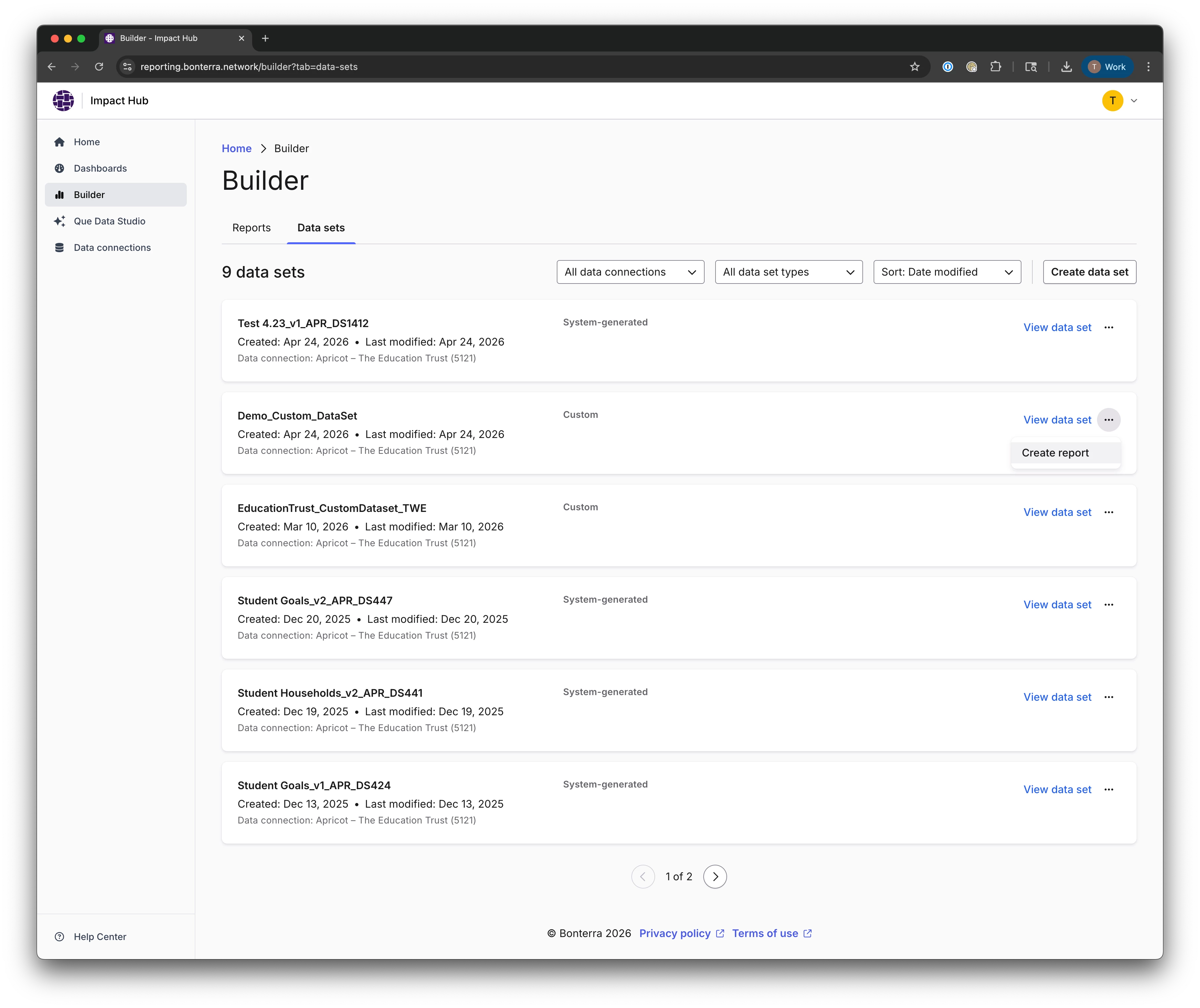
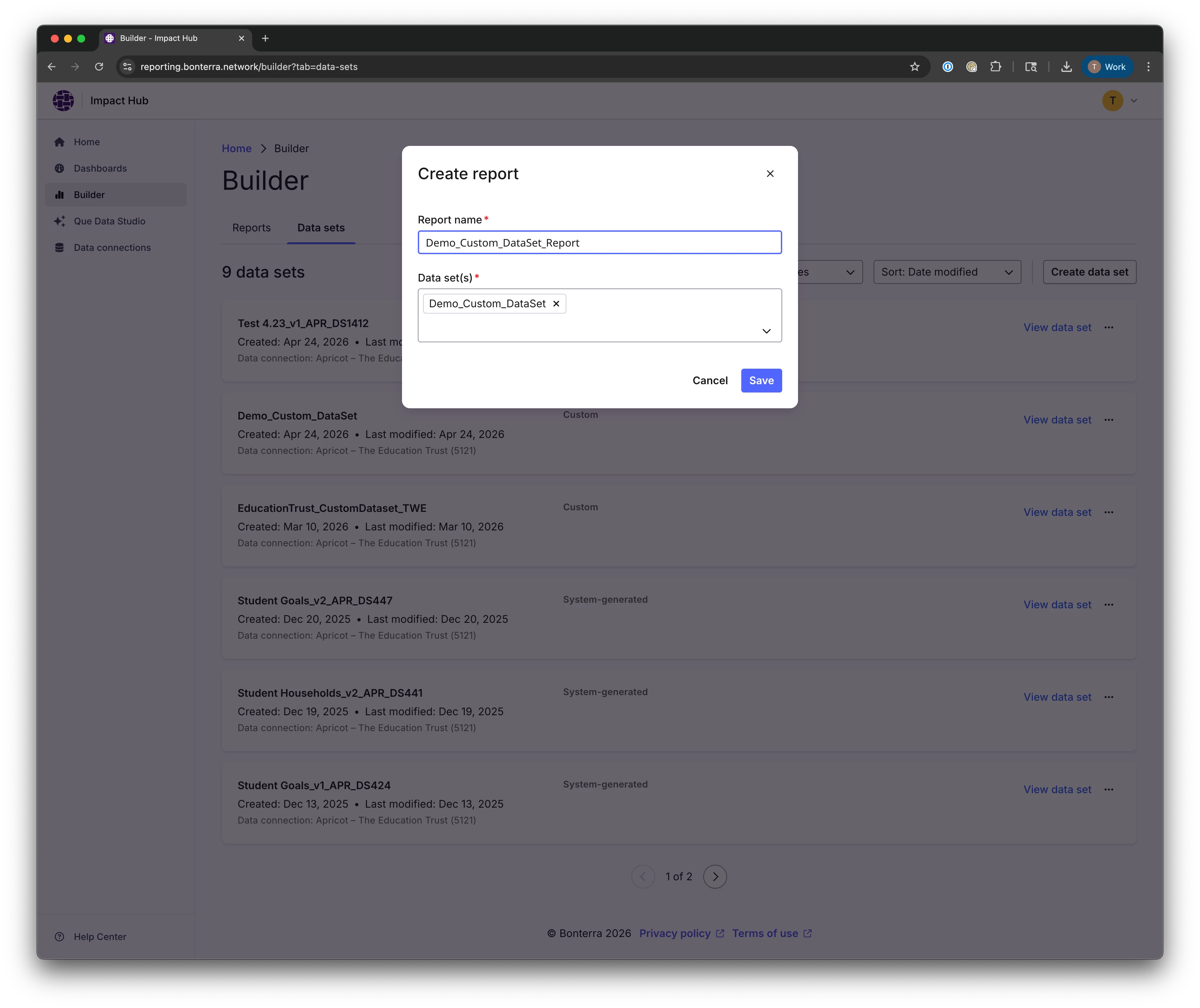
Step 4: Open the Edit dataset workflow from a report
The full dataset editor is only available from within a report. To open it:
- Open a report that uses the child dataset.
- In the report, go to Data > Datasets.
- In Datasets in this analysis, open the menu next to the dataset and select Edit.
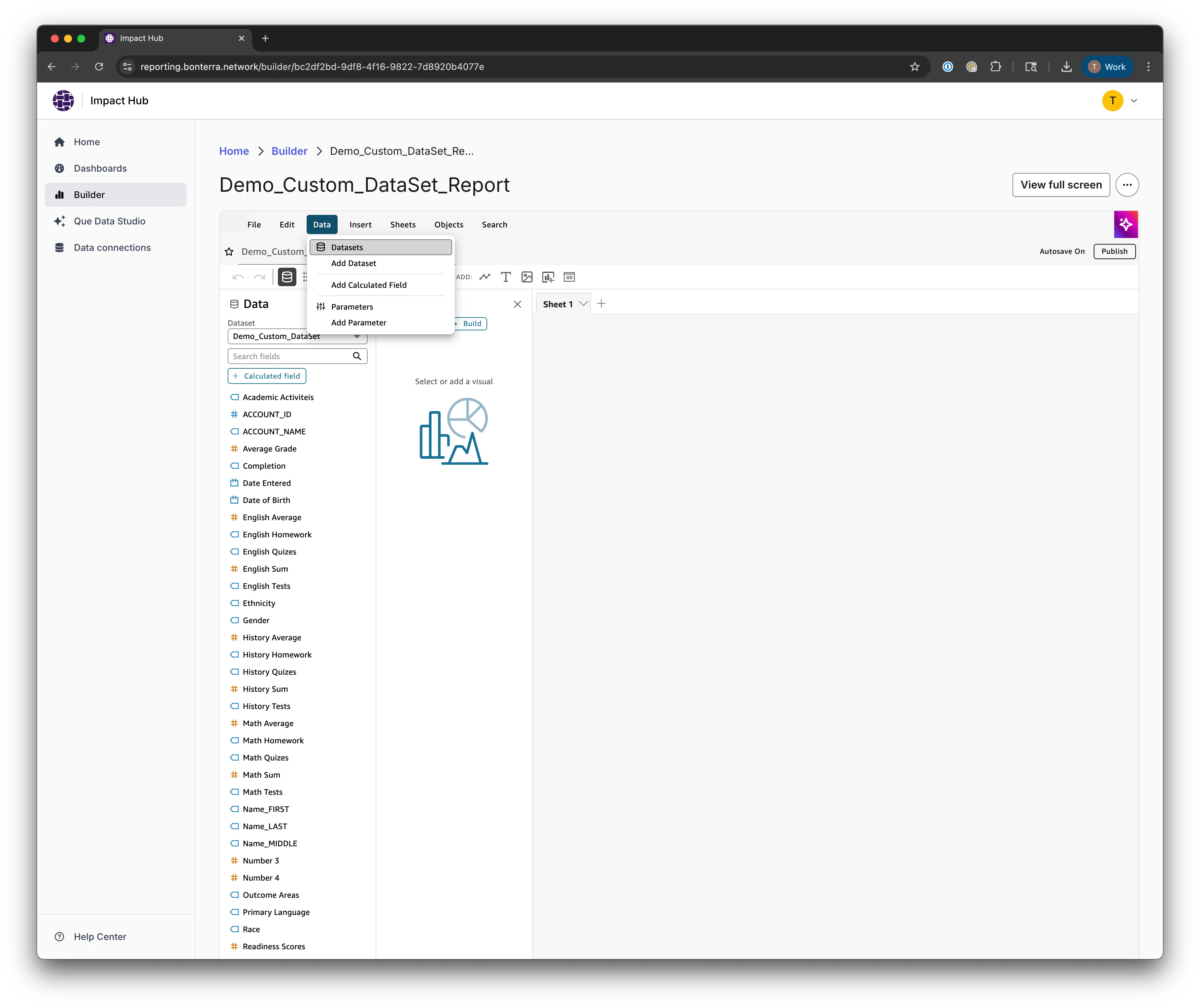
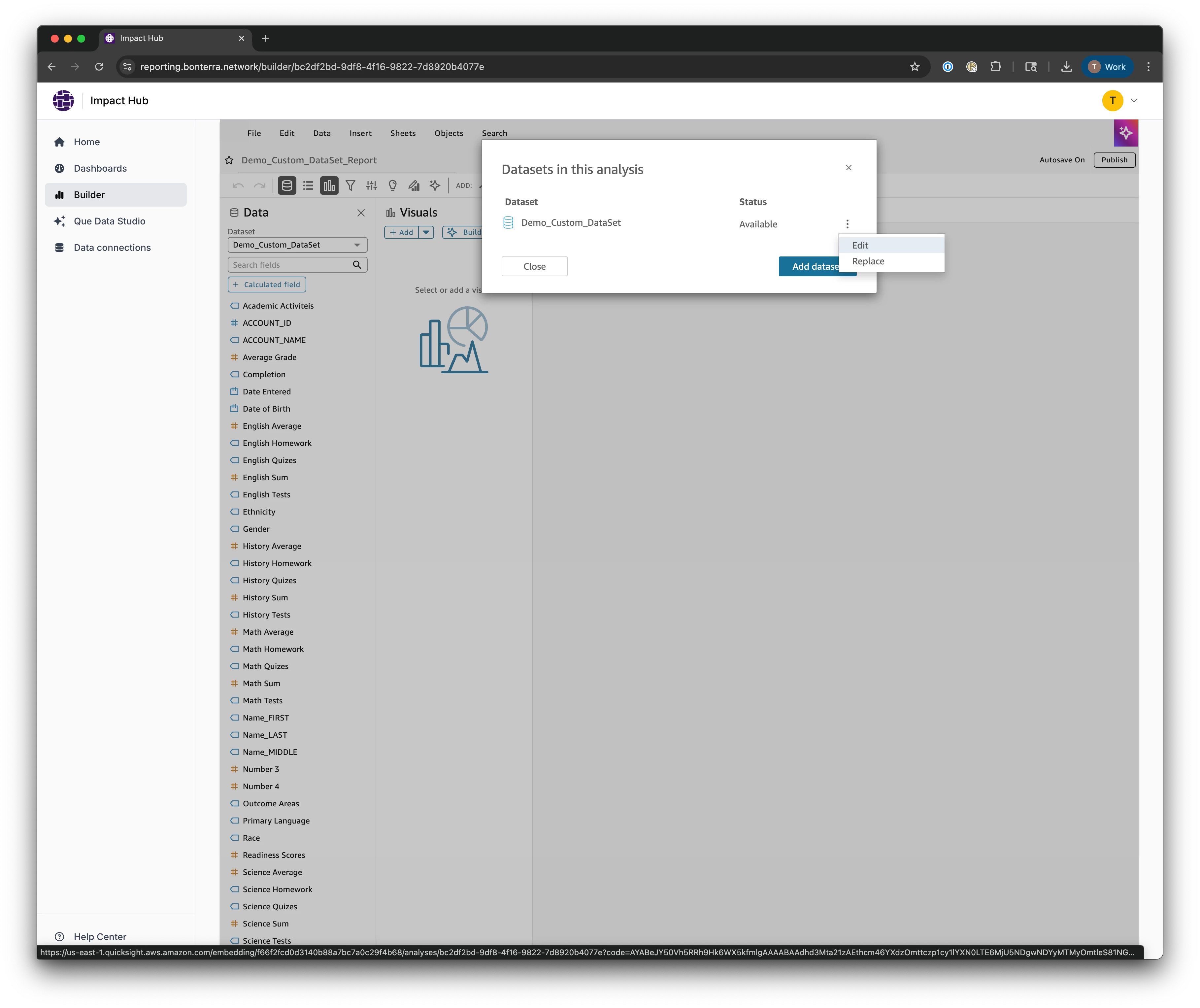
Step 5: Confirm you're in the Edit dataset experience
The Edit dataset workspace opens, where you can manage field logic and dataset structure. Confirm you see the dataset name in the workspace header before making changes.
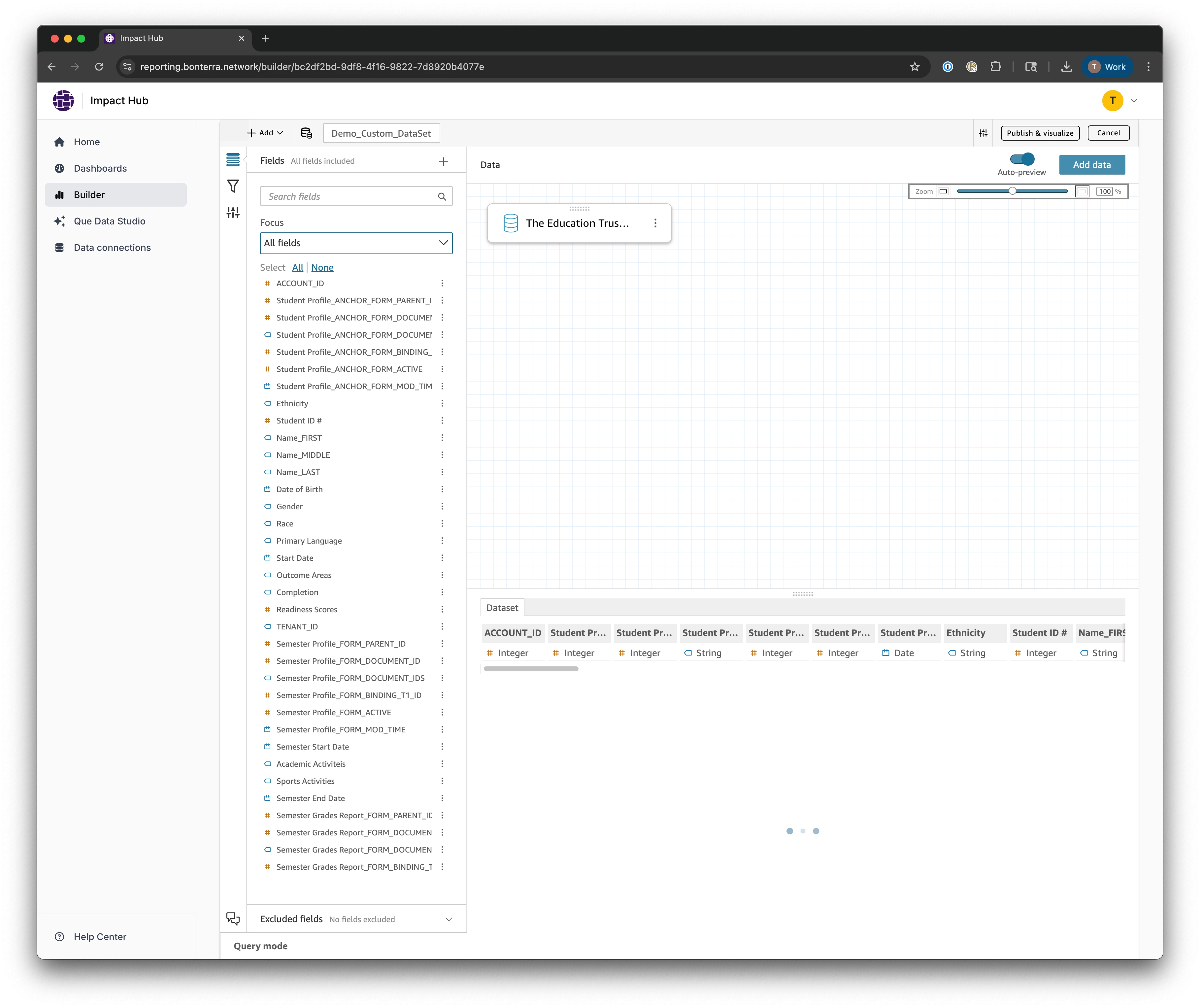
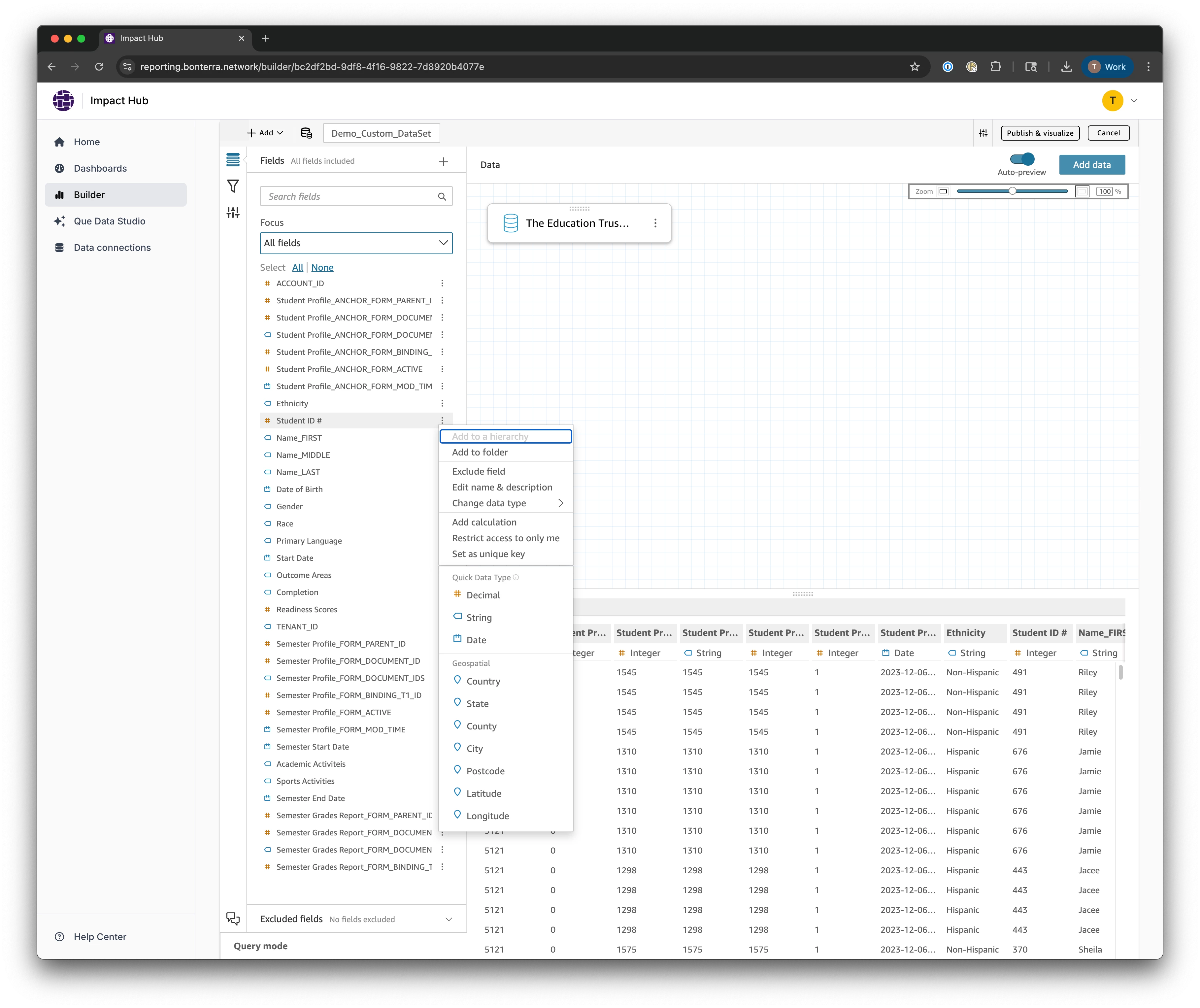
Step 6: Add calculations or filters
Use the editor to add calculated fields and filters to shape the dataset for your reporting needs. Changes apply only to this child dataset — the parent dataset is not affected.
Step 7: Join additional datasets when needed
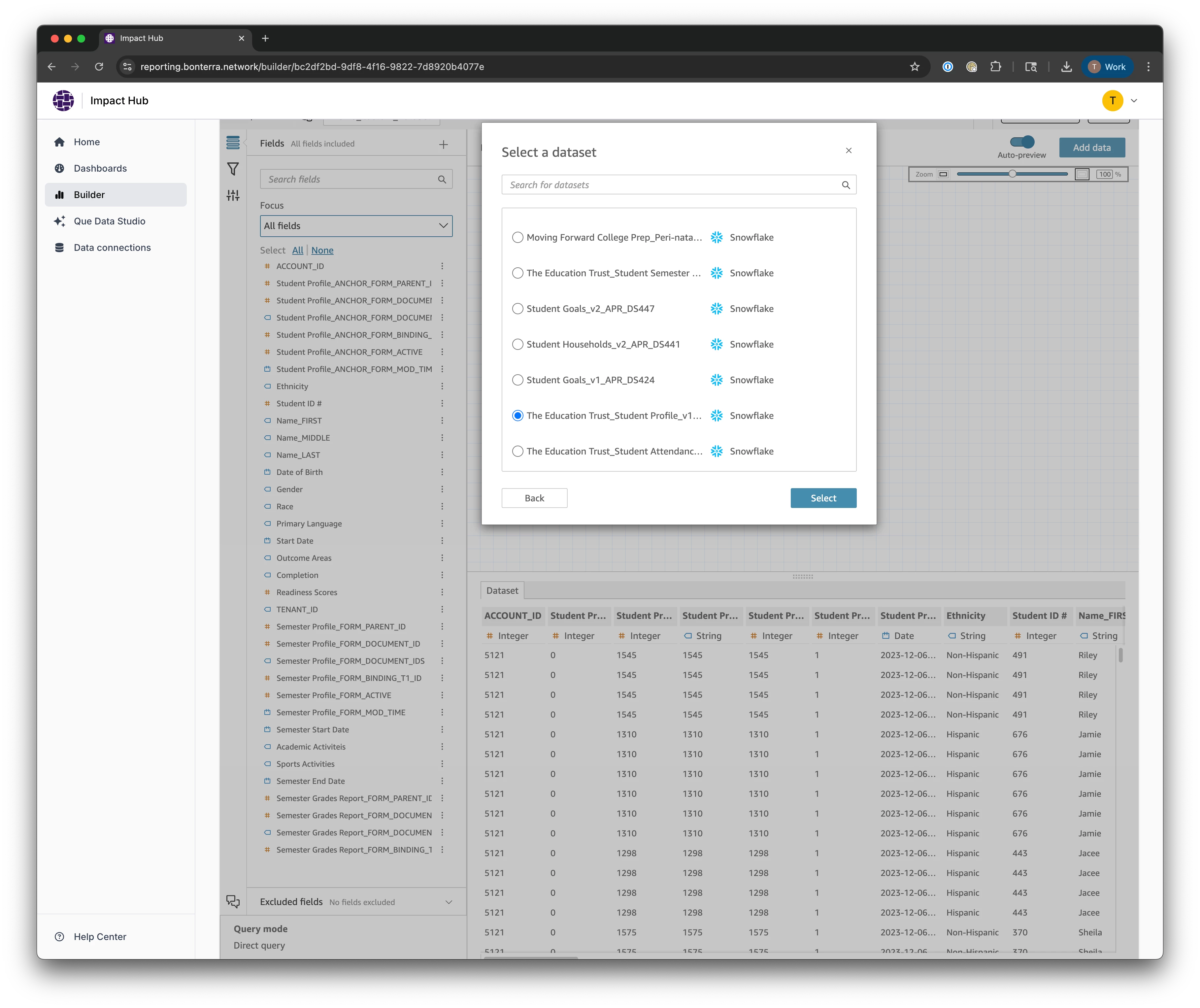
If your report requires data from more than one dataset:
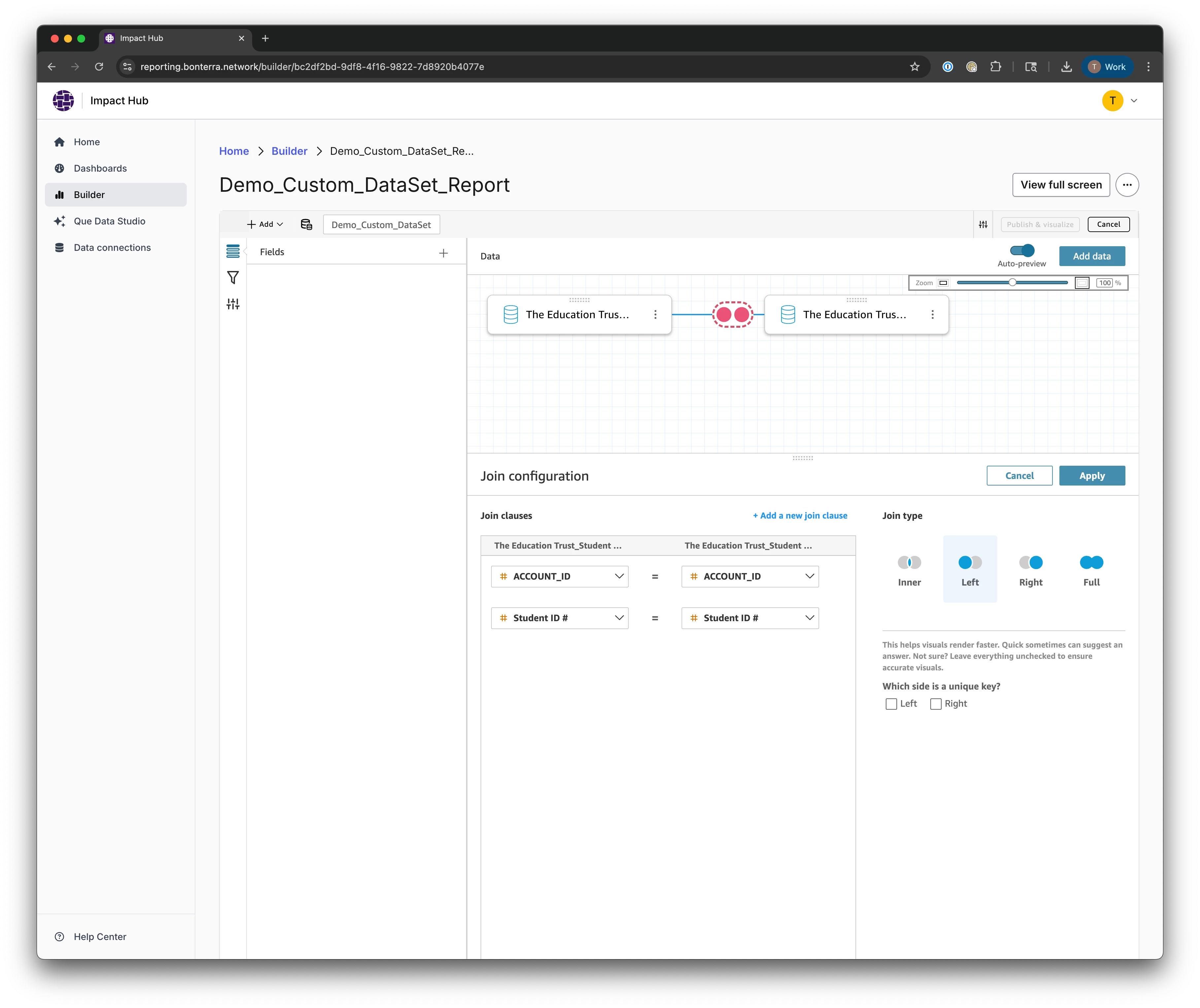
- Open the join workflow in the dataset editor.
- Select the additional dataset and define your join conditions.
- Validate the result before saving your changes.
What to do when a data standard is updated
When you publish a new version of a data standard, Impact Hub creates an entirely new dataset — it doesn't update the existing one in place. This means any custom child datasets built from the old version won't automatically reflect the changes.
Think of your custom child dataset as a tree: it has one parent dataset at the root and can have one or more joined datasets as branches. How you respond to an update depends on which of these changed.
Note: The Replace dataset function is only available for system-generated datasets used directly in a report. It is not available for custom child datasets — you'll need to follow the steps below instead.
If the parent dataset changed
You can't change the parent dataset of an existing custom child dataset in the interface. You'll need to create a new custom child dataset based on the updated version.
To rebuild after a parent update:
-
Before you start, document your current join conditions, calculated fields, and filter logic so you can replicate them.
-
Update your forms in Apricot and publish the new version of the data standard.
-
Wait up to 24 hours for the updated dataset to appear in Impact Hub.
-
Create a new custom child dataset based on the updated parent dataset. (Follow Steps 1–3 above.)
-
Re-add all joined datasets using the same join conditions as before.
-
Copy over your calculated fields from the previous child dataset.
-
Reapply any parameters or filters.
-
Update your reports to use the new dataset.
If a joined dataset changed
If only a joined dataset is updated, you can update the join without rebuilding the entire child dataset.
To update a joined dataset:
-
Before making changes, note how the existing joined dataset is connected — including the join type and the fields used to define the relationship.
-
Open the dataset editor from within a report. (See Step 4 above.)
-
Remove the outdated joined dataset.
-
Add the updated version of the joined dataset.
-
Recreate the join using the conditions you noted in step 1.
-
Review your report visuals and filters to confirm everything renders as expected.
Troubleshooting
Before you start, confirm the following:
- Are you signed in as an Author or Author Pro user? Only Authors and Author Pros can create and edit custom child datasets.
- Does the parent dataset include all the fields you need? Review the parent dataset before creating the child dataset to avoid rework.
- Is the child dataset attached to a report? The Edit dataset workflow is only available from within a report — you can't access the full editor from the dataset details page alone.
After editing, verify the following:
- Do visuals and filters render correctly after your dataset edits? If something looks off, review your calculated fields and filter logic.
- If you added joins, are row counts and expected records correct? Incorrect join conditions can produce duplicate or missing rows — confirm your join type and key fields.
- Have you saved and reopened the report to confirm your changes persist? Some changes may not be visible until the report is refreshed.
What else do you need help with?
How do I use the major giving portfolio to track action plans? | How does use the major giving portfolio to track action plans work in EveryAction? | Why can't I use the major giving portfolio to track action plans? | Where do I use the major giving portfolio to track action plans in EveryAction? | What is use the major giving portfolio to track action plans in EveryAction? | How to use the major giving portfolio to track action plans? | Can I use the major giving portfolio to track action plans in EveryAction?