

How do I make tickets available after a livestream has ended?
If you're using a livestream within your Events page, you may have noticed that switching from "pre-event" to "live" or "post-event" status options changes the appearance of your page; namely, the option for individuals to purchase tickets or register for the event disappears.
If you'd like to make tickets available once the livestream has ended - such as a situation where the livestream precedes the actual in-person event - please follow the instructions below.
Step 1: Switch the Events page back to "pre-live" status
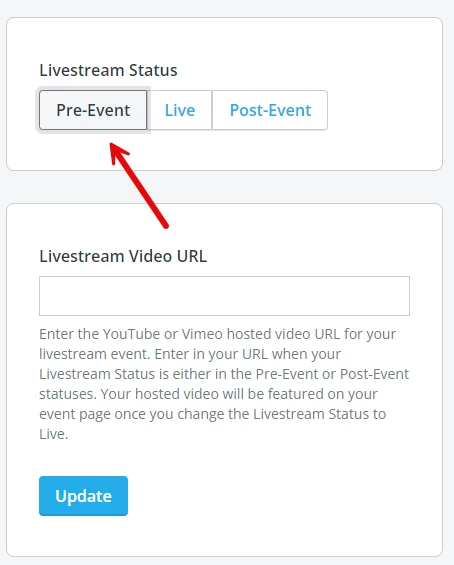
If you are running a livestream through your Events page, and you would like your tickets to remain available after the livestream has ended, you will need to switch your page back to the "pre-event" status in your "Livestream" tab.
Otherwise, your tickets will not be visible or accessible to your participants in any other status.
Also, please note that by default, a ticket will remain available on your Events page until the time that your event is scheduled to end. If you'd prefer a ticket be available to purchase for a more limited time, you also have the ability to set a ticket "end date" when creating tickets.
What else do you want to do?
Not what you're looking for?
Go back to the Feature Overview.