


How do I add a Single Sign-On (SSO) configuration in Apricot?
Looking to set up Single Sign-On in your Apricot database? Check out this video that walks you through how to add an SSO configuration.
Note: Only Apricot administrators can configure Single Sign-On (SSO). If SSO is not currently enabled for your organization, please reach out to Support to have the feature activated.
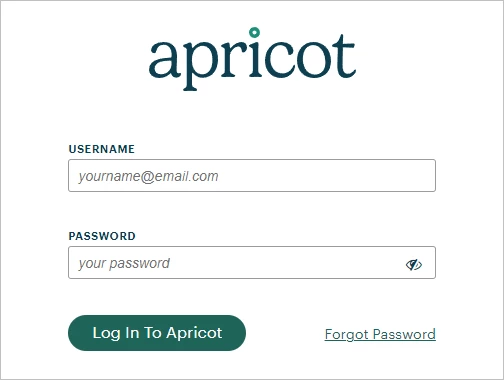
Step 1: Log in to Apricot
Start by logging in to your Apricot account.
Step 2: Navigate to Pool Parameters
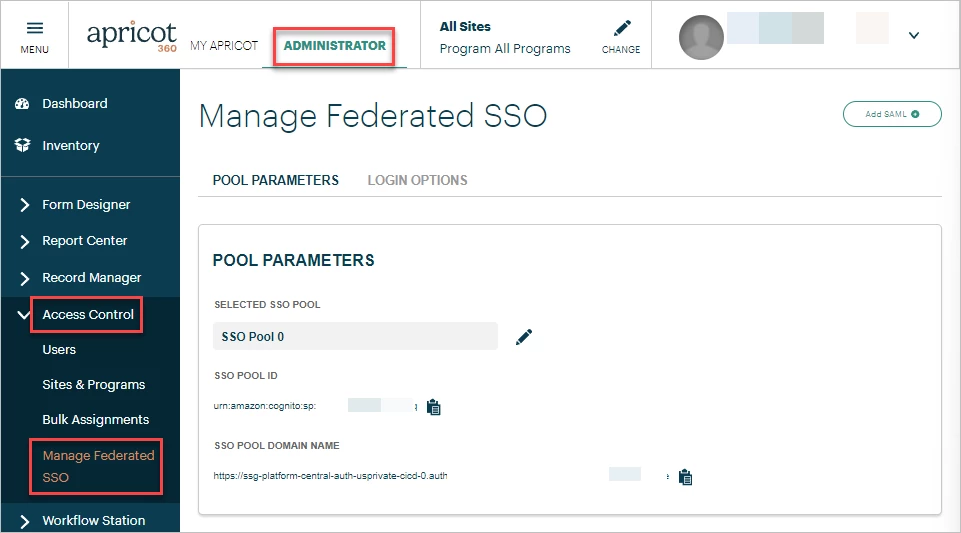
Ensure you're in the Administrator view of Apricot, then expand the Access Control category of the navigation bar.
Select 'Manage Federated SSO' to be directed to the 'Pool Parameters' tab.
Step 3: Gather Identity Provider information
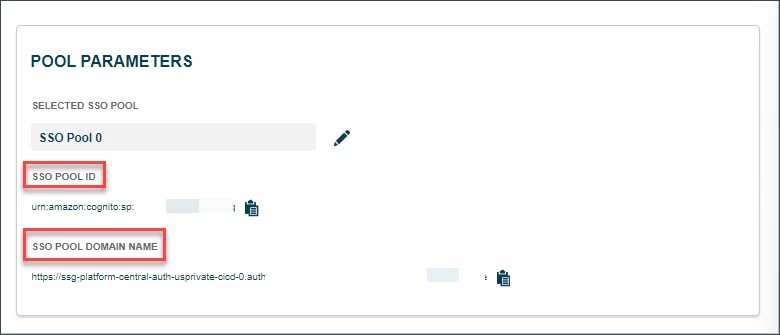
This should load the SSO pool ID and SSO pool domain name in Apricot. Copy this information into your Identity Provider (IDP) to generate the metadata .xml file from your IDP.
Step 4: Upload the metadata
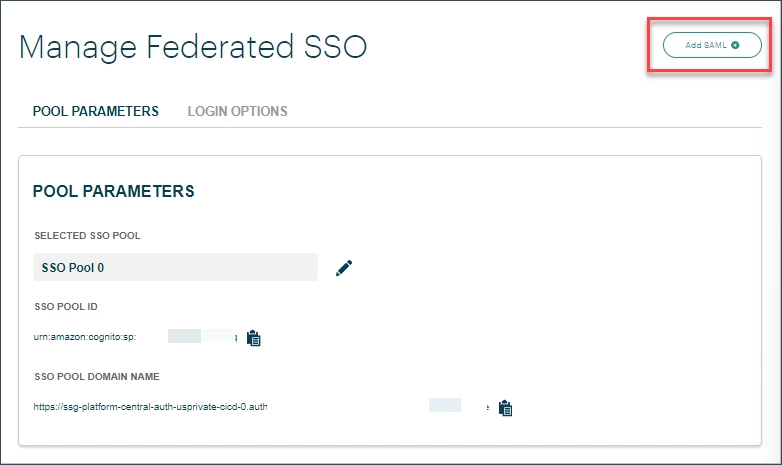
Click on 'Add SAML' at the top-right of the page.
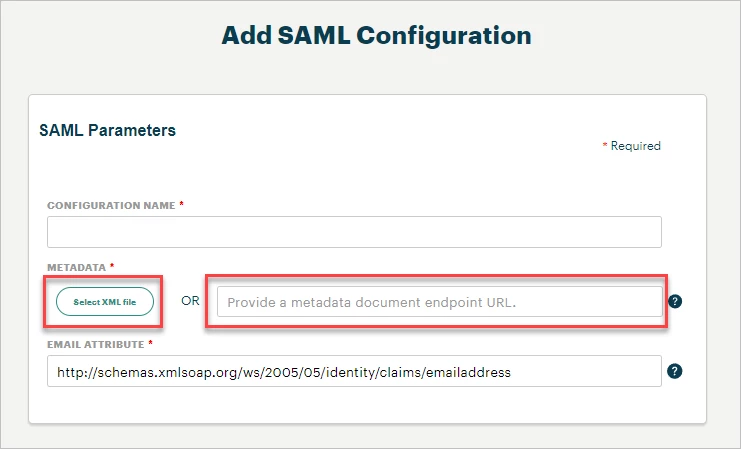
Then, upload the metadata to Apricot by clicking on 'Select XML file" or entering the metadata URL in the textbox.
Step 5: Enter the IDP's email attribute
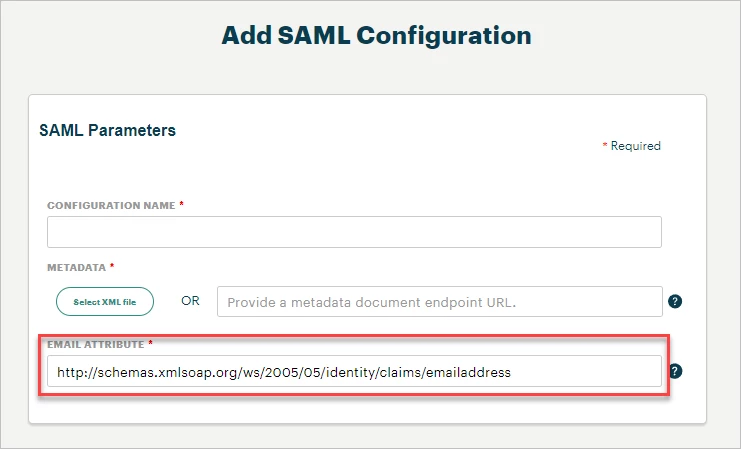
Locate your Identity Provider's email attribute either in the metadata file or on the IDP's setup page.
Copy the text and paste it into the Email Attribute field on the 'Add SAML Configuration' page.
Step 6: Save the configuration
Click Save at the bottom of the 'Add SAML Configuration' page to add your new SSO configuration to Apricot.

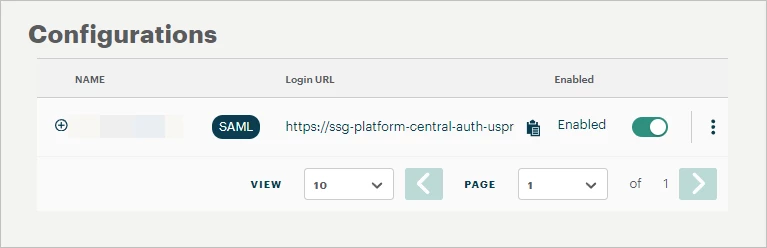
You can view your Configurations on the Manage Federated SSO page under the 'Pool Parameters' section.
Step 7: Share your login URL
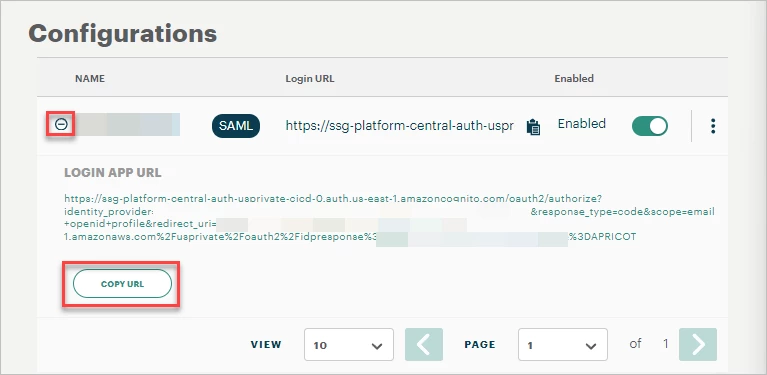
Click the + icon next to the configuration name to generate your Apricot environment's unique SSO login URL.
Use the "Copy URL" button to share this link with all users who must log in to Apricot through SSO.
What else do you need help with?
-
How do I set up multiple Apricot sites for Single Sign-On (SSO)?
-
Not what you're looking for? Navigate to overview
How do I add an SSO configuration in Apricot? | How do I set up single sign-on in Apricot? | Where do I upload SSO metadata in Apricot? | How do I connect Apricot to my identity provider? | How do I create an Apricot SSO login URL? | What information do I need from my IDP to set up Apricot SSO? | Why don’t I see the option to add SSO in Apricot?