

Success Guide: Virtual Phone Banks
(4 min read)
Running a successful Virtual Phone Bank requires a thoughtful approach to each phase of your effort, including:
-
Crafting powerful messages and scripts
-
Identifying the right people to contact or thoughtfully segmenting your audience
-
Creating a phone bank experience that empowers your volunteers and makes their task easier
-
Measuring outcomes and using results to improve other outreach efforts
Our tools are designed to help you with each of these stages and to make it easier to manage your Virtual Phone Bank and see immediate results. All of these elements work together, so it may be helpful for you to think through each phase before beginning to build and roll-out your Virtual Phone Bank.
Creating a strong script
You are the expert in creating the right message for your audience. Giving your phone bank volunteers a strong script can help them deliver that message quickly and powerfully.

A good script includes:
-
An introduction that includes the volunteer’s name and which organization or campaign they are supporting
-
Brief context that lists the problem, the solution, and how supporters can help
-
A strong ask which might include things like survey questions, event attendance, or a specific commitment to take action
-
A thank you that confirms the details
Using the Scripts tool in Virtual Phone Bank, you can create a script to fit your segment or target audience. When using Open Virtual Phone Bank, you can set a default script and up to 4 alternate scripts. Scripts can be directed to certain people by selecting a script using the targeted subgroup option. Callers are able to toggle between scripts in the Open Virtual Phone Bank.
Before you begin your script, you will need to create any elements you plan to use, including:
-
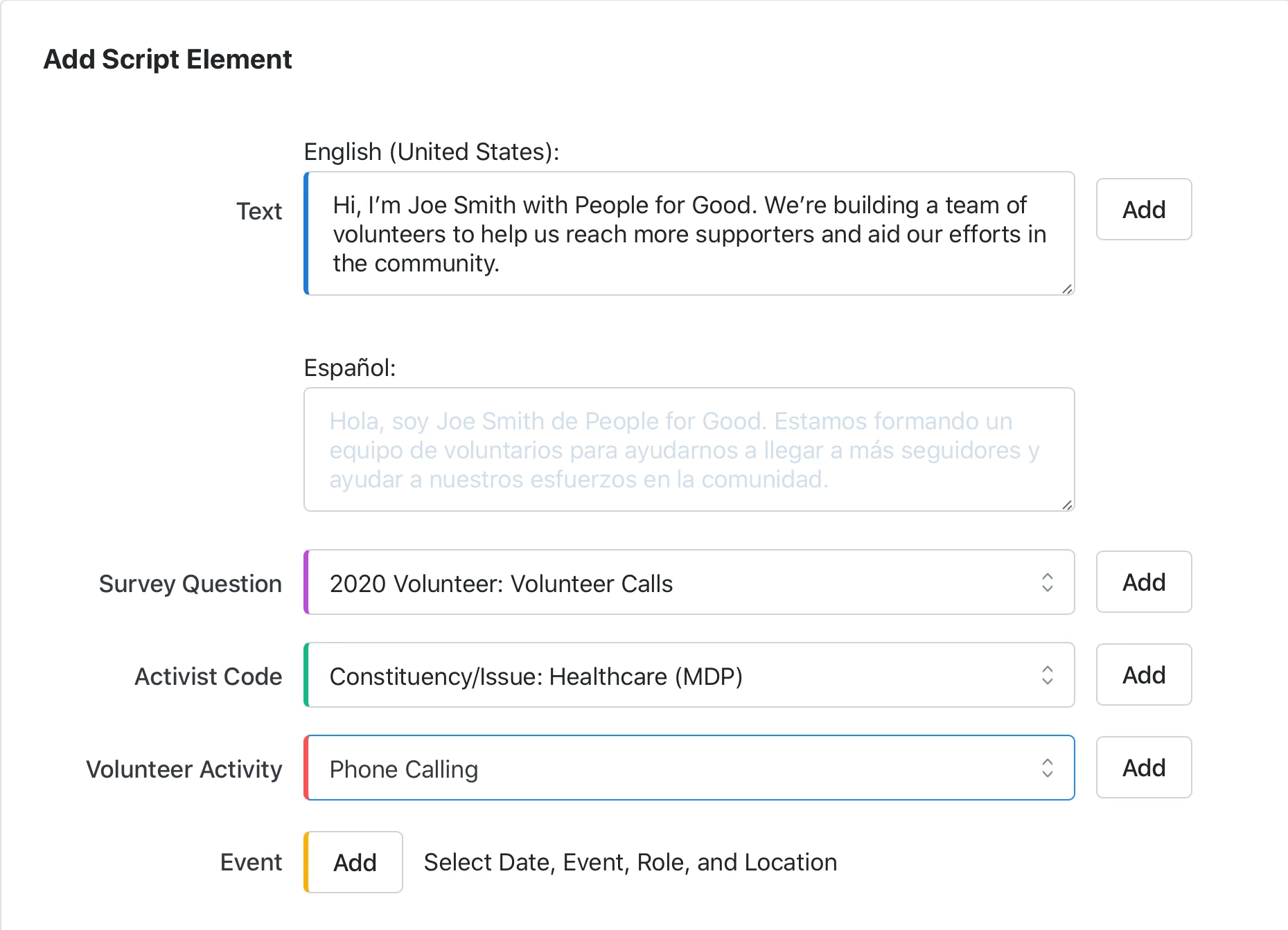 Activist Codes that help you track how your supporters are getting involved
Read more on Activist Codes
Watch in EveryAction
-
Survey Questions you would like your callers to ask
Read more on Survey Questions -
Events you can invite your supporters to attend
Watch a video about creating Event Signup Forms -
Online Actions forms for supporters to take further action
Read more about Online Actions forms
Watch a video about creating Online Actions forms
Identifying your audience
Who you are trying to reach with your message will depend on what kind of outreach you are doing. In some cases, you will be using the voter file, but in other cases, you may be using your own contact records.
When creating your lists and searches, you’ll want to think about:
-
Whether you want to use a static list or a dynamic saved search that will automatically include any new or changed records
Read more about searching -
Identifying the contacts who are most likely to respond to your effort
Read more on advanced searching
Read more about phone numbers -
Excluding anyone on a Do Not Call list or with other suppressions
Read more about suppressions -
Making sure your list includes enough numbers for each of your callers
Read more about list size
Read more on using and managing Virtual Phone Bank
Setting up your Virtual Phone Bank
(View full screen)
When you are ready to begin setting up your Virtual Phone Bank, you will also want to think about how your volunteers will interact with the phone bank. Consider:
-
Whether to publish the phone bank to OpenVPB, so callers can use their browser to make calls
-
Adding VPB Connect, which automatically dials numbers for your callers, improving the volunteer experience
Read more on VPB Connect
Watch a video about VPB Connect -
What information your volunteers will see when they make calls
-
If you want volunteers to be able to update contact details (not available in OpenVPB)
-
Whether callers should use their computer or mobile device
-
Who will be designated to help volunteers who experience problems
Read morea bout using and managing Virtual Phone Bank
Running your Virtual Phone Bank
(View full screen)
Once you've designed your Virtual Phone Bank, you can begin to use it to help you with your outreach effort and to collect information from the people you reach.
Read more about making calls with Virtual Phone Bank
Read a troubleshooting guide for Virtual Phone Bank
Measuring and using your results
(View full screen)
You will need to think about which results will tell you if your effort was a success. Is your Virtual Phone Bank:
-
The number of people you reached and made aware of your campaign or cause?
-
Getting answers to survey questions?
-
Driving event turnout?
-
Getting supporters to take action or join your effort?
While many of our reports can be customized to report on the data you collect during your Virtual Phone Bank, there are a few in the Report Manager that you may find particularly helpful:
-
Phone Contact History Report
-
Phone Number Report
-
Survey Response Report
-
Virtual Phone Bank Report
-
Canvass Results Reports
Read more on reporting on call results
Watch more on reporting in EveryAction
You can also Create A List of the contacts who responded to your efforts and export the data from these results or include these contacts in future outreach efforts.
Read more about exporting lists
Good luck with your Virtual Phone Bank!
How do I success guide: virtual phone banks? | How does success guide: virtual phone banks work in EveryAction? | Why can't I success guide: virtual phone banks? | Where do I success guide: virtual phone banks in EveryAction? | What is success guide: virtual phone banks in EveryAction? | How to success guide: virtual phone banks? | Can I success guide: virtual phone banks in EveryAction?