

How do I enable pledges in 'Donor Management'?
For donors to have the option to make pledges, you need to enable the pledge feature in 'Donor Management'.
This article will help guide you through those steps!
Step 1: Navigate to your organization's settings
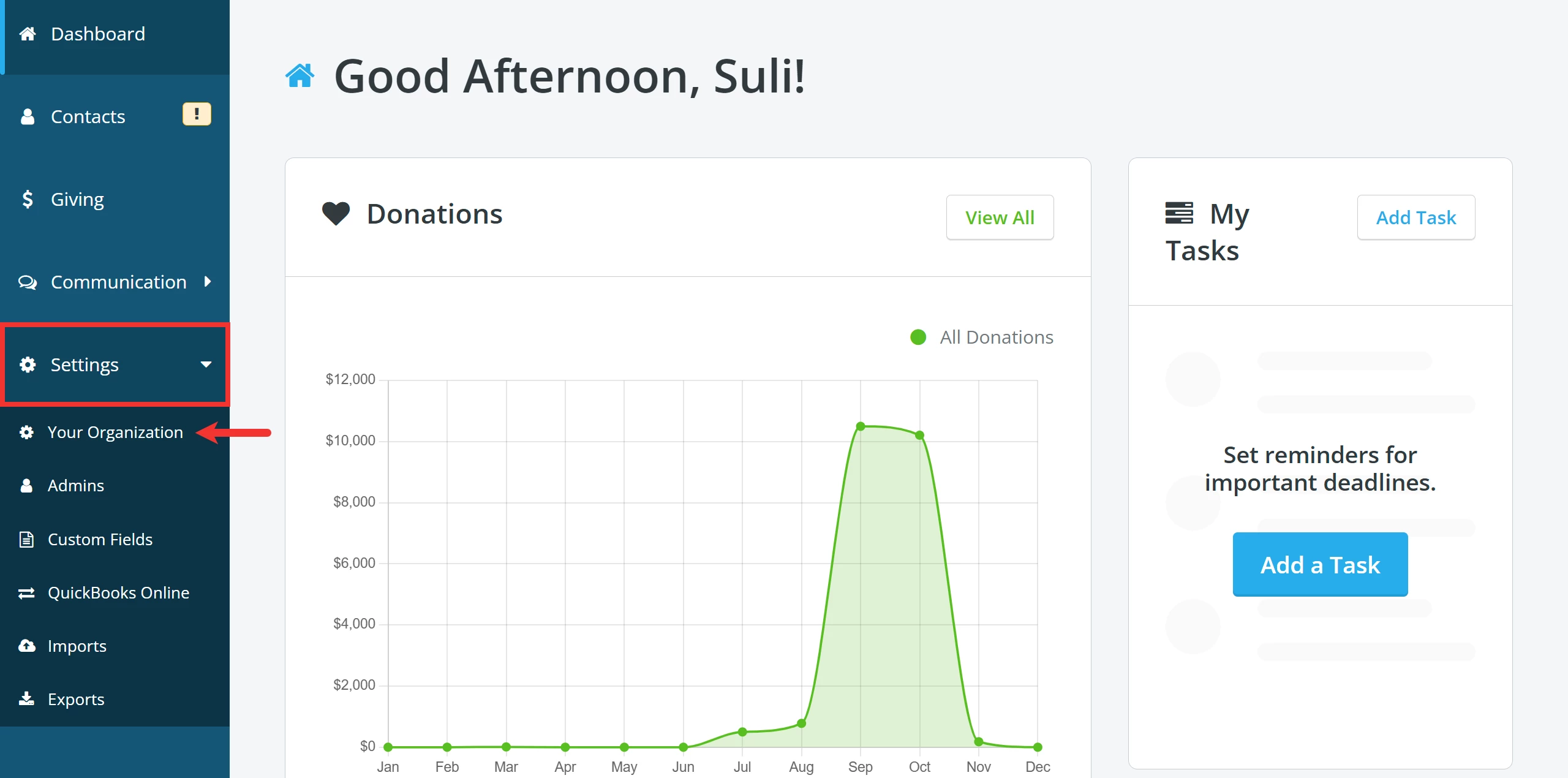
From your 'Donor Management' Dashboard, click the 'Settings' tab on the left navigation panel and select 'Your Organization' from the drop-down list.
Step 2: Scroll to manage your 'Pledge Settings'
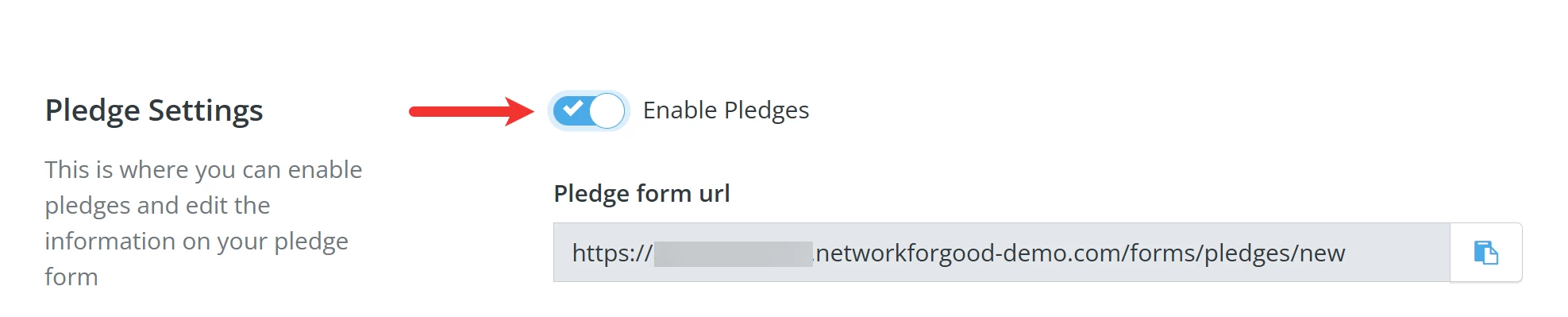
When the 'Settings' page loads, scroll down to the 'Pledge Settings' section and toggle on the 'Enable Pledges' setting.
Step 3: Update & Save
Once you are finished, scroll to the bottom of the page and click the 'Update & Save' button.

What else do you need help with?
How do I use each 'Pledge Settings' field?
How do I create and share my online pledge form?
How do I manually add a pledge?
How do I link a donation to an existing pledge?
How do I write off unfulfilled pledges?
Not quite what you were searching for?
Navigate back to the Feature Overview.