

How do I deactivate a promo code for an event?
Sometimes, a promo code may need to be deactivated before, during, or after your event. For example, it could be because the promo code is being used by folks who shouldn't have access to it - or it could be because the ticket type that it applies to is sold out or otherwise unavailable.
Not to worry - deactivating a promo code within Fundraising Pages is a simple and easy process.
Please note: promo codes cannot be deleted - only deactivated.
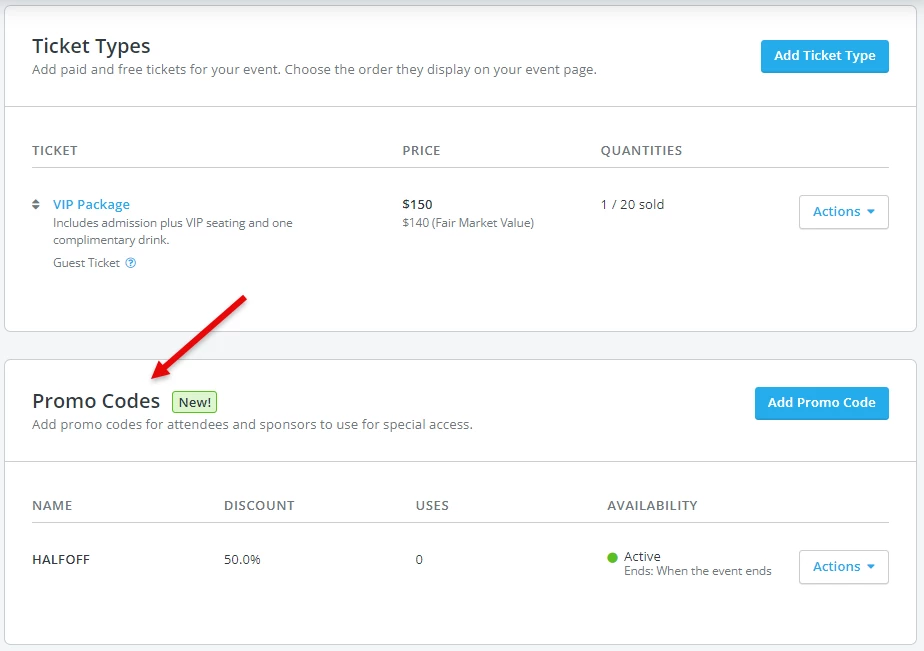
Step 1: Locate the promo code you're looking to deactivate in your event's Overview
The promo code can be found under the "Tickets & Sponsorships" tab, below the section on "Ticket Types."

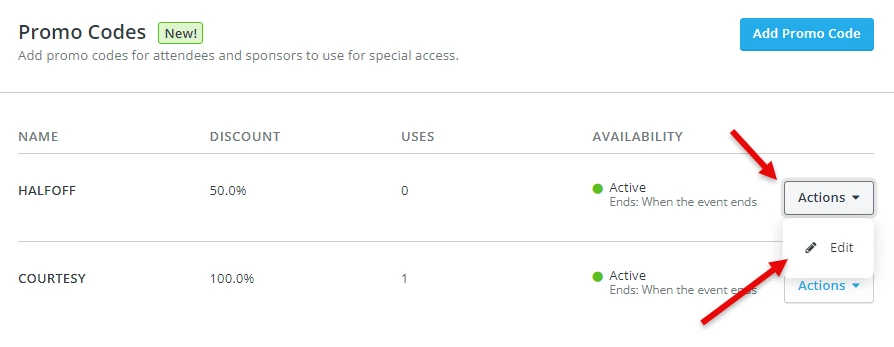
Step 2: Click on the "Actions" tab next to the promo code, then select "Edit"
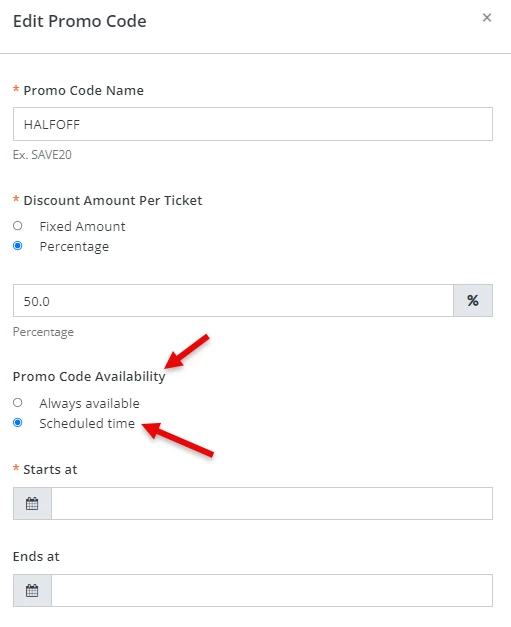
Step 3: Under the "Promo Code Availability" section, select "Scheduled time"
Step 4: Enter a past date for the start and end dates
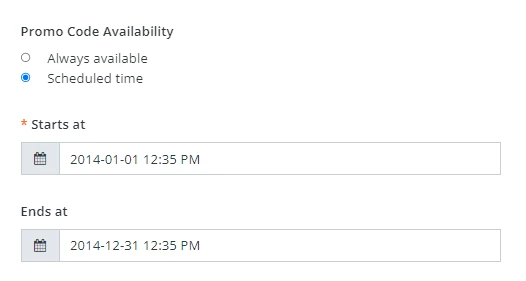
You can select any date in the past - even yesterday, if you'd like.
Step 5: Click on the "Update Promo Code" to save your changes
In doing so, your promo code will no longer be accepted when an attendee purchases a tickets. (However - it is still possible to use a promo code that has been deactivated for offline purchases.)
What else do you want to do?
Not what you're looking for?
Go back to the Feature Overview. How do I turn off a promo code in Network for Good? | How do I disable a discount code for my event? | Can I delete a promo code from my event page? | How do I stop a promo code from being used? | Why is my promo code still working after I ended it? | How do I set an expiration date for a promo code? | Can a deactivated promo code still be used for offline tickets?
How do I understand grant management? | How does grant management work in EveryAction? | Why can't I understand grant management? | Where do I understand grant management in EveryAction? | What is grant management in EveryAction? | How to understand grant management? | Can I understand grant management in EveryAction?