


Starting July 1, 2025, Bonterra will begin collecting sales tax on your product subscription if your invoice "Ship To" address is located in Virginia or Indiana and your product is considered taxable in your state.
If your organization is exempt from sales tax, you must submit a valid exemption certificate by June 25, 2025, to avoid sales tax charges on your future invoices.
Step 1: Navigate to our Support Page
Step 2: Complete the form
Select your product and, after selecting 'Billing Issue' under 'I need help with:', select 'Other Billing-Related Questions'.
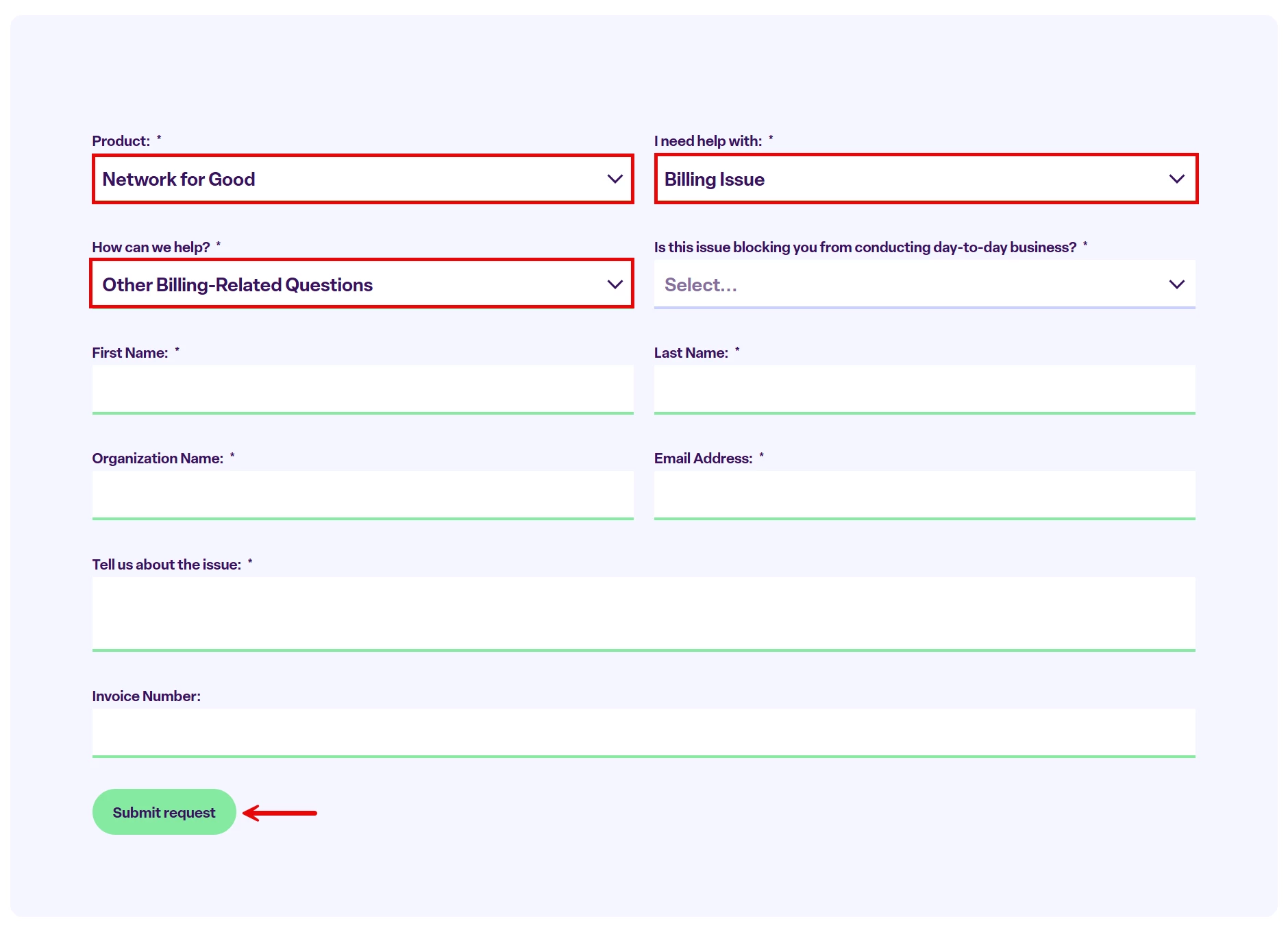
Fill out the rest of the form and click 'Submit request' to generate a support ticket. You will receive a follow-up e-mail to which you should reply with the following information:
-
your state-issued exemption certificate
-
any supporting documentation confirming your exemption status
What Happens If You Miss the Deadline?
If we do not receive your certificate by June 25, 2025, and your product is taxable in your state (Virginia or Indiana), sales tax will be applied to future invoices.
Click here for our FAQ page for this process.
Thank you for helping us keep your billing accurate so you can stay focused on your mission!
– The Bonterra Accounting Team
How do I submit a sales tax exemption certificate for Network for Good? | Why am I being charged sales tax on my Network for Good invoice? | How do I avoid sales tax charges on my Bonterra subscription? | Where do I upload my tax exemption certificate for billing? | What happens if I miss the sales tax exemption deadline? | Why is Network for Good collecting sales tax in Virginia or Indiana? | How do I contact support about a sales tax billing issue?