



We’ve made some updates to our login experience! If you come across references to “ActionID” in our help resources, those are being updated to reflect the new name: Bonterra Account. Nothing changes on your end as we tidy up the documentation.
Bonterra Account is your login credential that consists of your email address and a password. This is what you use to log into your database.
Logging into Multiple Accounts
If you have more than one User Account (this is often true for people working with or volunteering for more than one organization), your Bonterra Account can be linked to all of your User Accounts. This makes it easier to switch from one user account to another if it's on the same platform (i.e. if you go to the same URL). If you are working or volunteering with multiple organizations, you may need to log in at different URLs. To confirm where you should log in for each organization, be sure to bookmark the web address provided in your login email: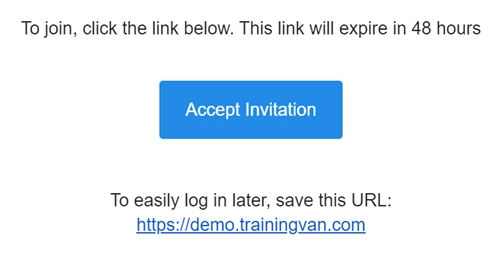
Using Bonterra Account for Volunteers
Some campaigns or organizations manage many volunteers. In cases where volunteers are making phone calls or knocking doors, Bonterra Account can be very helpful in saving time for staff and making it easier for supporters to volunteer.
You can send out an invitation to volunteers, who create their own Bonterra Account to make calls or knock on doors.
People with an Bonterra Account that do not have access to the database itself (i.e. they don't have a User Account) are called Public Users.
Creating an Bonterra Account for MiniVAN or Virtual Phone Bank
To create an Bonterra Account for canvassing with MiniVAN, your volunteers can download the MiniVAN app on their iPhone or Android (for a full list of compatible devices, see the relevant app stores).
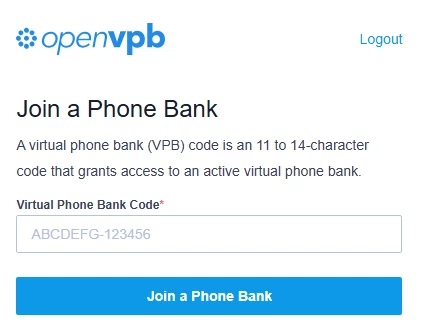
To create an Bonterra Account for phone banking, volunteers can go to openvpb.com.
In either case, they'll enter their name and email address and create a password. Once they receive a confirmation email, they'll be all set to go. Just make sure to share the code to your active virtual phone bank.
How do I create and use Bonterra account logins? | How does create and use Bonterra account logins work in EveryAction? | Why can't I create and use Bonterra account logins? | Where do I create and use Bonterra account logins in EveryAction? | What is create and use Bonterra account logins in EveryAction? | How to create and use Bonterra account logins? | Can I create and use Bonterra account logins in EveryAction?