


How do I edit a user account? (Role-Based Permissions)
Note: Please refrain from giving new users access to Apricot by saving their information over old user accounts, as Apricot keeps records of historical information such as who created and edited records even if the user is inactive. Users who no longer need access to Apricot should be marked as inactive, and new users should be added as brand-new user accounts.
Follow the steps listed below to learn how to edit user details in Apricot.
Step 1: Navigate to Users
In the Administrator view of Apricot, expand the Access Control category of the navigation bar and select Users.

Step 2: Select a user
A list of users in your Apricot site will be displayed in the Account Management app. You can type a name in the Search Field or use the Programs or Roles dropdowns to filter the results. Select the user you want to edit.

Step 3: Update the User Details
On this page, you can change basic information about the user's record, including their email address (username), name, and assigned Roles, Sites, and Programs.
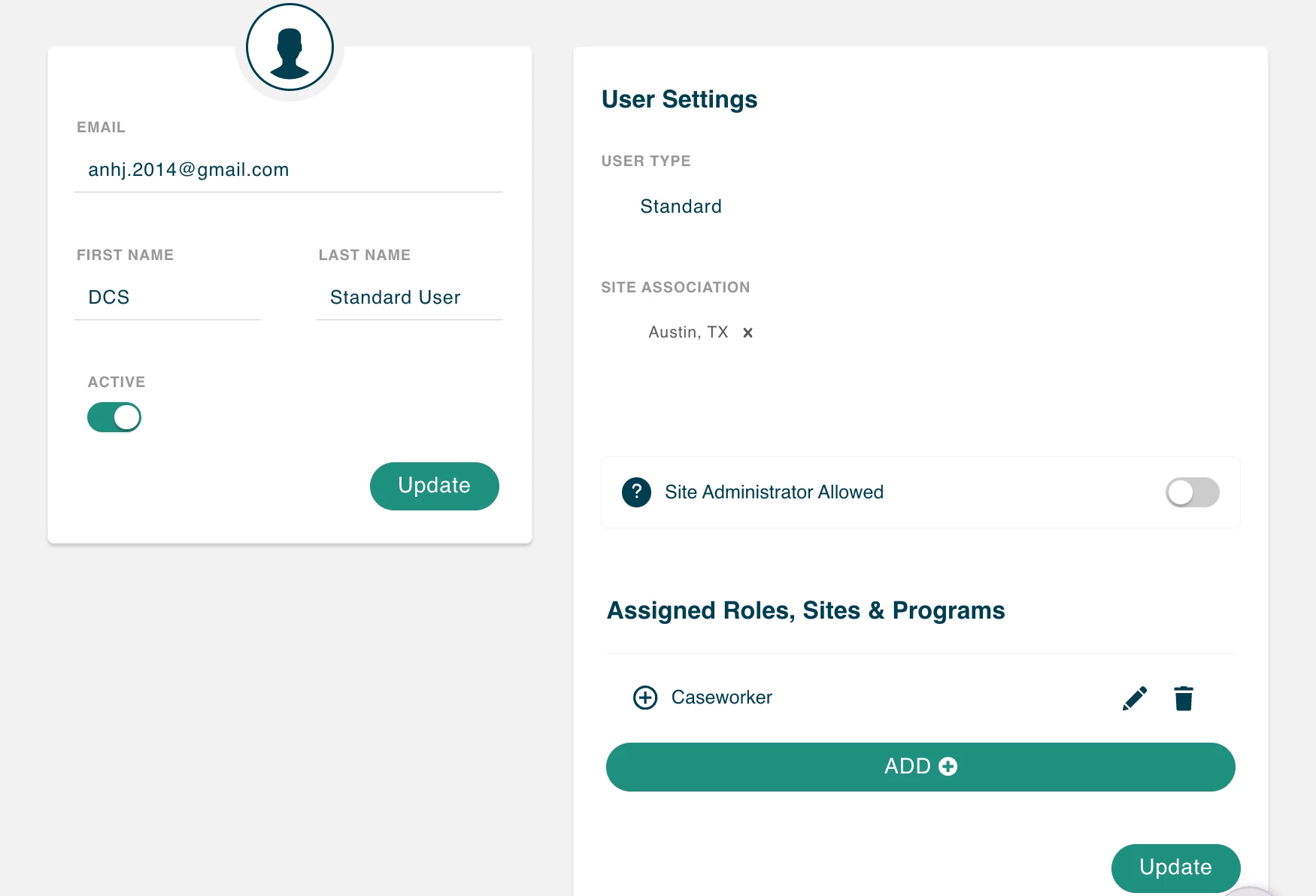
Note: Password resets are now handled through the Forgot Password option on the Apricot login page.
The User Preferences section can be updated either by an Administrator or by the Standard User themselves.

You may also edit the user’s Advanced Access to administrative tasks at the very bottom of the User Details page.

Note: Be sure to select ‘Update’ within every section you make changes to, otherwise your updates will not be saved.
What else do you need help with?
-
Understanding Advanced Access for Standard Users (Role-Based Permissions)
-
Not what you’re looking for? Navigate to overview
How do I edit a user account in Apricot? | How do I update a user’s email or name? | How do I change a user’s assigned Roles, Sites, or Programs? | How do I reset a user’s password? | How do I edit a user’s Advanced Access? | How do I update User Preferences in Apricot? | How do I save changes after editing a user account?