

How do I track Volunteer Hours in Network for Good?
With our new Volunteer Tracking feature, logging volunteer contributions is quick and easy - no spreadsheets needed!
Step 1: Navigate to your 'Volunteers' page
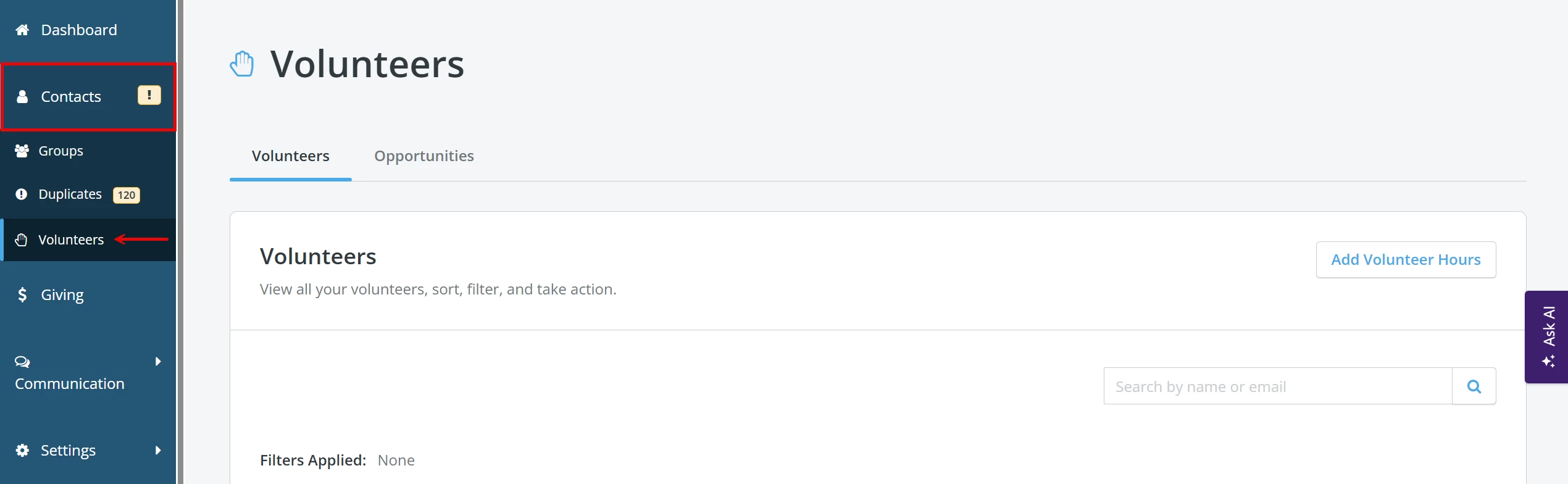
From your 'Donor Management' Dashboard, click the 'Contacts' tab in the left navigation panel. Then, click on 'Volunteers'.
Step 2: Search for your volunteer
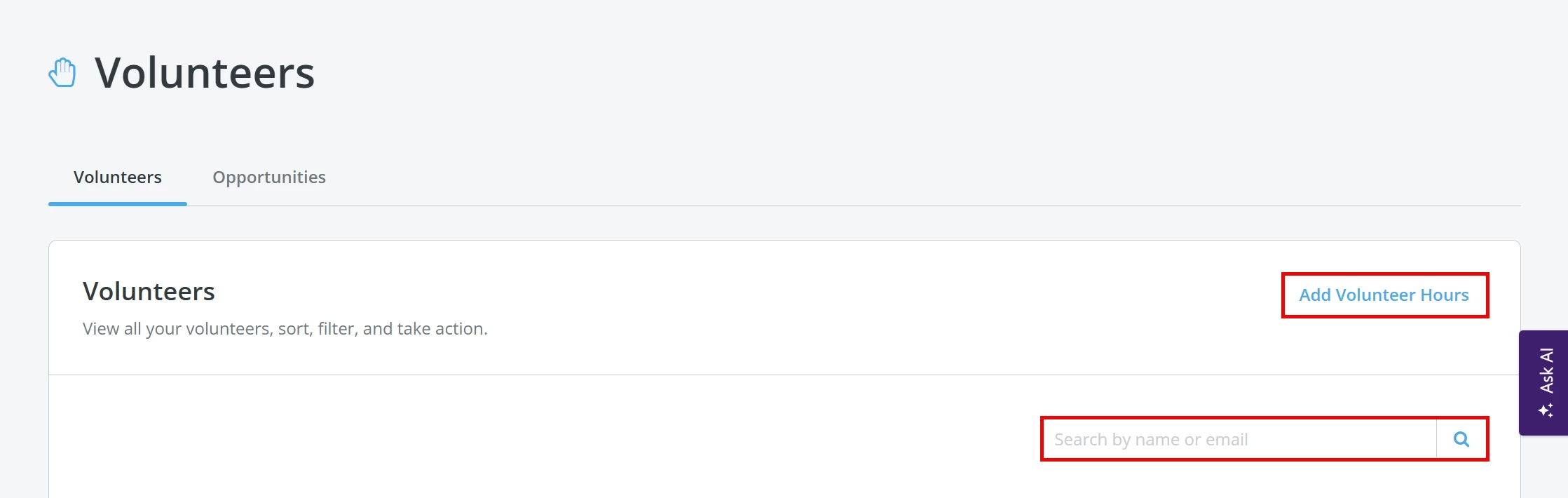
From the 'Volunteers' page, you can click the 'Add Volunteer Hours' button or manually search for your volunteer by name or email.
Step 3: Log hours
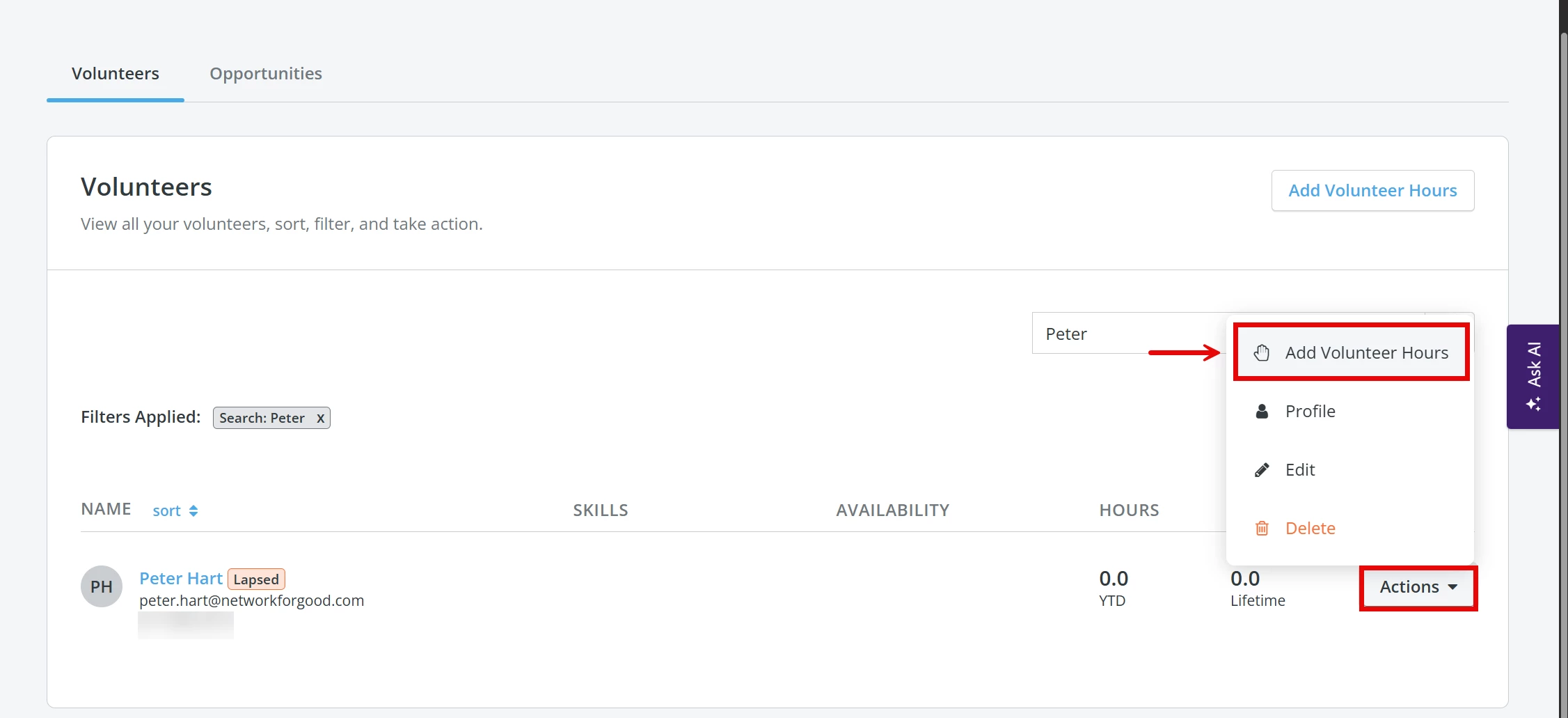
Click the 'Actions' button to the right of the volunteer's name and select 'Add Volunteer Hours' from the newly expanded dropdown menu.
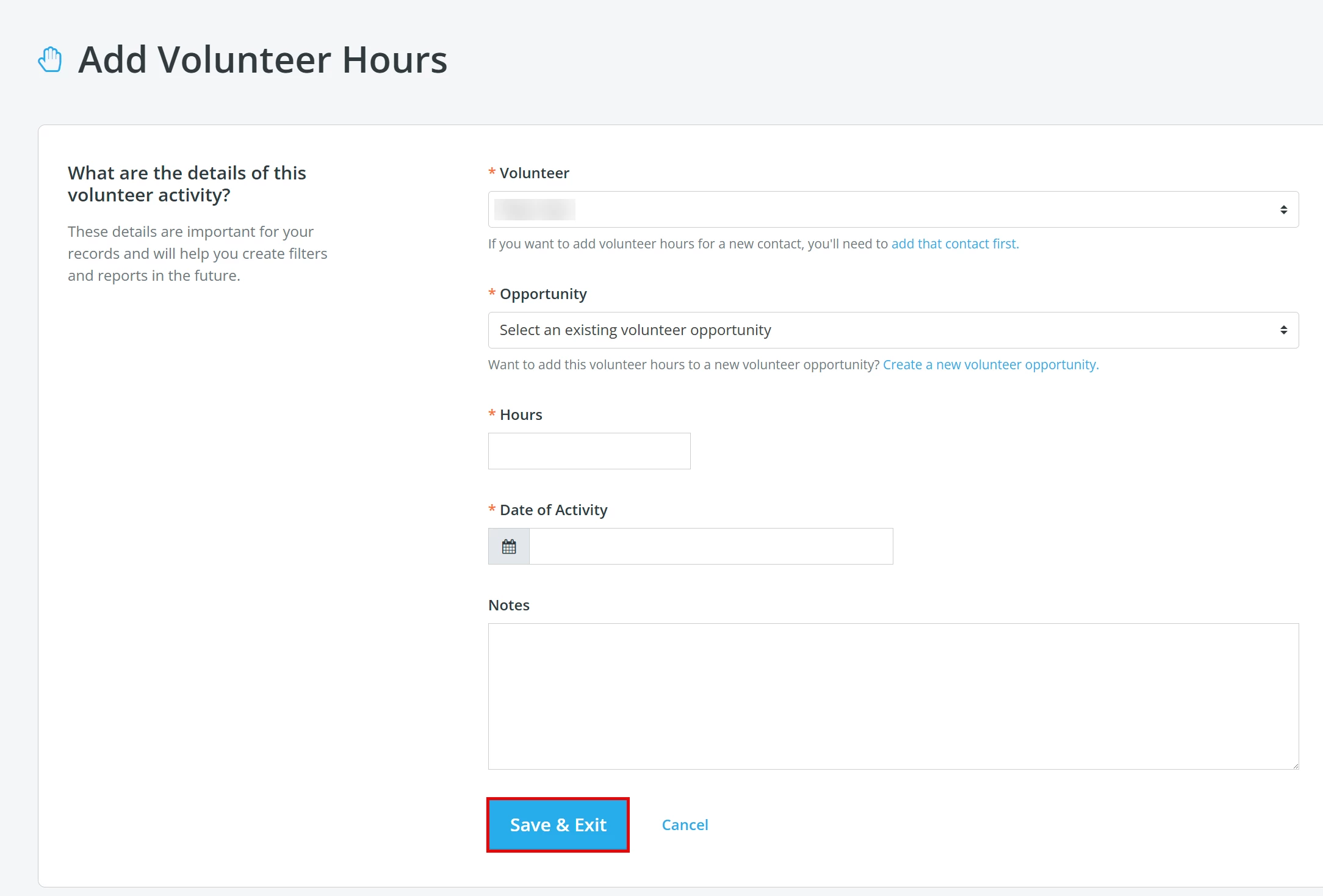
You will be taken to a page where you can edit the details of the volunteer's activity and include additional notes.
You can now log hours for a single date or across a date range. On the hour entry form, toggle on “Log hours for a date range” and enter a start and end date. This is especially useful for full-time or grant-funded volunteers who report hours weekly or monthly. All entries — single-date and range-based — flow into existing reports and totals automatically.
Open-ended opportunities: Volunteer opportunities no longer require a fixed date or time. If your program involves mentoring, tutoring, or other ongoing roles, you can log hours against an open-ended opportunity directly from this form — no need to pick a specific date for the opportunity itself.
Pro Tip: You can filter contacts in the ‘Contacts’ tab by total hours, volunteer skills, or recent activity. You can now also filter by volunteer status (Is a volunteer: Yes/No), volunteer activity status (Active, Lapsed, or No activity), or the specific opportunity a volunteer participated in — perfect for targeting follow-up emails or identifying your most engaged supporters.
What do you need help with?
Not quite what you were searching for?
Navigate back to the Donor Management Resource Index.
How do I log volunteer hours in Network for Good? | Where do I add volunteer hours for a contact? | Can I track volunteer hours without a spreadsheet? | How do I edit a volunteer’s logged hours? | How do I filter contacts by volunteer hours? | Can volunteers log their own hours? | How do I see total volunteer hours for a supporter?