

How do I view and manage a volunteer's activity?
Step 1: Navigate to your contact's profile
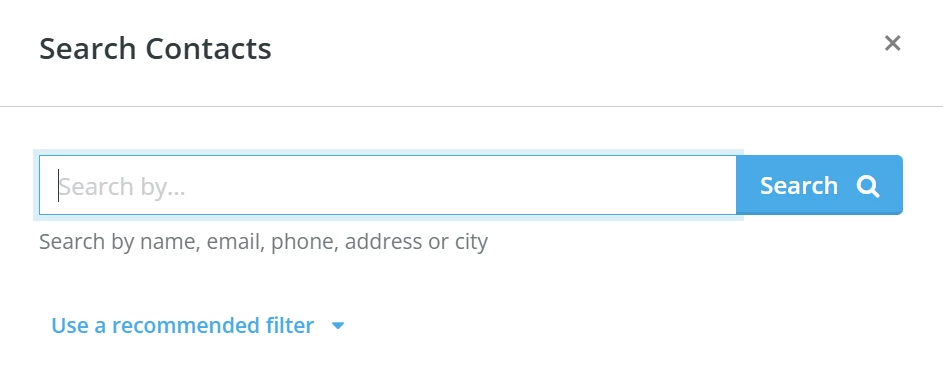
From your 'Donor Management' Dashboard, click the magnifying glass icon in the top right corner of the page.

A pop-up window will appear, where you can search for a contact by name, email, phone number, address, or city.
Step 2: View the contact's 'Volunteer Activity'
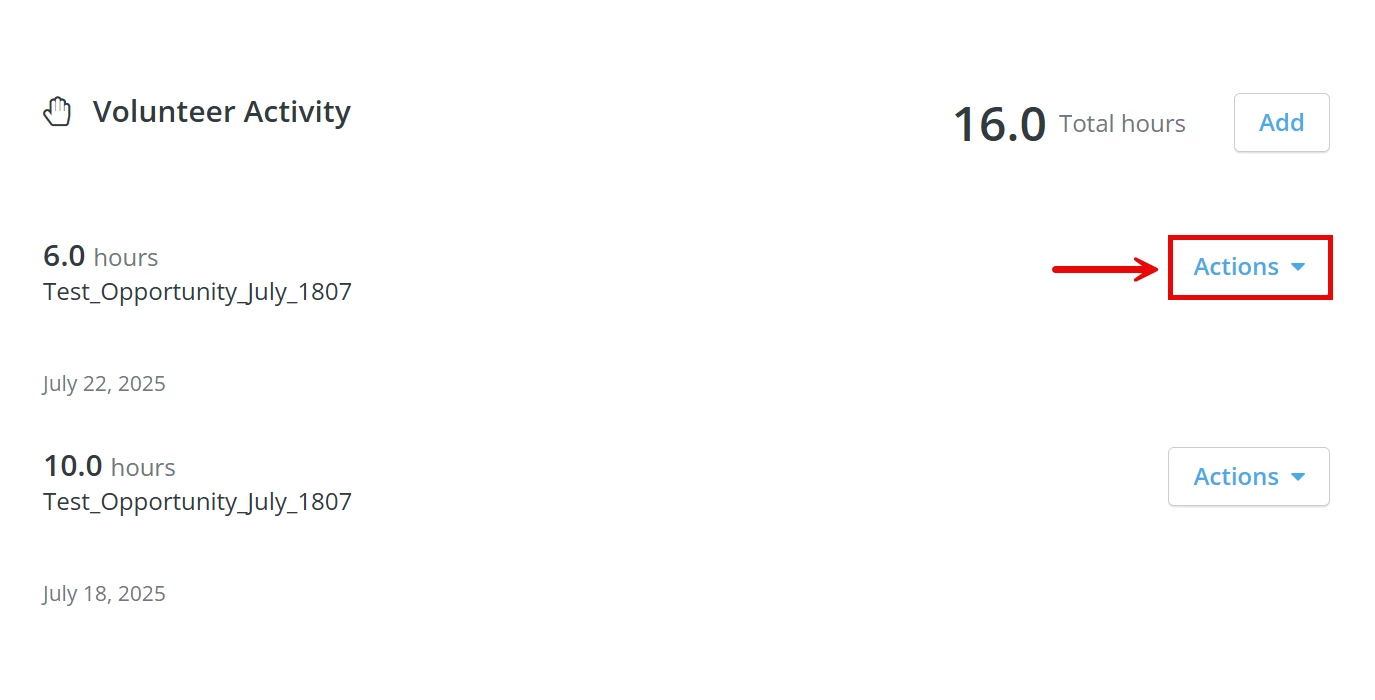
Scroll down the contact's profile to find the 'Volunteer Activity' section. Here, you can view the volunteer's Total Hours and a detailed breakdown of their activity.
You can click the 'Actions' button to edit or delete a specific record.
What you may see in the activity breakdown: Hour entries can now include a date range (a start and end date) rather than a single date. This applies to hours logged by admins or submitted through the public volunteer form when a volunteer reported hours over a period of time. Date-range entries count toward Total Hours just like single-date entries.
Open-ended opportunities: Some entries in the activity breakdown may be linked to open-ended opportunities — volunteer programs with no fixed date, such as mentoring or tutoring roles. These are treated the same as time-specific opportunities in all reports and totals.
Note: Only administrators can add hours in the 'Volunteer Activity' section of a contact's profile.
What do you need help with?
Not quite what you were searching for?
Navigate back to the Donor Management Resource Index.
How do I see a volunteer’s hours on their profile? | Where is the Volunteer Activity section in Network for Good? | How do I edit or delete logged volunteer hours? | Why can’t I add volunteer hours to a contact? | How do I see total volunteer hours for a supporter? | Can non-admin users log volunteer hours? | How do I manage volunteer records in Donor Management?