


How do I apply a campaign to a targeted e-mail?
Step 1: Navigate to Targeted Email
- From the homepage, navigate to the left-hand menu. Click Engagement > Communication Tools > Targeted Email.
- Or use the Search for a page field and type Targeted Email.
Step 2: Click the e-mail you want to assign your campaign to
You can search for an e-mail by name or scroll through the list under the relevant category.
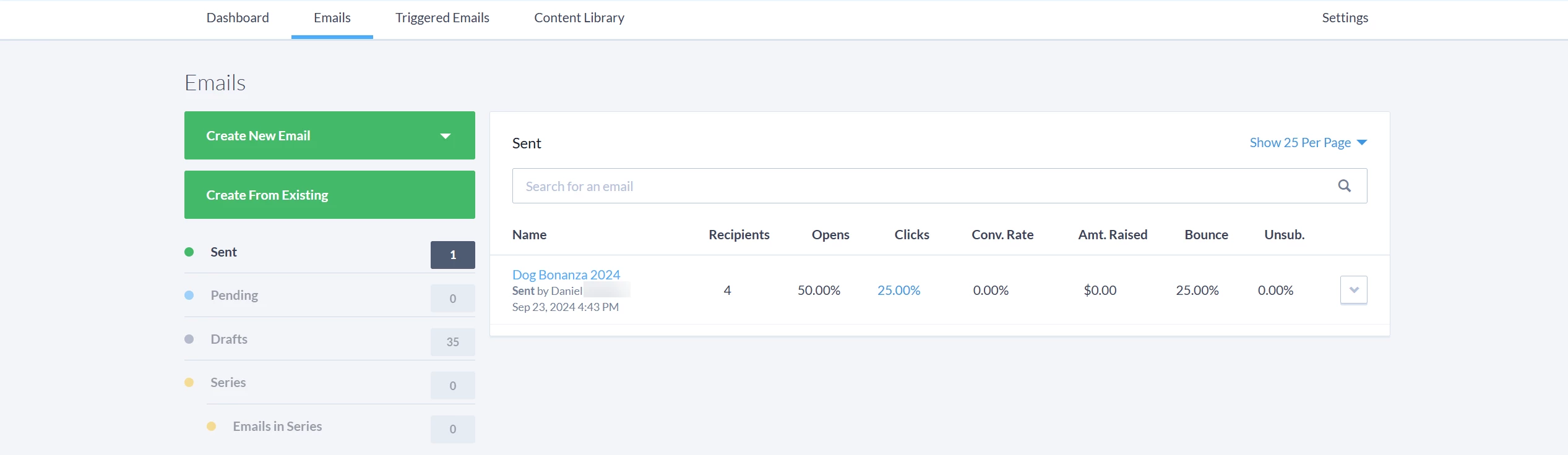
Once you locate the e-mail, click the arrow to the right of it and select 'Edit Email Details' from the dropdown.
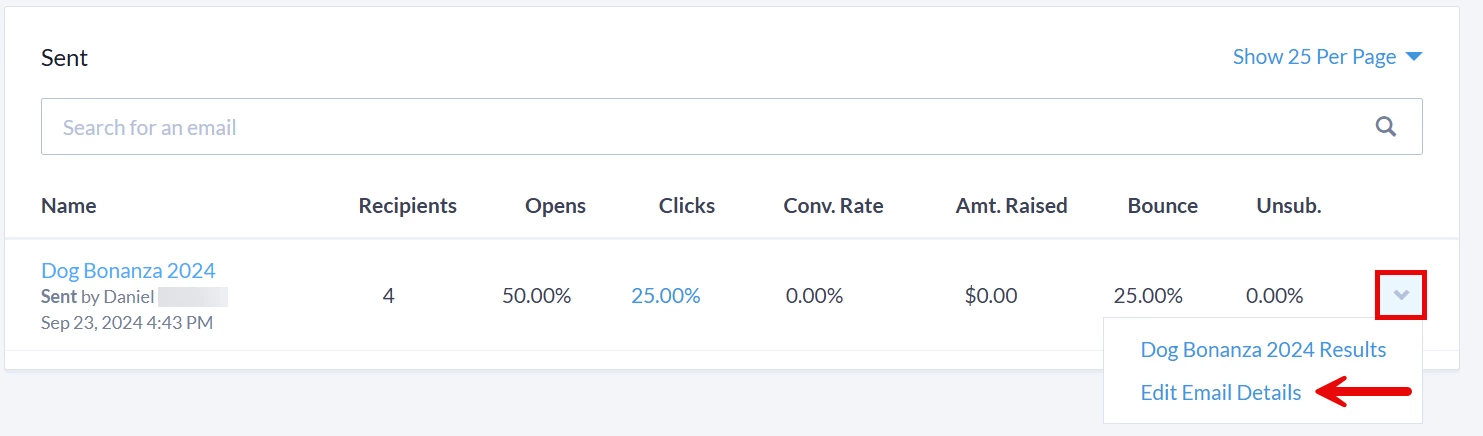
Step 3: Select your campaign
A pop-up window will appear where you can click on the 'Campaign' dropdown to select the campaign you want linked to your targeted e-mail.
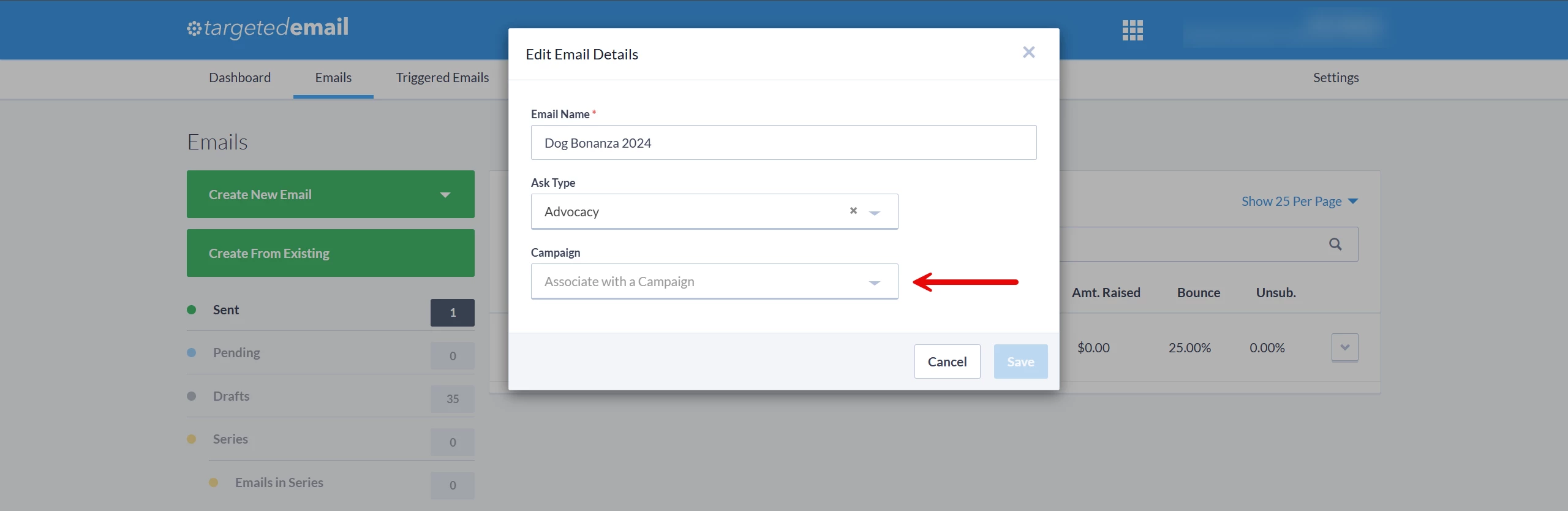
Once you have finished making your updates, be sure to click 'Save'!
Not quite what you were searching for?
- Navigate back to the Campaigns Resource Index.
How do I apply a campaign to a targeted e-mail? | How does apply a campaign to a targeted e-mail work in EveryAction? | Why can't I apply a campaign to a targeted e-mail? | Where do I apply a campaign to a targeted e-mail in EveryAction? | What is apply a campaign to a targeted e-mail in EveryAction? | How to apply a campaign to a targeted e-mail? | Can I apply a campaign to a targeted e-mail in EveryAction?